

Product Insights
Product Insights shows which products get attention but not sales, and what to do about each. Open DevDiggers Plugins → Customer Tracking → Reports → Product Insights.
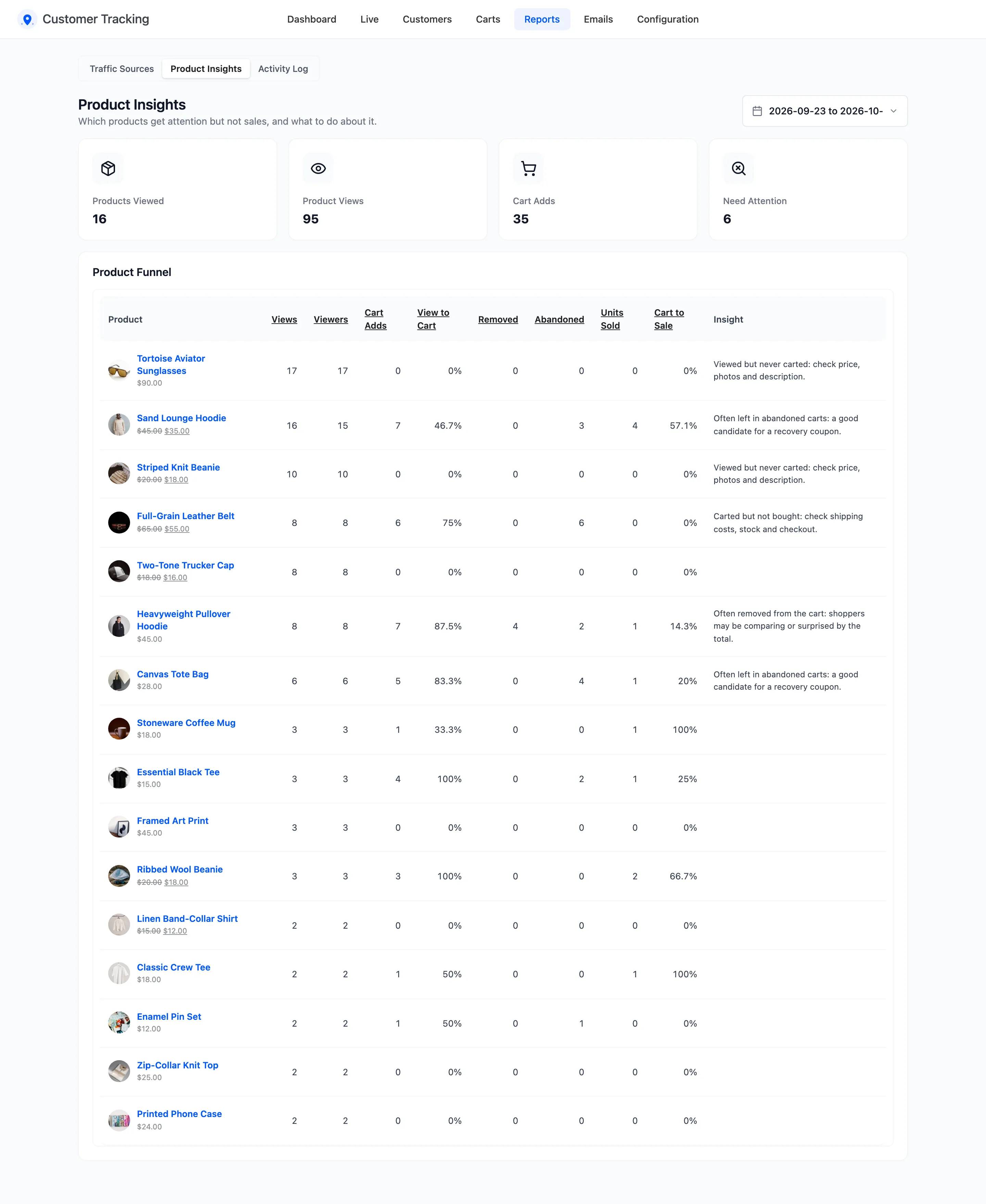
The four tiles
Section titled “The four tiles”Products Viewed, Product Views, Cart Adds, and Need Attention: the products with a suggestion.
The Product Funnel
Section titled “The Product Funnel”One row per product viewed or carted in the period:
- Views and Viewers: Page views, and the visitors behind them.
- Cart Adds and View to Cart: How often it was added, and the share of viewers who added it.
- Removed: How often it was taken out of a cart.
- Abandoned: Abandoned or lost carts that held it.
- Units Sold and Cart to Sale: Units in paid orders, and sales as a share of cart adds.
- Insight: A suggestion, when one applies.
Click a column title to sort by it.
The insights
Section titled “The insights”Each product gets the first insight that fits:
| Insight | When |
|---|---|
| Viewed but never carted: check price, photos and description. | 10 or more viewers, no cart adds |
| Carted but not bought: check shipping costs, stock and checkout. | 3 or more cart adds, no sales |
| Often removed from the cart: shoppers may be comparing or surprised by the total. | 4 or more cart adds, removed at least half as often |
| Often left in abandoned carts: a good candidate for a recovery coupon. | In 3 or more abandoned carts |
| Strong performer: feature it on the home page or in ads. | 10 or more viewers, at least 20% add it to the cart |
See How to Find Products That Get Views but No Sales.
Units sold come from WooCommerce Analytics. If its tables are empty, the column is too, until WooCommerce has imported your orders under WooCommerce → Analytics → Settings.