

Privacy and Data Settings
The Privacy & Data tab decides what is stored about each visitor and for how long. Open DevDiggers Plugins → Customer Tracking → Configuration → Privacy & Data.
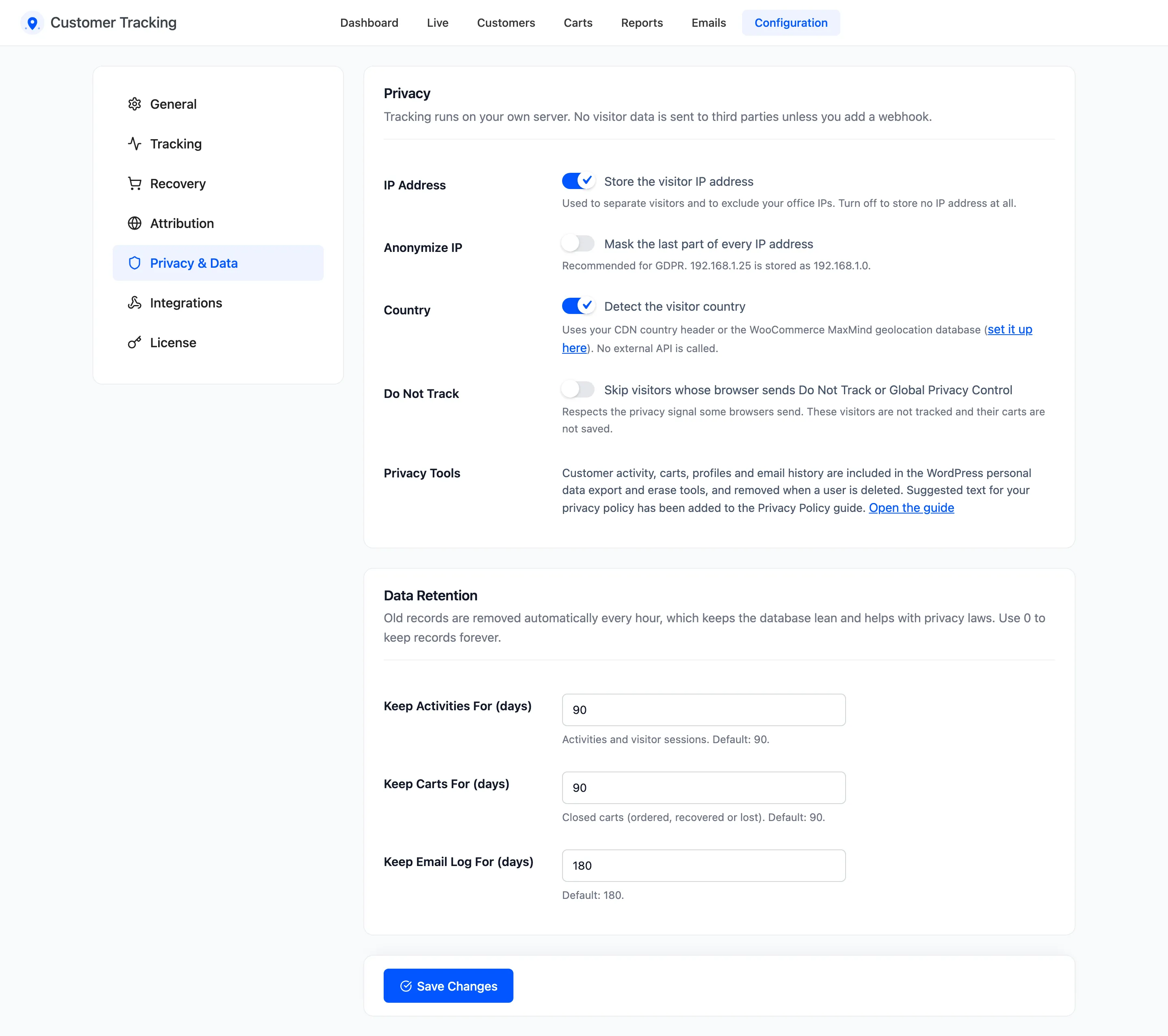
Tracking runs on your own server. No visitor data leaves your site unless you add a webhook.
Privacy
Section titled “Privacy”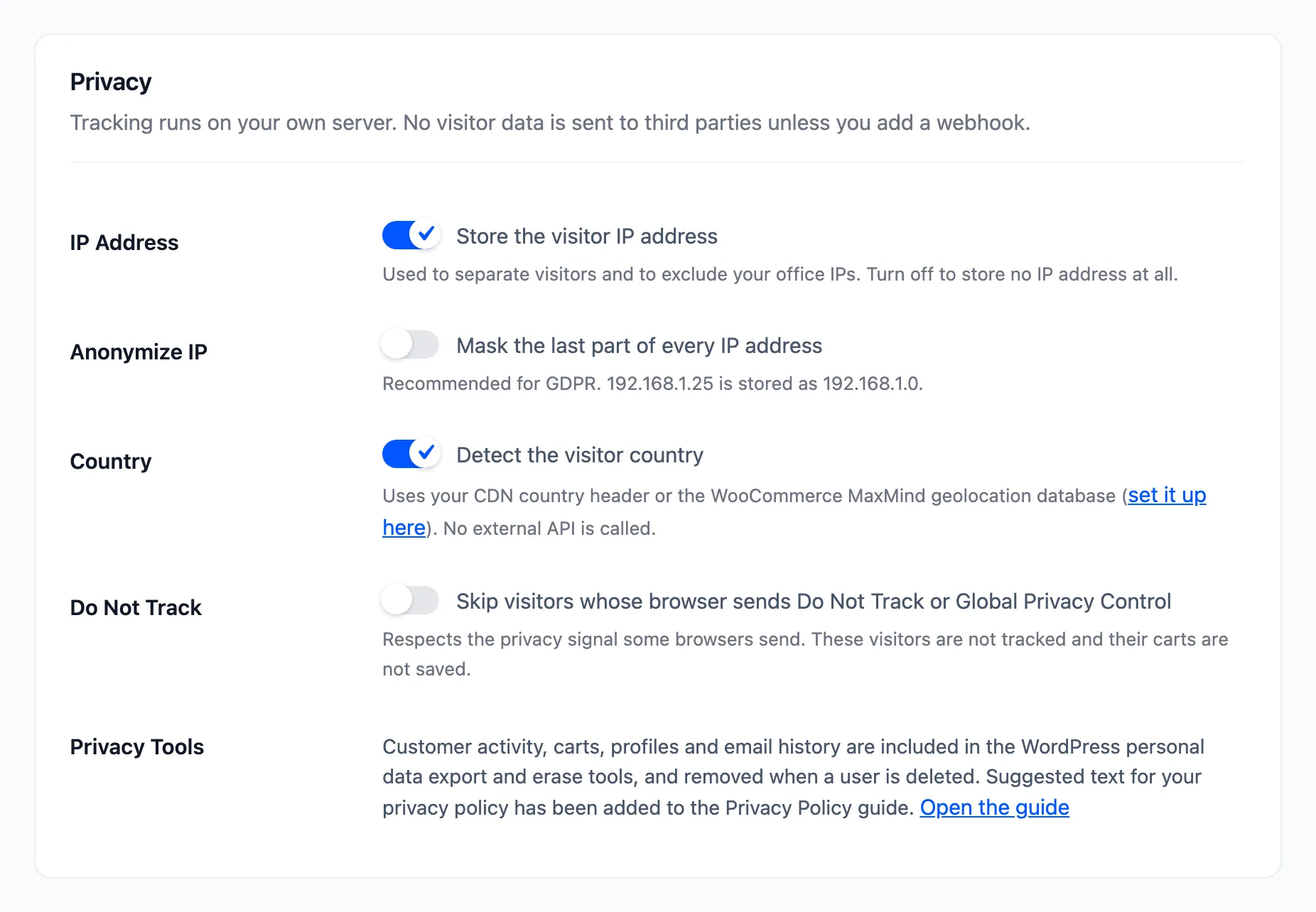
- IP Address: “Store the visitor IP address”. On by default. Off stores no IP address at all. IP exclusions on the Tracking tab still work, because they check the address without storing it.
- Anonymize IP: “Mask the last part of every IP address”. Off by default. On,
192.168.1.25is stored as192.168.1.0. Recommended in the EU. - Country: “Detect the visitor country”. On by default. It reads your CDN’s country header, such as Cloudflare’s, or the WooCommerce MaxMind database. No outside service is called.
- Do Not Track: “Skip visitors whose browser sends Do Not Track or Global Privacy Control”. Off by default. On, those visitors are not tracked and their carts are not saved.
- Privacy Tools: A note, not a setting. Activity, carts, profiles and email history are part of the WordPress export and erase tools. A link opens the privacy policy guide, where the plugin adds a suggested paragraph.
Cookie consent
Section titled “Cookie consent”With a consent plugin that uses the WordPress Consent API, tracking waits for the visitor’s statistics
consent. Until then no visit cookie is set and nothing is recorded, and tracking starts the moment the
visitor accepts. Without such a plugin, everyone is tracked, subject to the settings above. A developer can
connect another consent tool with the ddwcct_has_consent filter.
Where the IP address comes from
Section titled “Where the IP address comes from”The plugin reads the address from Cloudflare’s own header, when the store is behind Cloudflare, or from the
server’s connection otherwise. Other forwarded headers are ignored, because a visitor can send them, and a
forged one could slip past an IP exclusion. A store behind a different proxy can correct the address with
the ddwcct_client_ip filter.
Country detection needs one of the two sources. Without a CDN header or MaxMind set up, the country stays empty and Top Countries on the dashboard says so. MaxMind is set up under WooCommerce → Settings → Integration, with a free license key.
Data Retention
Section titled “Data Retention”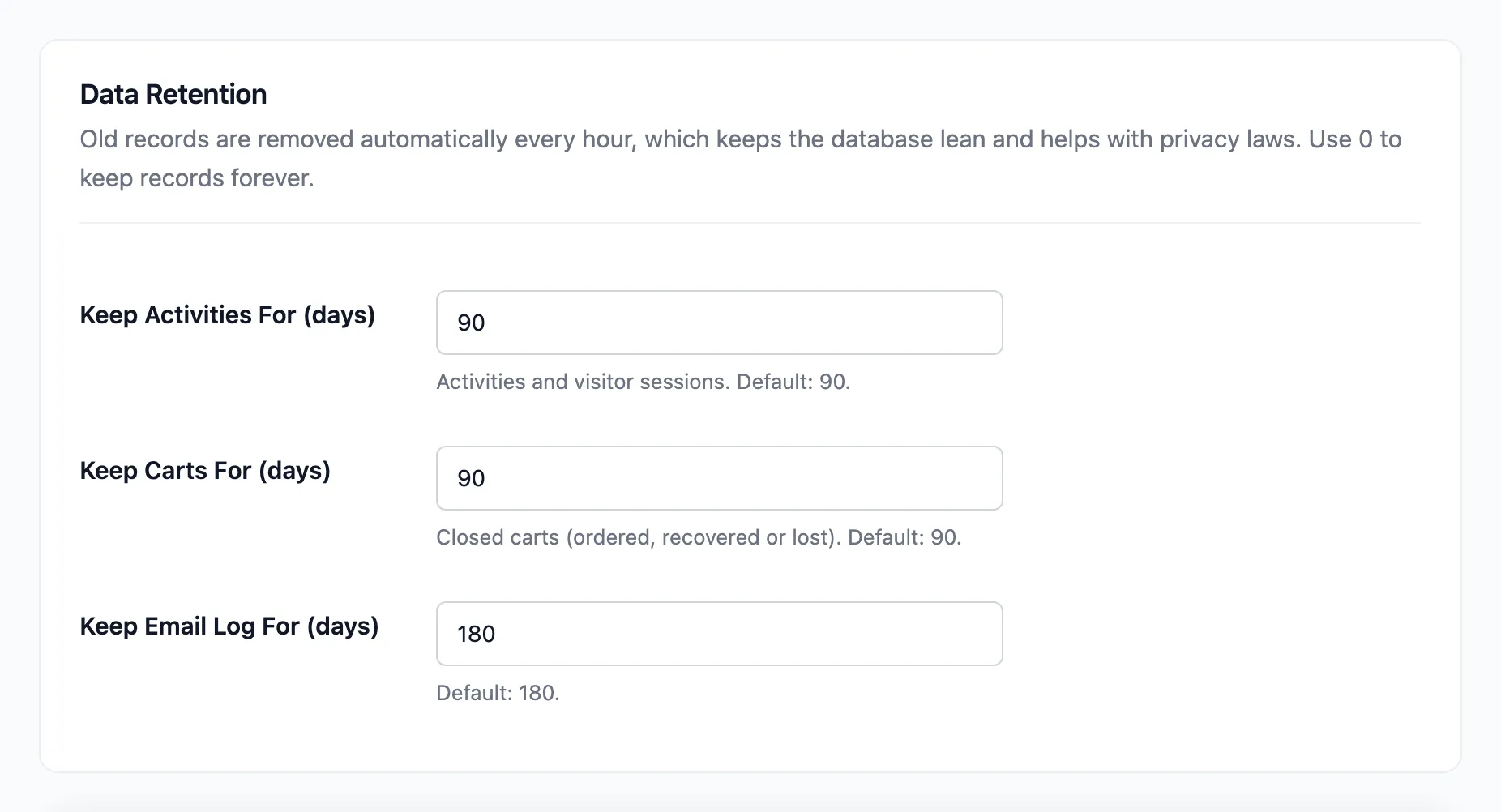
Old records are removed every hour. 0 keeps them forever.
- Keep Activities For (days): Activities and visitor sessions. Default 90.
- Keep Carts For (days): Closed carts: Ordered, Recovered or Lost. Default 90. Active and abandoned carts are never removed this way, so a cart still in its reminders keeps them.
- Keep Email Log For (days): Default 180.
Customer profiles are not removed by age. They hold lifetime value and segments, which need the whole history. A deleted WordPress user takes their profile, activity, carts and email history with them.
See How to Handle Privacy Requests.
Click Save Changes at the bottom of the tab.