

Live Visitors
The Live screen shows the shoppers in your store right now. Open DevDiggers Plugins → Customer Tracking → Live.
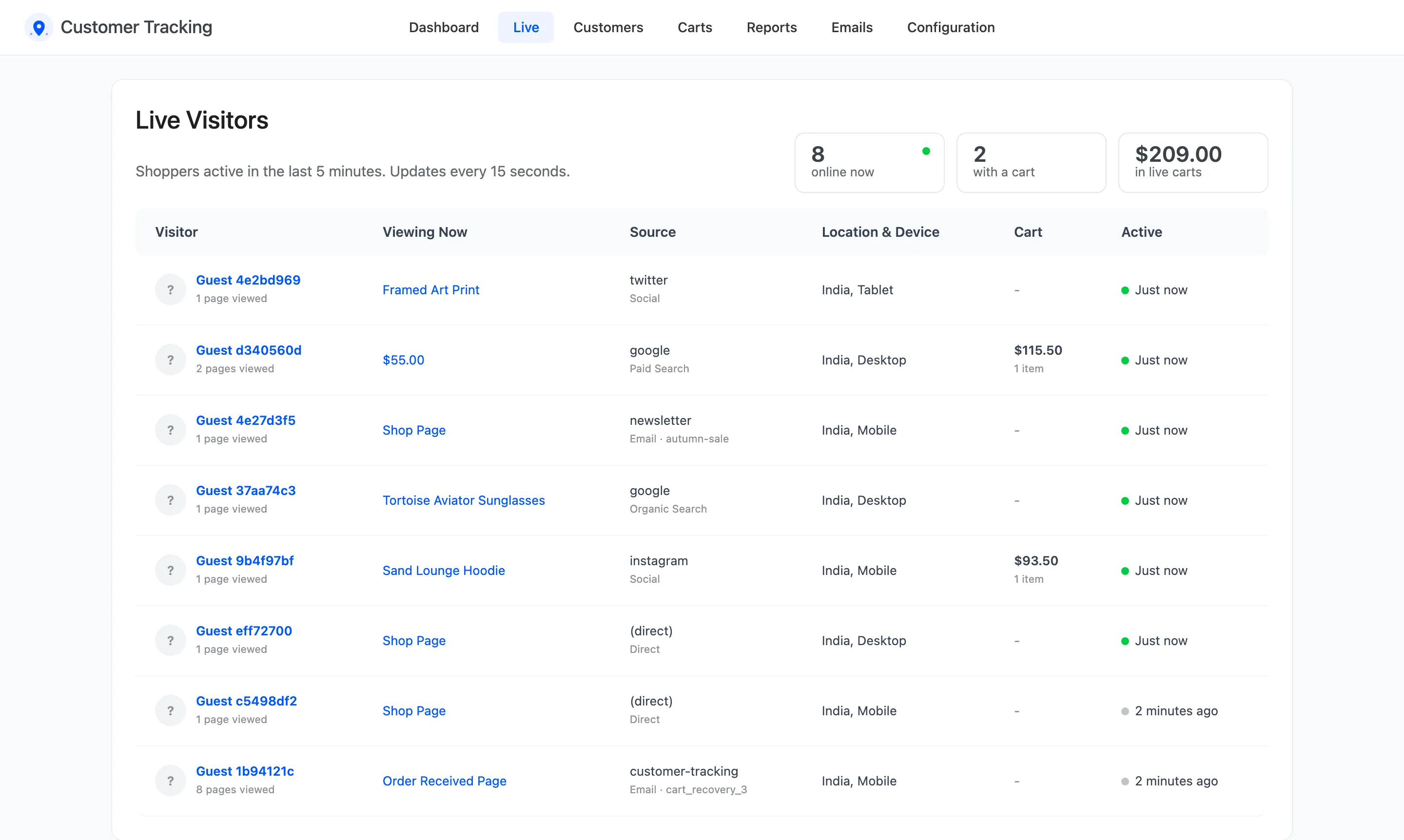
The three counts
Section titled “The three counts”- online now: Shoppers active within the online window, 5 minutes by default.
- with a cart: How many of them have something in their cart.
- in live carts: The value of those carts.
The window is set by Online Window (minutes) under Configuration → General.
The table
Section titled “The table”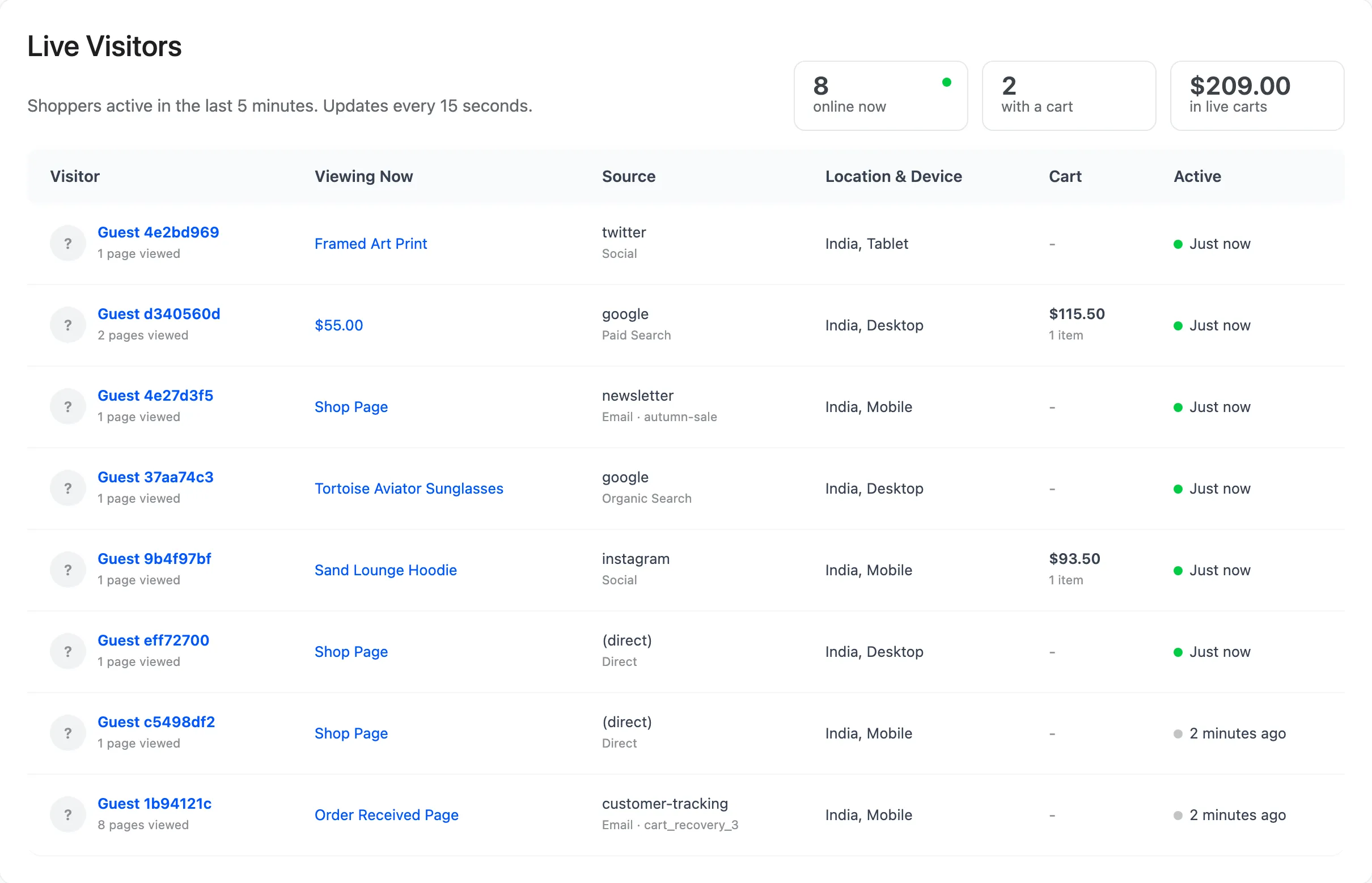
- Visitor: A logged in customer’s name and email, or Guest and a short ID with the pages viewed. Click it to open their journey.
- Viewing Now: The page they are on. Click it to open the page.
- Source: Where this visit came from, such as
googleand Paid Search. - Location & Device: Country and device.
- Cart: Cart value and items, or a dash.
- Active: Just now, or how long ago they last did something.
The screen updates itself every 15 seconds, and stops while the browser tab is hidden. Up to 100 visitors are listed, the most recent first.
Who is not listed
Section titled “Who is not listed”Your own team, if excluded under Configuration → Tracking, and visitors whose browser sends Do Not Track when that setting is on. If nobody is listed and you expect shoppers, check the notice at the top: it says when tracking is switched off or the license is inactive.