

How to See What a Customer Did Before Ordering
When an order lands, the next question is often “how did they get here?”. The order screen answers it without leaving WooCommerce.
Step 1: Open the order
Section titled “Step 1: Open the order”Go to WooCommerce → Orders and open the order.
Step 2: Read Path to Purchase
Section titled “Step 2: Read Path to Purchase”The Path to Purchase box in the side column shows the source the order was credited to, then the last steps up to the order.
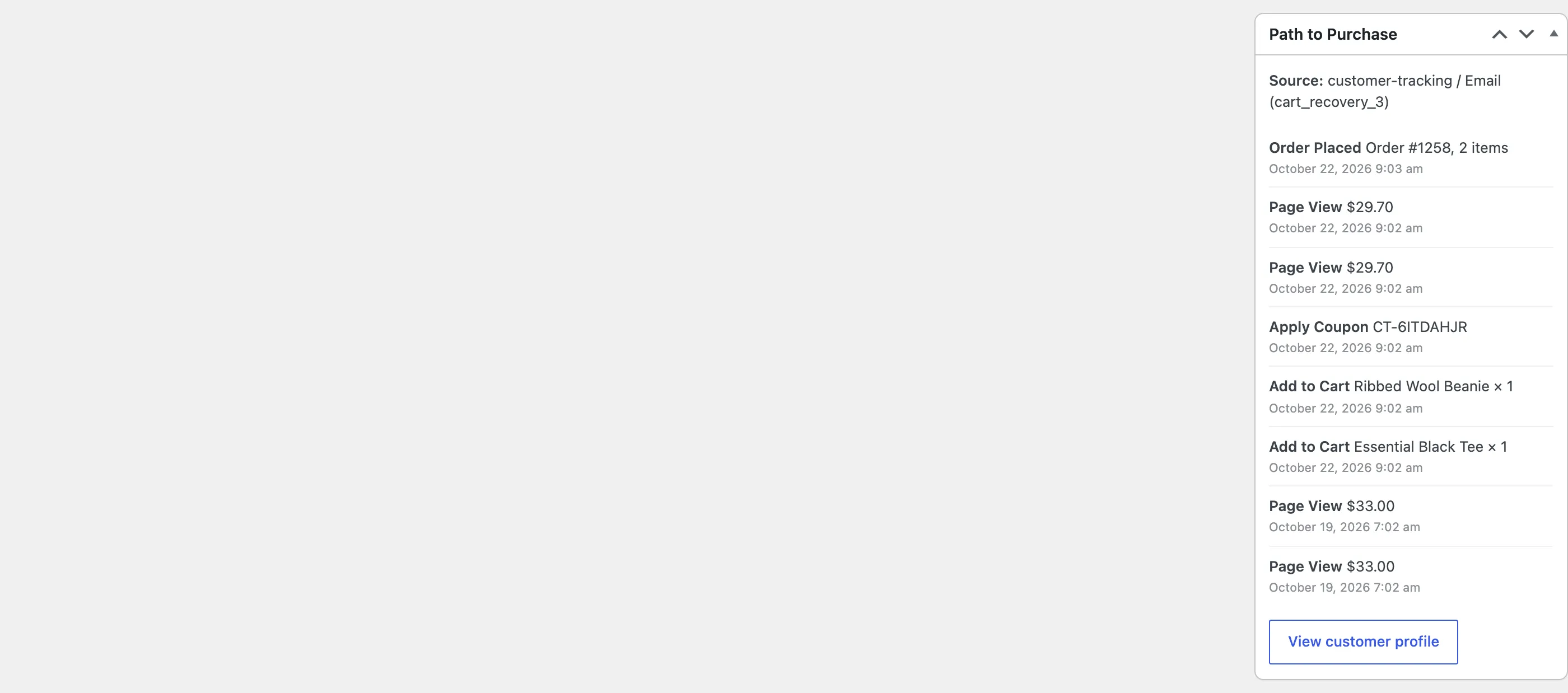
Nina’s order on the demo reads from the bottom up: the reminder email, the cart refilled with the coupon, the checkout and the order.
Step 3: Open the whole journey
Section titled “Step 3: Open the whole journey”Click View customer profile. The Journey shows every visit, day by day, with both of Nina’s devices in one timeline. The first visit from Instagram, the abandoned cart and the order three days later are all there.
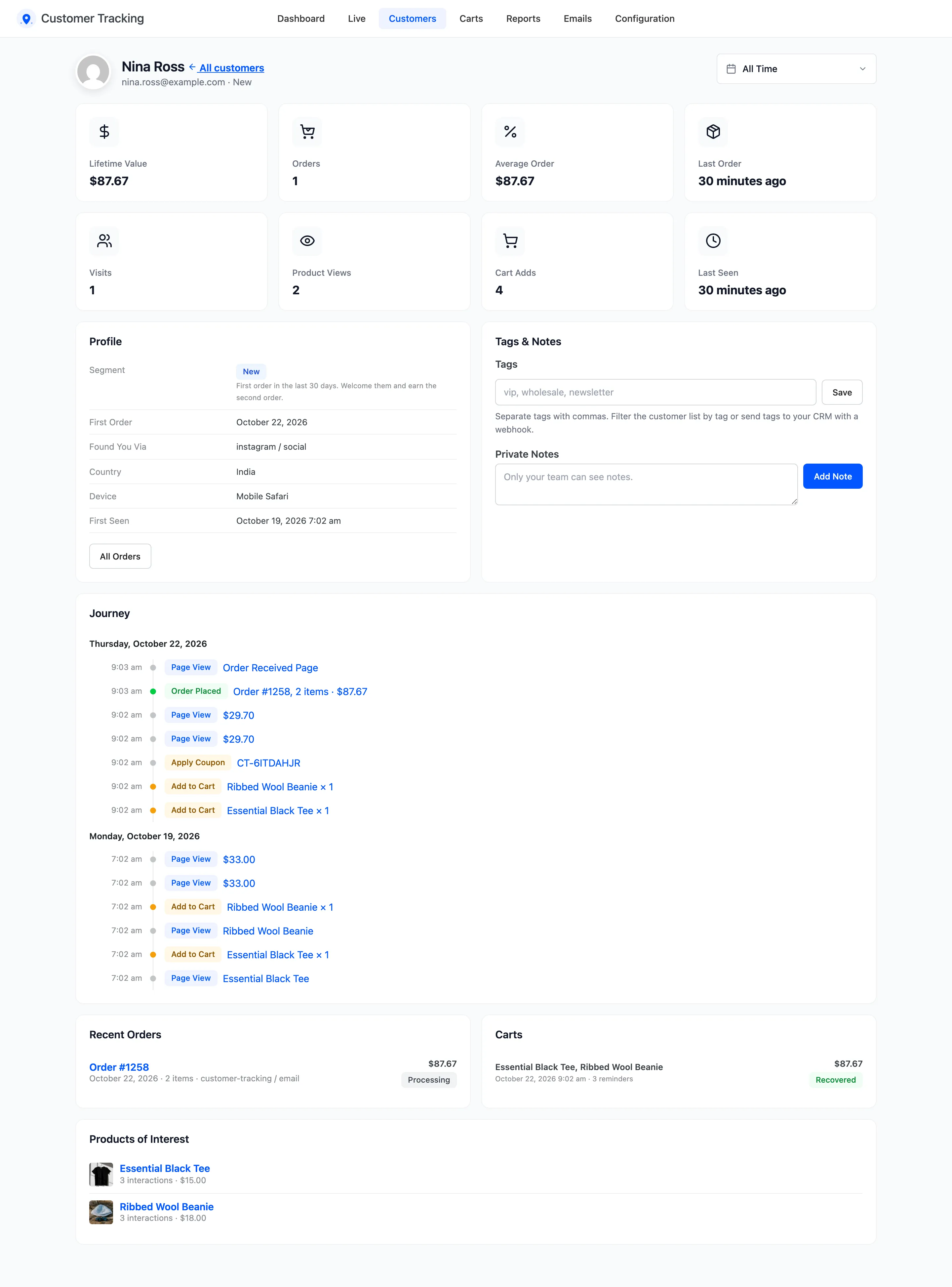
Found You Via in the profile names the channel of the first visit.
Good to know
Section titled “Good to know”- For an order placed before the plugin was installed, the box says “No tracked activity for this customer before the order.”
- Orders you create in the admin have no visit, so they show no path.
- The same order is in the Sources report under its channel. See Traffic Sources and Campaigns.