

Setup Wizard
The setup wizard opens the first time you activate the plugin. It takes about a minute. Run it again any time from Setup Wizard in the plugin’s row on the Plugins screen.
Step 1: Welcome
Section titled “Step 1: Welcome”
Click Continue, or Skip Setup to keep the shipped settings.
Step 2: License
Section titled “Step 2: License”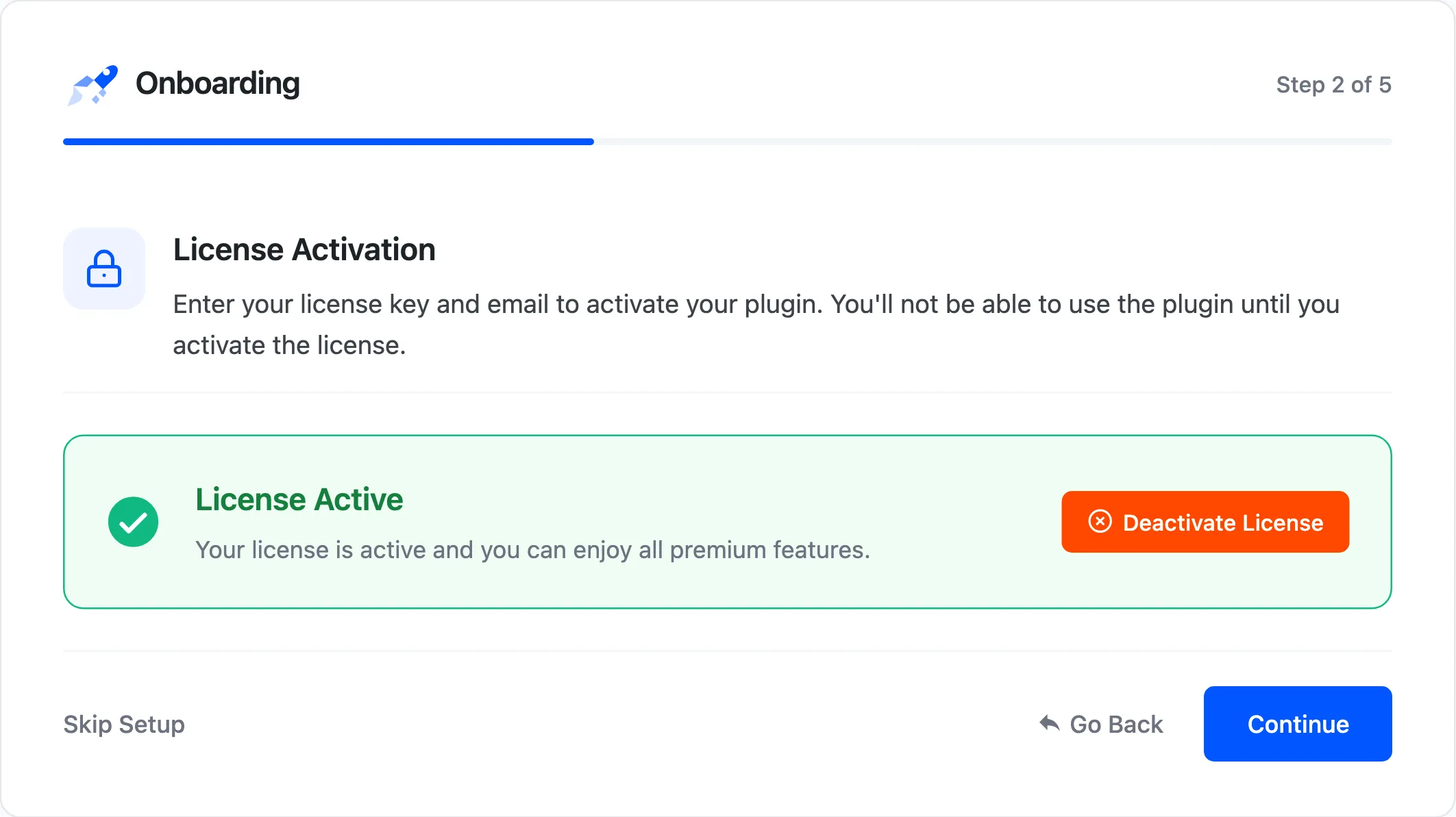
Enter your purchase code and email and activate. Continue stays blocked until the license is active, with “Activate your license to continue.”
Step 3: Tracking
Section titled “Step 3: Tracking”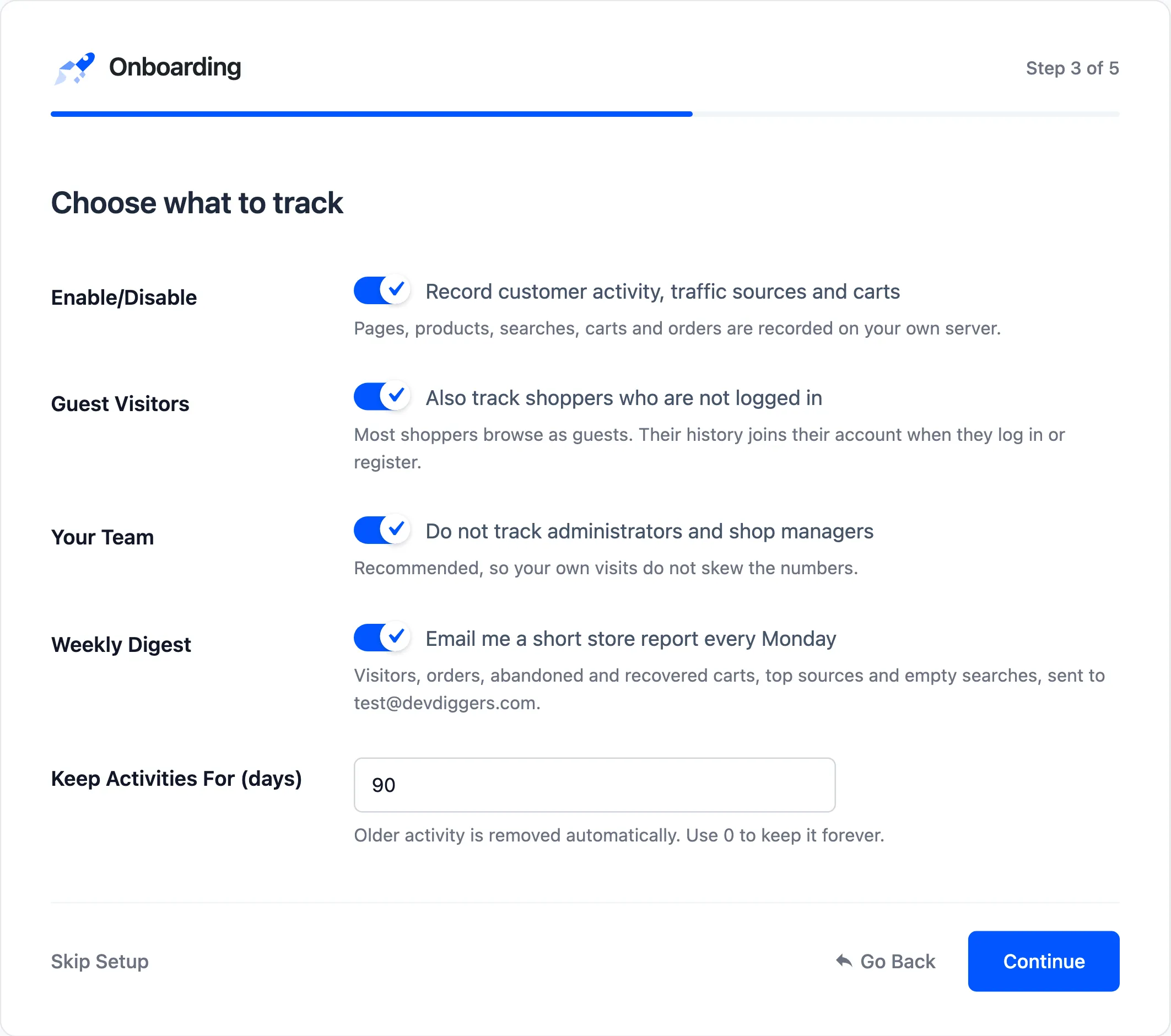
- Enable/Disable: Record customer activity, traffic sources and carts.
- Guest Visitors: Also track shoppers who are not logged in.
- Your Team: “Do not track administrators and shop managers”. This adds or removes both roles under Exclude User Roles, and keeps any other roles you excluded.
- Weekly Digest: The weekly store report, to the recipients and on the day set on the General tab.
- Keep Activities For (days): Default 90. 0 keeps them forever.
Step 4: Recovery
Section titled “Step 4: Recovery”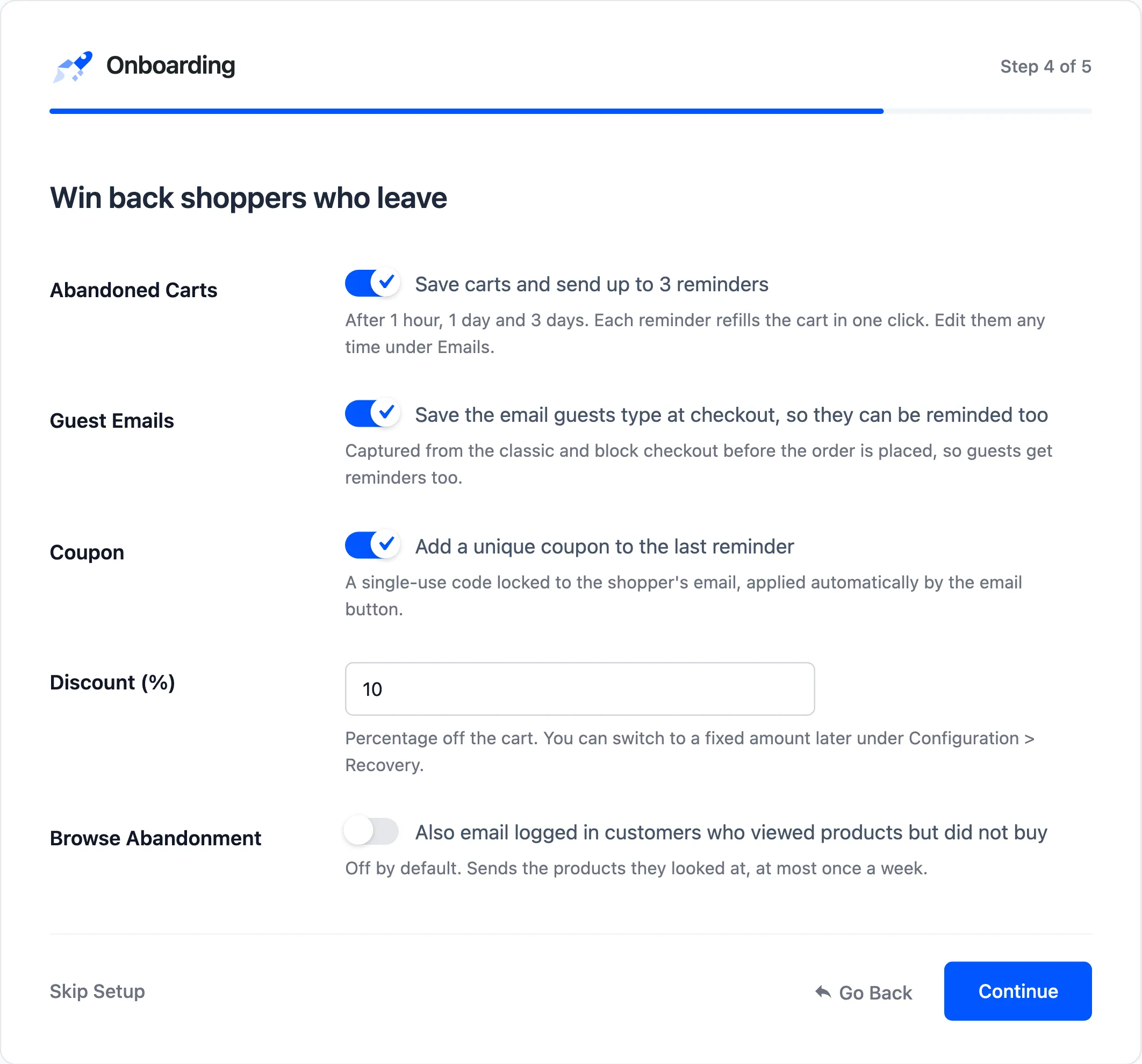
- Abandoned Carts: Save carts and send up to three reminders, after 1 hour, 1 day and 3 days.
- Guest Emails: Save the email guests type at checkout, so they can be reminded too.
- Coupon: Add a unique coupon to the last reminder.
- Discount: The coupon’s value. It reads Discount (%) for a percentage coupon, and shows your currency for a fixed amount coupon.
- Browse Abandonment: Also email logged in customers who viewed products but did not buy. Off by default.
The coupon keeps its type. A store that set a fixed $15 coupon under Configuration → Recovery sees Discount ($) here, and still has a fixed $15 coupon after the wizard.
Step 5: Ready
Section titled “Step 5: Ready”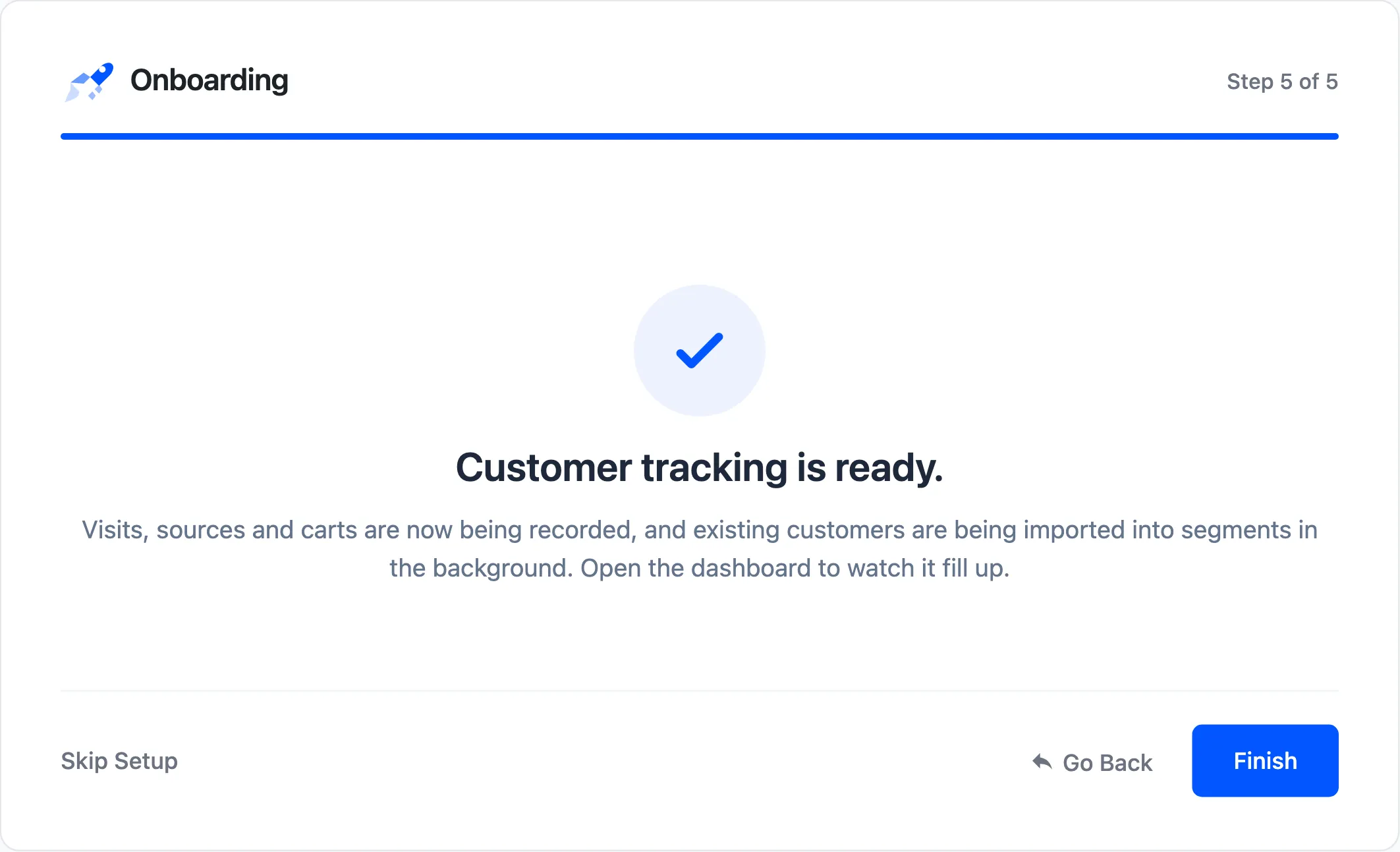
Customer Tracking is ready. Your existing customers are being imported into profiles in the background.
What the wizard saves
Section titled “What the wizard saves”Each step saves when you click Continue. A box you untick is saved as off. Everything else keeps its shipped value, and every setting can be changed later under Configuration.