

How to Export Customers and Activities
Both exports download straight away as .csv files that open in any spreadsheet.
Customers
Section titled “Customers”On Customers, pick the segment or tag first, then click Export CSV next to the title.
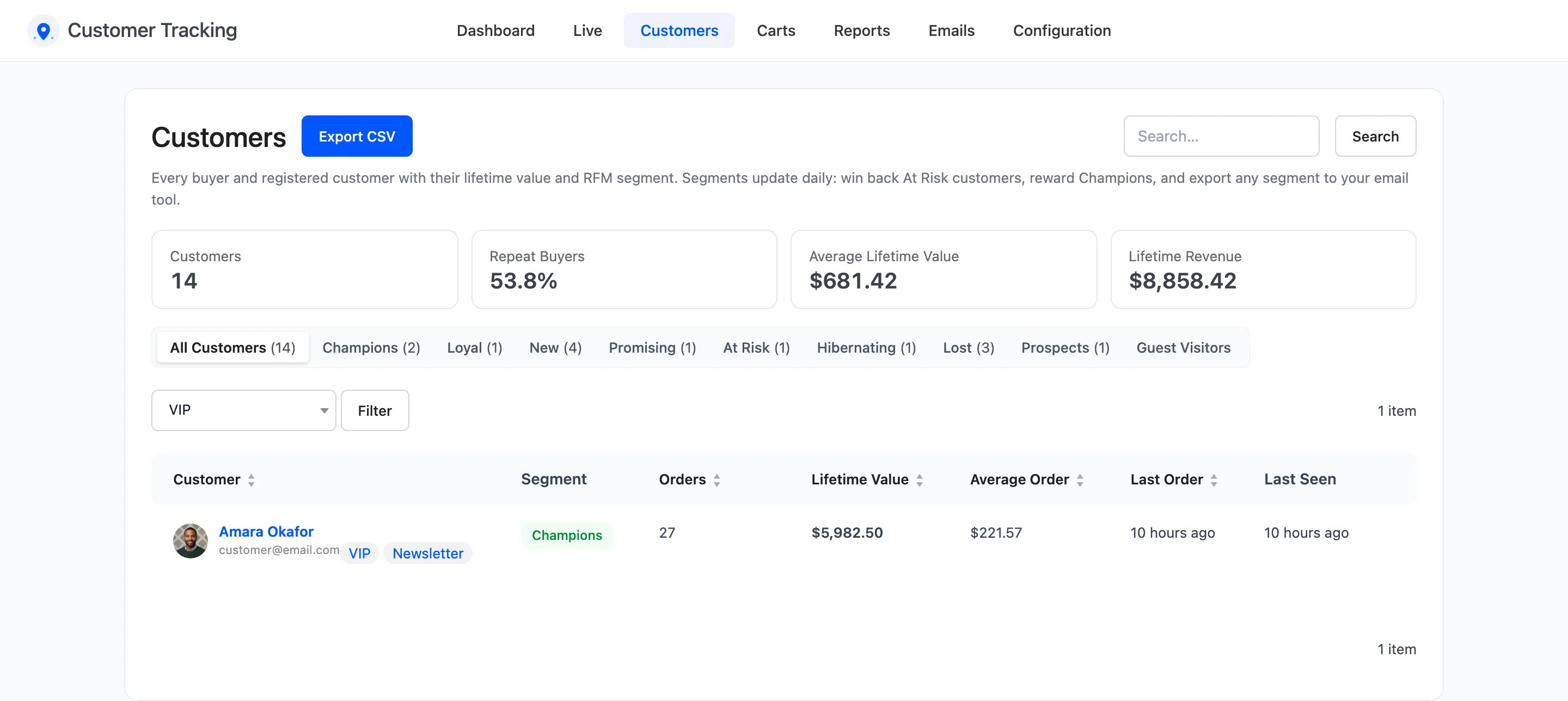
The file is named after the segment and the date, such as customers-at_risk-2026-10-22.csv. Columns:
Email, Name, User ID, Segment, Orders, Lifetime Value, Average Order, First Order, Last Order and Tags.
The Guest Visitors view has no export: those visitors have no email.
Activities
Section titled “Activities”On Reports → Activity Log, set the event view, the filters and the dates, then click Export CSV.
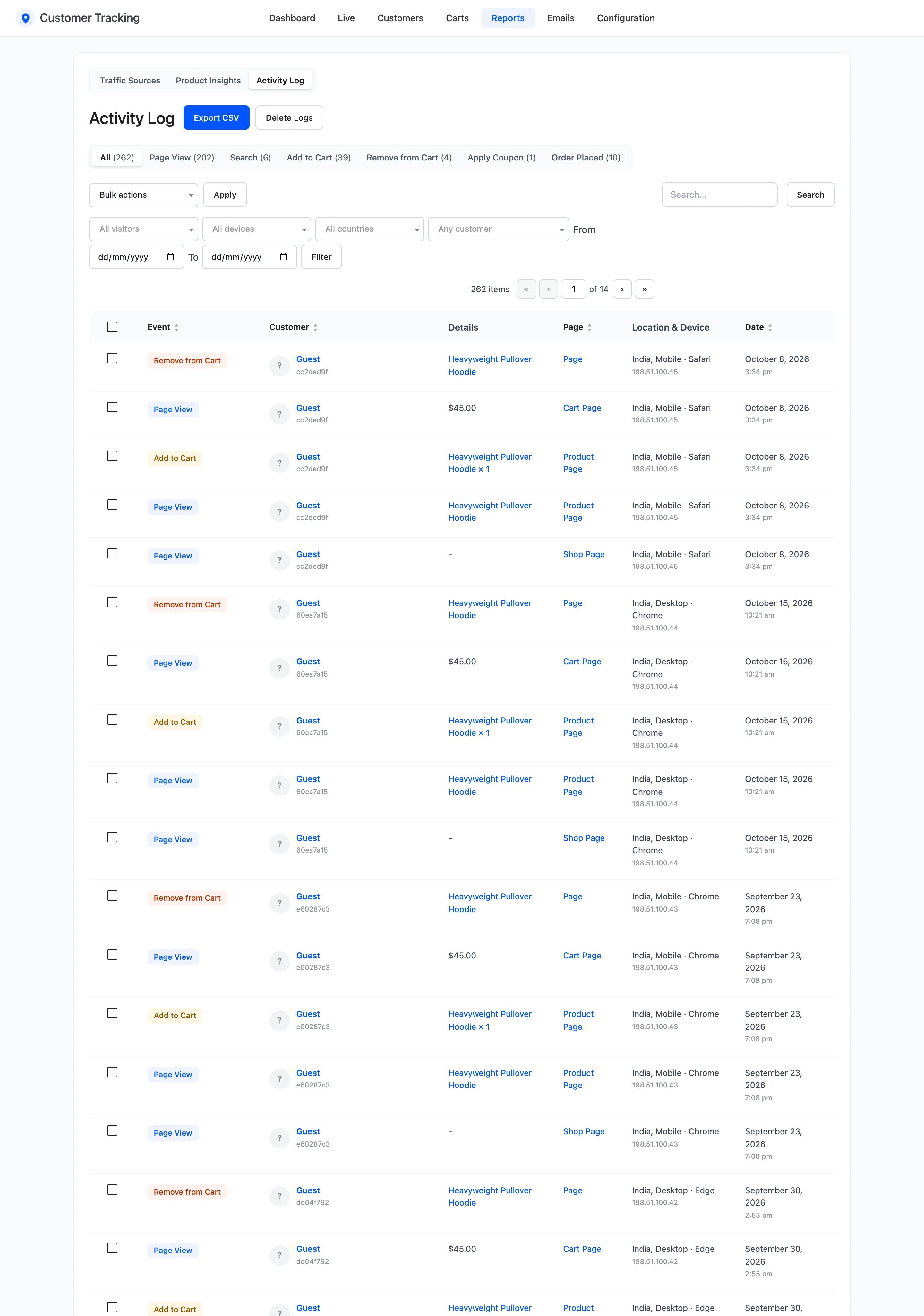
Columns: ID, Date, Event, Page Type, Details, URL, Customer ID, Customer Email, Session, IP Address, Country, Device, Browser, Object ID and Value.
Good to know
Section titled “Good to know”- Exports are for staff who can manage WooCommerce, the same as the screens.
- A cell that starts with
=,+,-or@gets a leading apostrophe, so a spreadsheet does not run it as a formula. - The files can hold personal data. Store and share them the way your privacy policy says.