

How to Upgrade from Version 1.x
Version 2.0 rebuilt the plugin around a proper alerts table, target prices and a dashboard. Updating keeps everything you had.
Step 1: Back up the site
Section titled “Step 1: Back up the site”Take a database backup first, as before any plugin update.
Step 2: Update the plugin
Section titled “Step 2: Update the plugin”Update from Plugins when the update is offered, or upload the 2.0 zip over the old version. Your license stays active. The setup wizard does not open for a store that already had the plugin set up.
Step 3: Check the alerts
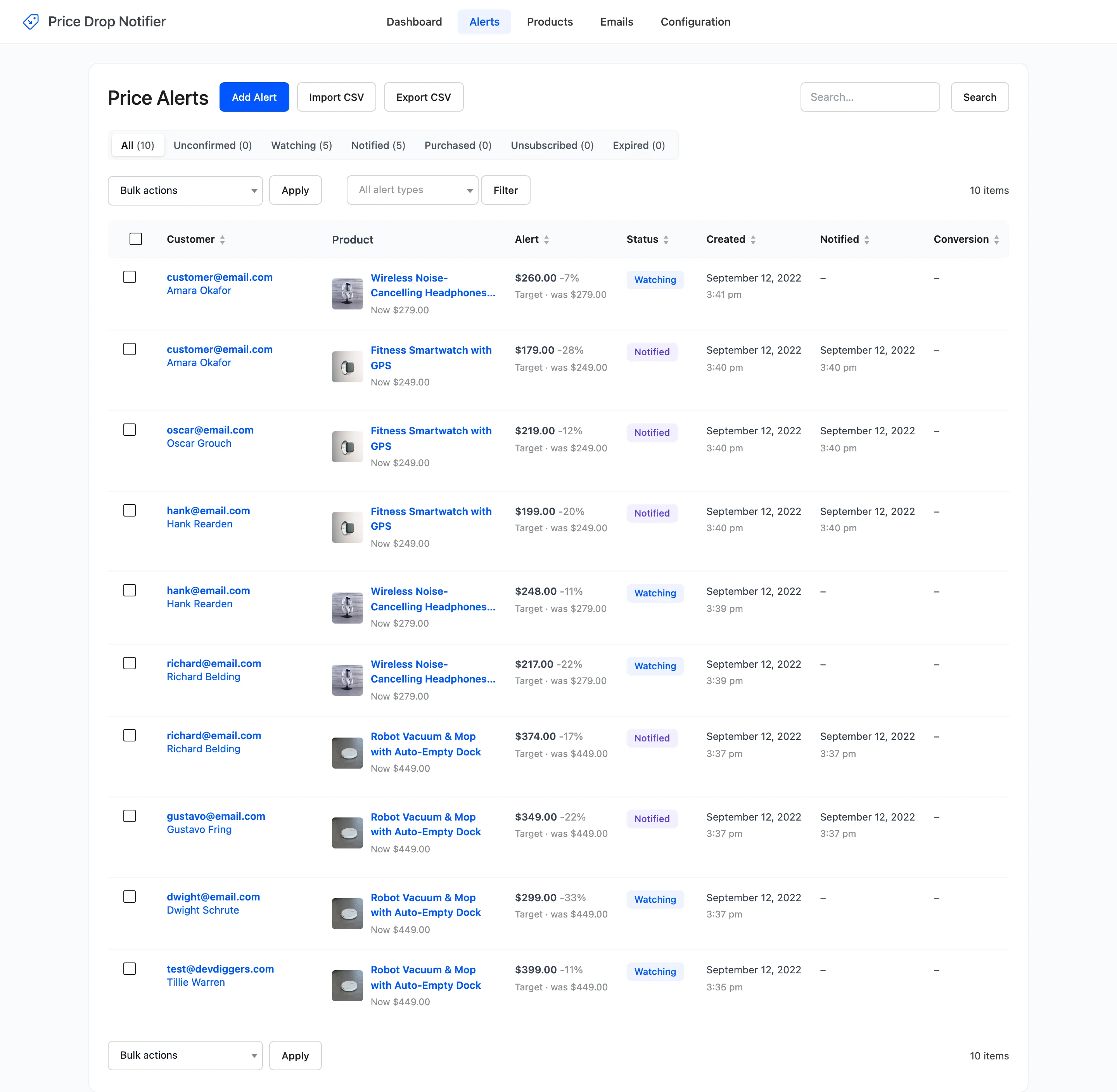
Section titled “Step 3: Check the alerts”The first load after the update moves every 1.x subscriber list into the new alerts table, once:
- A 1.x “expected price” below the price at signup becomes a Set my price alert with that target.
- Anything else becomes an Any price drop alert, measured from the 1.x signup price.
- Subscribers who were already emailed are Notified. The rest are Watching.
- Each keeps its original signup date, and an account is linked when the email belongs to a customer.
Open Alerts to check them. The demo’s 1.x subscribers came through exactly this way, in September 2022.
Step 4: Check the new settings
Section titled “Step 4: Check the new settings”Your 1.x settings are kept. Walk through the tabs to see what 2.0 adds:
- Alert Form: Alert types, quick discounts, shop page buttons, double opt-in, consent and style.
- Drop Rules: The minimum drop, the stock check and the lowest target.
- Coupons: A coupon in every price drop email.
- Emails: Five emails with placeholders, a reminder, preview and test sends, and the Email Log.
- Integrations: Webhooks.
Old admin links to the 1.x screens open their new places on their own.
After the update
Section titled “After the update”1.x alerts that were already emailed have no price on record, so they never get a reminder. Customers who still want the product can set a new alert, or you can click Switch back on for them on the Alerts screen.