

How to Find the Price Shoppers Want
Every target alert is a shopper telling you the price they would pay. Together they show where a small cut turns into orders.
Step 1: See which products are watched
Section titled “Step 1: See which products are watched”Open Products. The list starts with the most watched. Target Demand gives the highest target, how far below today’s price it is, and the number and average of the targets.
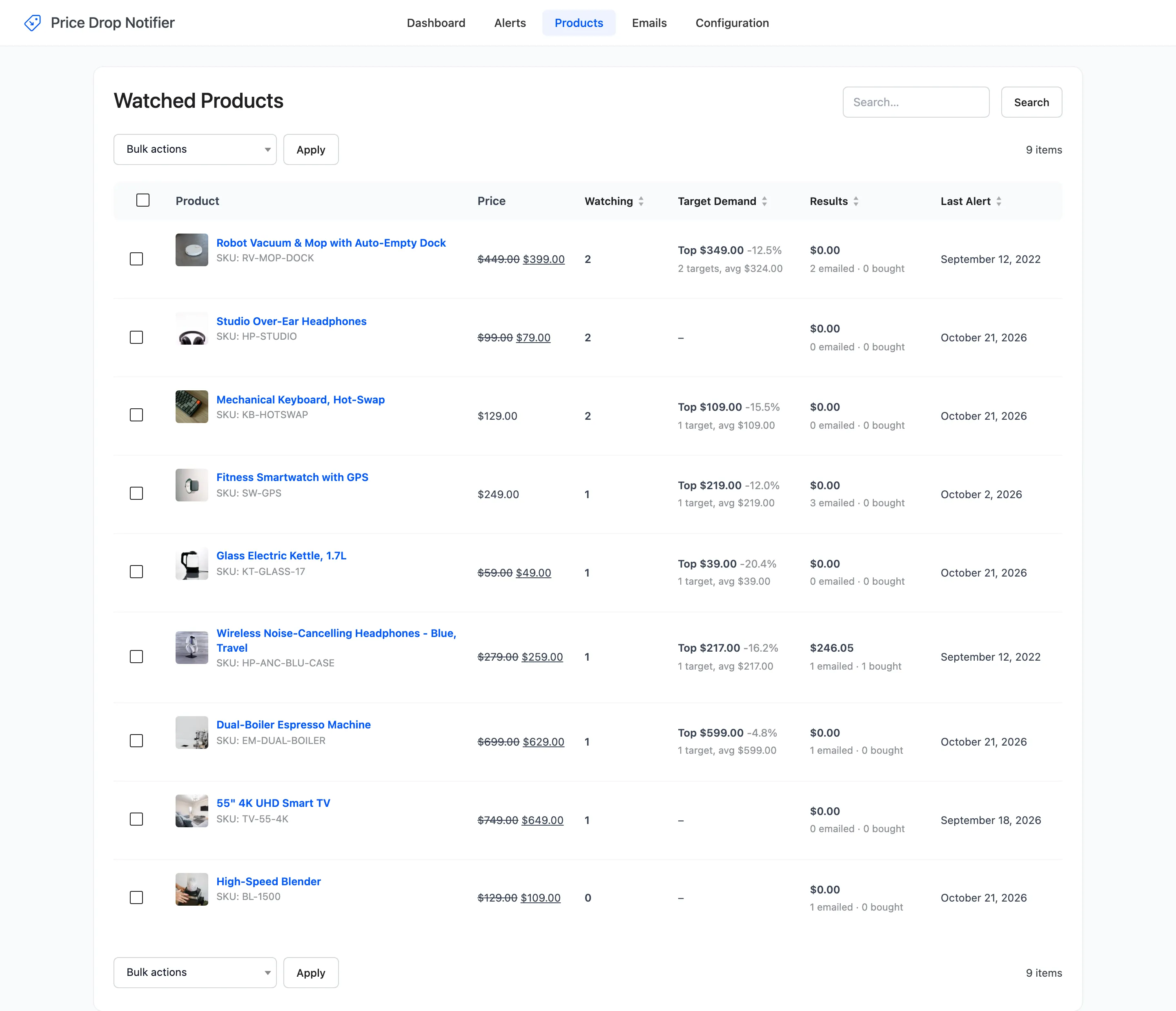
Sort by Target Demand to see the products whose highest target is nearest to selling.
Step 2: Read Price Opportunities
Section titled “Step 2: Read Price Opportunities”On the Dashboard, Price Opportunities gives one line per watched product, such as Lower to $109.00 (-15.5%) to email 2 watchers, with Edit price.
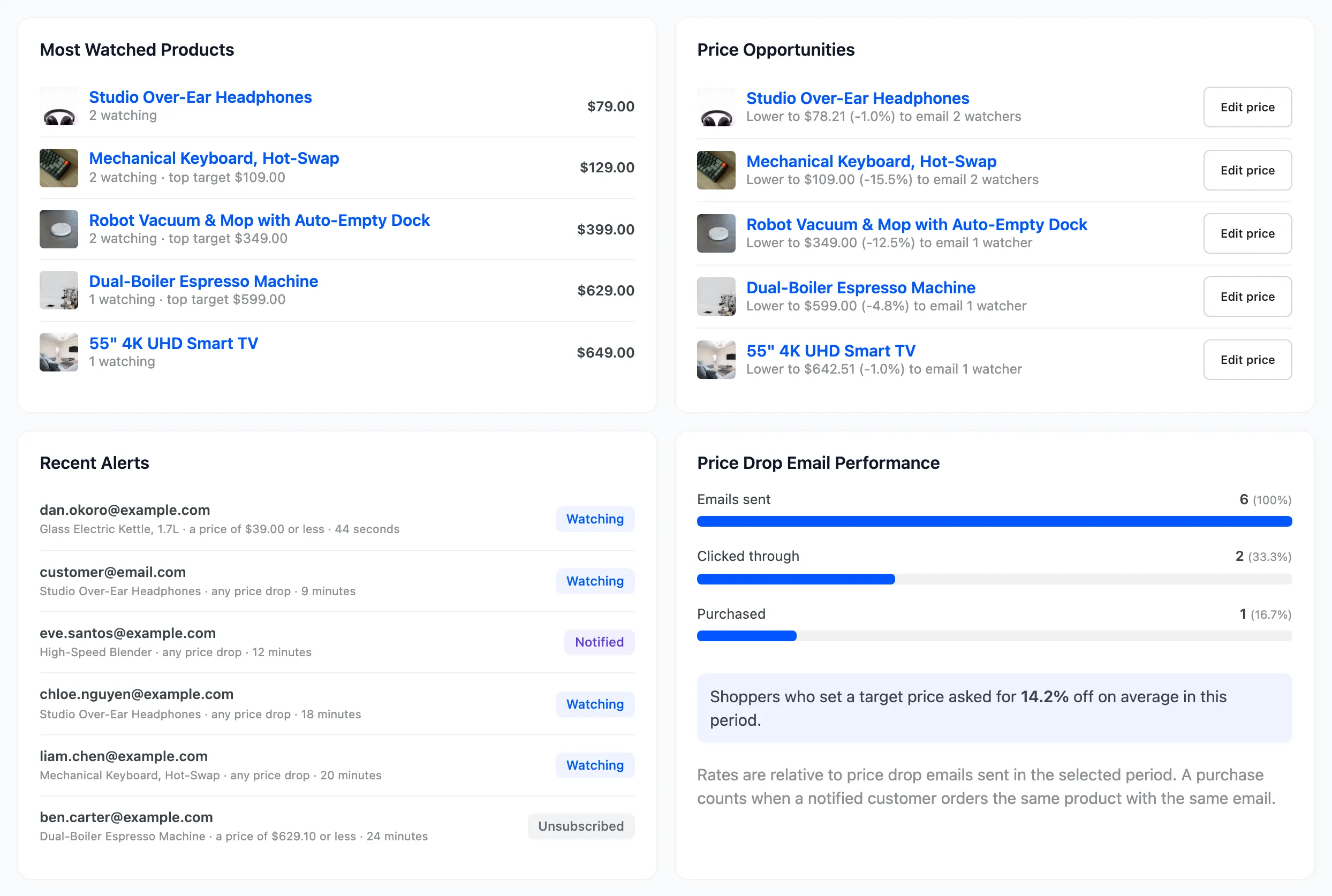
The suggestion covers both kinds of alert. It is the lower of the highest target and the Minimum Drop (%) price. So it emails every any-drop watcher and the highest target at once.
Step 3: Test a price in the product editor
Section titled “Step 3: Test a price in the product editor”Open the product. The Price Alerts box lists every target, plus the minimum drop, with how many alerts each price would email.
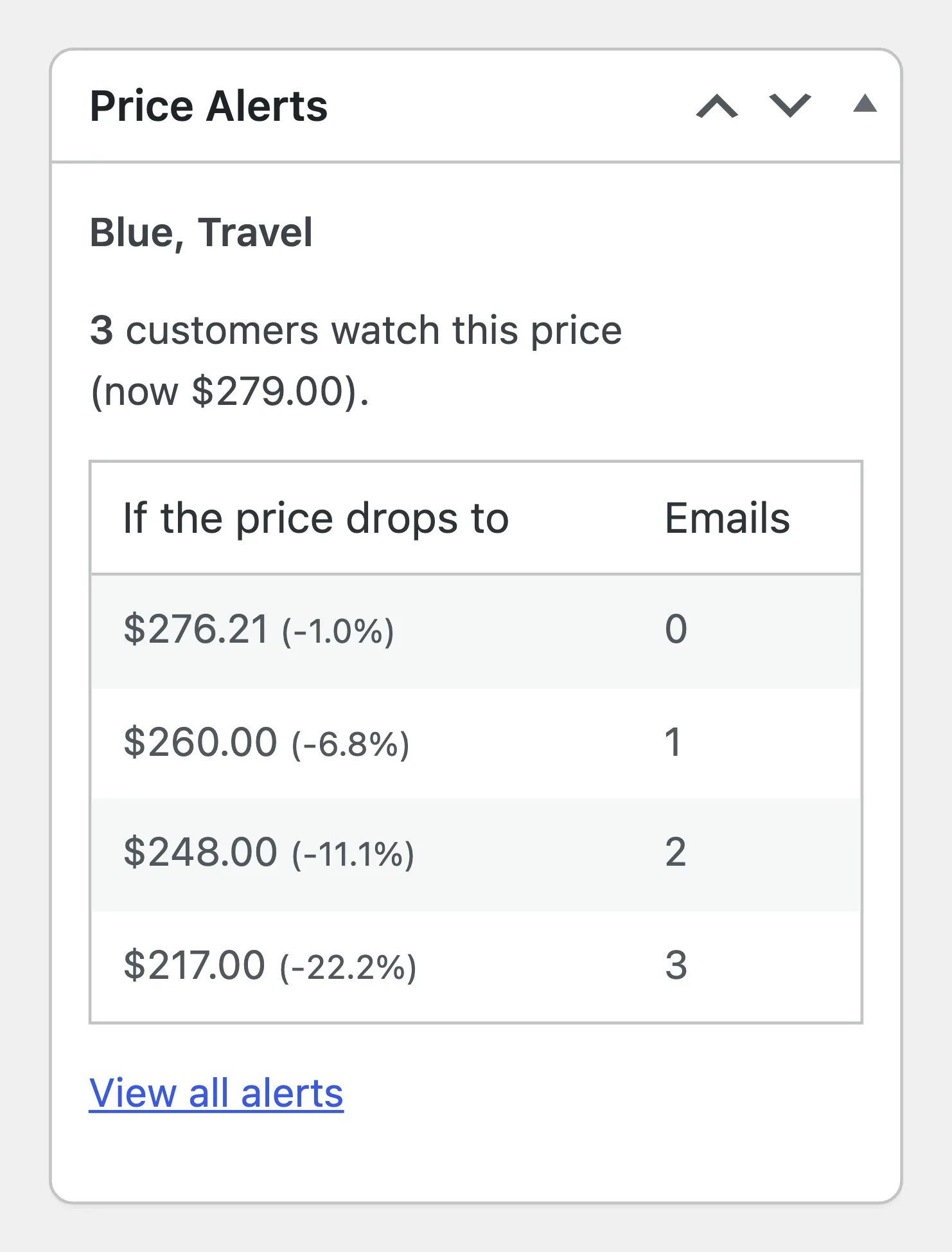
On the demo’s headphones, $260.00 emails one customer, $248.00 two and $217.00 all three. The right price is a business decision. The box tells you what each one buys.
Step 4: Lower the price
Section titled “Step 4: Lower the price”Set the price you chose and click Update. The matching alerts are emailed in the background. See How to Lower a Price and Email Watchers.
The dashboard’s last card also reports the average discount shoppers asked for with target alerts in the period: 14.2% on the demo.