

How to Track Sales from Price Alerts
Every sale from a price alert is counted, so you can see what the alerts are worth. Nothing needs setting up: tracking is always on.
Step 1: Let a customer buy after the email
Section titled “Step 1: Let a customer buy after the email”On the demo, the customer was emailed when the headphones dropped to $259.00. Clicking Buy Now marked the alert Clicked email and opened the product with the option already picked.
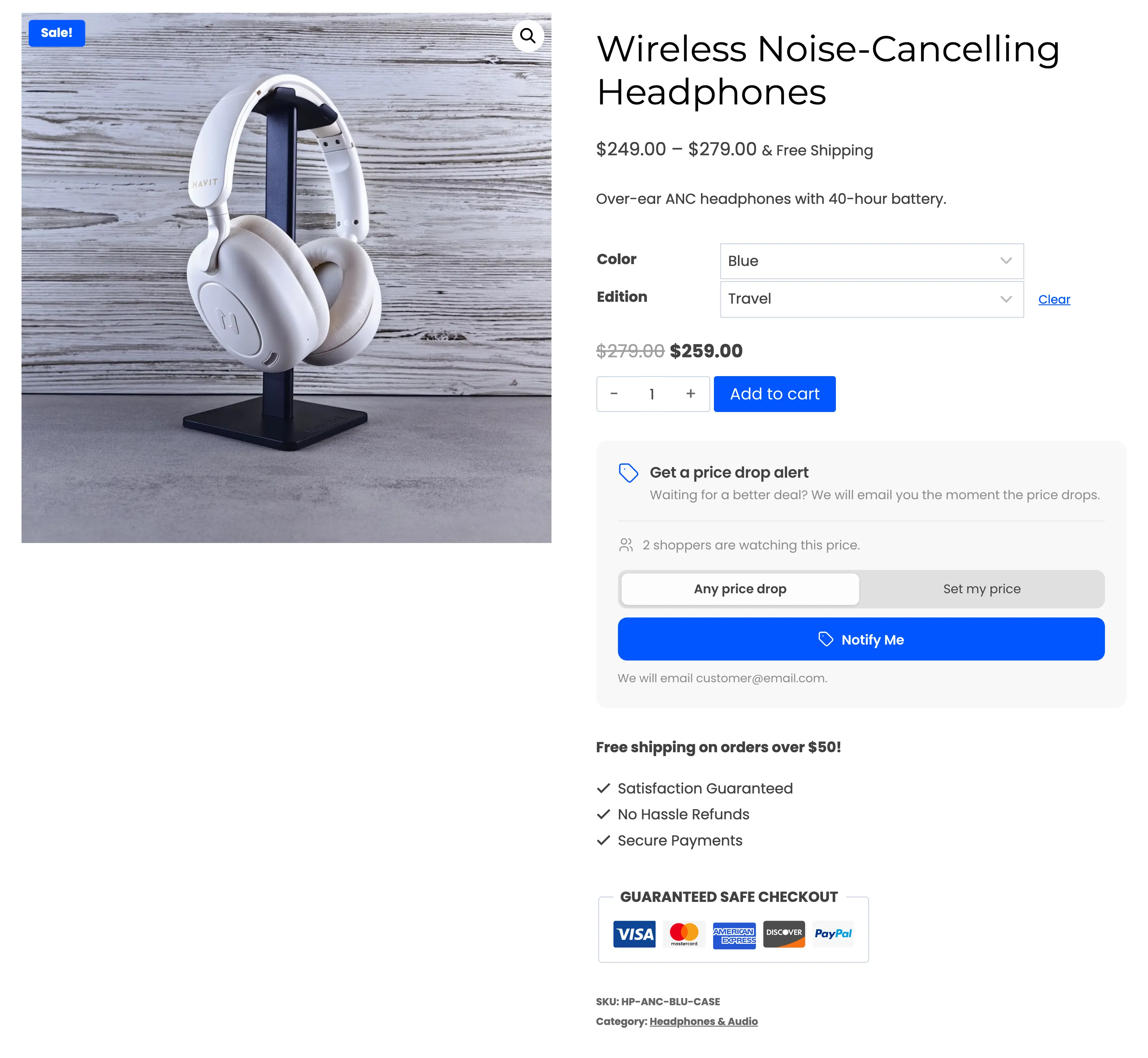
The customer applied the email’s coupon and paid by bank transfer.
Step 2: Wait for a paid status
Section titled “Step 2: Wait for a paid status”A sale counts when its order reaches Processing or Completed. A card payment gets there on its own. A bank transfer or cheque waits On hold until you confirm the money and change the status.
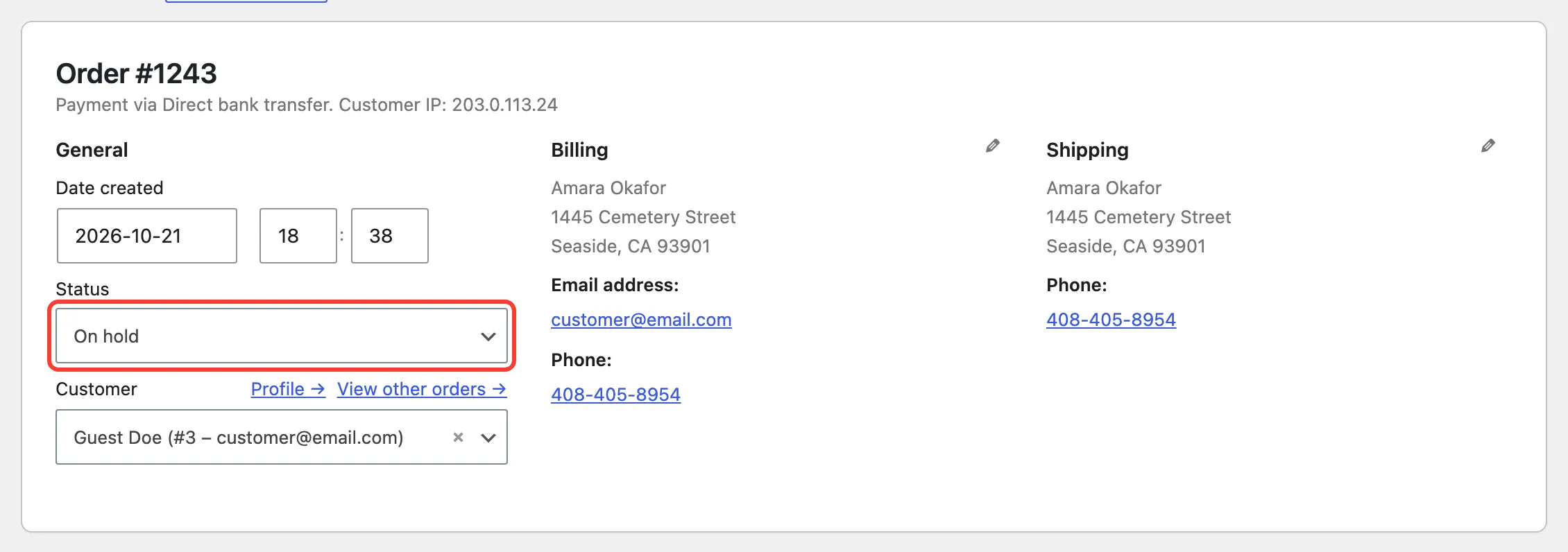
When that happens, the plugin looks for alerts on the products in the order that were emailed. It matches them by the billing email, or by the customer’s account when they ordered with another email. Each match counts once.
Step 3: See it on the Alerts screen
Section titled “Step 3: See it on the Alerts screen”The alert turns Purchased. Conversion shows the order number and the revenue.
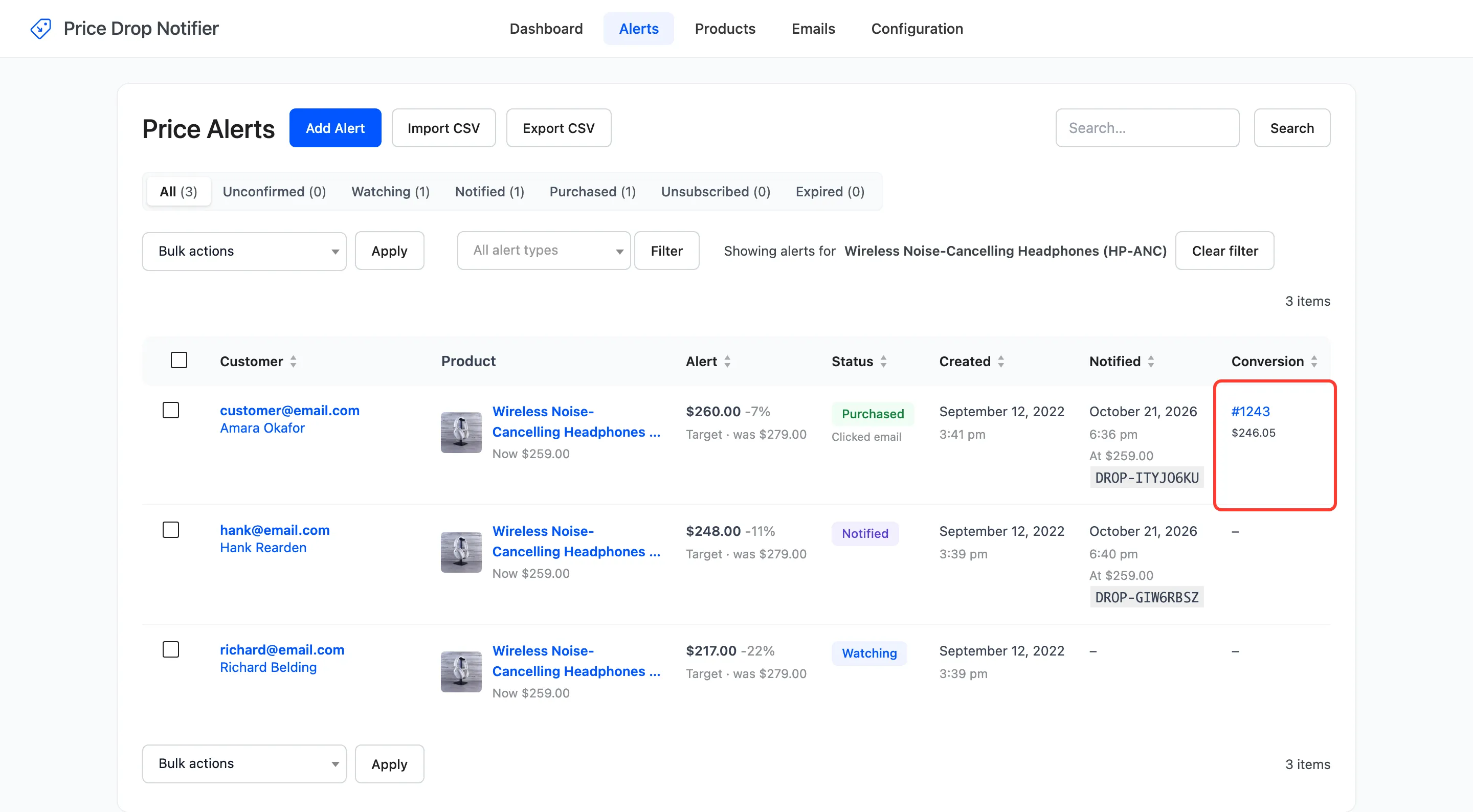
The revenue is the line total for that product, after the coupon and other discounts: $259.00 less 5% is $246.05. Shipping, fees and tax are not part of it.
Step 4: Read the totals
Section titled “Step 4: Read the totals”- Products screen: Results gives each product’s revenue, with how many were emailed and how many bought.
- Dashboard: Converted Orders, Alert Revenue and Price Drop Email Performance: emails sent, clicked through and purchased.

What does not count
Section titled “What does not count”- An alert still Watching. That customer was never emailed, so the plugin did not bring the sale.
- An order that never reaches Processing or Completed, such as one cancelled while on hold.
- The same order twice. An order is matched once, even if its status changes again.
A refund later does not take the revenue back off the alert.
With a webhook set, a counted sale also sends the purchased event. See
Integrations.