

How to Send Price Alert Events to Zapier with Webhooks
A webhook sends each price alert event to another tool as it happens. Use it to add watchers to your email marketing, notify a sales channel, or log demand in a spreadsheet.
Step 1: Get a webhook URL
Section titled “Step 1: Get a webhook URL”In Zapier, create a Zap that starts with Webhooks by Zapier and Catch Hook, and copy the URL it gives you. Make, n8n and most CRMs offer the same kind of URL.
Step 2: Paste it into the plugin
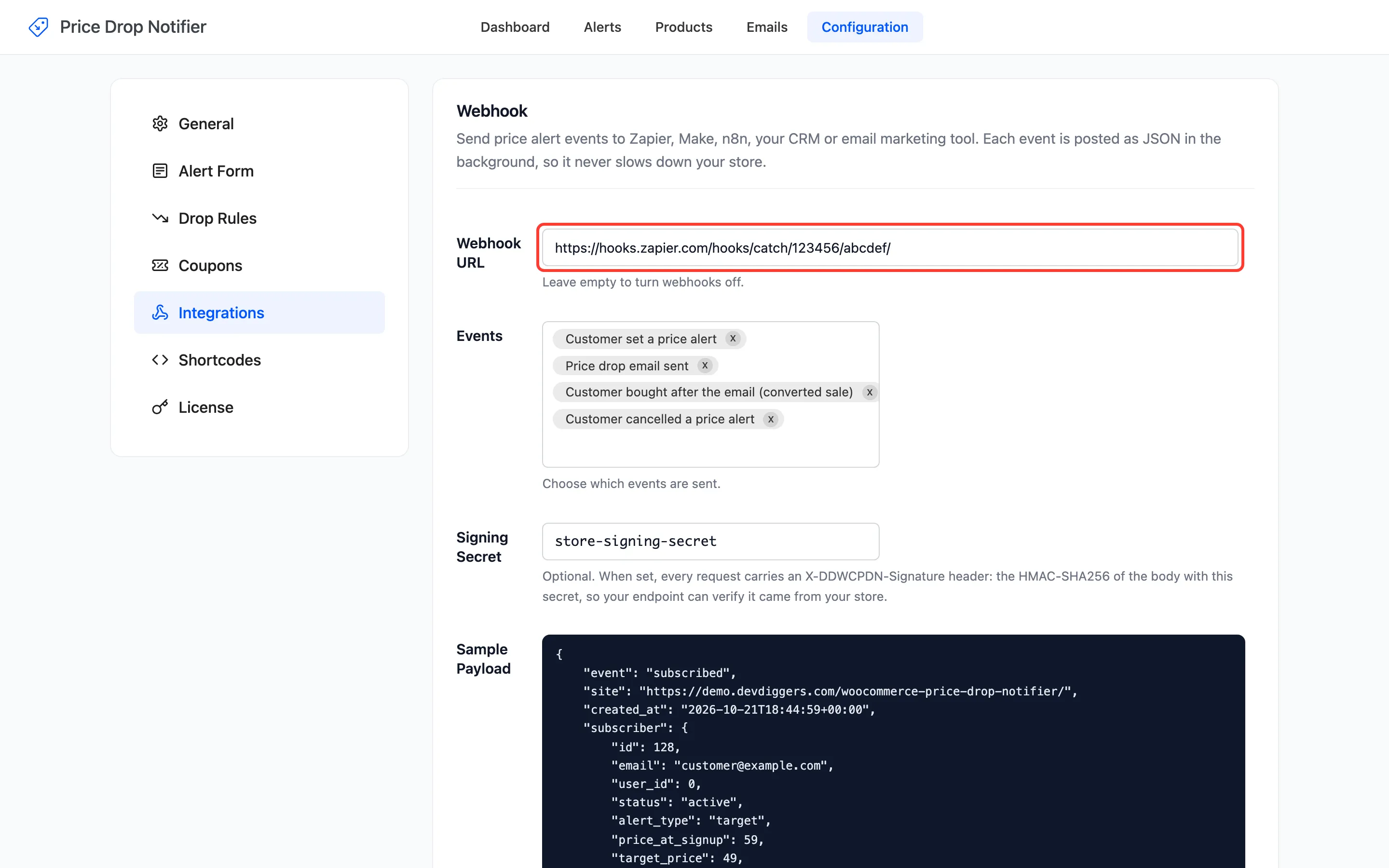
Section titled “Step 2: Paste it into the plugin”Open Configuration → Integrations and paste the URL into Webhook URL.
Step 3: Pick the events
Section titled “Step 3: Pick the events”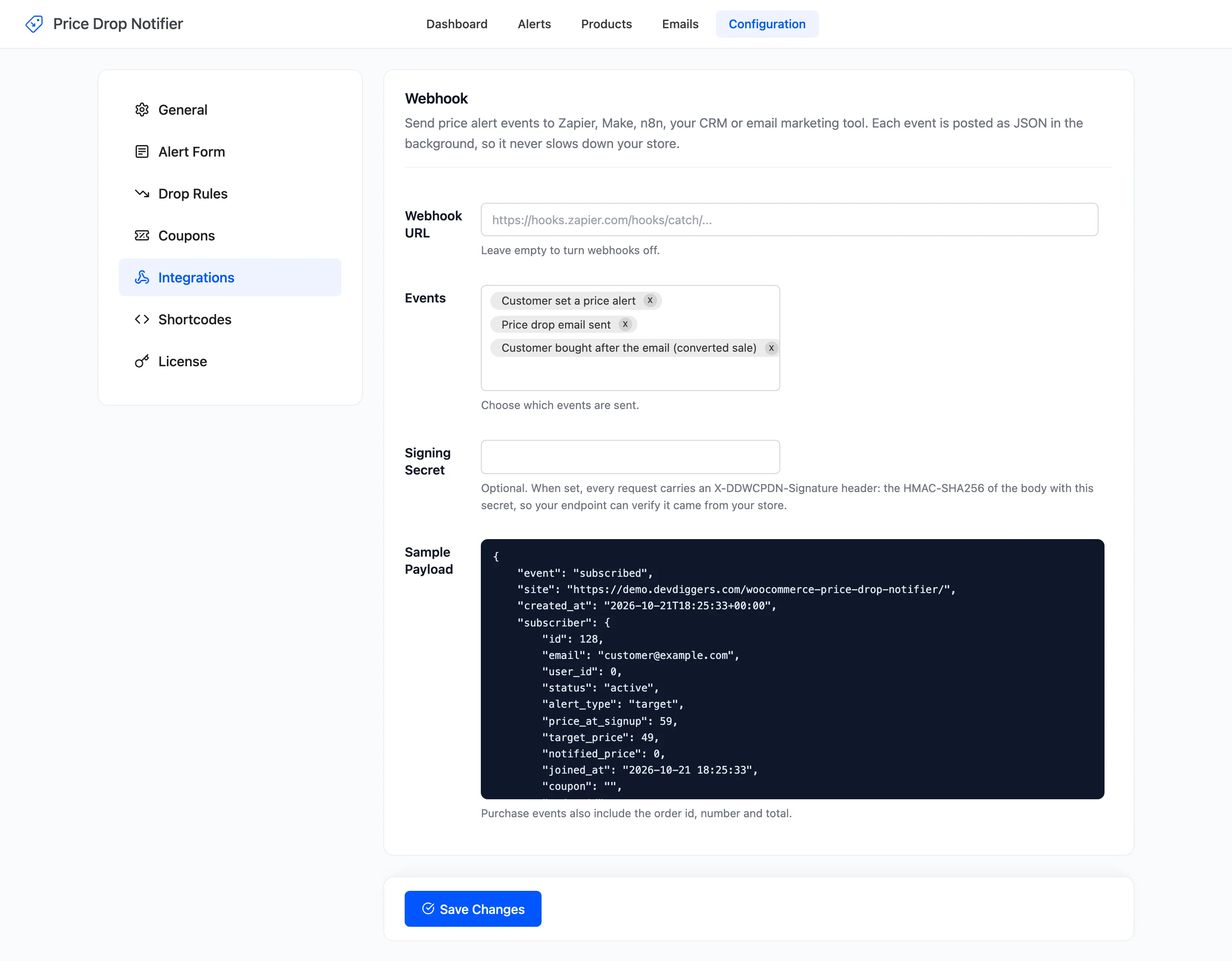
- Customer set a price alert:
subscribed. On by default. - Price drop email sent:
notified. On by default. - Customer bought after the email (converted sale):
purchased. On by default. - Customer cancelled a price alert:
unsubscribed. Off by default.
Step 4: Add a signing secret
Section titled “Step 4: Add a signing secret”Type any long random text into Signing Secret, and give the same text to your endpoint. Each request then
carries an X-DDWCPDN-Signature header, the HMAC-SHA256 of the body with that secret. Click Save Changes.
Step 5: Test with a real alert
Section titled “Step 5: Test with a real alert”Set an alert on the storefront. The subscribed event arrives in Zapier within seconds, and you can map its
fields in the next step of the Zap.
On the demo, one run sent twelve events to a test endpoint: new alerts, price drop emails, one purchase and
one cancellation. Each carried the alert’s new status. A notified event looks like this, shortened:
{ "event": "notified", "subscriber": { "email": "ava.martin@example.com", "status": "notified", "alert_type": "any", "price_at_signup": 699, "notified_price": 629, "coupon": "DROP-M8CMJZXW" }, "product": { "id": 22, "name": "Dual-Boiler Espresso Machine", "price": 629 }}The full shape is on the Integrations page.
Good to know
Section titled “Good to know”- Requests are sent in the background and never retried. A tool that is down misses that event.
- Imported alerts send no event.
- Leave Webhook URL empty to stop sending.