

The Price Drop Notifier Dashboard
The dashboard answers three questions: who is watching which prices, what they would pay, and how many price drop emails turned into orders. Open DevDiggers Plugins → Price Drop → Dashboard.
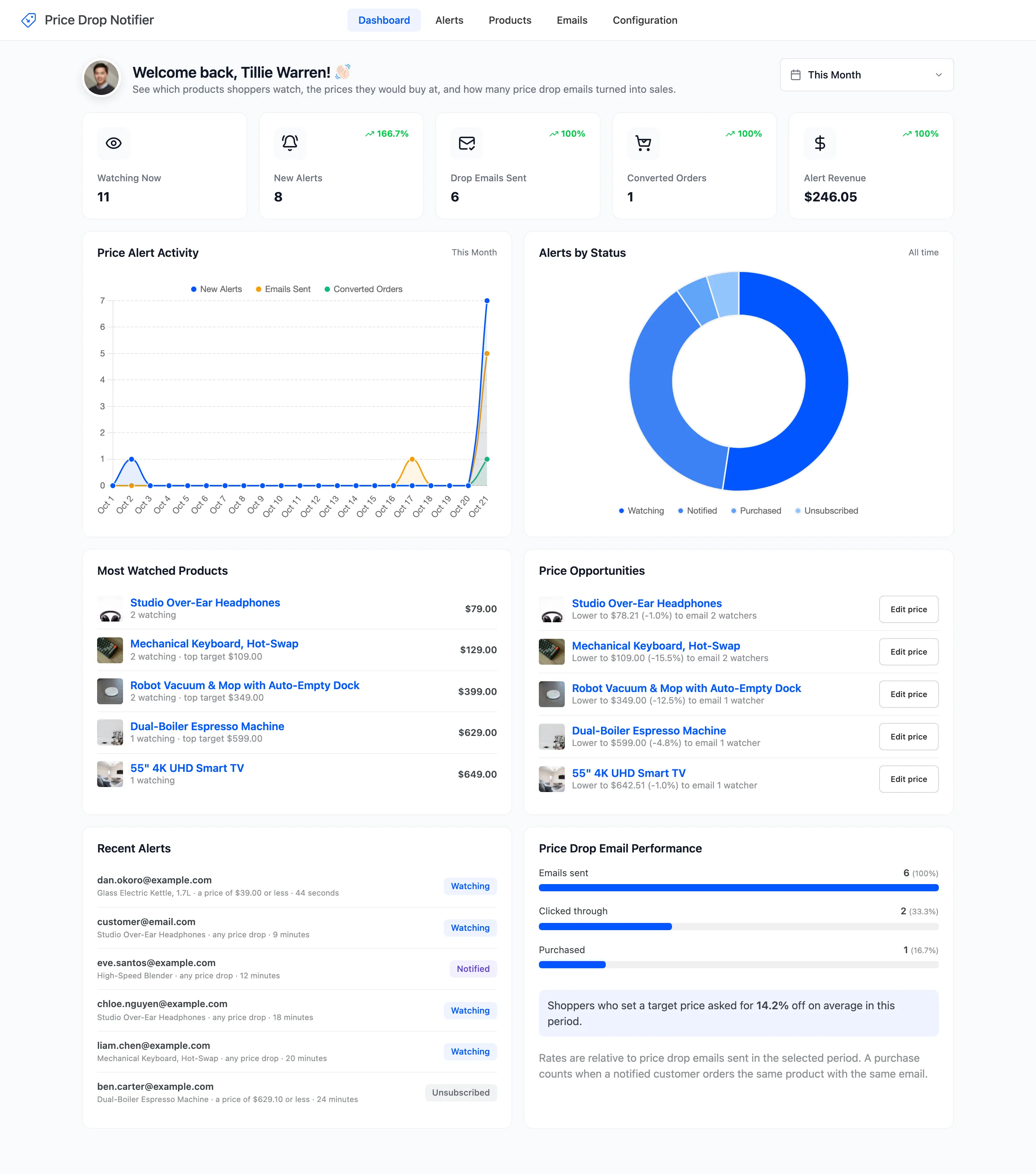
The date picker at the top right sets the period for the cards, the activity chart and the email performance figures. It starts at This Month.
The five cards
Section titled “The five cards”
- Watching Now: Alerts that are still waiting for a lower price, across all time. It ignores the date picker.
- New Alerts: Alerts set in the period.
- Drop Emails Sent: Price drop emails sent in the period.
- Converted Orders: Alerts whose customer bought after the price drop email, in the period.
- Alert Revenue: What those orders spent on the watched products, after discounts.
The green or red figure on each card compares the period with the one just before it. A period that follows an empty one shows 100%.
The two charts
Section titled “The two charts”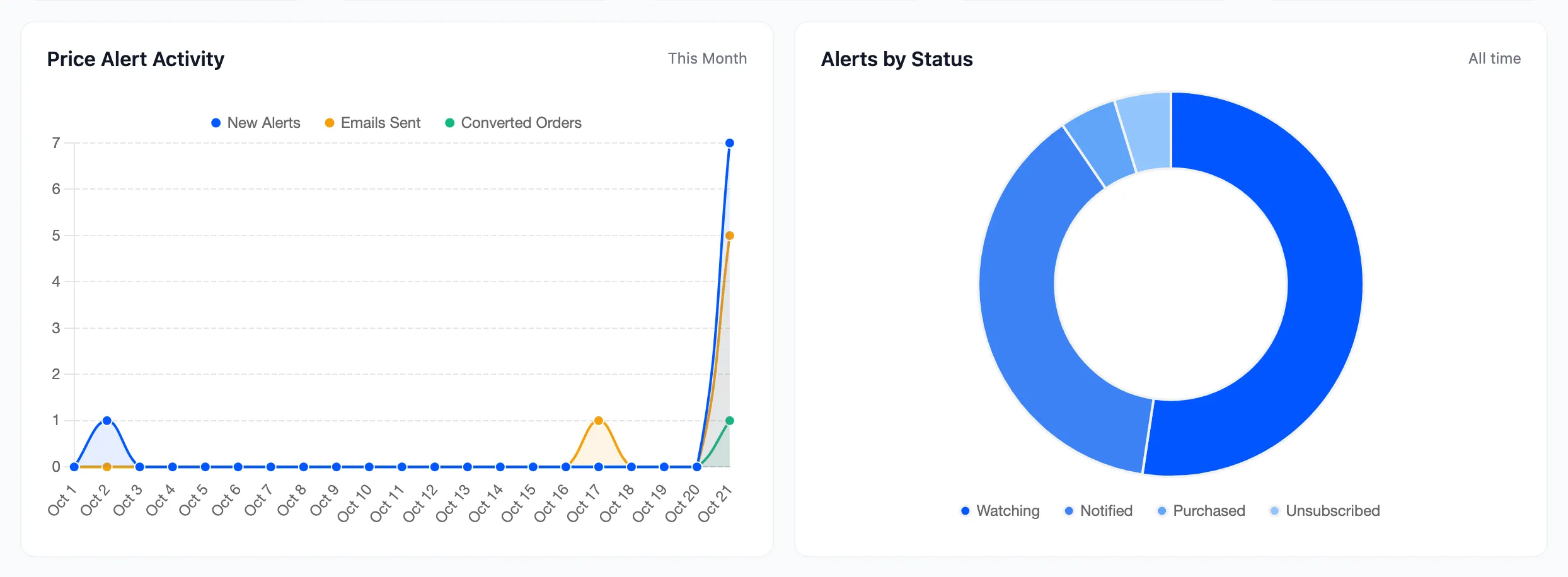
- Price Alert Activity: New alerts, emails sent and converted orders per day, over the period.
- Alerts by Status: Every alert you have, split into Unconfirmed, Watching, Notified, Purchased, Unsubscribed and Expired. This one is always all time.
The four lists
Section titled “The four lists”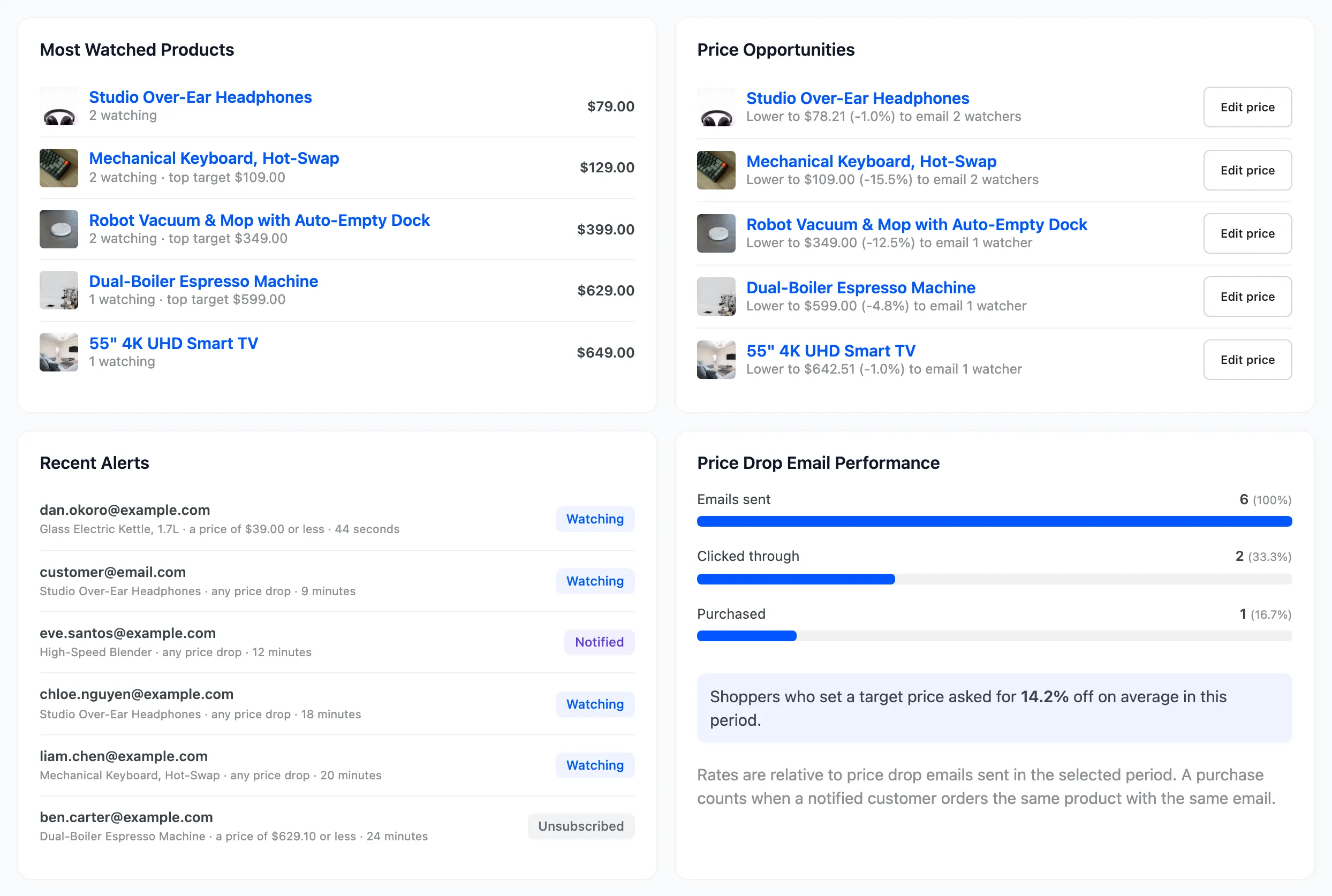
Most Watched Products
Section titled “Most Watched Products”The five products and variations with the most alerts still waiting. Each shows how many people watch it, the highest target price anyone named, and the current price.
Price Opportunities
Section titled “Price Opportunities”The cut that would email the most people on each of your most watched products. A line such as Lower to $109.00 (-15.5%) to email 2 watchers counts the alerts that price would satisfy, any drop and target alike. Edit price opens the product editor.
The suggested price is the lowest of two: the highest target anyone named, or the price that satisfies the Minimum Drop (%) for any-drop alerts. A product whose watchers would not be emailed by either price is left out.
Recent Alerts
Section titled “Recent Alerts”The six newest alerts, with the email, the product, what the alert waits for and its status.
Price Drop Email Performance
Section titled “Price Drop Email Performance”- Emails sent: Price drop emails in the period.
- Clicked through: How many of those customers clicked the email’s button, and the share of emails sent.
- Purchased: How many went on to buy, and the share of emails sent.
Below them, the average discount shoppers asked for with target alerts set in the period. A purchase counts when a customer who was emailed orders the same product. See How to Track Sales from Price Alerts.
Reading the demo’s numbers
Section titled “Reading the demo’s numbers”The demo’s figures come from one run of these docs. Eight alerts were set this month, six price drop emails went out, two customers clicked through and one bought, for $246.05. The two small bumps early in October are an imported alert that kept its original date and a reminder test.