

Drop Rules
The Drop Rules tab decides when a lower price is worth an email, and how targets are kept realistic. Open DevDiggers Plugins → Price Drop → Configuration → Drop Rules.
Price Drop Emails
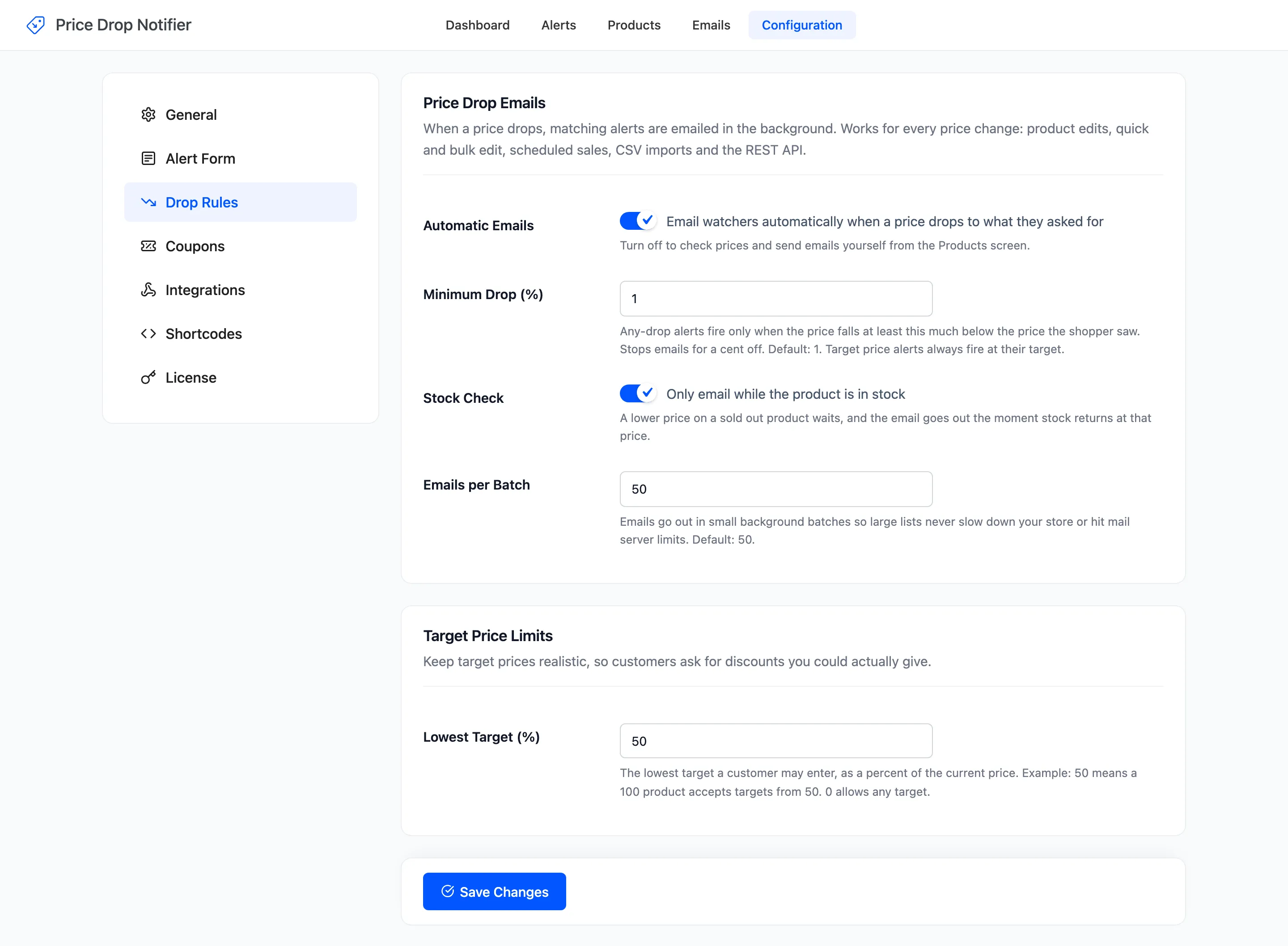
Section titled “Price Drop Emails”- Automatic Emails: “Email watchers automatically when a price drops to what they asked for”. On by default. Off, a lower price emails nobody until you click Check now on the Products screen.
- Minimum Drop (%): How far below the price at signup the price must fall before an Any price drop alert fires. Default 1. Target alerts ignore it and always fire at their target.
- Stock Check: “Only email while the product is in stock”. On by default. A lower price on a sold out product waits, and the emails go out the moment it is back in stock at that price.
- Emails per Batch: How many emails each background batch sends. Default 50. A longer list carries on in the next batch, oldest alert first.
Every price change counts, whichever way it was made. That includes the product editor, quick and bulk edit, scheduled sales, CSV imports, the REST API and other plugins. The check runs in the background through WooCommerce’s Action Scheduler.
Minimum Drop at work
Section titled “Minimum Drop at work”An any-drop alert set at $699.00 fires at $692.01 or less with the default 1%. At 10 it would need $629.10 or less. A cent off never emails anyone at the default either, because 1% of the price is more than a cent on almost anything you sell.
The minimum is always measured from the price the shopper saw when they set the alert. A product that was already on sale then has to drop below the sale price.
Target Price Limits
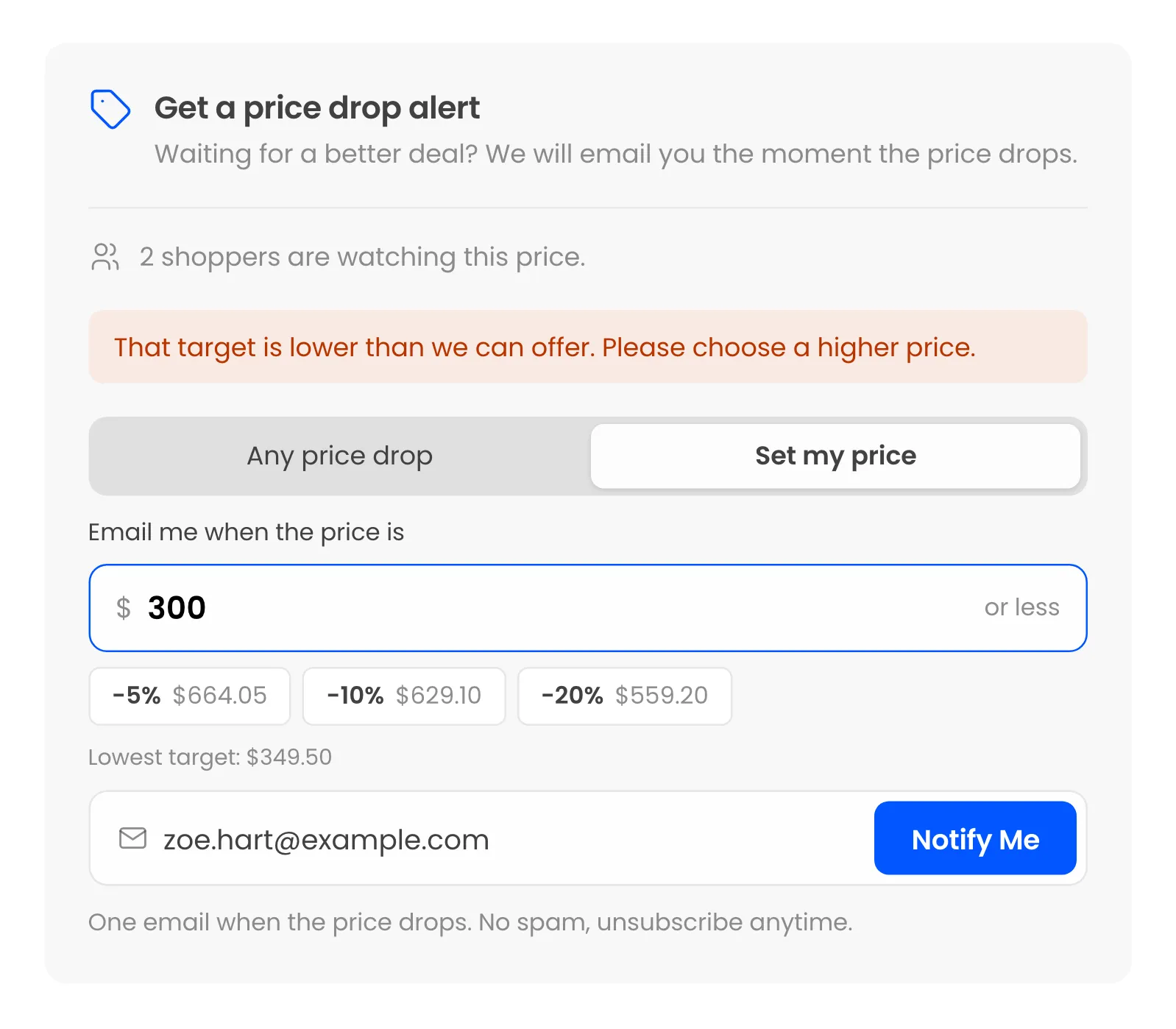
Section titled “Target Price Limits”- Lowest Target (%): The lowest target a shopper may enter, as a percent of the current price. Default 50, so a $699.00 product accepts targets from $349.50. 0 allows any target.
The form prints “Lowest target:” under the price field and refuses anything lower with “That target is lower than we can offer. Please choose a higher price.”
What is never emailed
Section titled “What is never emailed”- A product that is not published, or has no price.
- With Stock Check on, a product that is out of stock.
- An alert that has already been emailed. To email it again, use Switch back on on the Alerts screen, or Send email now to send it straight away.
Click Save Changes at the bottom of the tab. See How to Lower a Price and Email Watchers.