

How to Limit How Long Alerts Last
By default nothing is ever deleted. A store with years of alerts can trim them with three settings, all run by the plugin’s hourly task.
Step 1: Set Alert Lifetime (days)
Section titled “Step 1: Set Alert Lifetime (days)”Open Configuration → General and find Data.
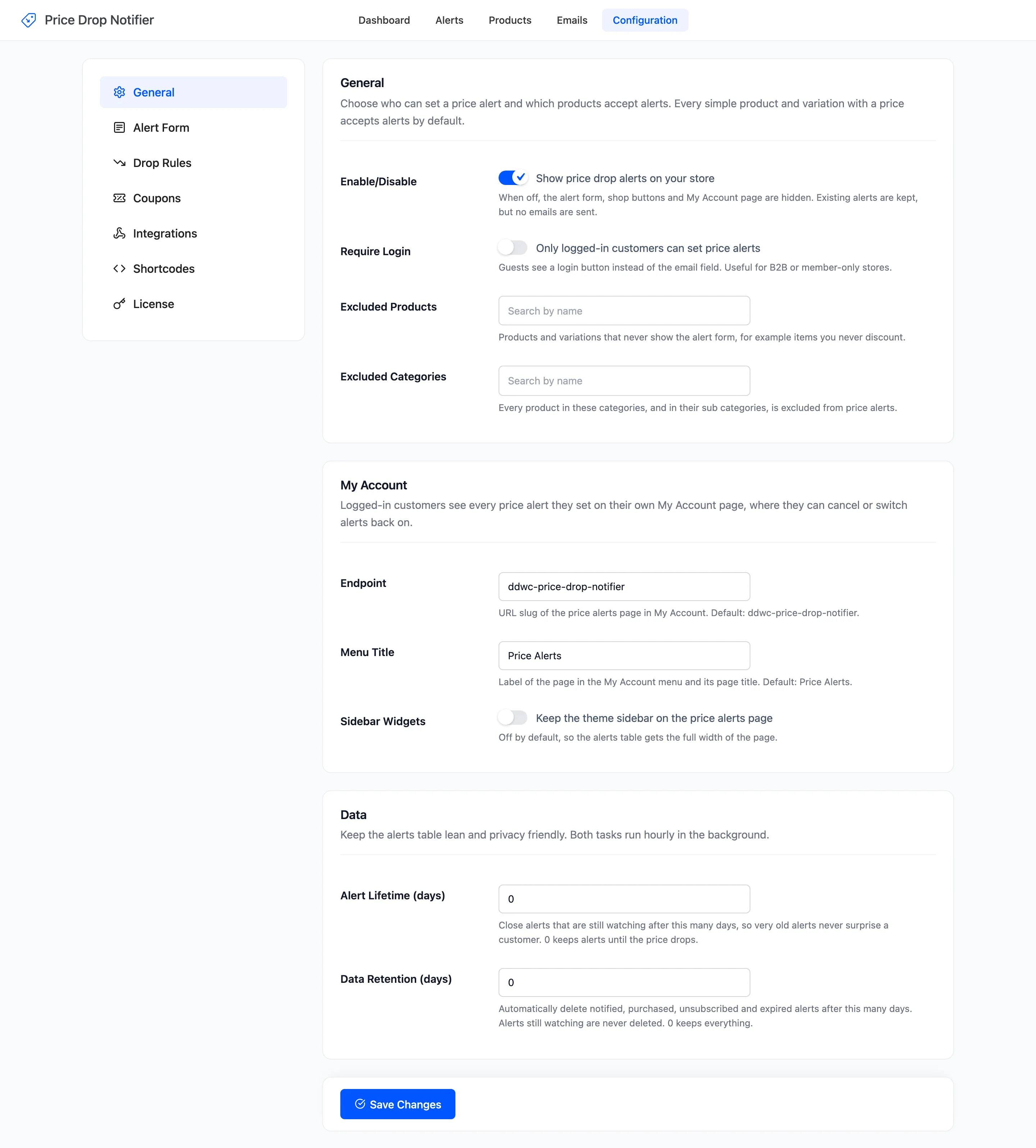
Alert Lifetime (days) closes alerts that are still watching after this many days. They turn Expired and are never emailed. Default 0, which keeps alerts until the price drops.
A price drop email two years after someone asked can surprise them. A lifetime of 180 or 365 days avoids that.
Step 2: Set Data Retention (days)
Section titled “Step 2: Set Data Retention (days)”Data Retention (days) deletes alerts that are finished: notified, purchased, unsubscribed and expired. Alerts still watching are never deleted. Default 0, which keeps everything.
The age is counted from the sale, else the price drop email, else the day the alert was set. The demo’s sales history on the dashboard lives in these rows, so deleting them shortens it.
Step 3: Set Keep Email Log (days)
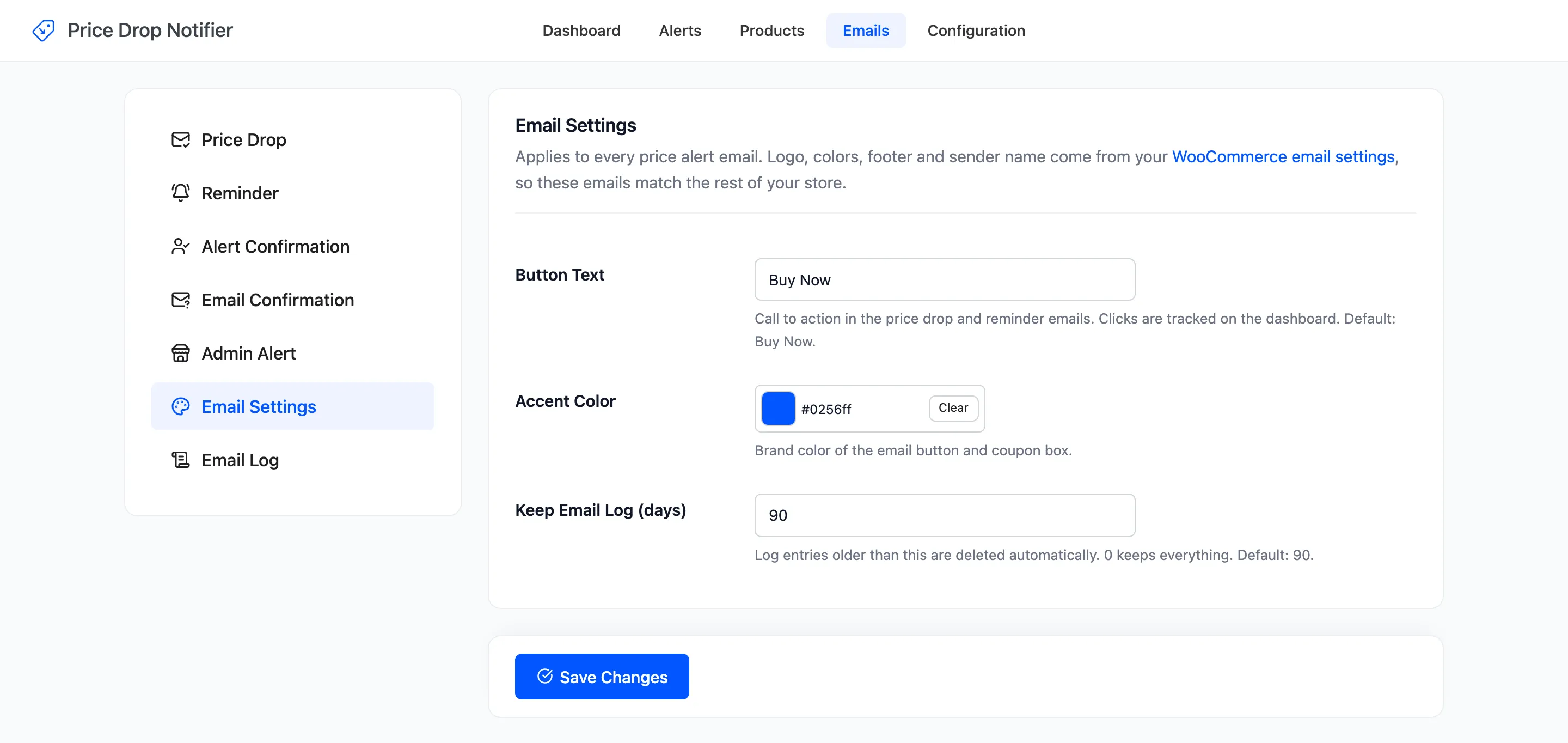
Section titled “Step 3: Set Keep Email Log (days)”Open Emails → Email Settings. Keep Email Log (days) deletes log entries older than this. Default 90. 0 keeps every entry.
What else is tidied
Section titled “What else is tidied”- Unconfirmed double opt-in alerts are deleted after Confirm Within (days), 3 by default.
- Deleting a product for good deletes its alerts, and its variations’ alerts.
- A customer who wants an expired alert back uses Watch again in My Account.