

Coupon Settings
A price drop email can carry its own coupon, so the shopper gets the lower price and a little more on top. Open DevDiggers Plugins → Price Drop → Configuration → Coupons.
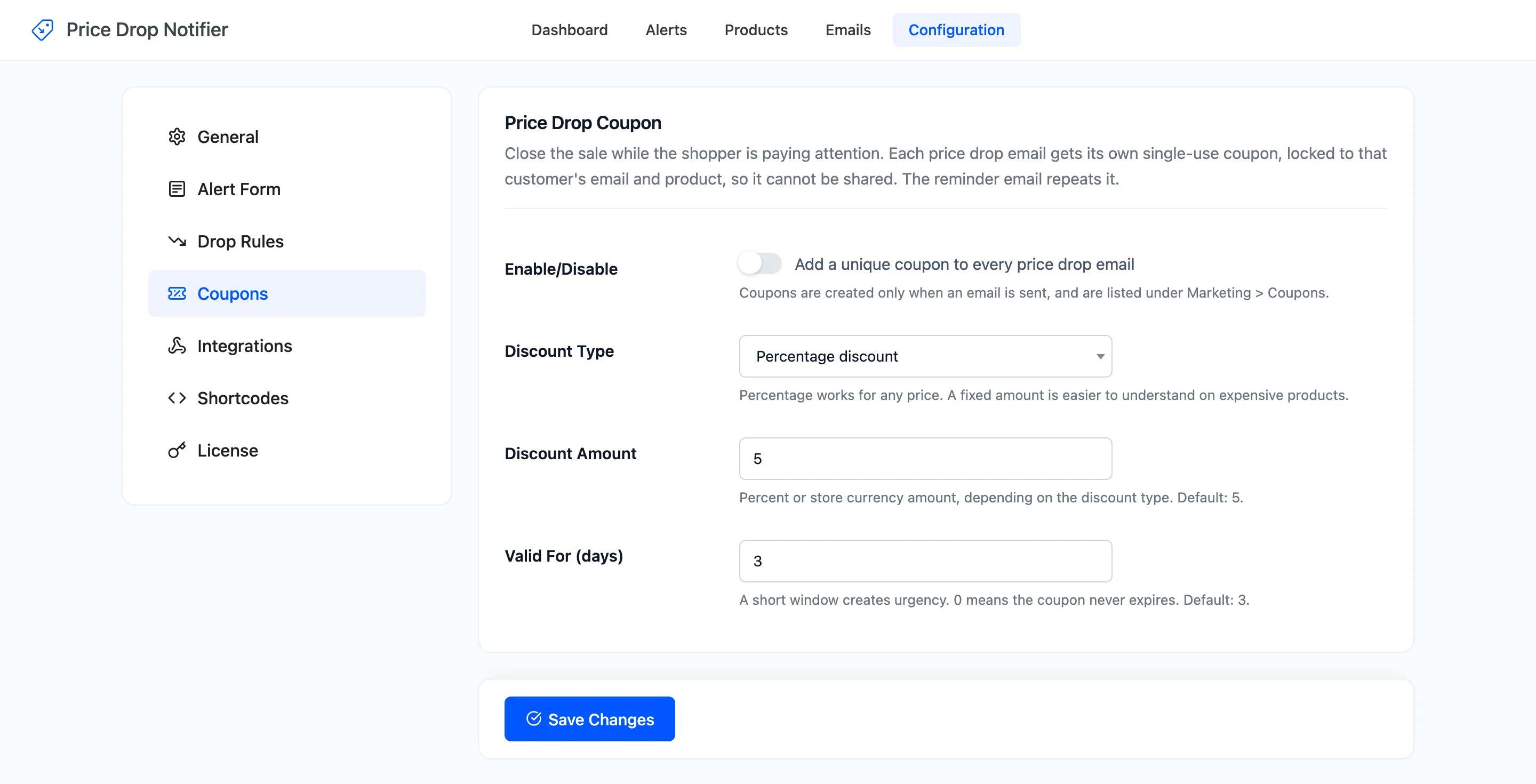
Price Drop Coupon
Section titled “Price Drop Coupon”- Enable/Disable: “Add a unique coupon to every price drop email”. Off by default.
- Discount Type: Percentage discount (default) or Fixed cart discount.
- Discount Amount: A percent or an amount in your currency, depending on the type. Default 5. At 0 no coupon is made.
- Valid For (days): How long the coupon works. Default 3. 0 means it never expires.
What each coupon is locked to
Section titled “What each coupon is locked to”A coupon is created only when an email is actually sent, with a code such as DROP-M8CMJZXW. It is listed under Marketing → Coupons with the description “Generated by Price Drop Notifier for a price drop email.”
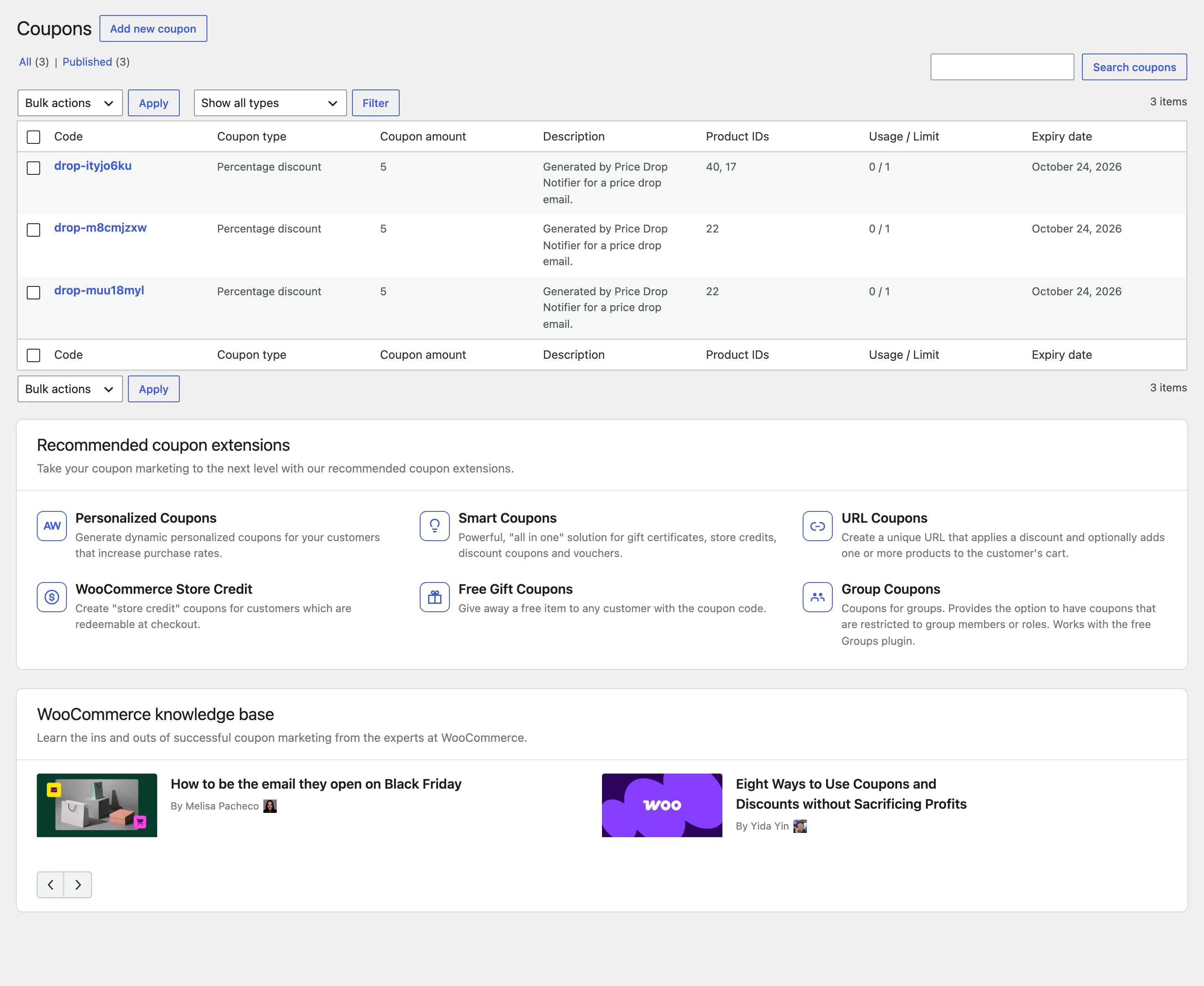
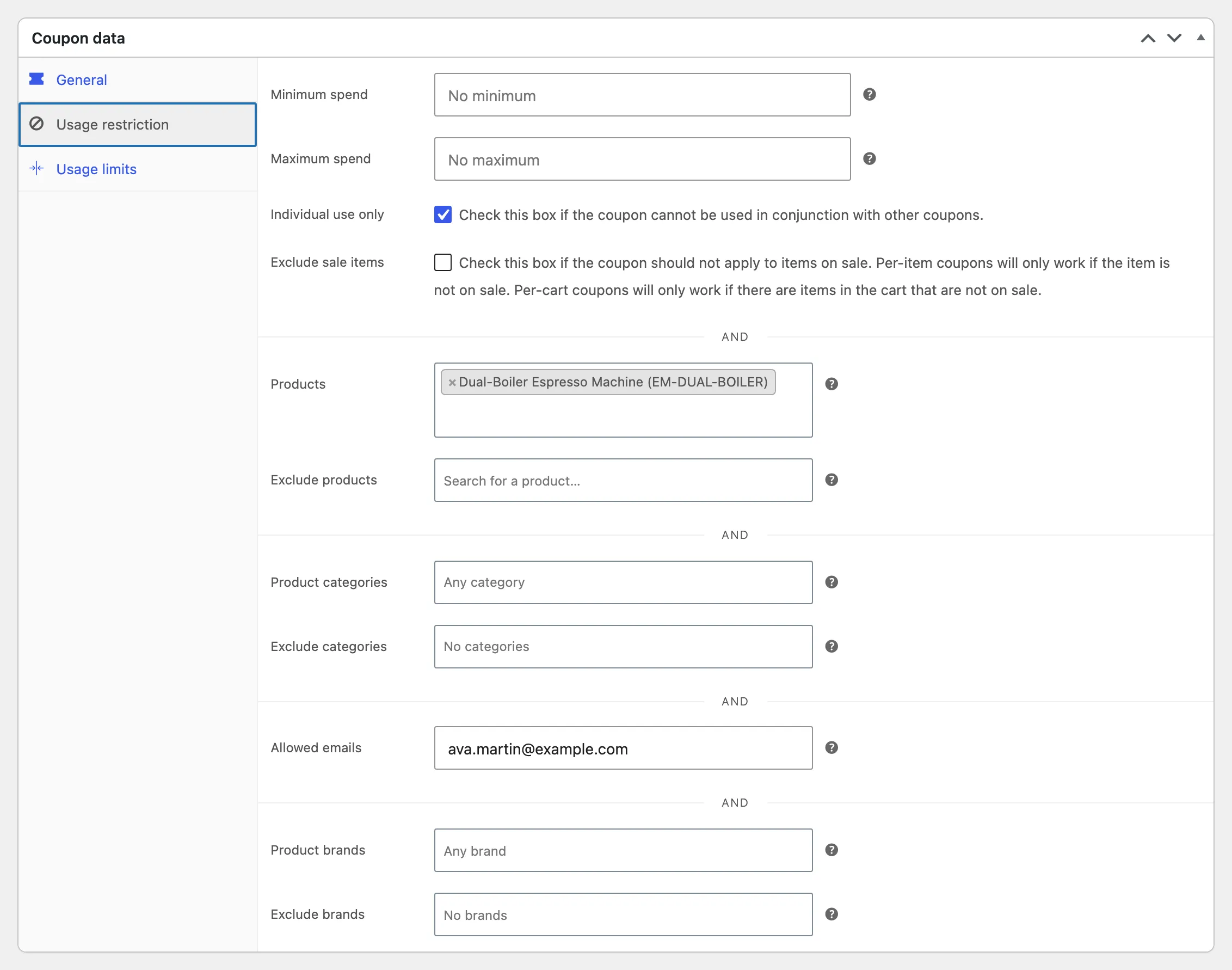
- Usage limit: One use, and one use per customer.
- Allowed emails: The email of the alert, so a forwarded code does not work for anyone else.
- Products: The watched product, plus its parent for a variation.
- Individual use: It cannot be combined with other coupons.
Where the coupon shows
Section titled “Where the coupon shows”- In the Price Drop email, in a dashed box with its expiry date.
- In the Reminder email, which repeats the same code.
- On the Alerts screen, under the date the customer was emailed.
An alert emailed again keeps its first coupon while that coupon still exists. See How to Add a Price Drop Coupon.
Click Save Changes at the bottom of the tab.