

Introduction to Price Drop Notifier
Price Drop Notifier lets shoppers ask to be told when a product gets cheaper. They leave their email on the product page, either for any price drop or for a price they name. When you lower the price far enough, the plugin emails them with a link back to the product, and in most stores a coupon too.
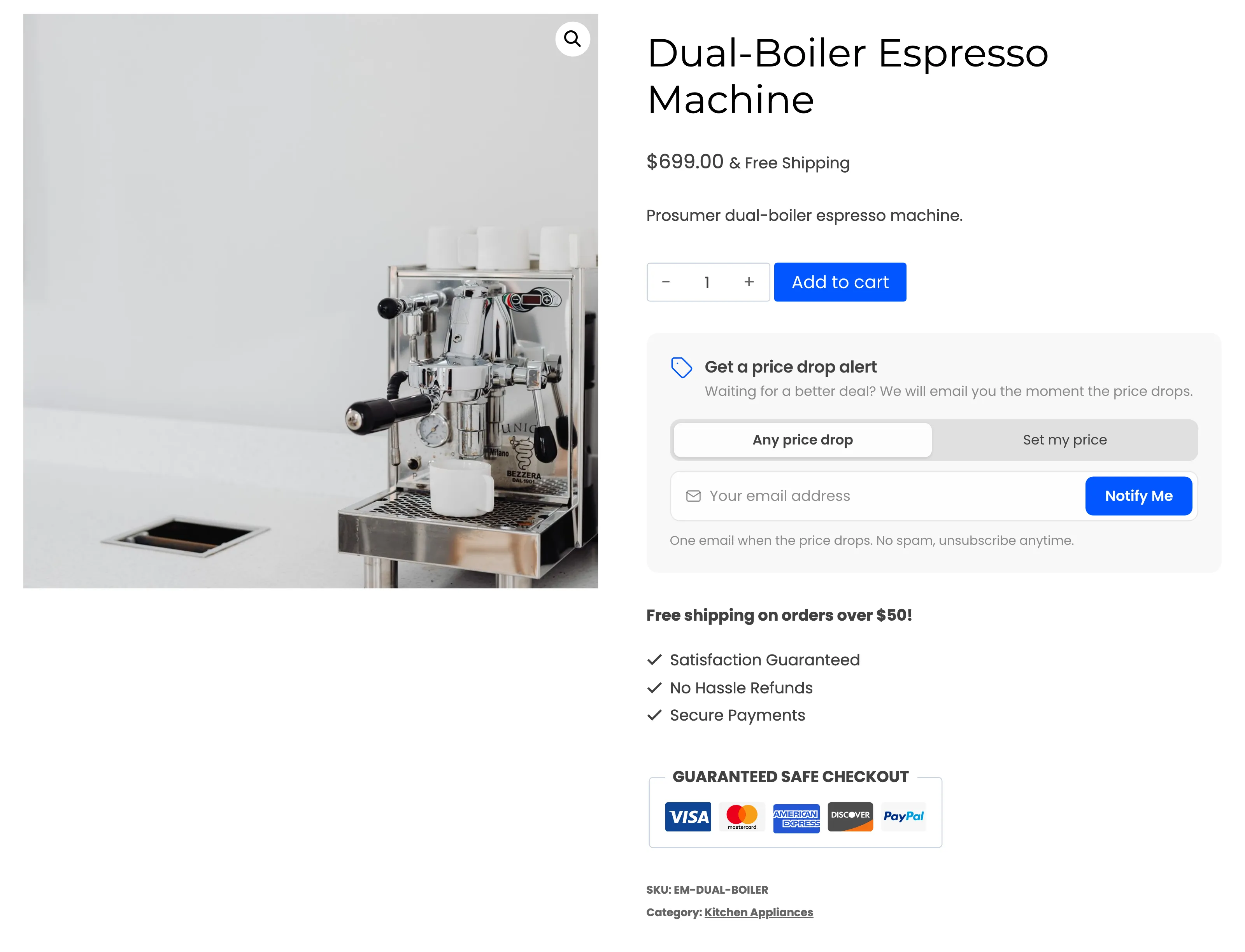
It is a paid plugin with no free edition, so every feature on these pages is part of the one plugin.
Two kinds of alert
Section titled “Two kinds of alert”- Any price drop: The shopper is emailed the first time the price falls below what they saw when they set the alert. A small cut does not count: the price has to fall by at least the Minimum Drop (%), 1% by default.
- Set my price: The shopper names a target, such as $629.10 or less, and is emailed only when the price reaches it. Quick discount buttons fill in 5%, 10% or 20% off for them.
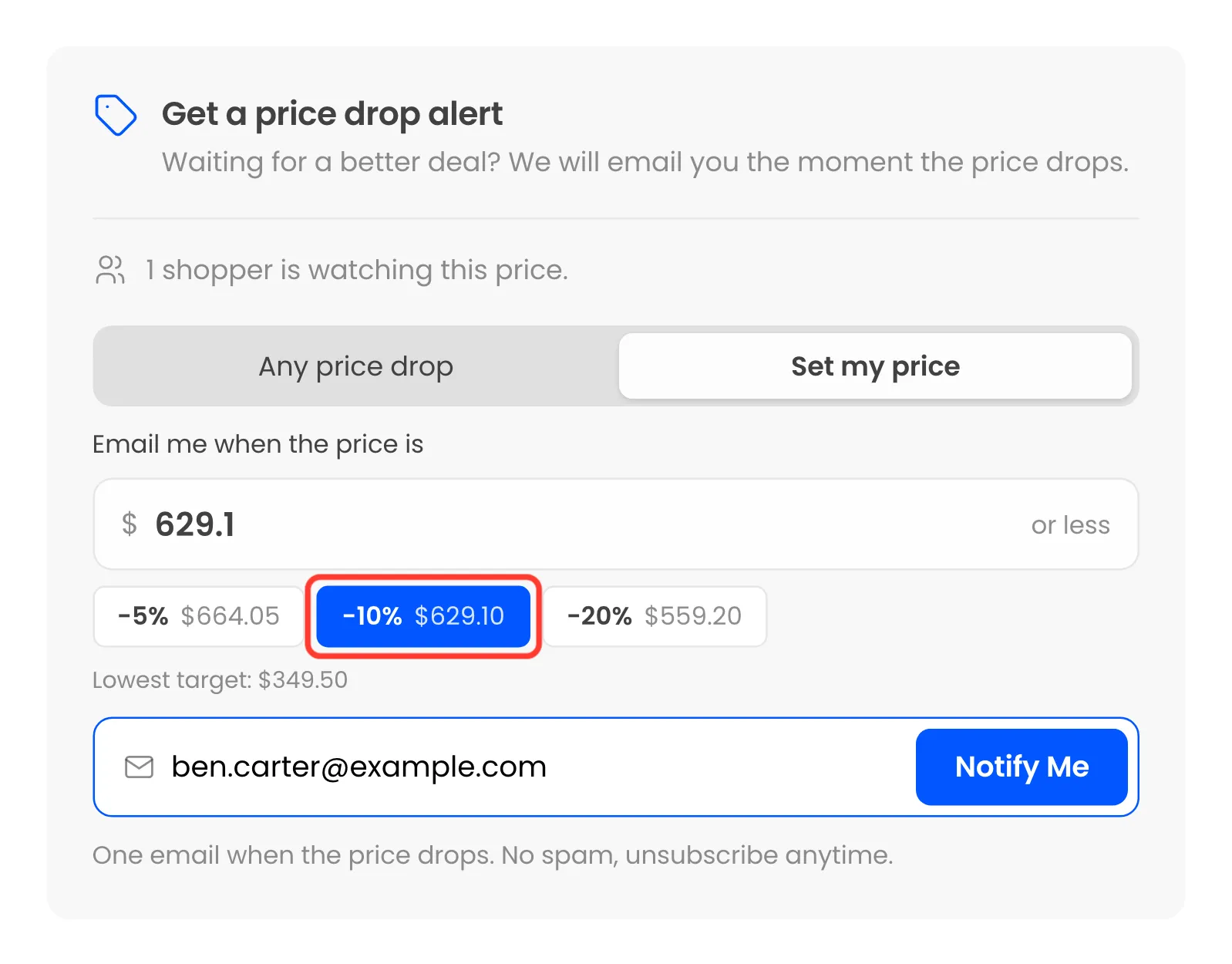
You choose whether shoppers get both options, or only one, under Configuration → Alert Form.
What happens when a price drops
Section titled “What happens when a price drops”Any change to a product’s price is noticed, however you made it. That includes the product editor, quick or bulk edit, a scheduled sale, a CSV import and the REST API. The plugin then checks that product’s alerts in the background and emails only the ones the new price satisfies.
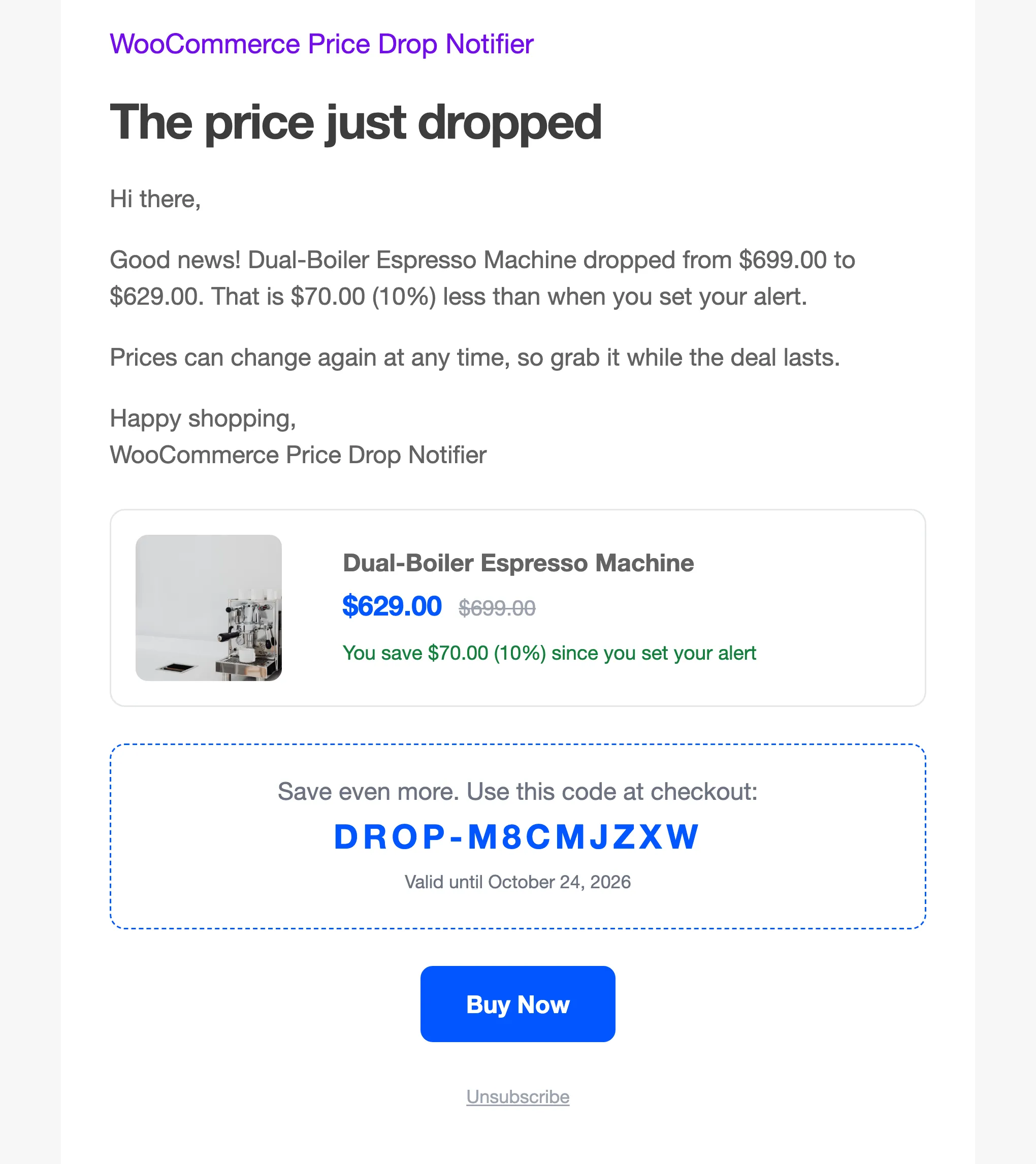
The email carries a product card with the old and new price, an optional single-use coupon, and a tracked Buy Now button. A customer who buys the product after the email is counted as a sale from the alert, with its revenue.
What else it does
Section titled “What else it does”- Shop pages: A Price alert button on shop and category cards opens a quick alert window.
- Variable products: Each variation has its own alerts. The form follows the option the shopper picks.
- Reminders: A second email a few days later, while the lower price still stands.
- Stock check: A lower price on a sold out product waits, and is emailed when stock returns.
- My Account: Logged-in customers see every alert they set and can cancel or switch one back on.
- Demand: The dashboard, the Products screen and each product editor show how many people watch a price and what they would pay.
- Privacy: Double opt-in, a consent checkbox, unsubscribe links and WordPress’s personal data tools.
- Webhooks: Each alert event can be posted to Zapier, Make, n8n or your CRM.
Where things live
Section titled “Where things live”Everything is under DevDiggers Plugins → Price Drop, in five menus across the top.
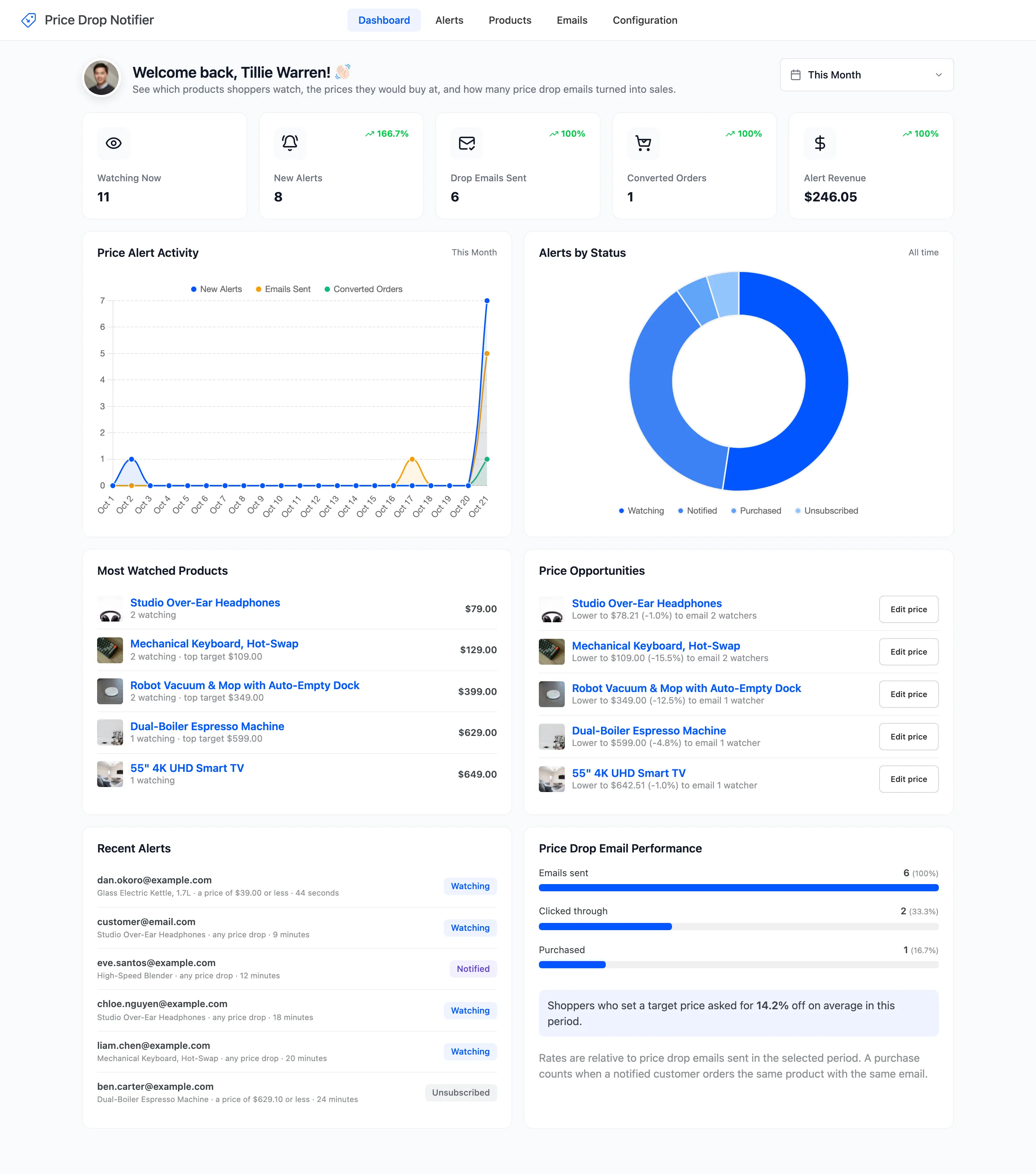
- Dashboard: Activity, demand and how alerts turn into sales. See The Dashboard.
- Alerts: Every alert, with its status, coupon and order. See The Alerts Screen.
- Products: One row per watched product. See The Products Screen.
- Emails: The five emails, their shared settings and the Email Log. See Email Settings.
- Configuration: General, Alert Form, Drop Rules, Coupons, Integrations, Shortcodes and License.
Requirements
Section titled “Requirements”- WordPress 6.2 or newer and WooCommerce 8.0 or newer.
- PHP 7.4 or newer.
- An active license. Until it is active, nothing shows on the storefront.
- A site that can send email. The plugin hands its emails to WordPress, like WooCommerce does.
Where to go next
Section titled “Where to go next”- How Price Alerts Work follows one alert from the form to the sale.
- Installing and Activating gets the plugin running.
- How to Collect Your First Price Alerts is the quickest way to see it work.