

General Settings
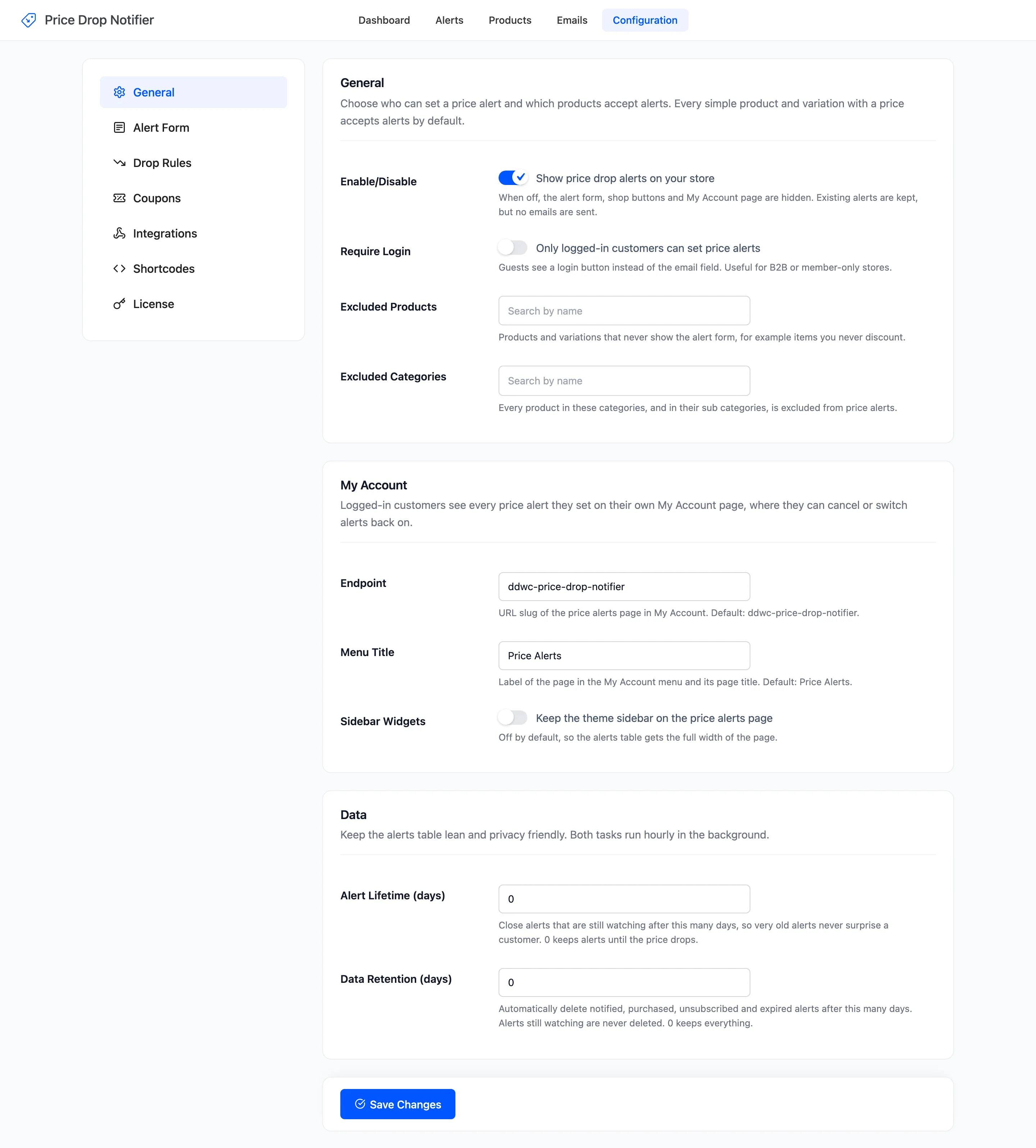
The General tab decides who can set an alert, which products accept one, and how long alerts are kept. Open DevDiggers Plugins → Price Drop → Configuration → General.
General
Section titled “General”- Enable/Disable: “Show price drop alerts on your store”. On by default. Off, the form, the shop buttons and the My Account page disappear, and no automatic price drop email or reminder is sent. Existing alerts are kept. An email you send yourself from the Alerts or Products screen still goes out.
- Require Login: “Only logged-in customers can set price alerts”. Off by default. On, guests see Log in to set a price alert, which brings them back to the product after they log in or register.
- Excluded Products: Products and variations that never show the form. Empty by default.
- Excluded Categories: Every product in these categories, and in their sub categories, is left out. Empty by default.
Every simple product and variation with a price accepts alerts. Variable, grouped and external products never do themselves: a variable product’s alerts belong to its variations.
Excluding a product hides the form. Alerts already set on it stay, and are still emailed when its price drops. Delete them on the Products screen if you no longer want them. See How to Exclude Products from Price Alerts.
My Account
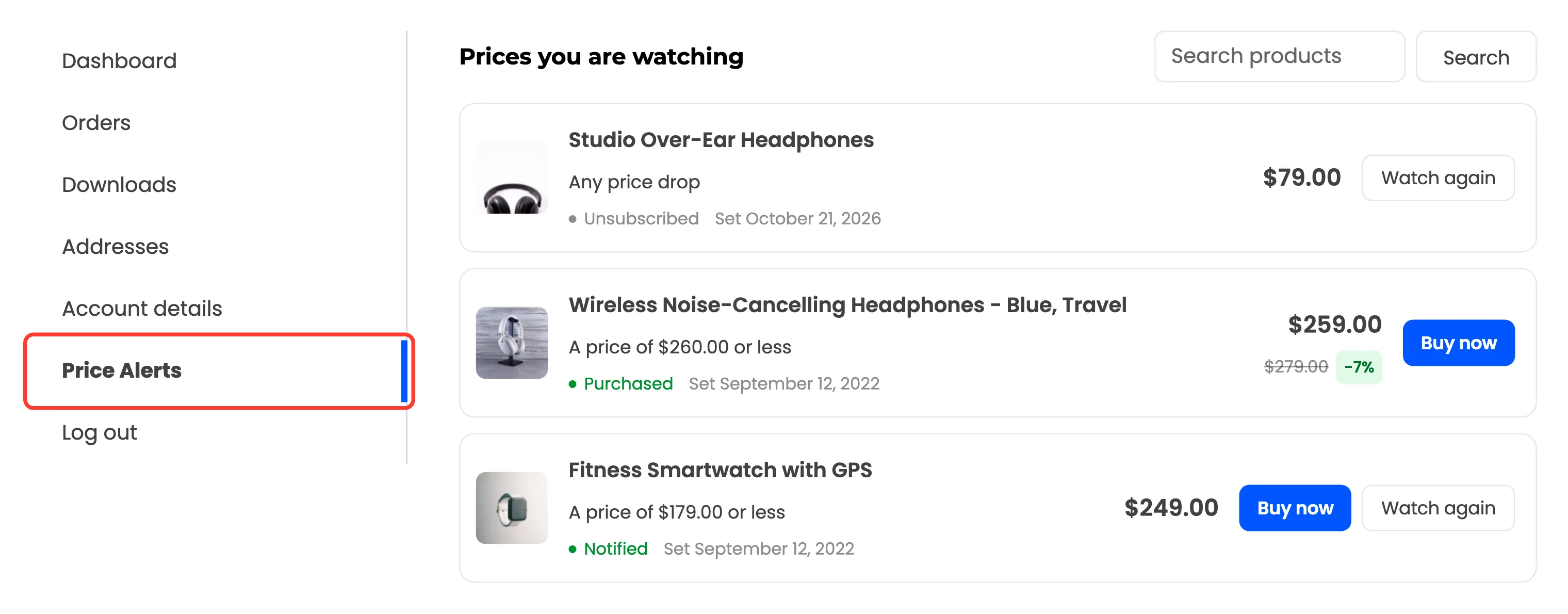
Section titled “My Account”- Endpoint: The page’s address in My Account. Default ddwc-price-drop-notifier, so the page is
/my-account/ddwc-price-drop-notifier/. - Menu Title: The label in the My Account menu and the page title. Default Price Alerts.
- Sidebar Widgets: “Keep the theme sidebar on the price alerts page”. Off by default, so the list gets the full width. Footer and header widget areas always stay.
A new endpoint works straight away, without visiting Settings → Permalinks.
Both tasks run once an hour.
- Alert Lifetime (days): Alerts still watching after this many days are closed as Expired. Default 0, which keeps them until the price drops.
- Data Retention (days): Notified, purchased, unsubscribed and expired alerts are deleted after this many days. Alerts still watching are never deleted. Default 0, which keeps everything.
Lifetime is counted from the day the alert was set. Switch back on on the Alerts screen keeps that date, and so does an import with its original date. Watch again in My Account starts a new one. See How to Limit How Long Alerts Last.
Click Save Changes at the bottom of the tab.