

How to Track Recovered Sales (Pro)
Pro tells you what the waitlist earned: which back in stock emails turned into orders, and for how much. There is nothing to set up. It works from the first restock.
Step 1: Restock and let the emails go
Section titled “Step 1: Restock and let the emails go”Each customer who is sent the back in stock email becomes Notified. From then on their orders are watched.
Step 2: Wait for the order to be paid
Section titled “Step 2: Wait for the order to be paid”When an order reaches Processing or Completed, Pro checks it once:
- Is there a Notified signup with the order’s billing email?
- Is that signup’s product, or variation, in the order?
If both are true, the signup becomes Purchased, the order is linked, and the line’s total after discounts is recorded as recovered revenue.
On the demo, Amara Okafor bought the Ember Canvas Collector Pack with her 10% coupon and paid by bank transfer. The order sat On hold and her signup stayed Notified. Marking the order Processing turned it into a recovered sale.
Step 3: Read the signup
Section titled “Step 3: Read the signup”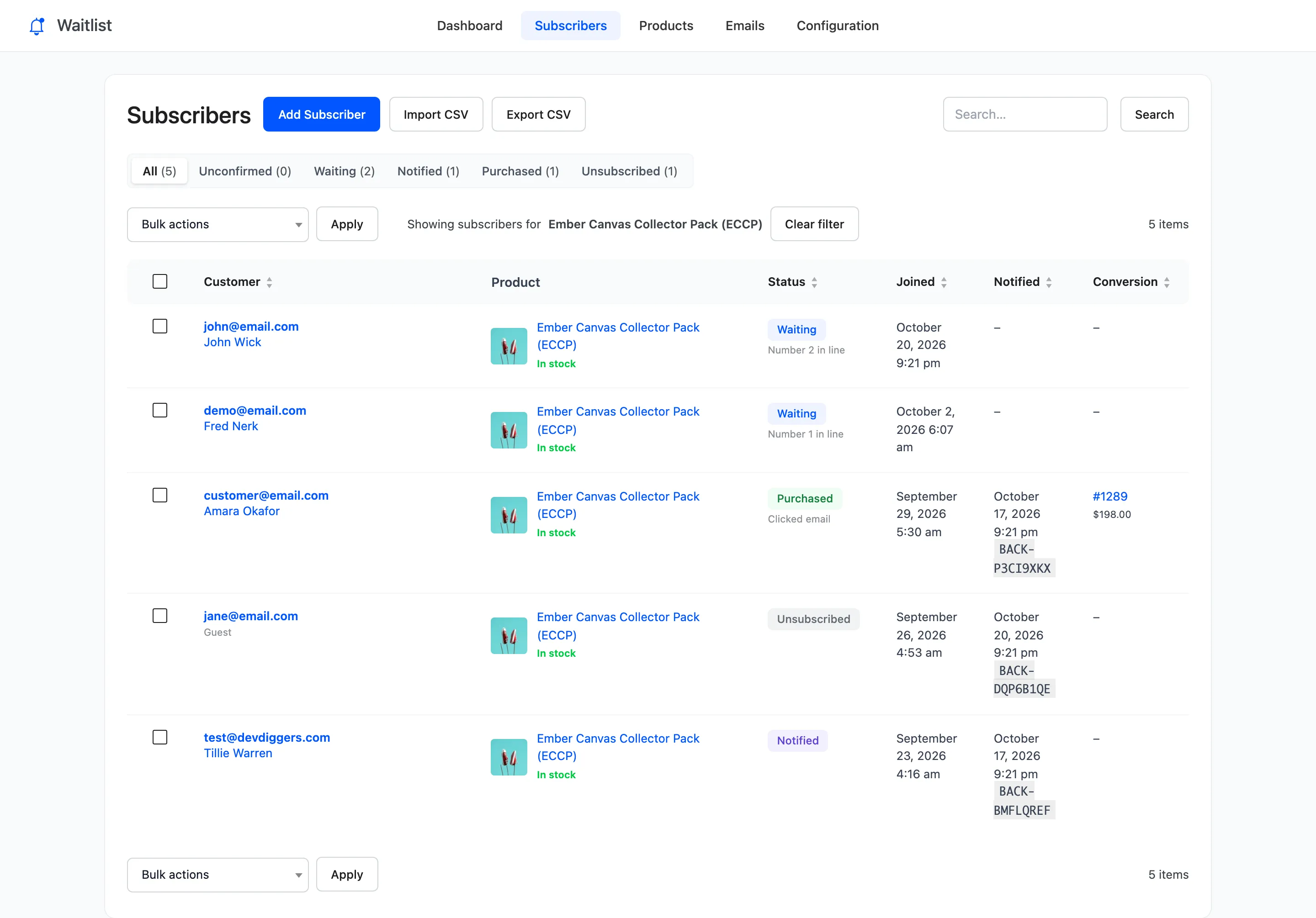
The Conversion column links to the order. Clicked email under the status shows she opened the product from the email.
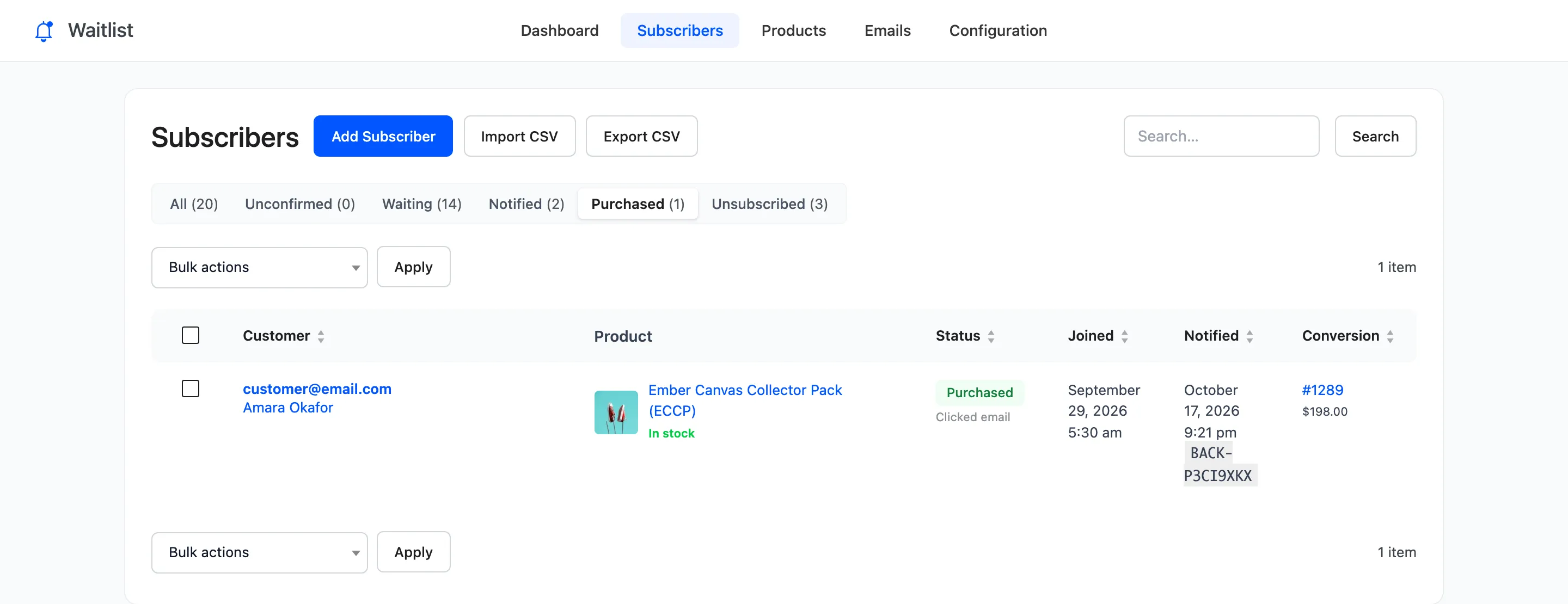
The Purchased view lists every recovered sale:
Step 4: Read the totals
Section titled “Step 4: Read the totals”The dashboard adds them up for the date range:

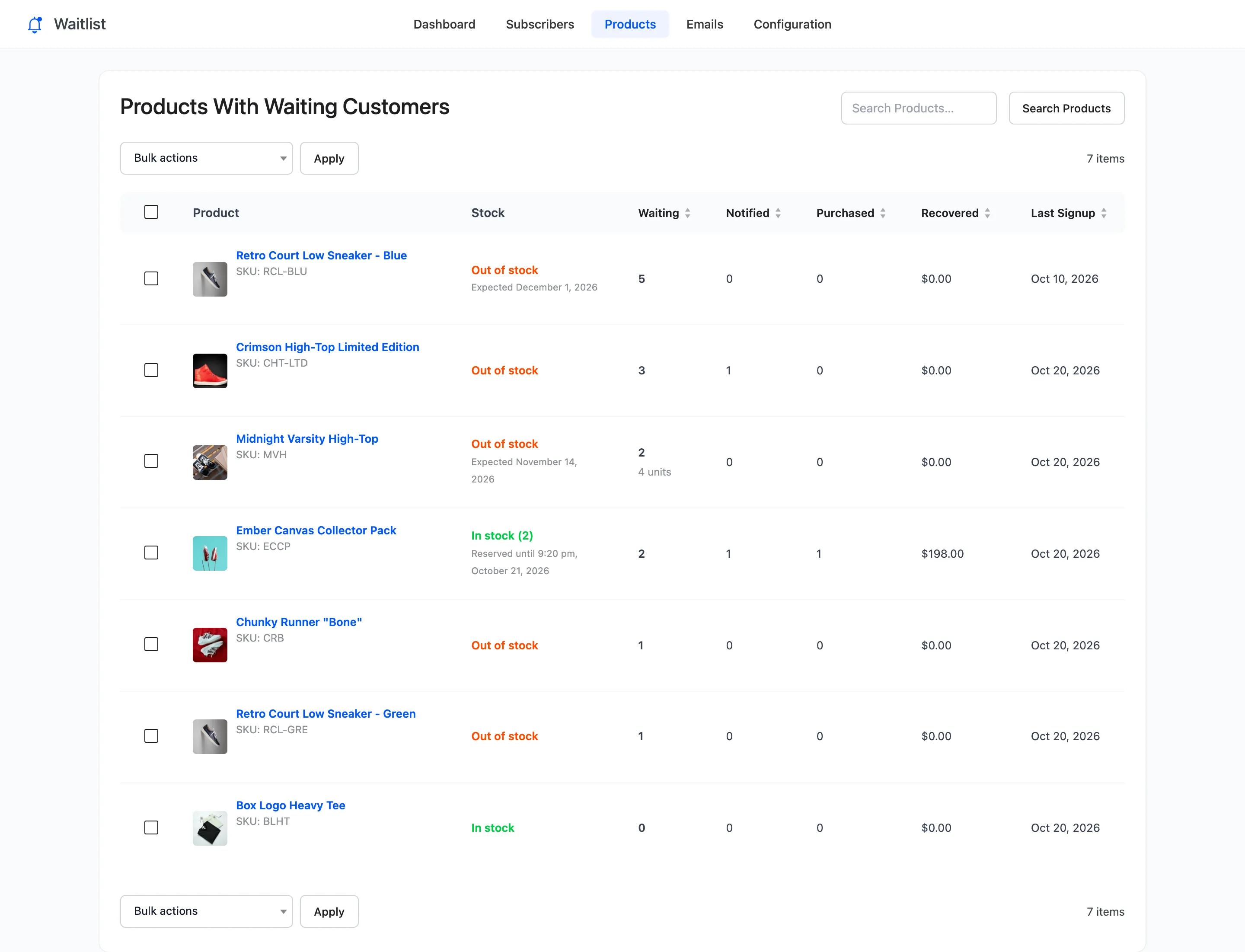
Restock Email Performance shows the funnel: emails sent, clicked through, purchased. The Products screen has Purchased and Recovered per product.
What does not count
Section titled “What does not count”- A customer who was never emailed. Someone still Waiting who buys during a restock is not a recovered sale, because the email did not bring them.
- A different email address. The billing email has to match the one they joined with.
- Another product. Only the product they waited for counts, not the rest of the order.
- An order not yet paid. On hold and pending orders are counted once they move to Processing.
Each order is checked once. A later refund does not reverse the count.