

How to Ask for Quantity and Phone Number (Pro)
How many units should you reorder? Quantity tells you. A phone number lets you text the people who wait, through your SMS tool and the webhook. Every extra field costs a few signups, so ask only for what you use.
Step 1: Turn on the fields
Section titled “Step 1: Turn on the fields”Open Configuration → Signup Form and go to Extra Fields.
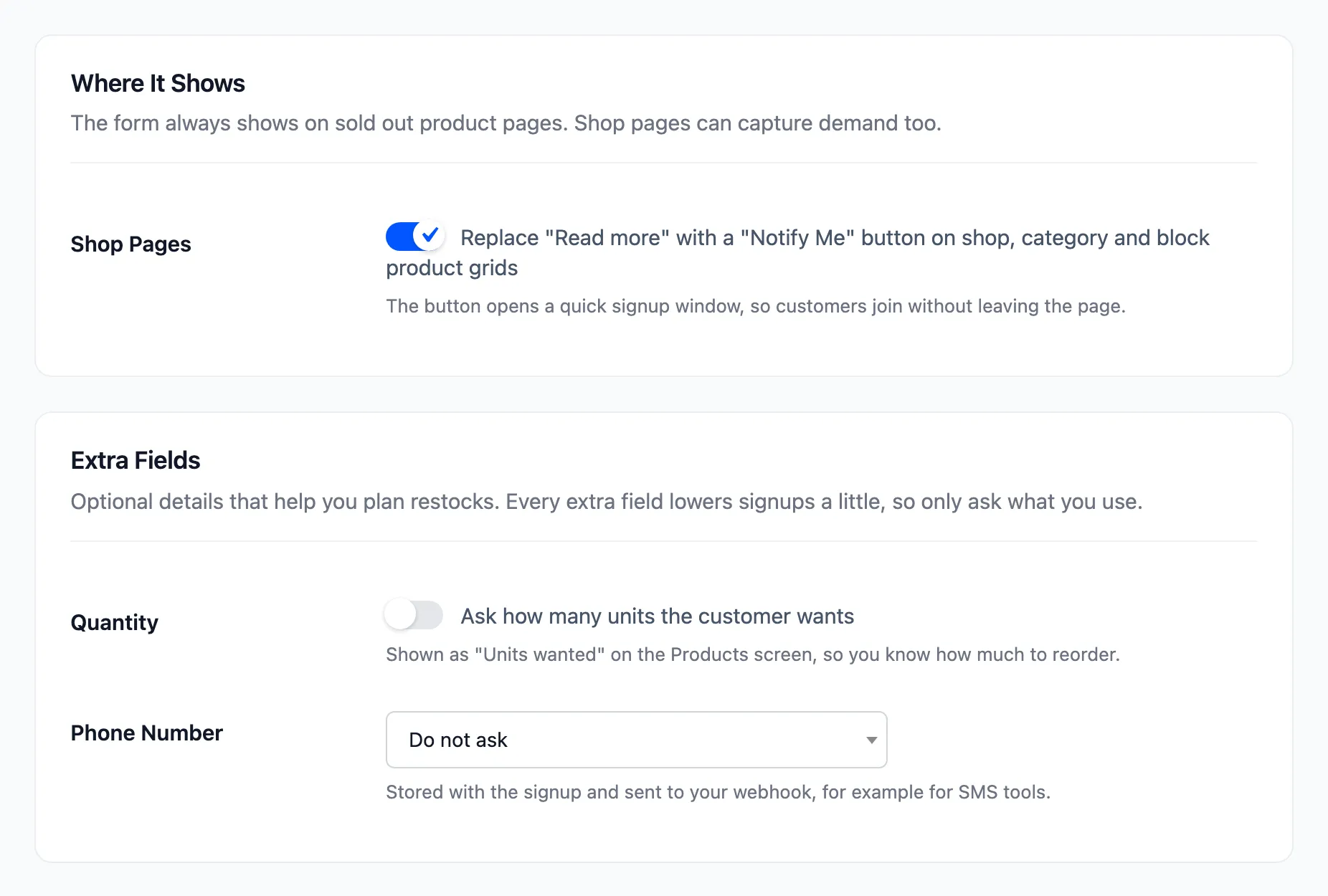
- Quantity: “Ask how many units the customer wants”.
- Phone Number: Do not ask, Optional or Required.
Click Save Changes.
Step 2: Join with the extra details
Section titled “Step 2: Join with the extra details”The form gains a row above the email field. Optional shows next to Phone when it is not required.
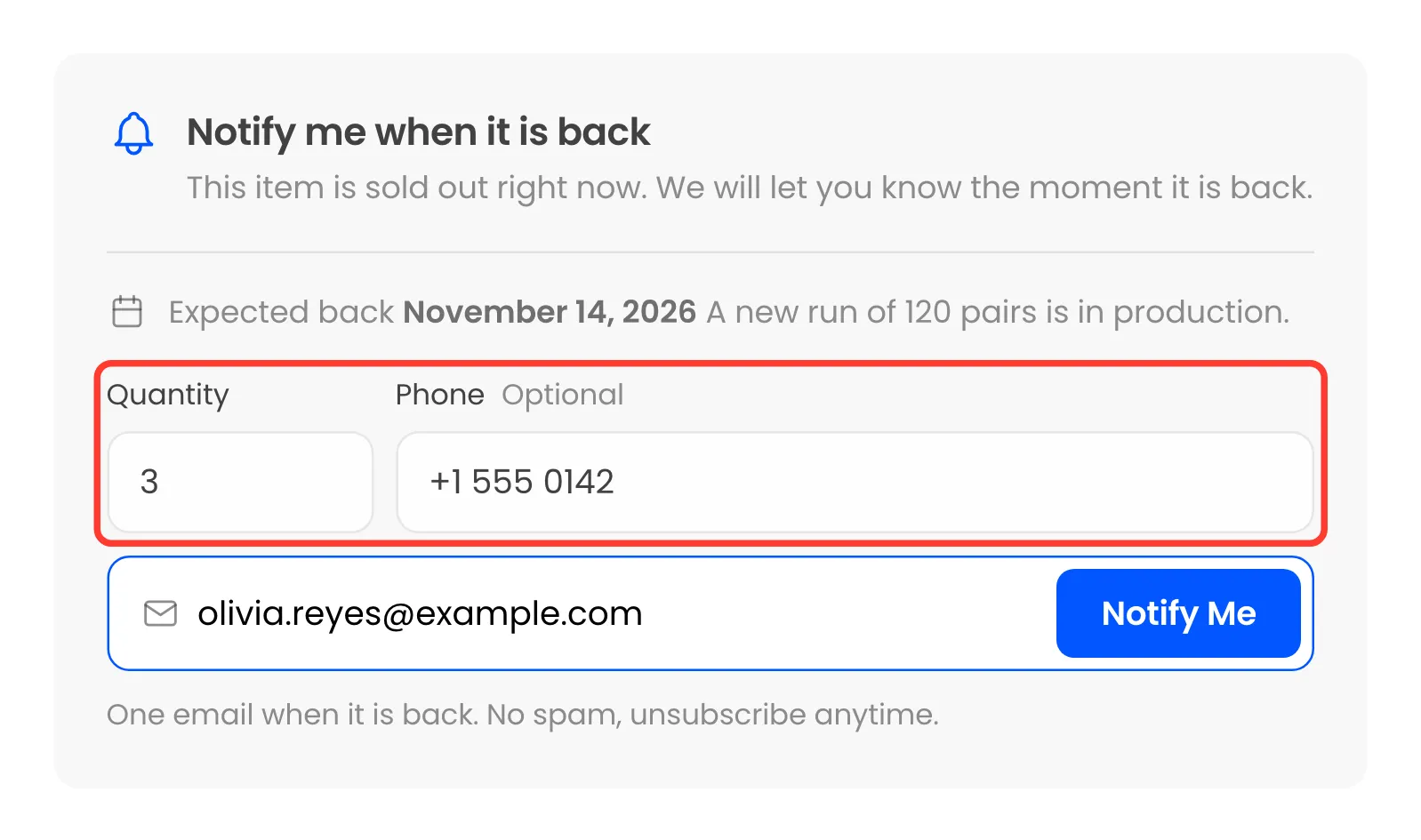
With Required, a guest who leaves the phone empty, or types fewer than six digits, is asked to enter it and is not added.
Step 3: Read the units wanted
Section titled “Step 3: Read the units wanted”On the Products screen, the Waiting column shows units under the count when they differ. Two customers waiting for the Midnight Varsity High-Top, one wanting 3, show as 2 and 4 units:
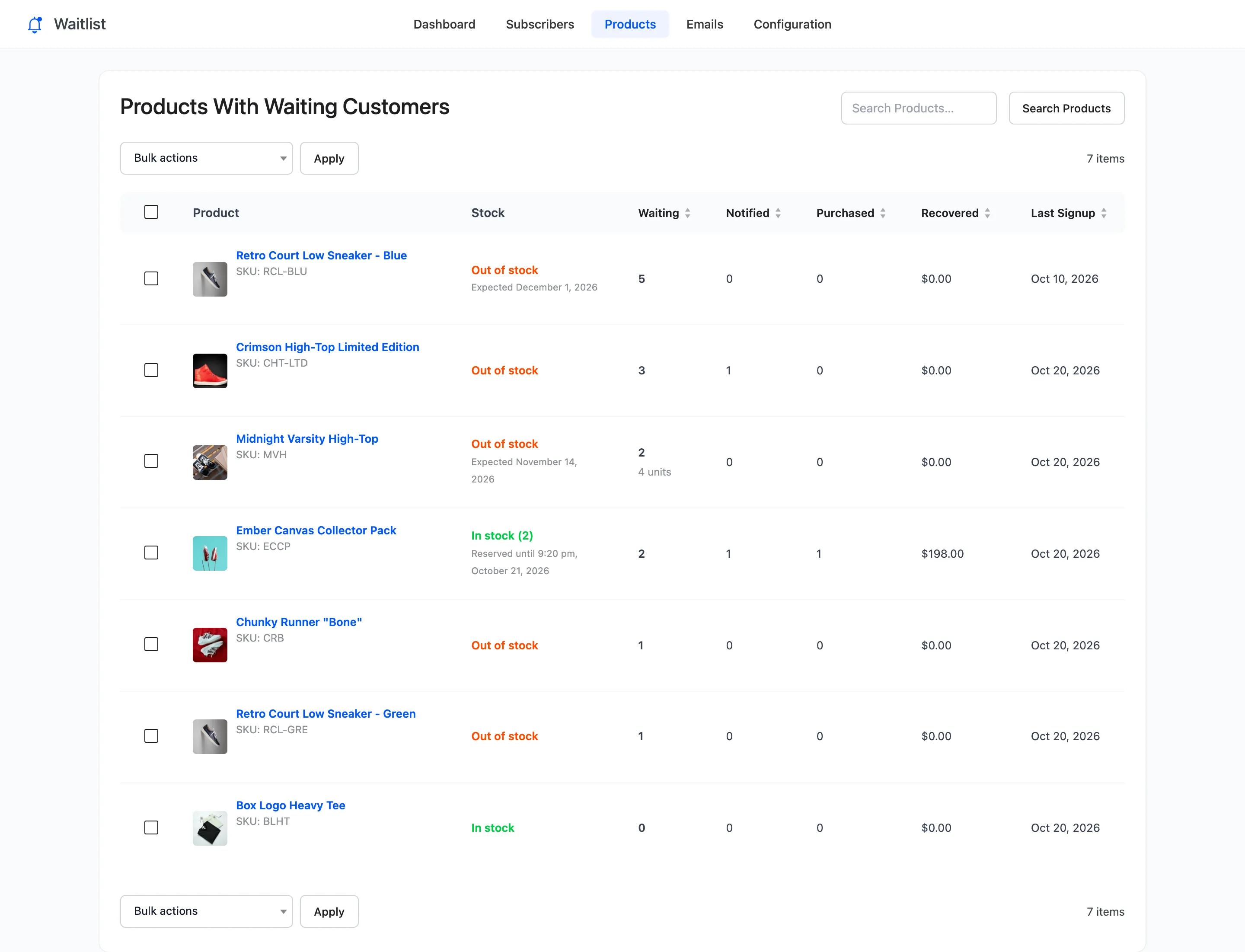
On the Subscribers screen the phone number follows the customer’s name, and the product cell says “3 units wanted”.
Both also appear in the CSV export and in every webhook payload.