

Introduction to Waitlist
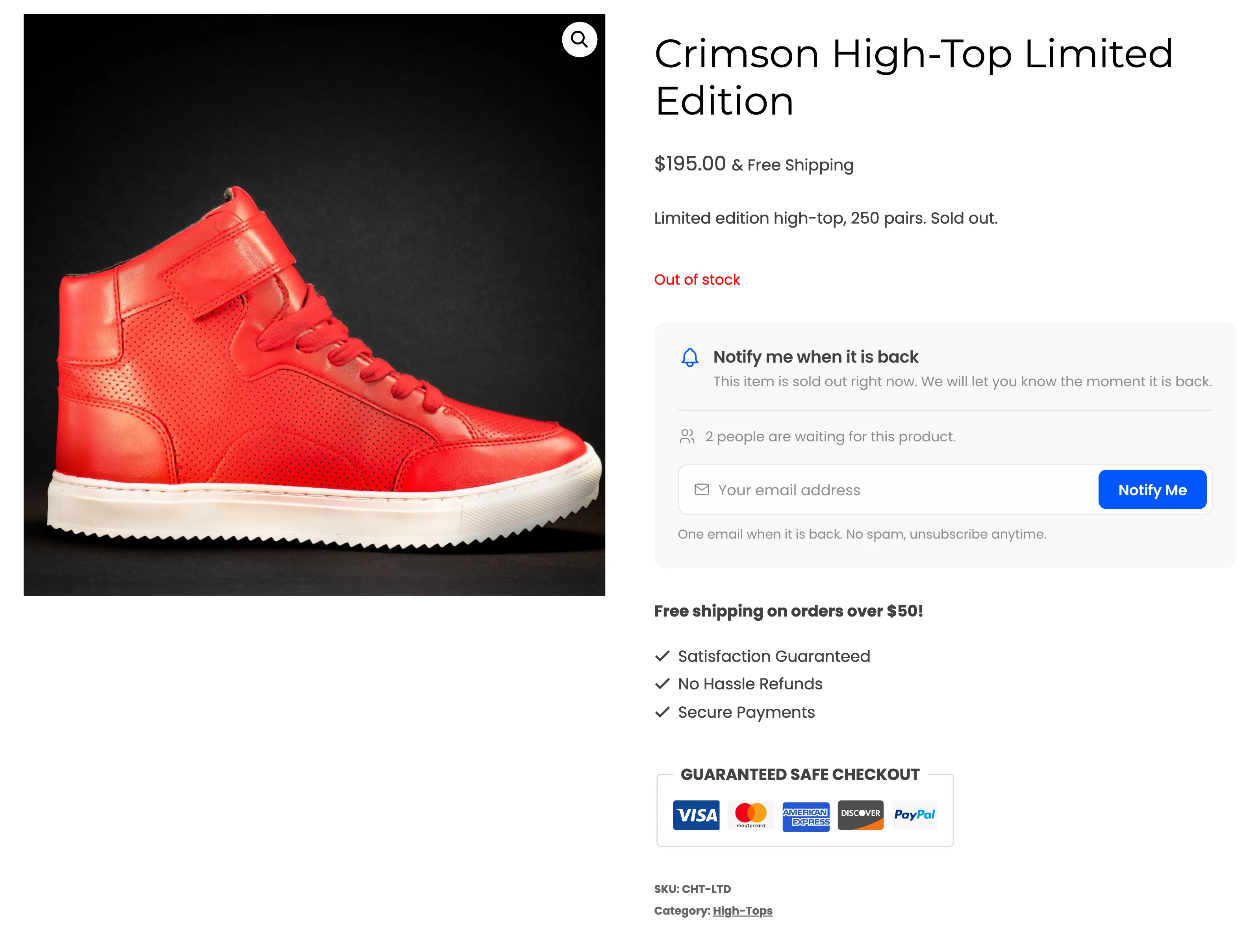
Waitlist turns a sold out product page into a signup form. A customer leaves their email, sees their place in line, and gets an email the moment the product is back. You see who is waiting, for what, and how much they bought once you restocked.
It comes in two editions. The free plugin, DevDiggers Waitlist for WooCommerce, runs the whole loop: the form, the queue, the back in stock email and the admin screens. DevDiggers Waitlist for WooCommerce Pro is an add-on that runs on top of it and turns restocks into sales. It adds a unique coupon in each email, an early access window, a reminder for customers who did not buy, rules for small restocks, and revenue tracking.
What it does
Section titled “What it does”- Collects signups on sold out products. The form shows on every out of stock product and on each sold out variation. Guests type their email. Logged-in customers join with one click.
- Keeps a fair queue. Customers are emailed in the order they joined, and the form tells them their place in line: “You are number 3 in line.”
- Emails them when stock returns. Any stock change counts: a product edit, an import, the REST API, a refund or a cancelled order. Emails go out in background batches, so a long list never slows the store.
- Confirms and alerts. A Signup Confirmation email to the customer, and an optional Admin Alert to your team on every new signup.
- Shows you the demand. A dashboard, a Subscribers screen, a Products screen ranked by waiting customers, and a Waitlist column on the WooCommerce Products list.
- Stays private. Invisible spam protection, an optional consent checkbox, a one-click unsubscribe link in every email, and WordPress personal data export and erase.
Free or Pro
Section titled “Free or Pro”| Free | Pro | |
|---|---|---|
| Signup form on sold out products and variations | Yes | Yes |
| Guests and logged-in customers, optional login requirement | Yes | Yes |
| Backorder products, excluded products and categories | Yes | Yes |
| Waiting count and place in line | Yes | Yes |
| Consent checkbox, invisible spam protection | Yes | Yes |
| Automatic back in stock emails, in background batches of 50 | Yes | Yes, batch size of your choice |
| Back in Stock, Signup Confirmation and Admin Alert emails, with preview and test | Yes | Yes |
| Send restock emails yourself from the Products screen | Yes | Yes |
| Dashboard, Subscribers and Products screens, My Account page | Yes | Yes |
| Shortcode for any page | Yes | Yes |
| Notify Me button and signup window on shop pages | No | Yes |
| Expected restock date and note | No | Yes |
| Quantity and phone fields | No | Yes |
| Double opt-in for guests | No | Yes |
| Minimum stock and customers per unit | No | Yes |
| Early access window | No | Yes |
| Restock coupon and reminder email | No | Yes |
| Recovered orders and revenue | No | Yes |
| CSV import and export, Email Log | No | Yes |
| Webhooks, data retention | No | Yes |
Pro keeps every setting and signup the free plugin collected, because both read the same data. See How to Upgrade to Pro.
Who it is for
Section titled “Who it is for”- Limited drops and small batches, where a product sells out in hours and the next run is weeks away.
- Made-to-order and imported goods, where you can tell customers when the next batch lands.
- Stores reordering by demand, who want to know which products and how many units people want back.
What a customer sees
Section titled “What a customer sees”A guest on a sold out product sees the form, the number of people waiting and an email field. After Notify Me, the form turns into a confirmation with their place in line, and a confirmation email arrives. When the product is back, the back in stock email links straight to it.
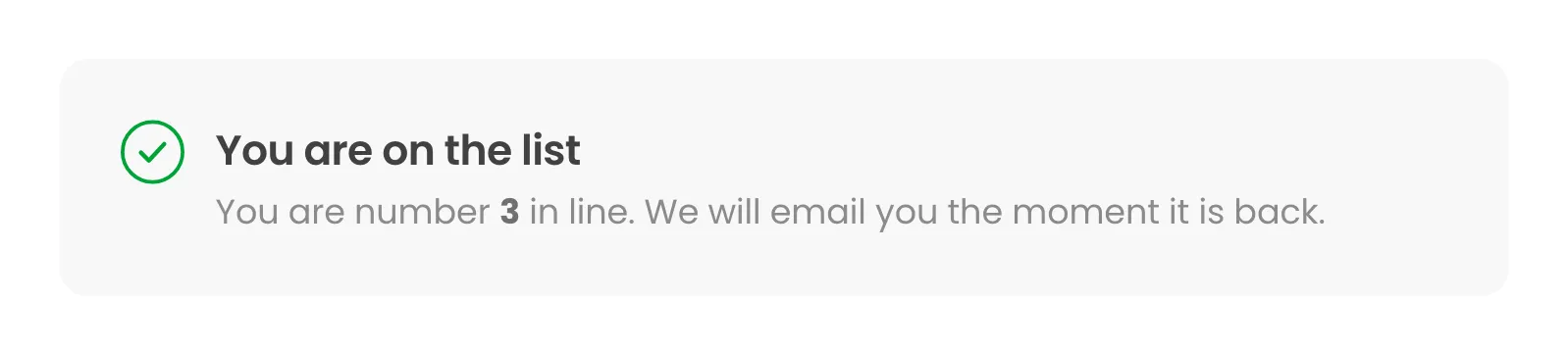
The Customer Experience walks through every state.
Requirements
Section titled “Requirements”- WordPress 6.5 or newer.
- WooCommerce 8.0 or newer, active.
- PHP 7.4 or newer.
- Pro only: the free plugin, installed and active, and an active Pro license. Pro activates the free plugin for you if it is installed but switched off. Until the license is activated, the storefront shows no form at all.
Both editions support WooCommerce High-Performance Order Storage and the Cart and Checkout blocks.
Where to start
Section titled “Where to start”- Install and activate the plugin.
- Walk the setup wizard. It switches the waitlist on and picks how restock emails go out.
- Read How the Waitlist Works. It follows one signup from the form to the sale.