

Restock Rules
The Restock Rules tab decides what happens when a product comes back in stock. It sets whether customers are emailed on their own, how many, and whether they get first pick. Open DevDiggers Plugins → Waitlist → Configuration → Restock Rules.
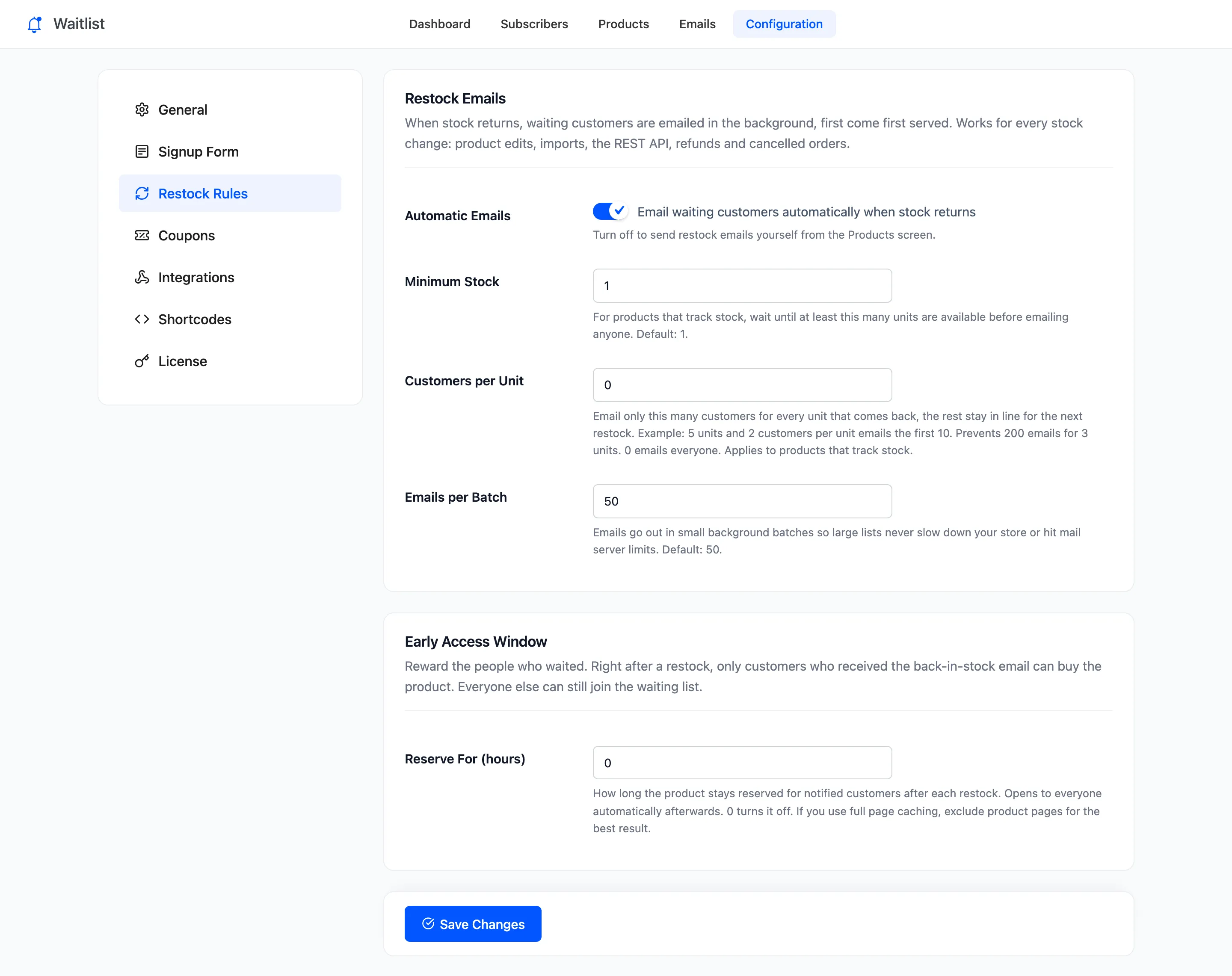
Restock Emails
Section titled “Restock Emails”- Automatic Emails: “Email waiting customers automatically when stock returns”. On by default. Off, a restock emails nobody, and the product waits under Ready to Sell on the dashboard. You send the emails with Email now there, or Email waiting customers on the Products screen.
- Minimum Stock (Pro): For a product that tracks stock, wait until at least this many units are available. Default 1. A product that does not track stock is emailed as soon as it is In stock.
- Customers per Unit (Pro): Email only this many customers for every unit that comes back. Default 0, which emails everyone. Applies to products that track stock.
- Emails per Batch (Pro): How many emails each background batch sends. Default 50. The free version always sends 50.
Every stock change counts: an edit, an import, the REST API, a refund or a cancelled order.
How Customers per Unit counts
Section titled “How Customers per Unit counts”Each time stock goes up, the plugin adds the new units times your number to an allowance for that product, and spends it as it emails. Stock going down does not add anything, and stock at zero clears the allowance.
On the demo, Customers per Unit was 1 and the Ember Canvas Collector Pack went from 0 to 3 units with four people waiting. Exactly three were emailed, oldest first, and the fourth stayed Waiting:
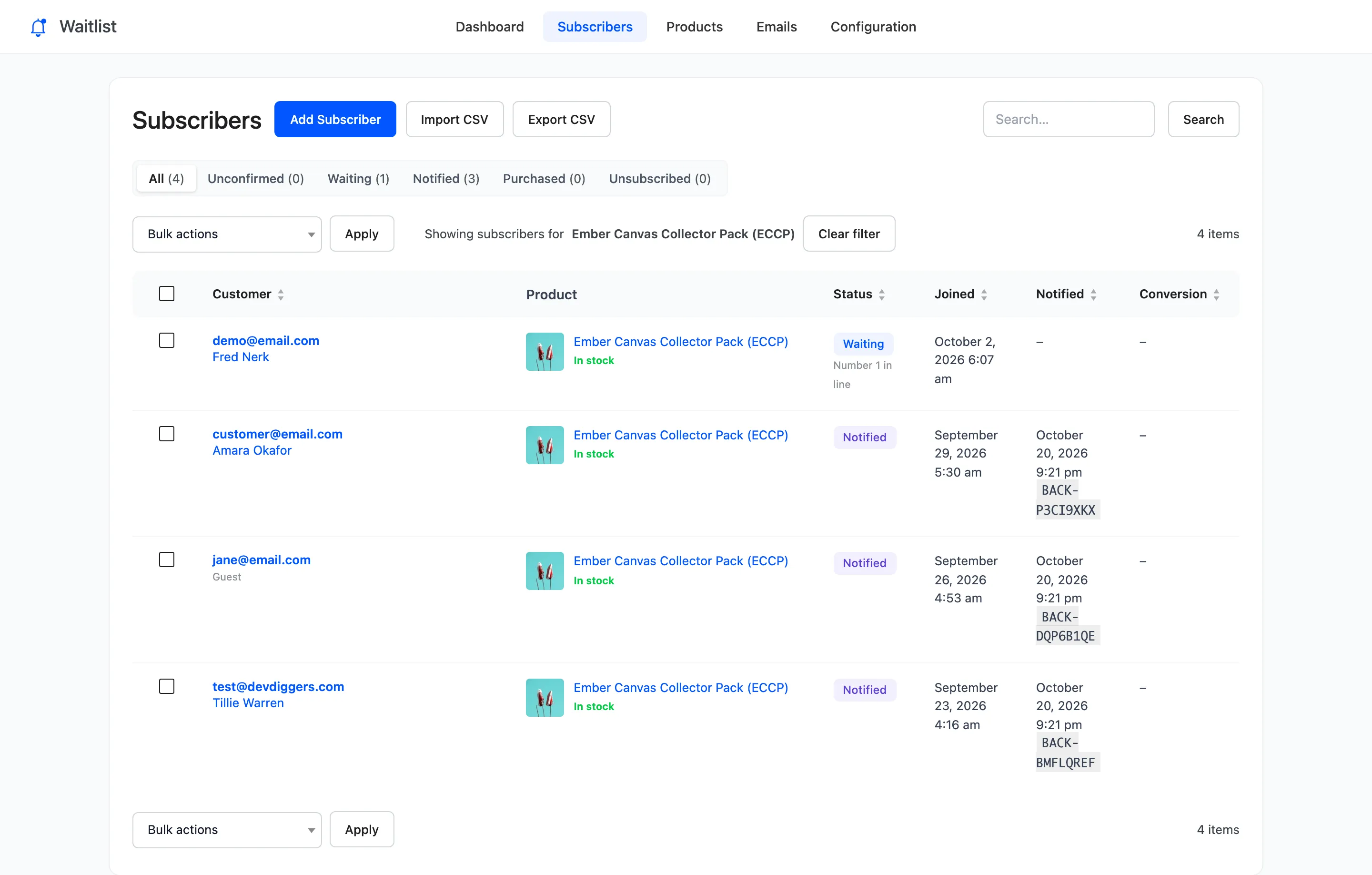
When you send emails yourself from the Products screen or the dashboard, Customers per Unit and the allowance are ignored: every waiting customer is emailed.
Early Access Window (Pro)
Section titled “Early Access Window (Pro)”- Reserve For (hours): How long the product stays reserved for customers who received the back in stock email. Default 0, which turns it off.
During the window the product cannot be bought by anyone else. They see the form with “Reserved for waiting list customers until” and the time, and can join the list. Your shop managers and administrators can always buy, so you can test it.
The window is checked once an hour. When it ends, anyone still waiting is emailed, and those emails start a window of their own. With Customers per Unit on, the units still in stock decide how many: two units left at one customer per unit email the next two in line. Once nobody is waiting, the product opens to everyone.
See How to Give Waiting Customers Early Access (Pro).
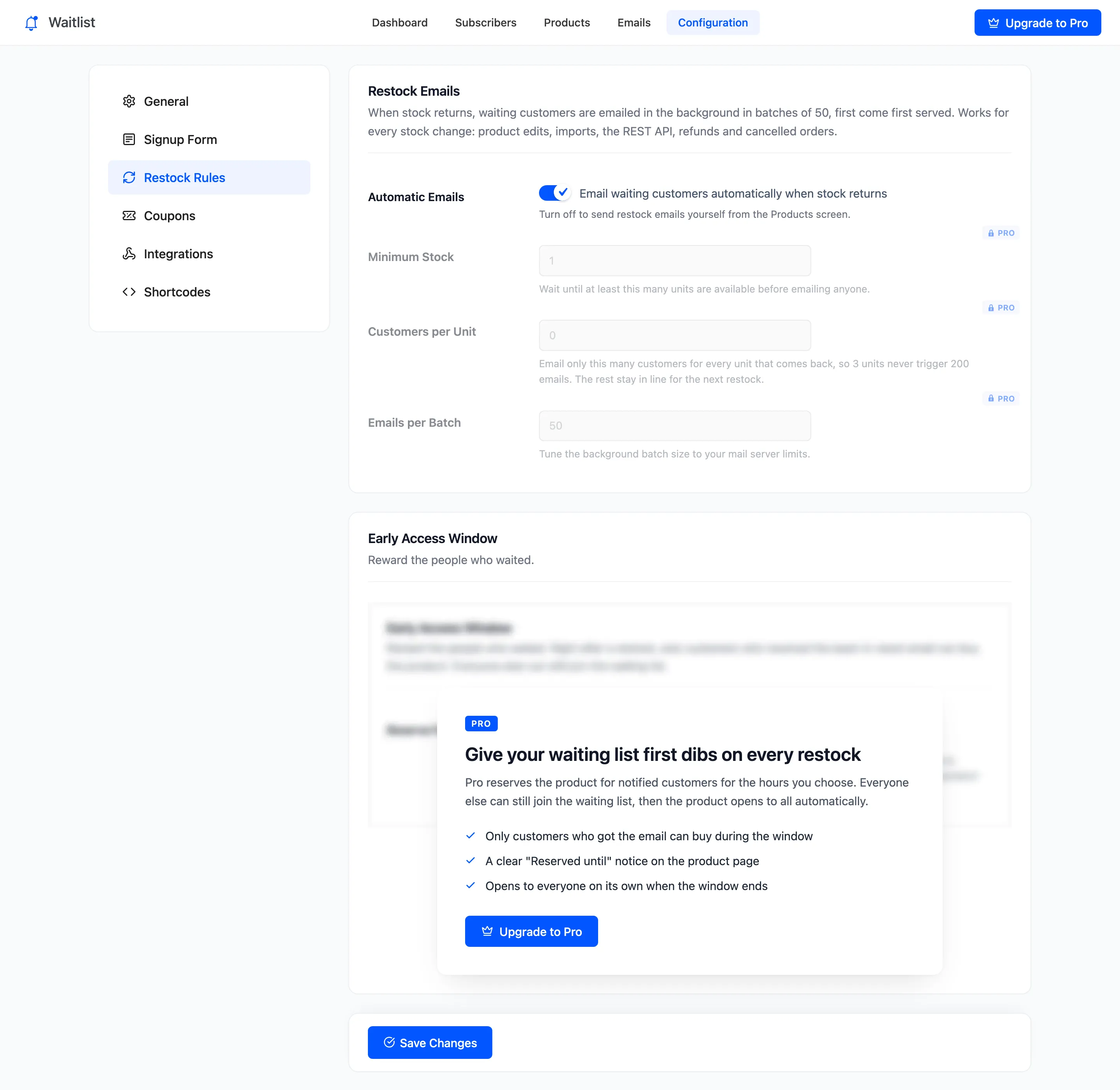
Click Save Changes at the bottom of the tab.