

How to Send a Reminder to Customers Who Did Not Buy (Pro)
Plenty of people open the back in stock email, mean to buy, and forget. One reminder a couple of days later catches many of them, and it carries their coupon again.
Step 1: Open the Reminder email
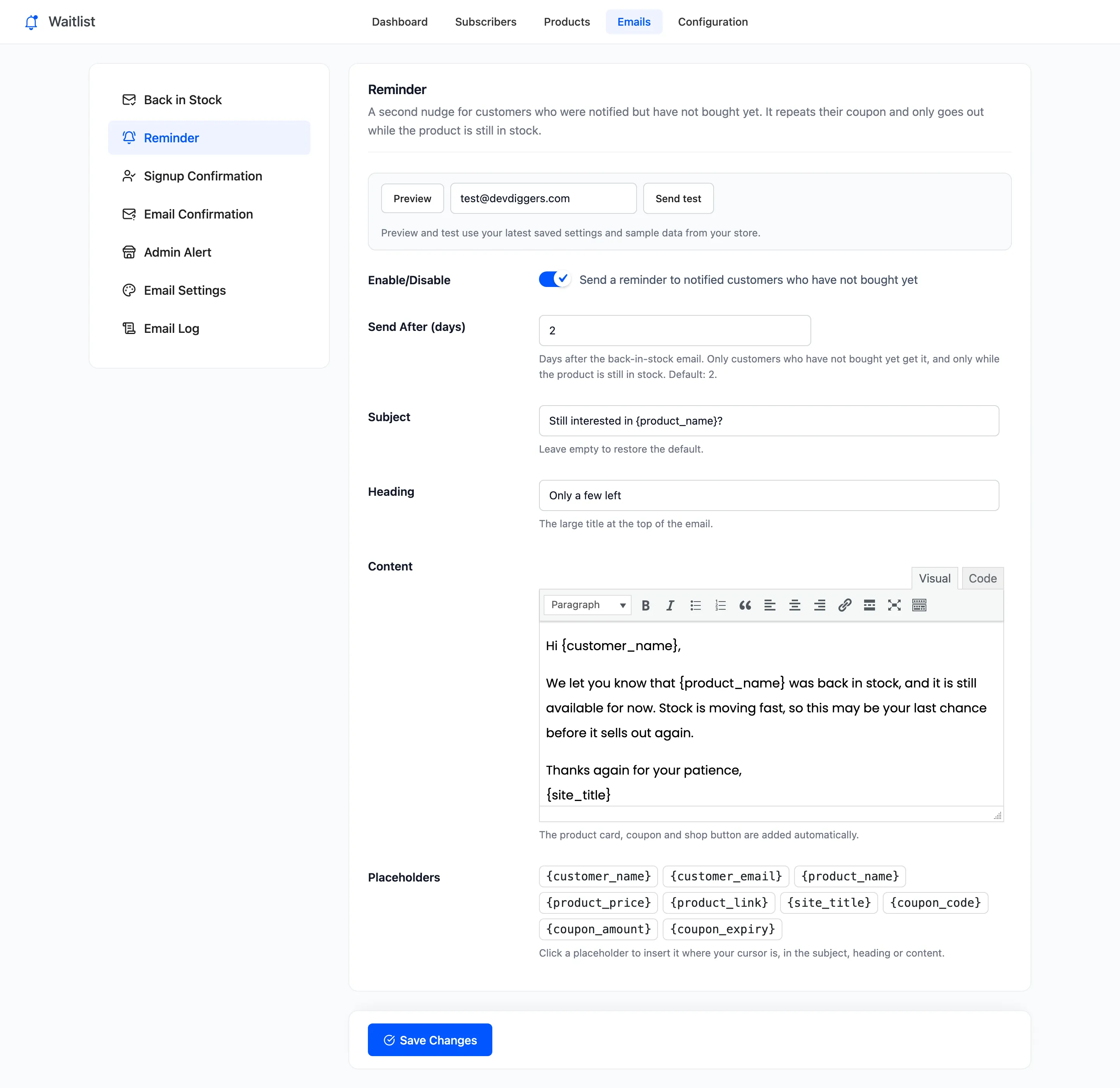
Section titled “Step 1: Open the Reminder email”Go to DevDiggers Plugins → Waitlist → Emails → Reminder.
Step 2: Set the delay
Section titled “Step 2: Set the delay”- Enable/Disable: “Send a reminder to notified customers who have not bought yet”. On by default in Pro.
- Send After (days): Days after the back in stock email. Default 2.
Step 3: Edit the wording
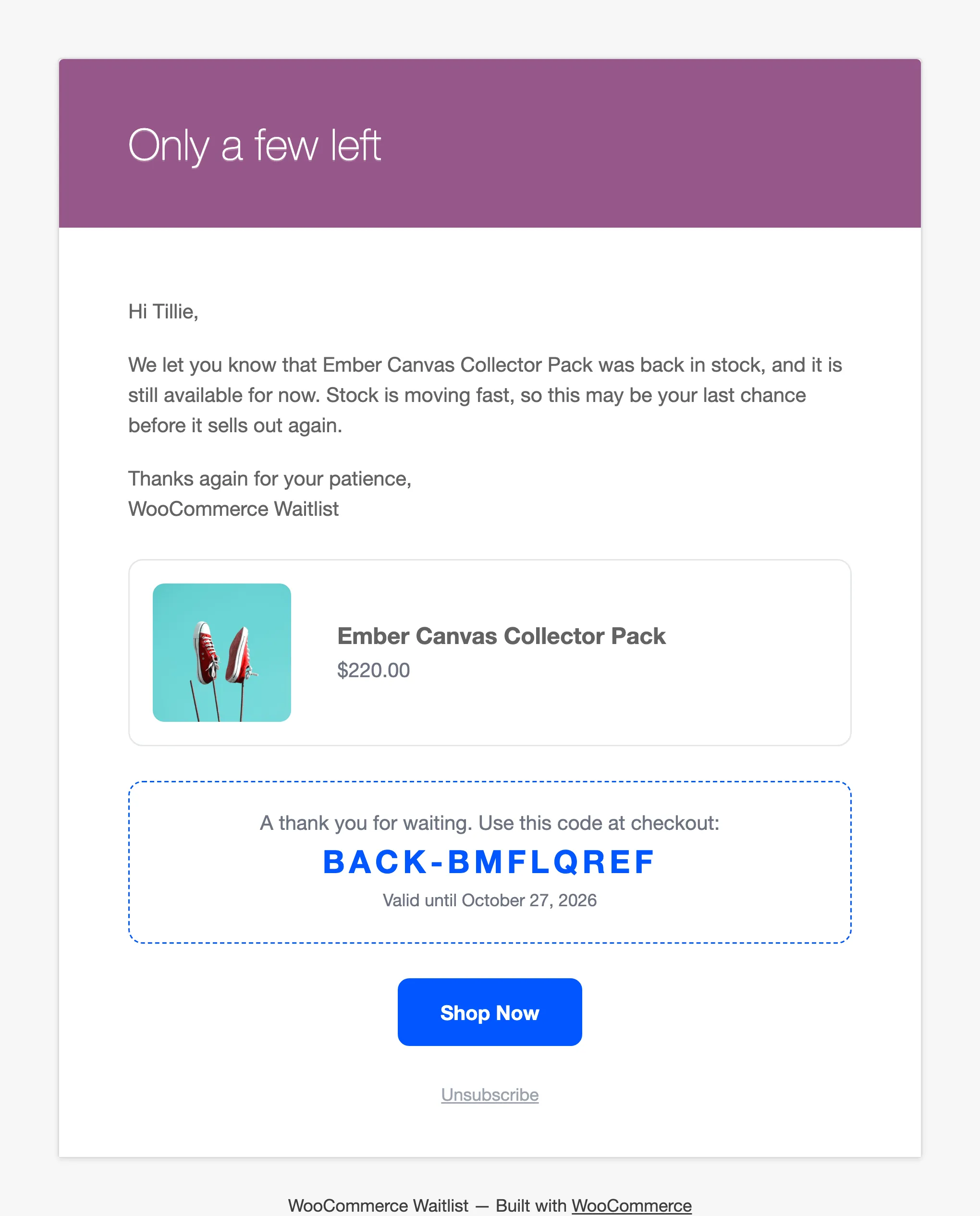
Section titled “Step 3: Edit the wording”The default subject is “Still interested in {product_name}?” and the heading “Only a few left”. Change them and the content as you like. The product card, the coupon and the Shop Now button are added below your text. Press Preview to check, then Save Changes.
Step 4: Let it run
Section titled “Step 4: Let it run”Once an hour the plugin looks for customers who:
- were sent the back in stock email at least the delay ago,
- are still Notified, so they have not bought or unsubscribed,
- have not had a reminder yet,
and whose product is still in stock with a price. Each customer gets one reminder, ever.
On the demo, three customers were emailed about the Ember Canvas Collector Pack. Two days later one had bought and one had unsubscribed. The hourly run sent exactly one reminder, to the third:
Things to know
Section titled “Things to know”- A customer who orders after the reminder still counts as a recovered sale.
- If the product sells out again, the reminder is skipped for good, not held back.
- The reminder appears in the Email Log as Reminder.