

How to Import Subscribers From a CSV File (Pro)
Moving from another waitlist tool, or from a spreadsheet you kept by hand? Import it, and everyone keeps their place in line. Nobody is emailed during the import.
Step 1: Prepare the file
Section titled “Step 1: Prepare the file”A CSV file with a header row. Only two pieces are required:
- product_id or sku: the product or the exact variation.
Optional columns: status, quantity, phone and joined_on. joined_on matters most: it keeps the original signup date, so the oldest signup stays first in line.
The file used on the demo had five rows, three of them wrong on purpose:
email,product_id,sku,status,quantity,phone,joined_onemma.wilson@example.com,13,,waiting,1,,2026-10-03 09:00:00lucas.brown@example.com,,CRB,waiting,2,+1 555 0187,2026-10-12 14:30:00not-an-email,13,,waiting,1,,zoe.king@example.com,,NO-SUCH-SKU,waiting,1,,olivia.reyes@example.com,13,,waiting,3,,Step 2: Upload it
Section titled “Step 2: Upload it”Open Subscribers and click Import CSV. Drop the file on the box, or click to browse. Download a sample CSV file gives a template.
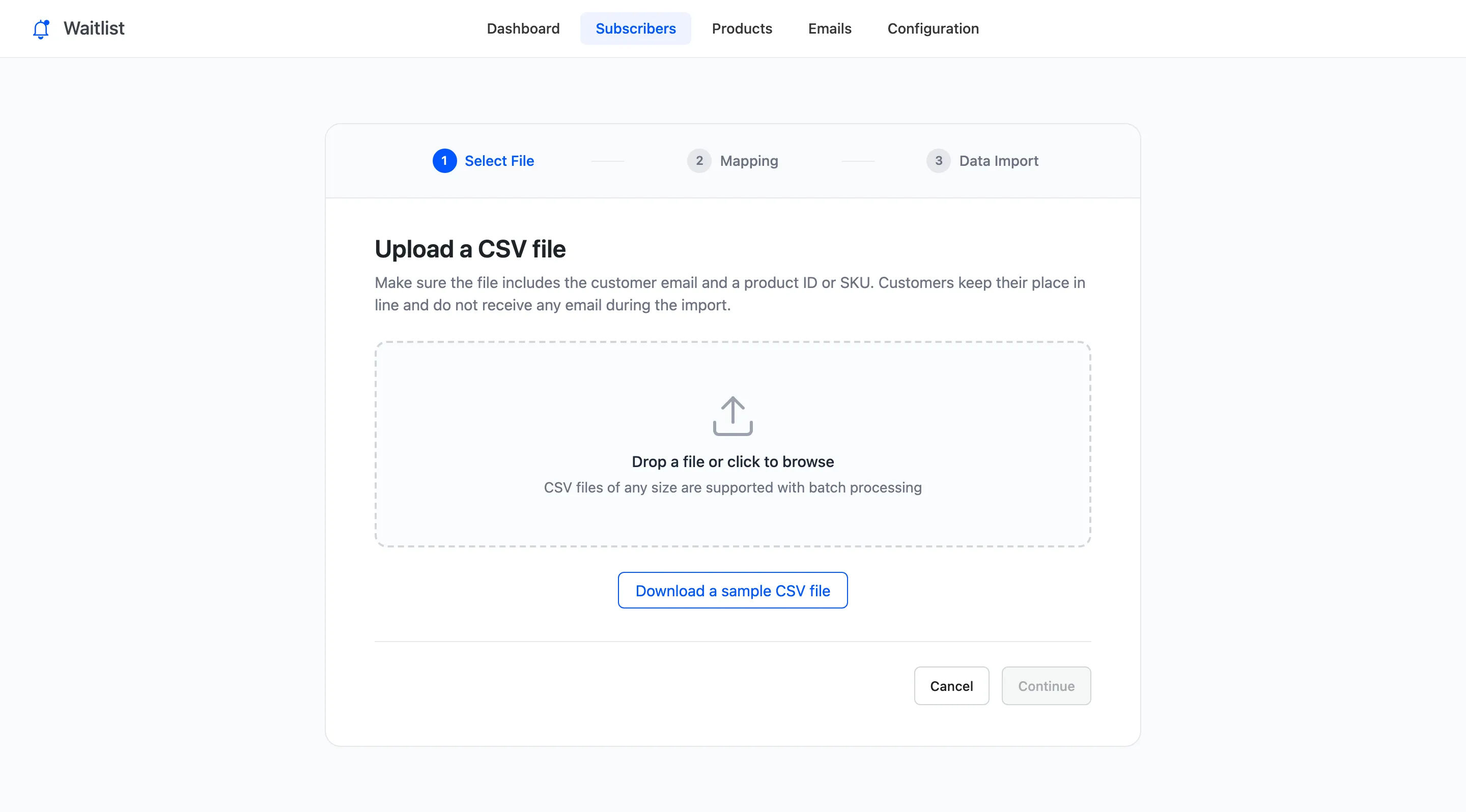
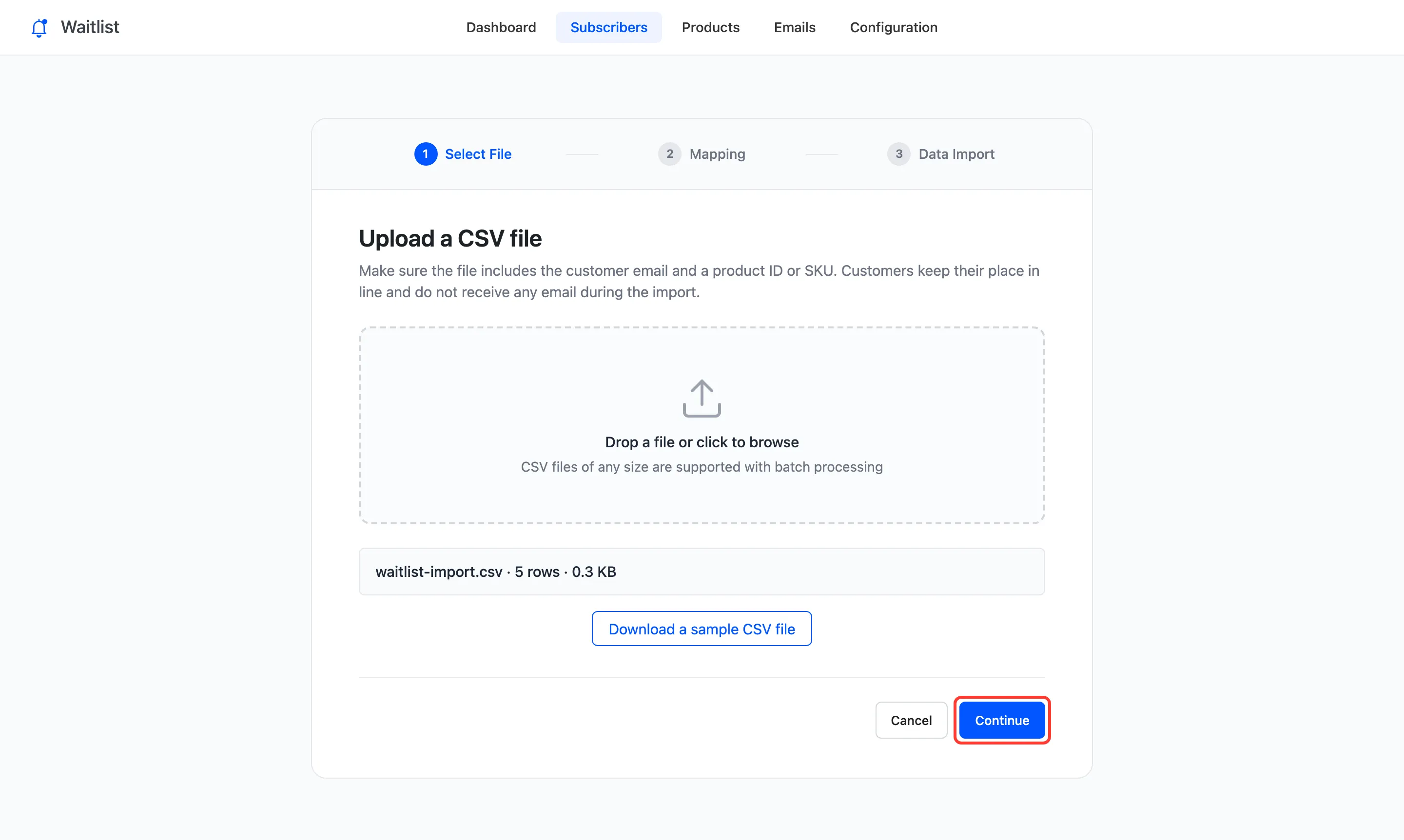
The file’s name and size appear. Click Continue.
Step 3: Check the mapping
Section titled “Step 3: Check the mapping”Each field is matched to a column by name, with the first row as an example. Change a match from its menu, or pick Do not import to skip a column.
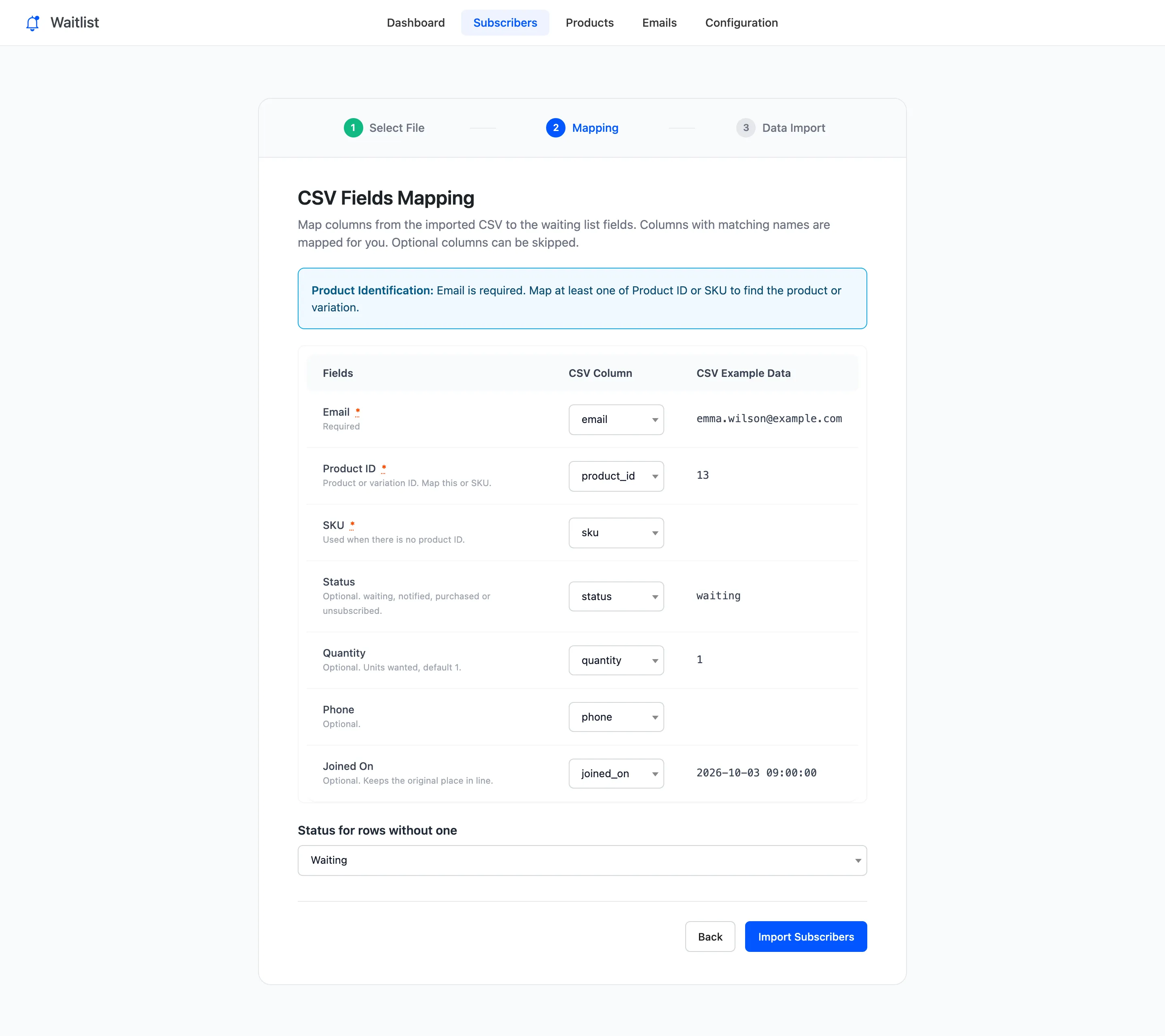
Status for rows without one sets the status of rows that leave it empty. Waiting is right for a list of people still waiting.
Step 4: Import and read the summary
Section titled “Step 4: Import and read the summary”Click Import Subscribers. Rows are sent in batches, so a long file is fine. Then the summary:
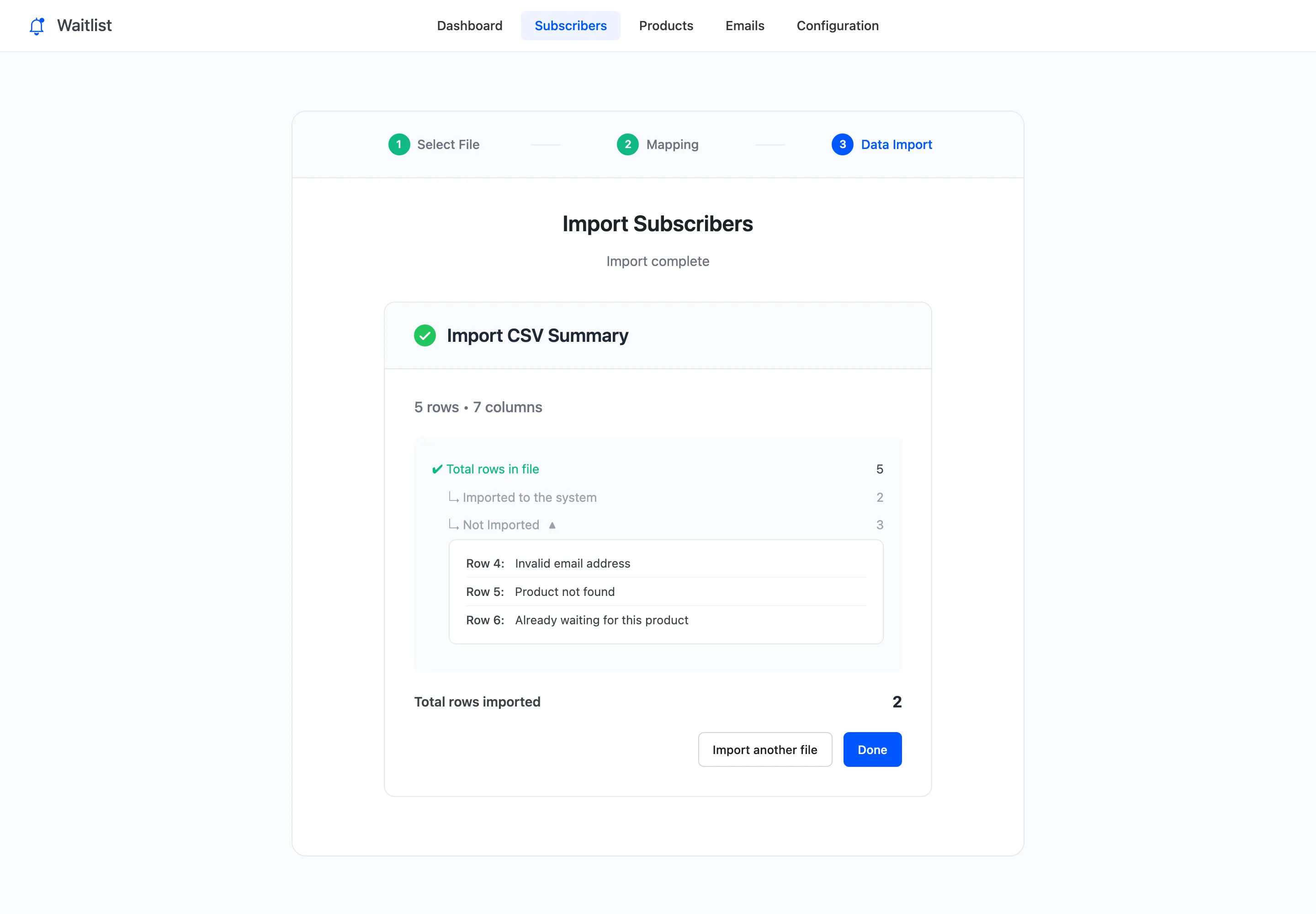
The three skipped rows each had their reason: an invalid email, a SKU that matched no product, and a customer already waiting for that product.
Check the line
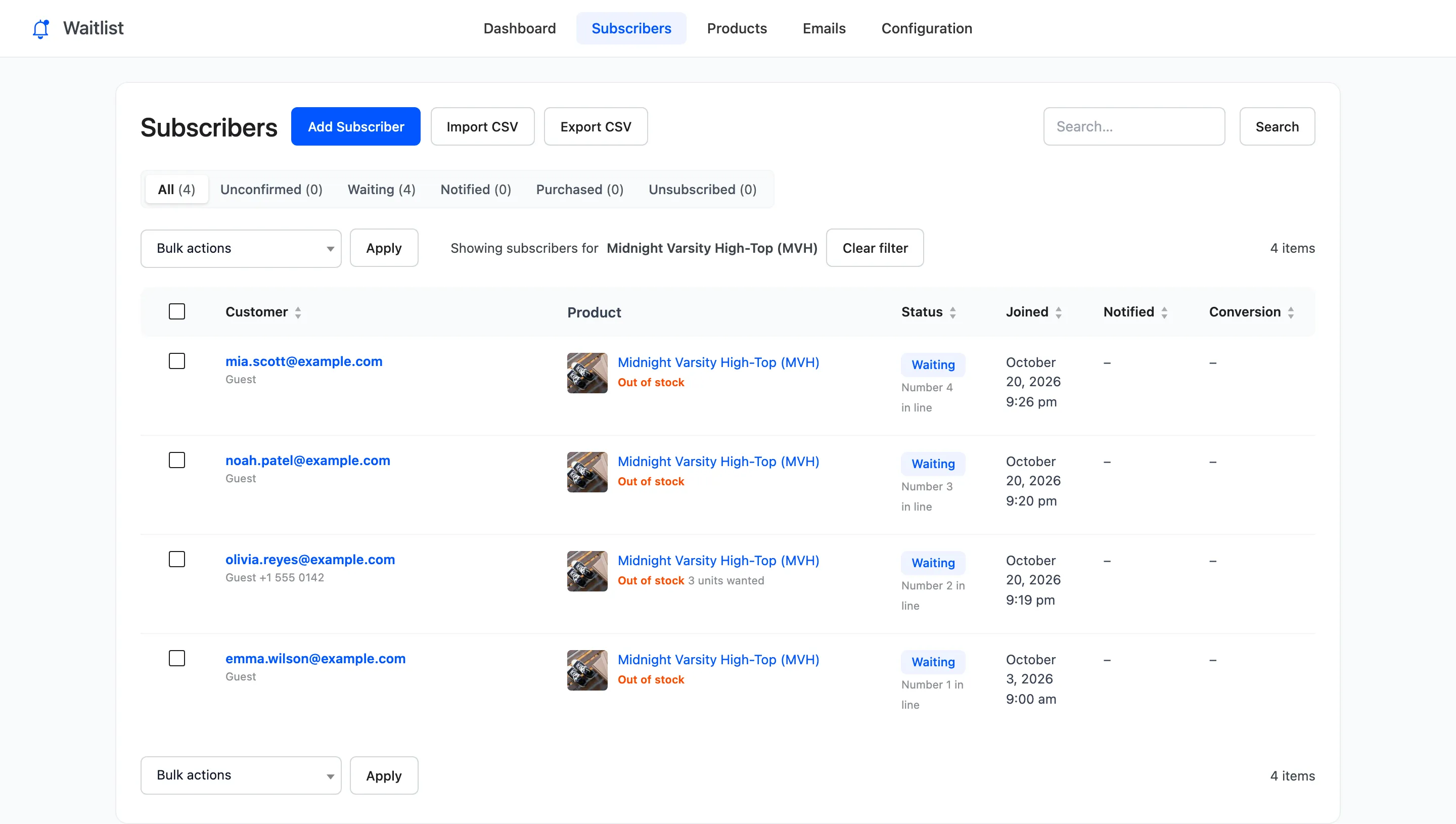
Section titled “Check the line”Emma’s row was dated 3 October, earlier than everyone waiting for the Midnight Varsity High-Top, so she went straight to number 1:
Imported customers get no Signup Confirmation and your team no Admin Alert. They hear from you when the product is back.