The Products Screen
The Products screen shows demand per product: what people wait for, whether you have it back, and in Pro what the waitlist earned. Open DevDiggers Plugins → Waitlist → Products. Only products with at least one signup are listed. Variations are listed on their own.
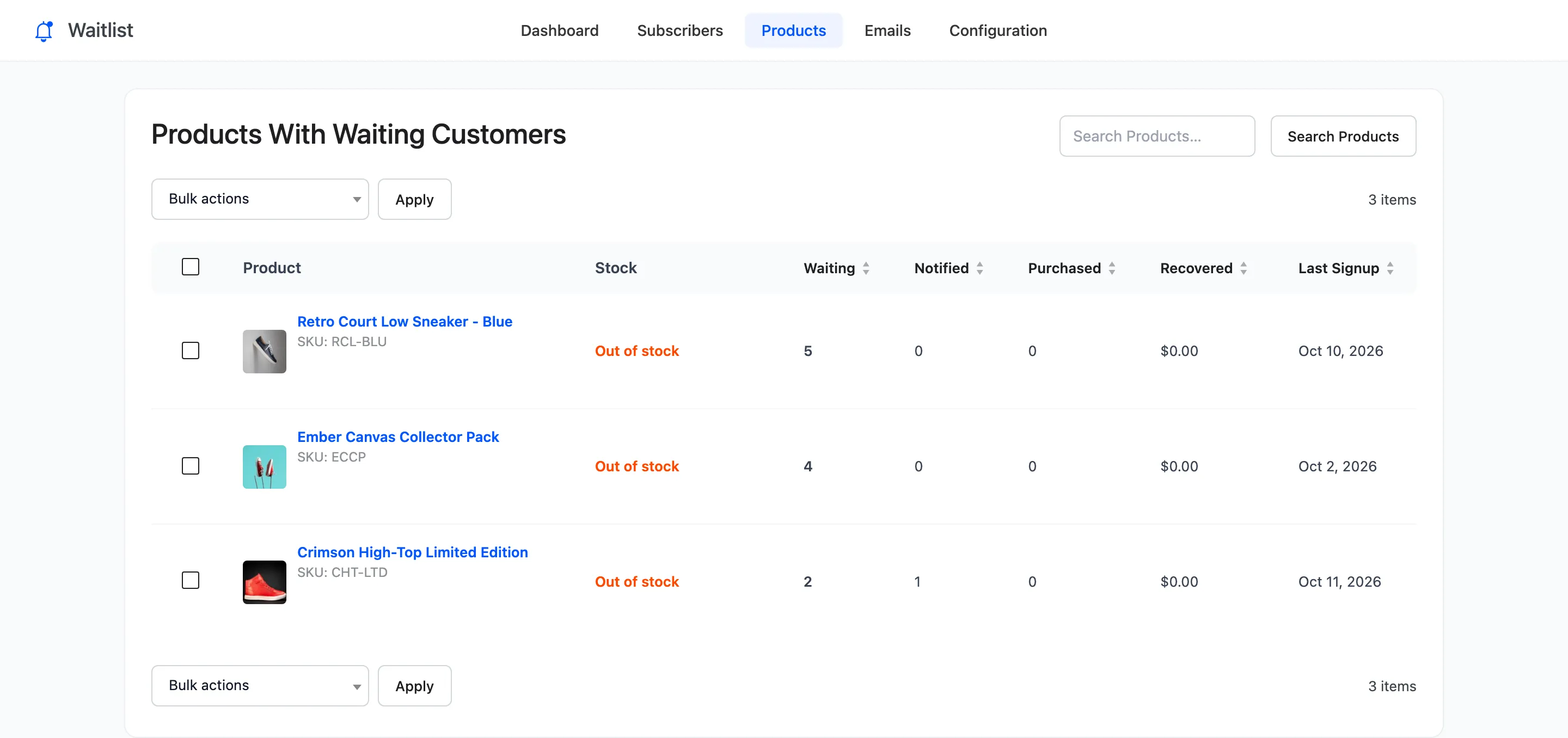
After a restock and a sale, Pro’s columns fill in:
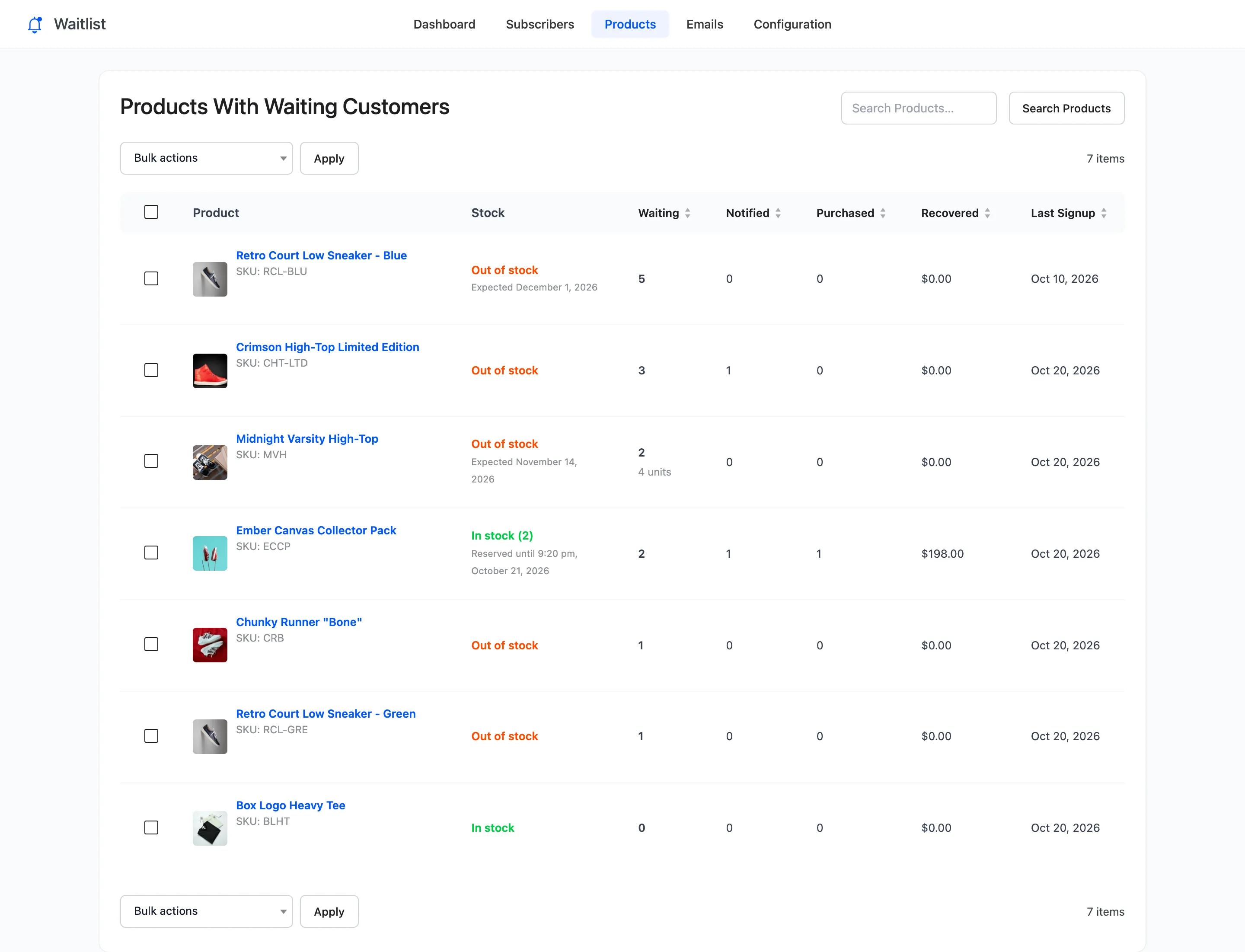
Columns
Section titled “Columns”- Product: Name, image and SKU, linked to the product.
- Stock: In stock (with the count, for a product that tracks stock) or Out of stock. Pro adds a second line: “Expected” and the restock date while it is sold out, or “Reserved until” and a time during an early access window.
- Waiting: Customers waiting now. In Pro, the units they want when that is more than one each.
- Notified: Customers already emailed.
- Purchased (Pro): Emailed customers who ordered.
- Recovered (Pro): What those orders paid for this product, after discounts.
- Last Signup: The most recent join.
Sort by Waiting, Notified, Purchased, Recovered or Last Signup to find the products worth reordering first. Search Products matches the name.
Row actions
Section titled “Row actions”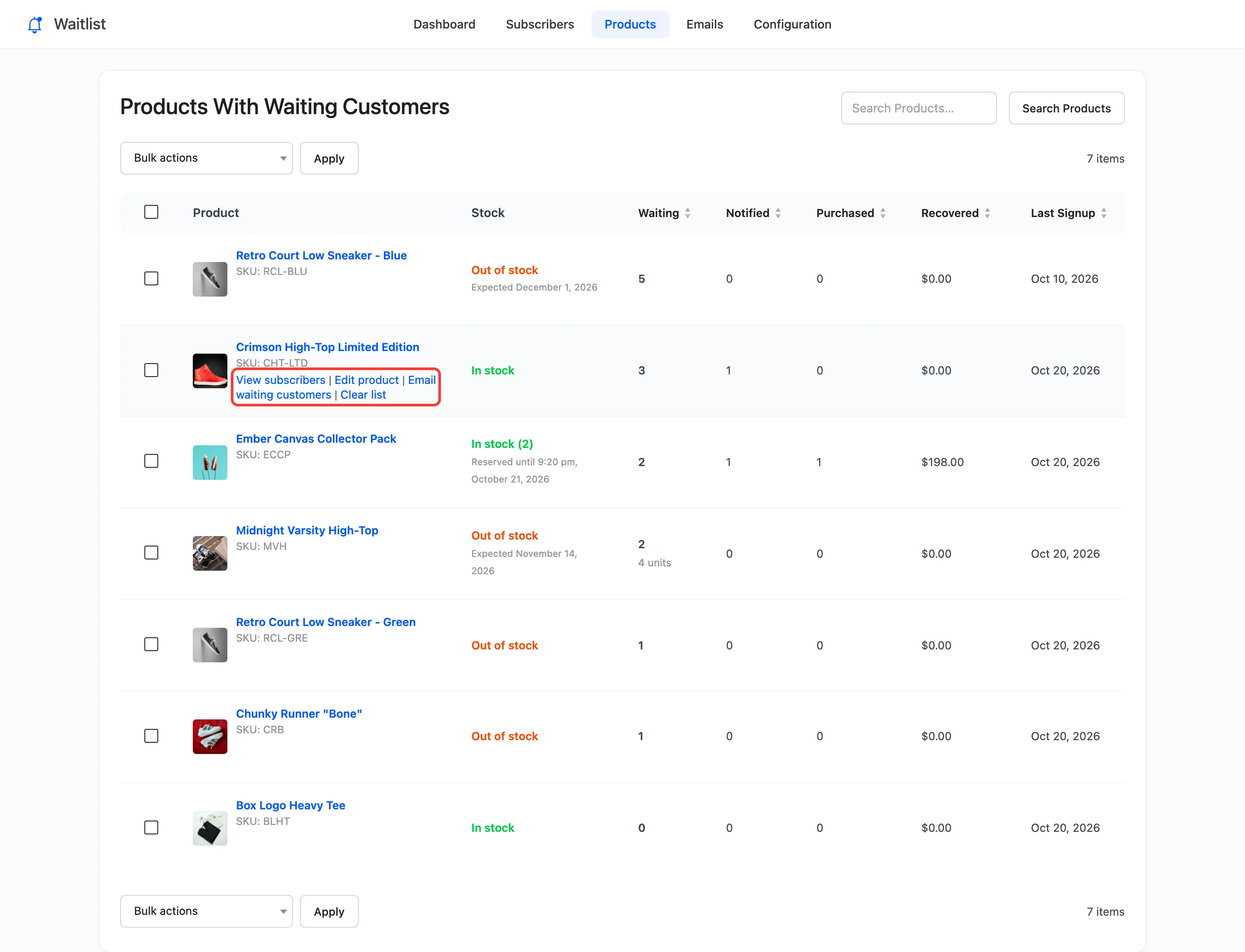
- View subscribers: The Subscribers screen filtered to this product.
- Edit product: The WooCommerce product editor.
- Email waiting customers: Emails everyone waiting, in the order they joined, in the background.
- Clear list: Deletes every signup for the product. Nobody is emailed.
Email waiting customers works only while the product is in stock. It ignores Automatic Emails and, in Pro, Customers per Unit, because you asked for it. If an early access window is set, it starts one.
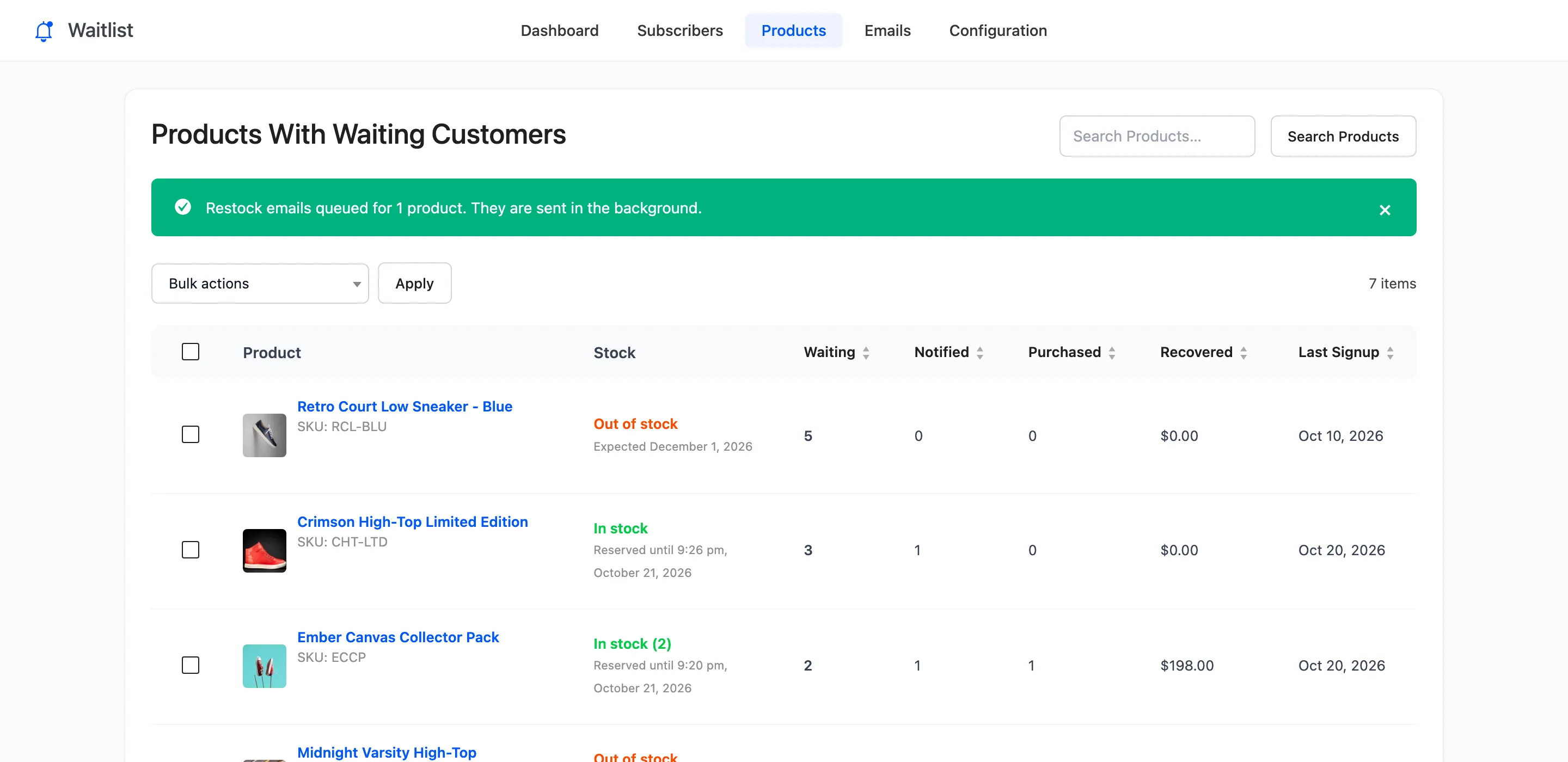
For a product still sold out the notice reads “Nothing queued”, and nobody is emailed.
Bulk actions
Section titled “Bulk actions”Email all waiting customers and Clear waiting list, for the ticked products.
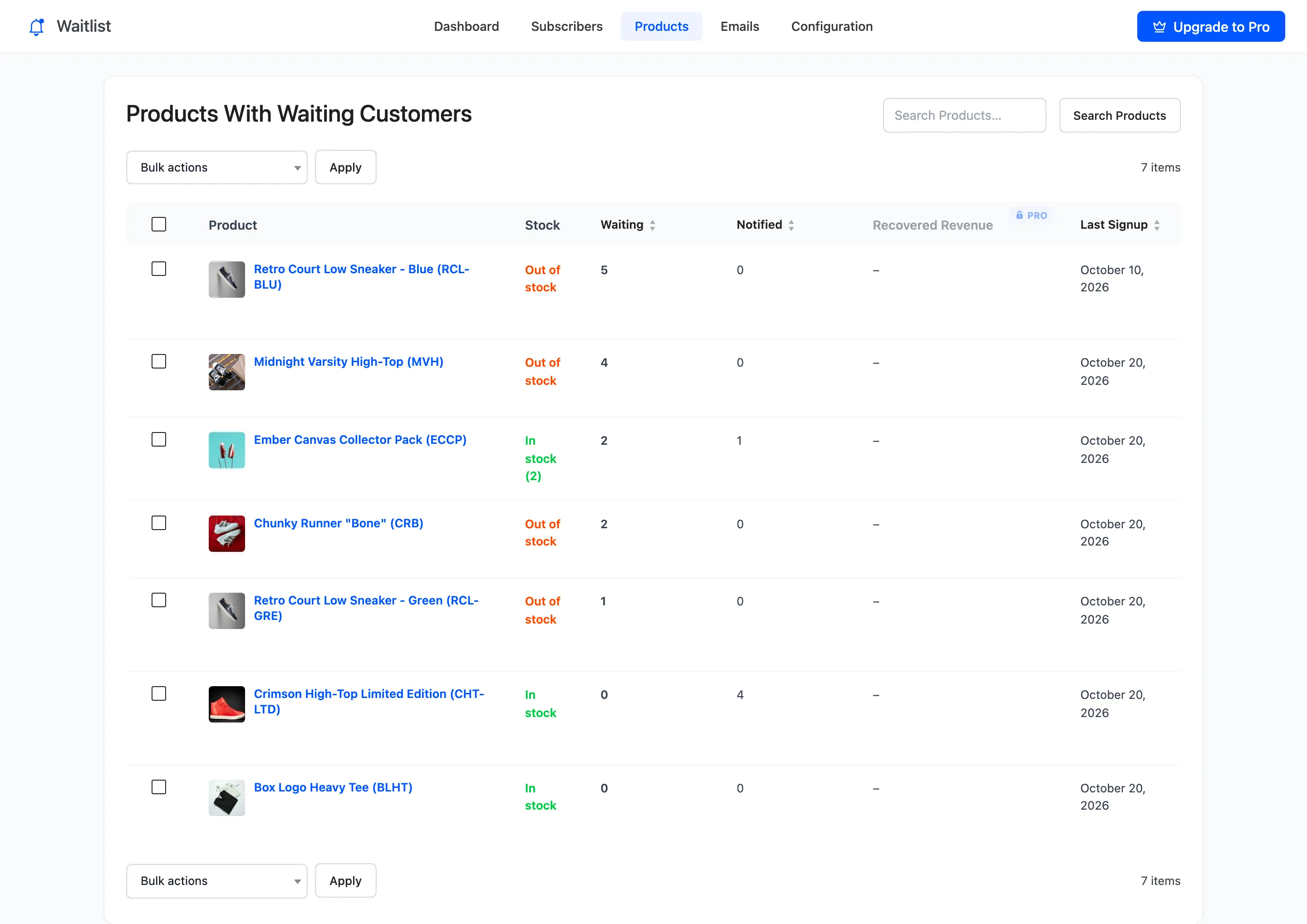
The free version
Section titled “The free version”The free version has the same screen with Recovered Revenue locked, and without the Purchased column or Pro’s stock notes.
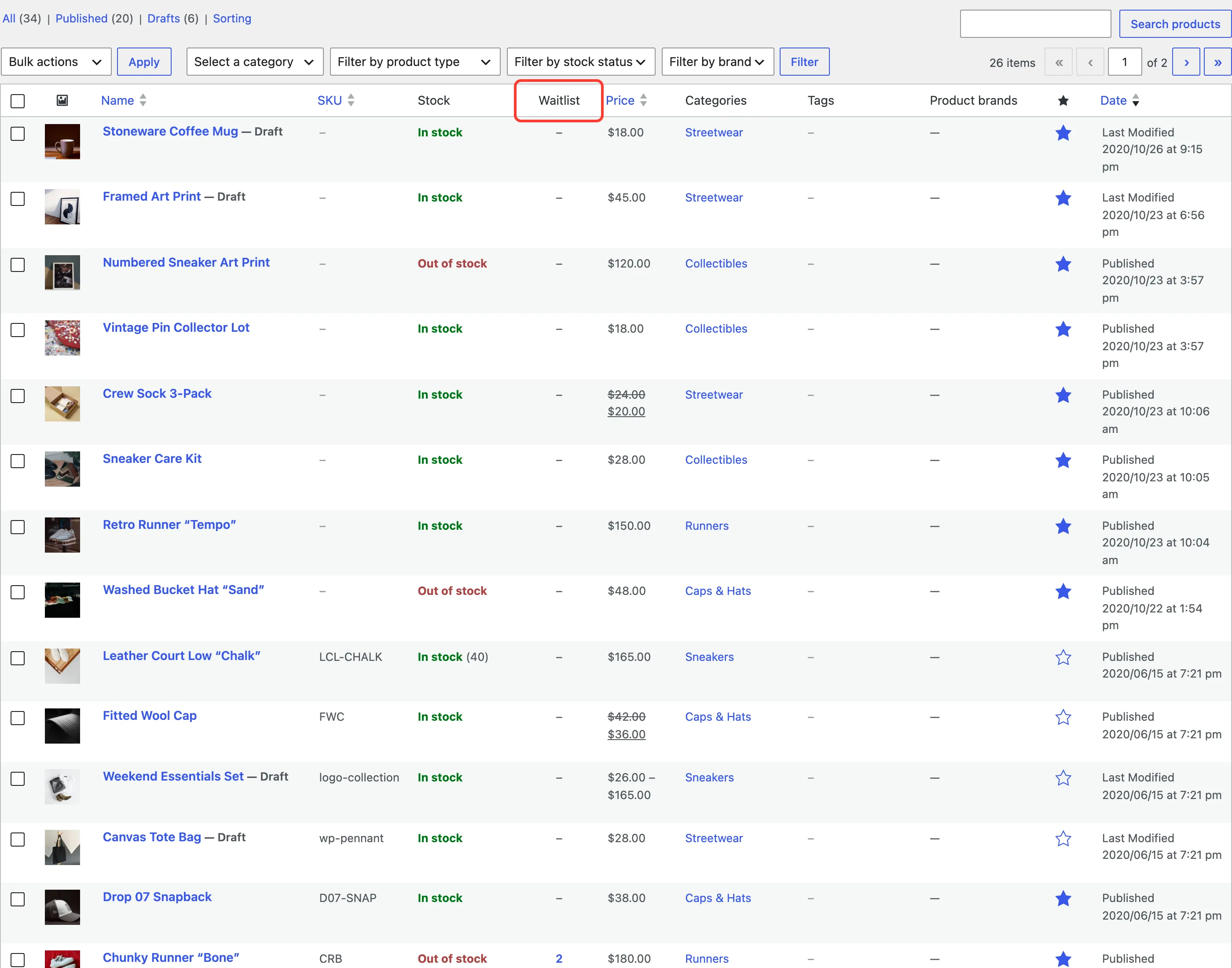
The Waitlist column in WooCommerce
Section titled “The Waitlist column in WooCommerce”The WooCommerce Products list gets a Waitlist column after Stock, in both editions. It shows how many customers wait for each product, its variations included. Click the number to open the Subscribers screen for that product.