

How to Exclude Products From the Waitlist
Not every sold out product is coming back. A discontinued line or a one-off item should not collect signups you can never answer. Both editions can exclude products.
Step 1: Open the General tab
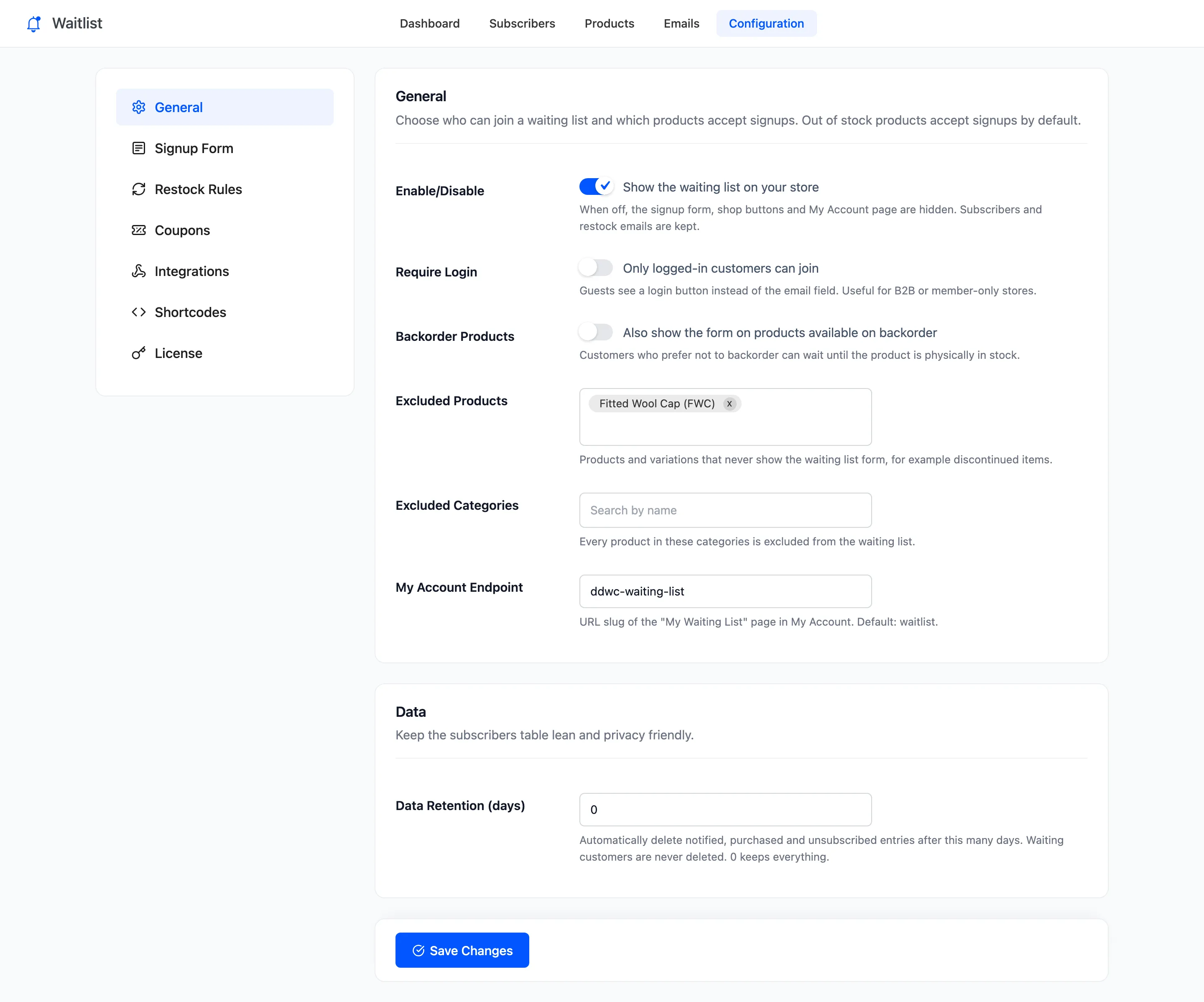
Section titled “Step 1: Open the General tab”Go to DevDiggers Plugins → Waitlist → Configuration → General.
Step 2: Add products or categories
Section titled “Step 2: Add products or categories”- Excluded Products: Type to search, then pick. A variable product excludes all its variations. A single variation excludes only that one.
- Excluded Categories: Every product in the category, and their variations.
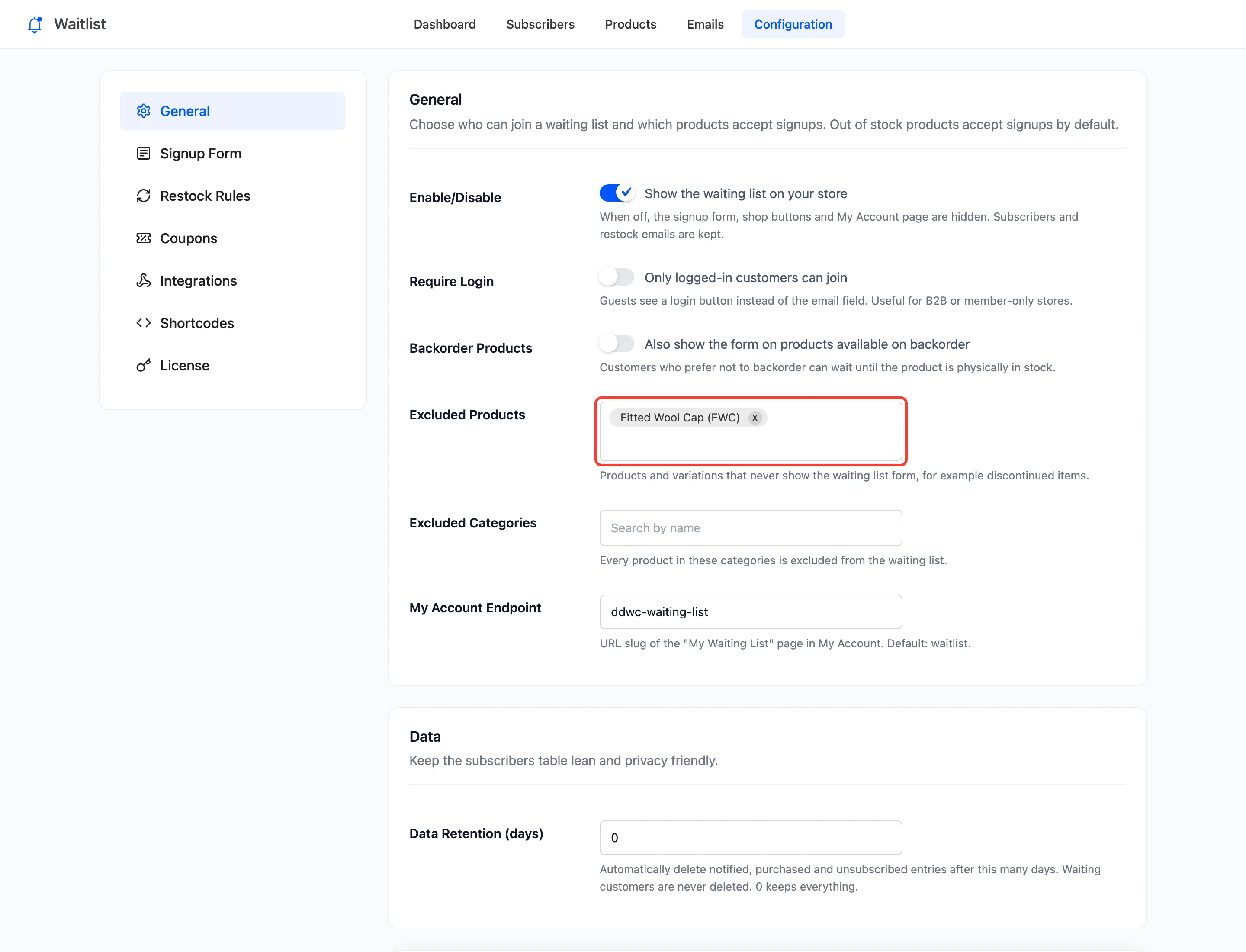
The demo excludes the Fitted Wool Cap:
Step 3: Save and check
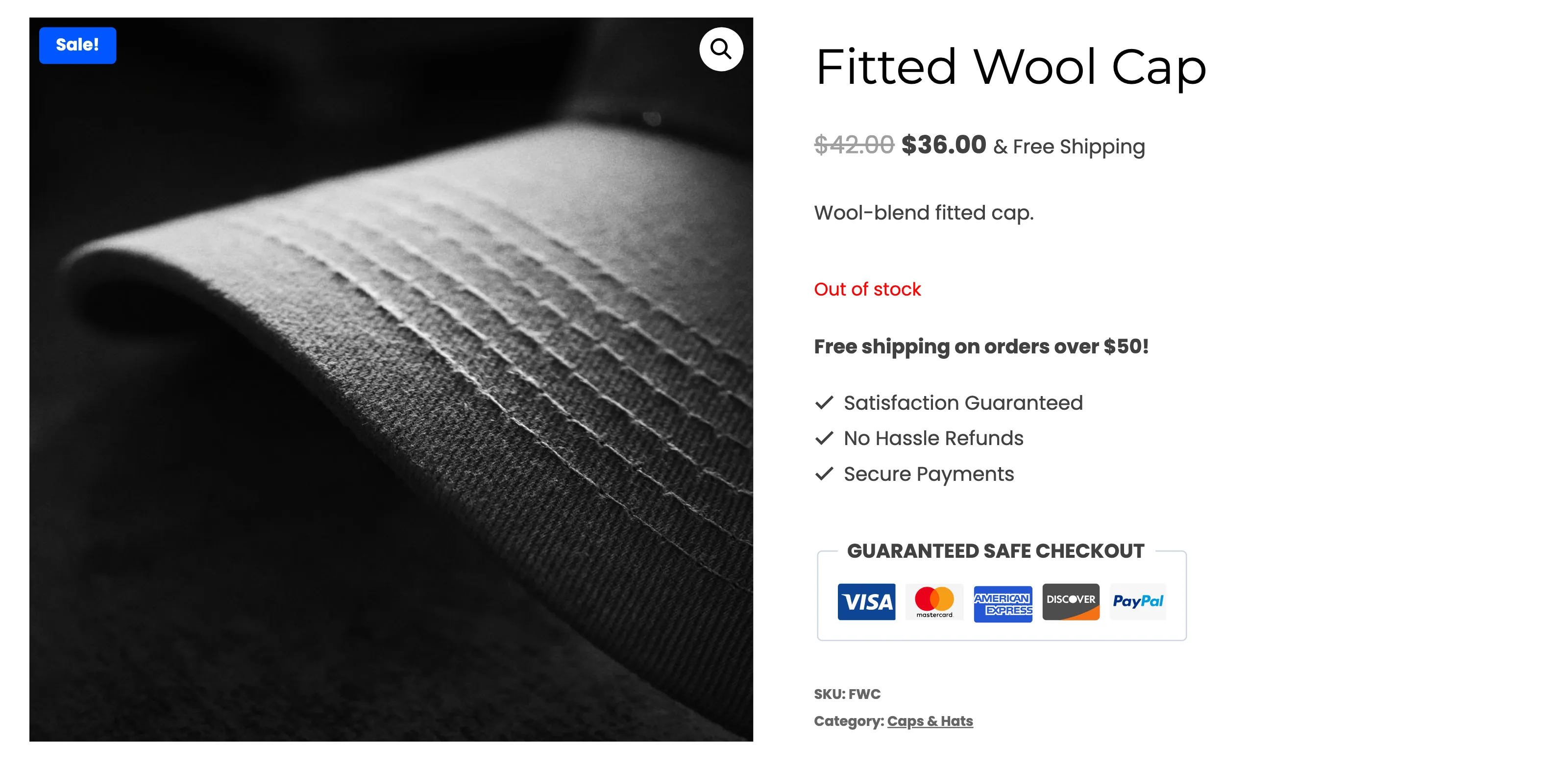
Section titled “Step 3: Save and check”Click Save Changes. An excluded product that sells out shows WooCommerce’s usual “Out of stock” with no form, no shop page button in Pro, and no shortcode output. The Fitted Wool Cap, sold out:
People already waiting
Section titled “People already waiting”Excluding a product does not remove anyone who joined before, and they are still emailed when it comes back. If the product is gone for good, clear its list instead: Products screen, hover the product, Clear list. Nobody is emailed when you clear a list.
The opposite: only some products
Section titled “The opposite: only some products”There is no “only these products” list. To take signups on a few products only, exclude the categories you do not want them in.