

How to Email Waiting Customers Yourself
Sometimes you want stock back on the shelf before anyone is told. You may want to photograph it, check the delivery, or email at a time your customers read mail. Turn automatic emails off and send them yourself. Both editions can do this.
Step 1: Turn Automatic Emails off
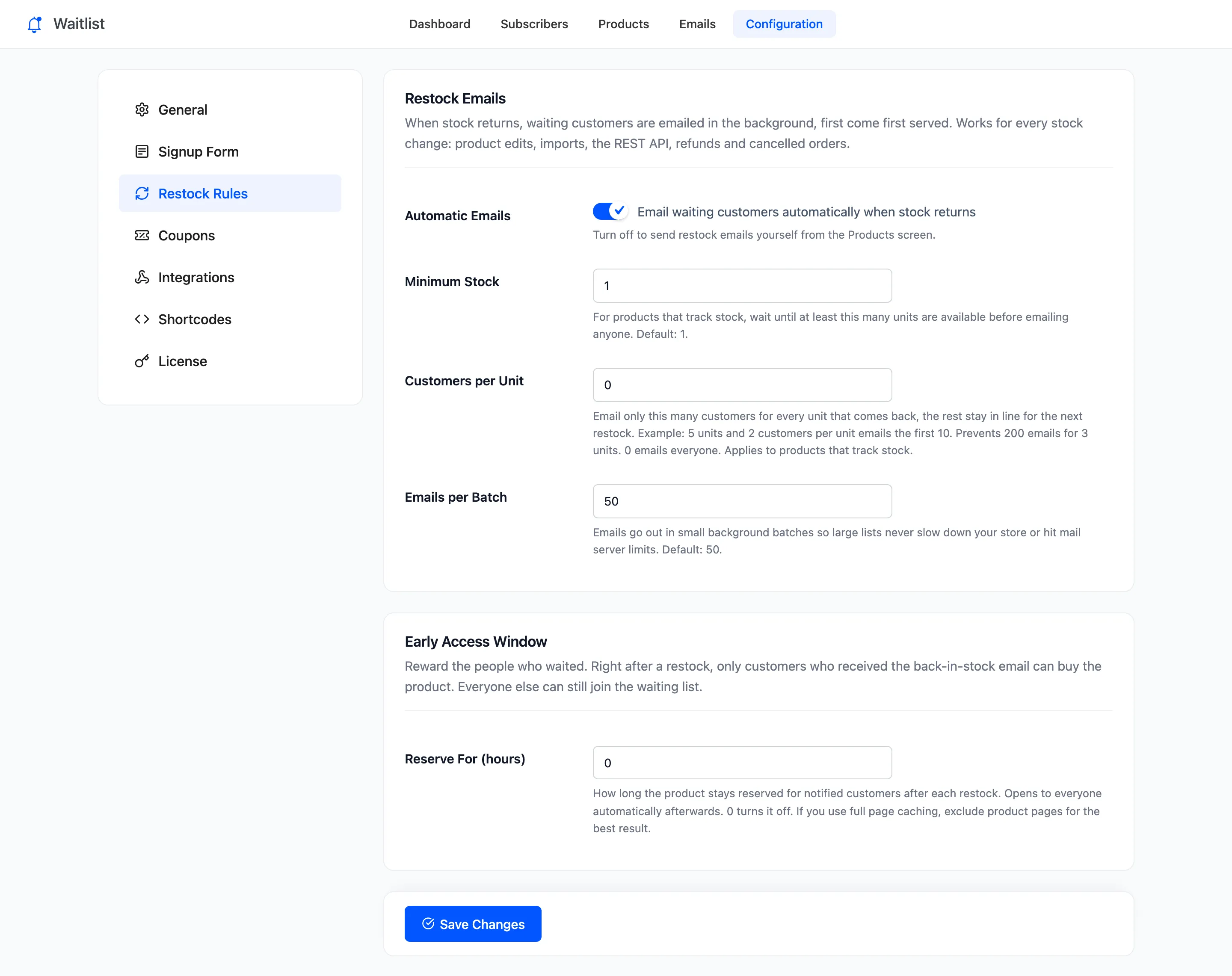
Section titled “Step 1: Turn Automatic Emails off”Open Configuration → Restock Rules, untick Automatic Emails and click Save Changes.
Step 2: Restock the product
Section titled “Step 2: Restock the product”Put the product back in stock as usual. With automatic emails off, the restock emailed nobody on the demo: the Crimson High-Top went back in stock with three customers waiting and zero emails were sent.
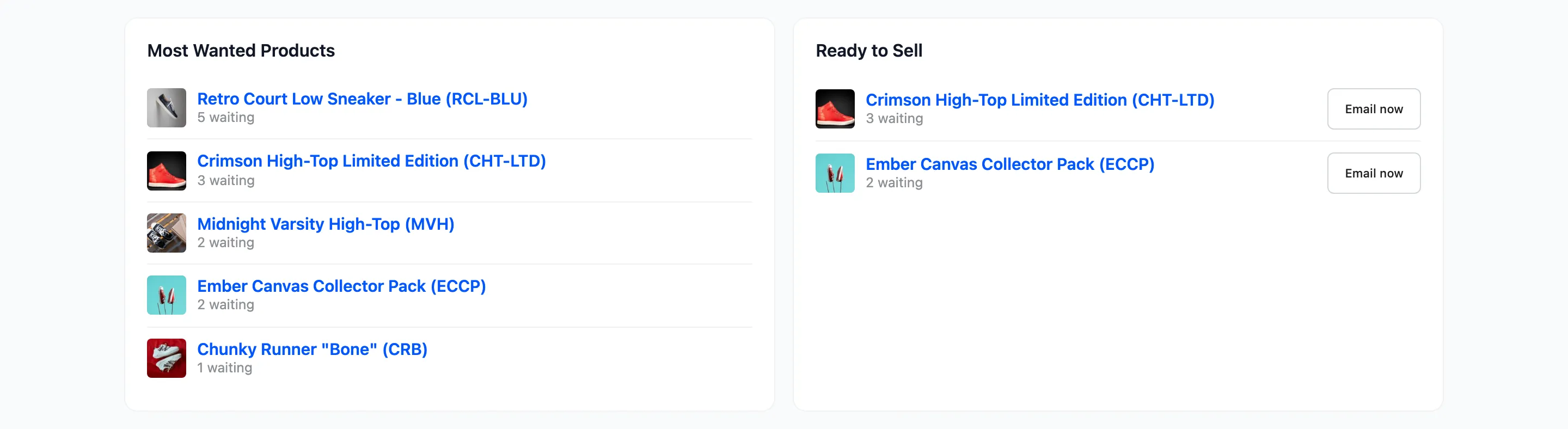
The product now sits on the dashboard under Ready to Sell: in stock, with customers waiting.
Step 3: Email the waiting customers
Section titled “Step 3: Email the waiting customers”Three places send the emails. Pick whichever screen you are on:
- Dashboard: Email now next to the product under Ready to Sell.
- Products screen: hover the product and click Email waiting customers, or tick several products and use the Email all waiting customers bulk action.
- Subscribers screen: Send email on one customer’s row, or the Send back-in-stock email bulk action for the customers you tick.
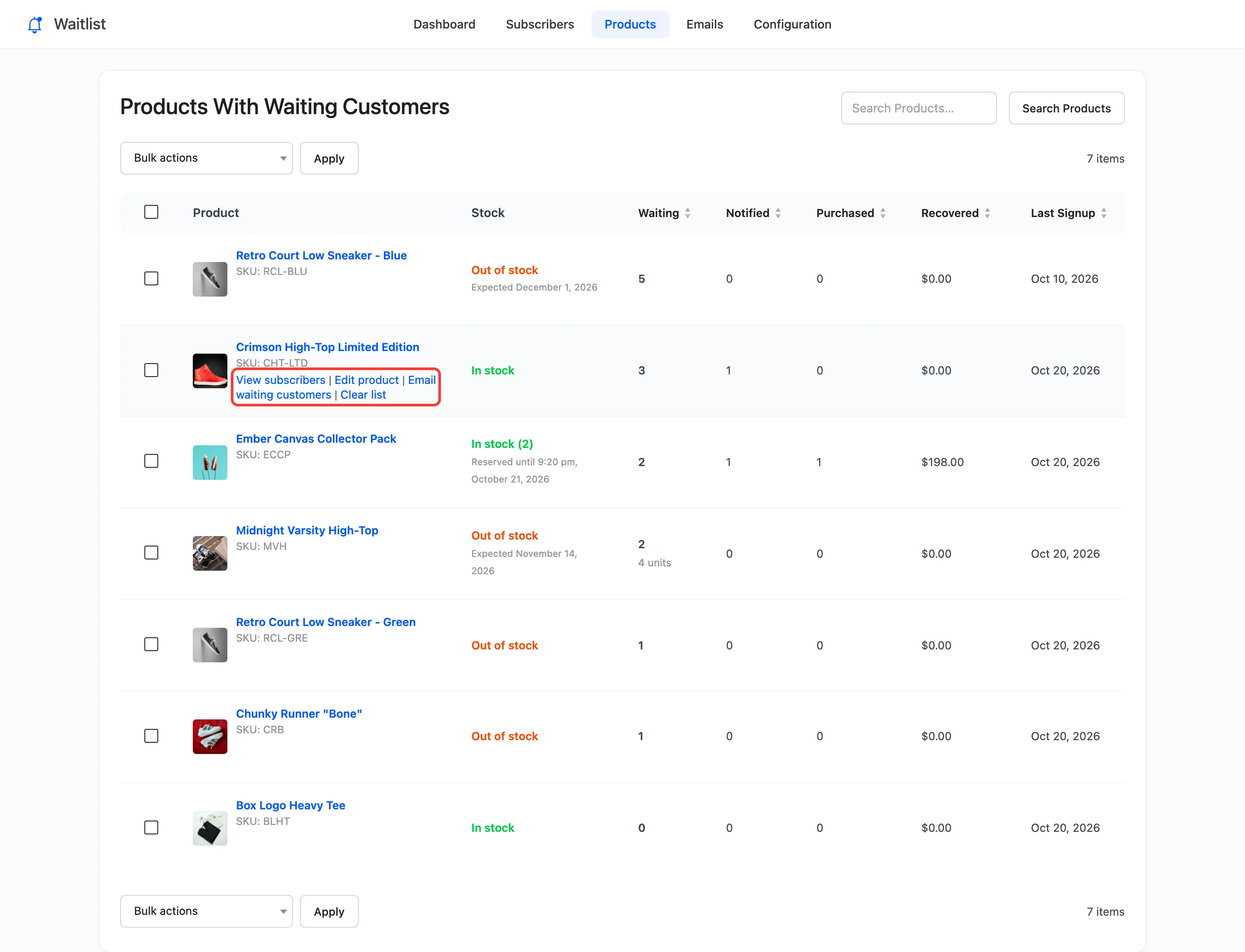
The first two email every waiting customer for the product. The Subscribers screen emails only the customers you choose.
Step 4: Check the notice
Section titled “Step 4: Check the notice”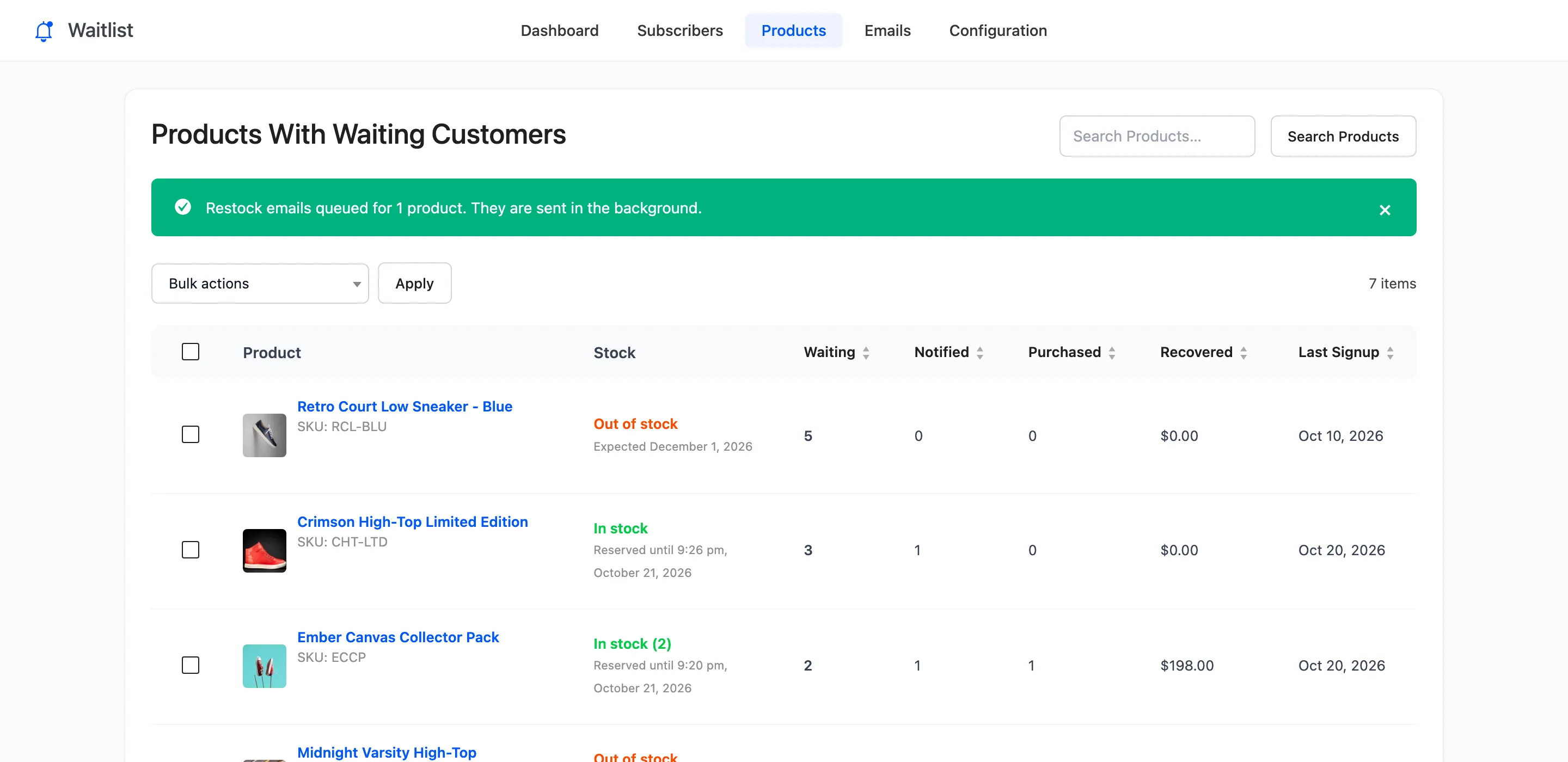
The three customers waiting for the Crimson High-Top were emailed within the minute, in the order they joined, and their rows changed to Notified.
Things to know
Section titled “Things to know”- Only for products in stock. For a sold out product the notice reads “Nothing queued”, and nobody is emailed.
- Manual sends ignore the Pro limits. Customers per Unit and Minimum Stock apply to automatic emails only. If you set an early access window, a manual send starts it.
- Turn Automatic Emails back on when you are done, or every future restock waits for you.