

How to Stop Self-Referrals and Fake Orders
A reward for a friend’s order invites one obvious trick: be your own friend. The plugin stops the simple version on its own and gives you rules for the rest.
Step 1: Open Fraud & Limits
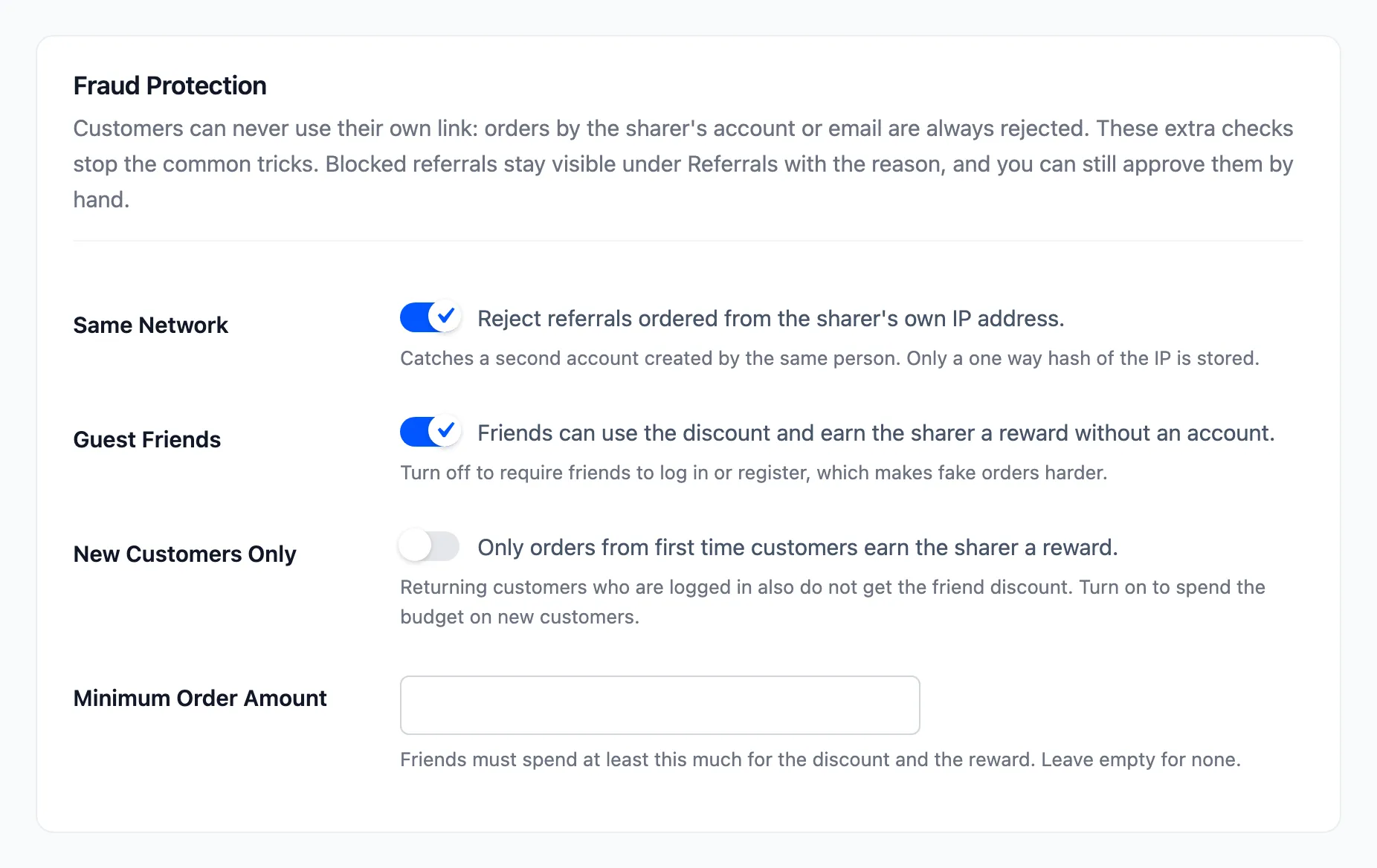
Section titled “Step 1: Open Fraud & Limits”Go to Configuration → Fraud & Limits.
The check that is always on
Section titled “The check that is always on”An order placed by the sharer’s own account, or with the sharer’s email address, never earns a reward. A signed-in customer who opens their own link is not even linked to it.
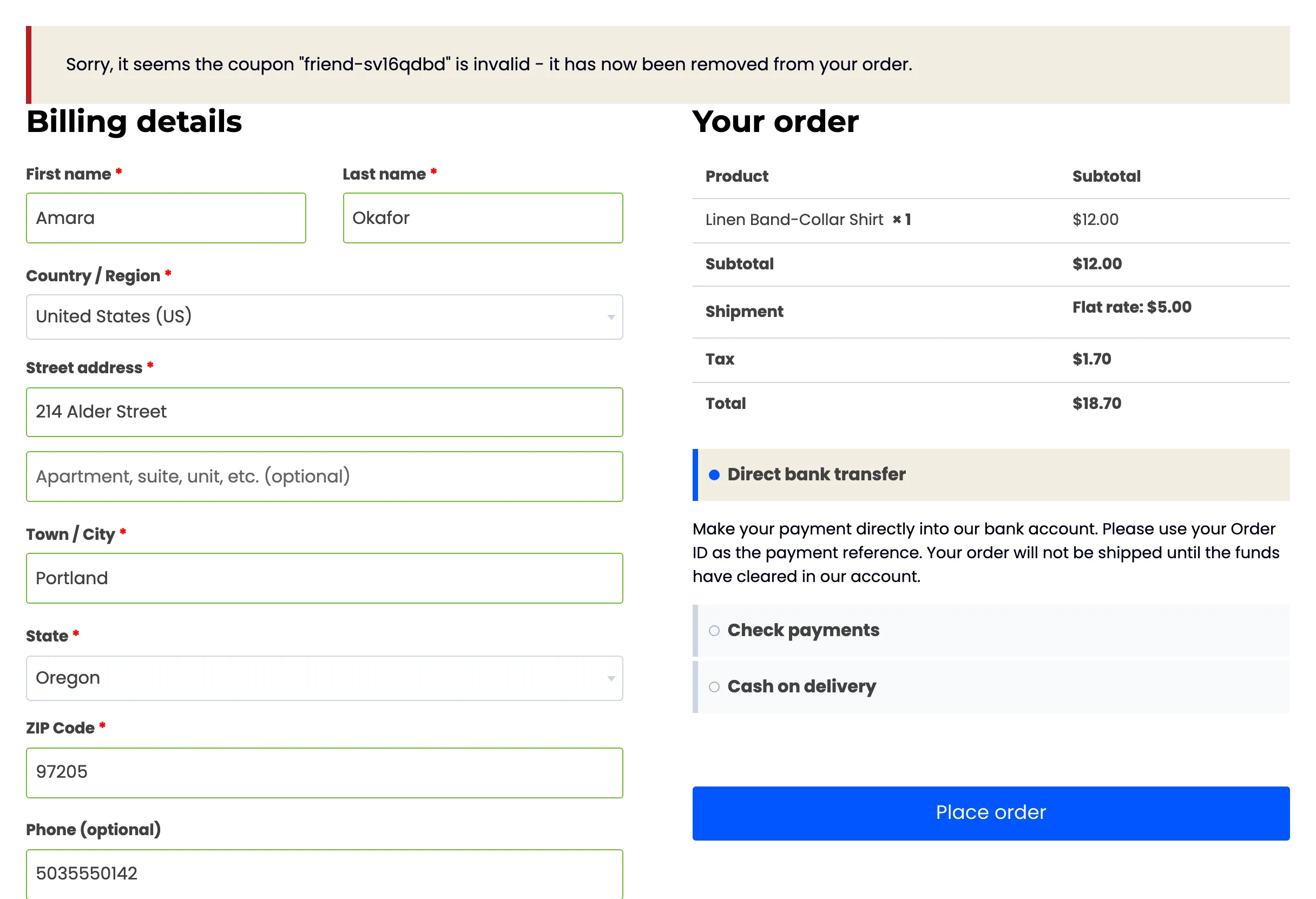
A sharer who signs out to try it gets no further. On the demo, Amara signed out, opened her own link and reached checkout with the friend discount in her cart. When she placed the order with her own email, checkout removed the discount and stopped with WooCommerce’s notice. The order then costs full price.
An order that does get through this way is recorded, and rejected: “The sharer bought through their own link.”

The order’s notes say the same:
Step 2: Keep Same Network on
Section titled “Step 2: Keep Same Network on”Same Network catches a second account made by the same person on the same connection. The plugin keeps a one-way hash of the sharer’s IP address from when they last shared or opened Share & Earn. A friend order from that address is rejected.
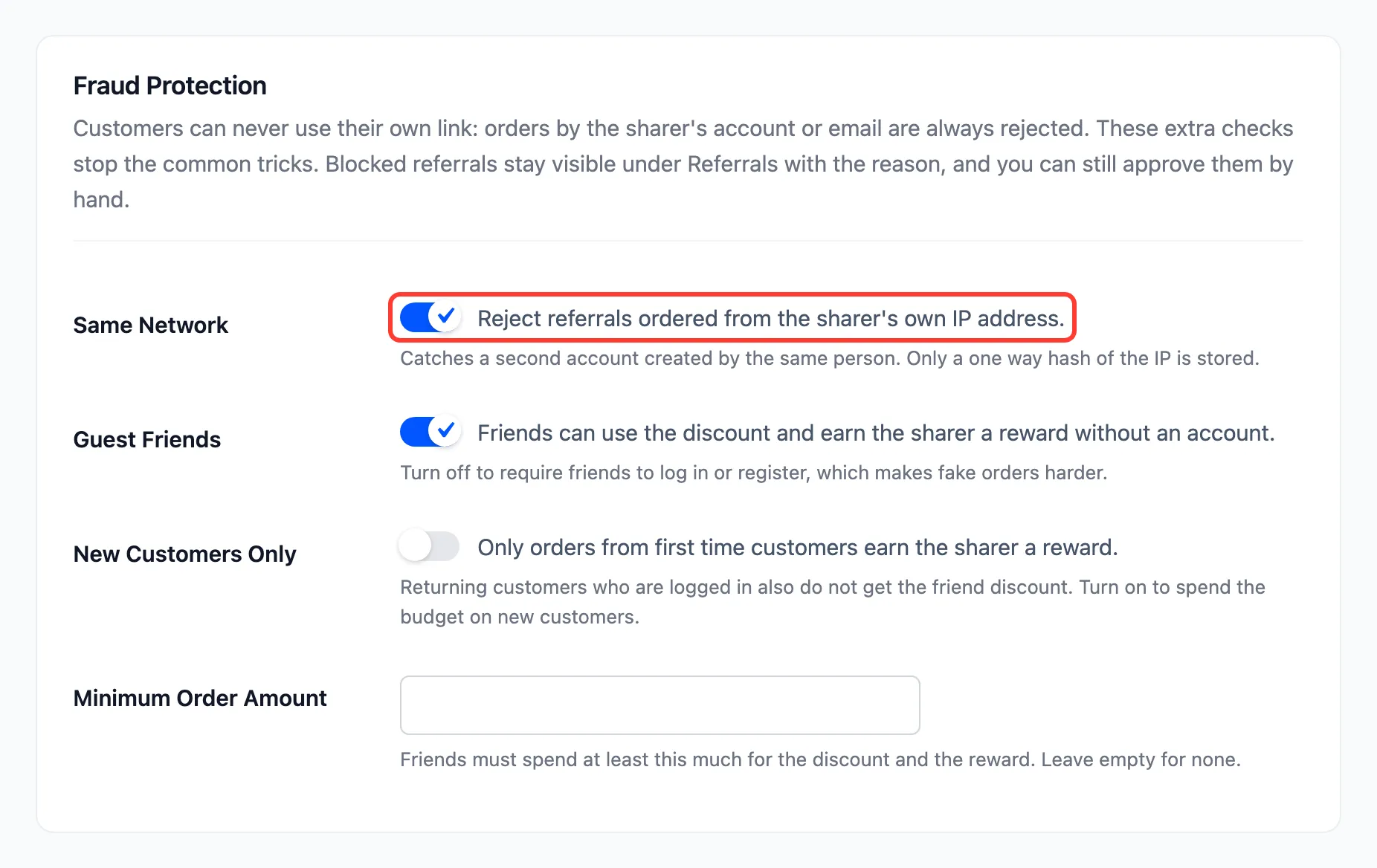
On the demo, an order through Amara’s link from her own network was rejected: “Placed from the same network as the sharer.”
Flatmates and families share a connection too, so expect the odd genuine order here. Approve those by hand.
Step 3: Decide on guests and minimums
Section titled “Step 3: Decide on guests and minimums”-
Guest Friends: Untick it to require friends to log in or register. A guest order then earns nothing.
-
Minimum Order Amount: A spend below it gets no friend discount and earns no reward. It stops a stream of tiny orders made only for the coupon. On the demo, with a $50 minimum, a friend’s $15 tee got no discount:
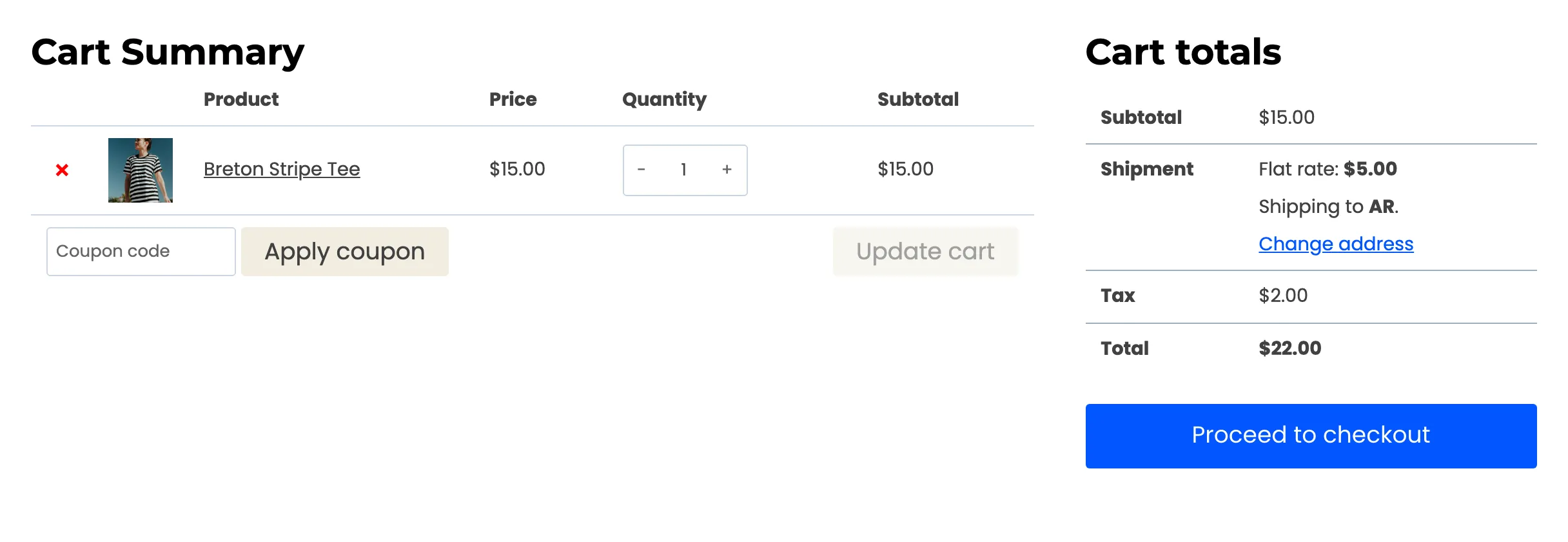
and the order was rejected: “Below the minimum order amount.”

-
New Customers Only: Rewards only for a friend’s first paid order. See How to Reward Only New Customers.
Press Save Changes.
Step 4: Review rejected referrals
Section titled “Step 4: Review rejected referrals”Open Referrals and the Rejected view. The reason sits under each status:
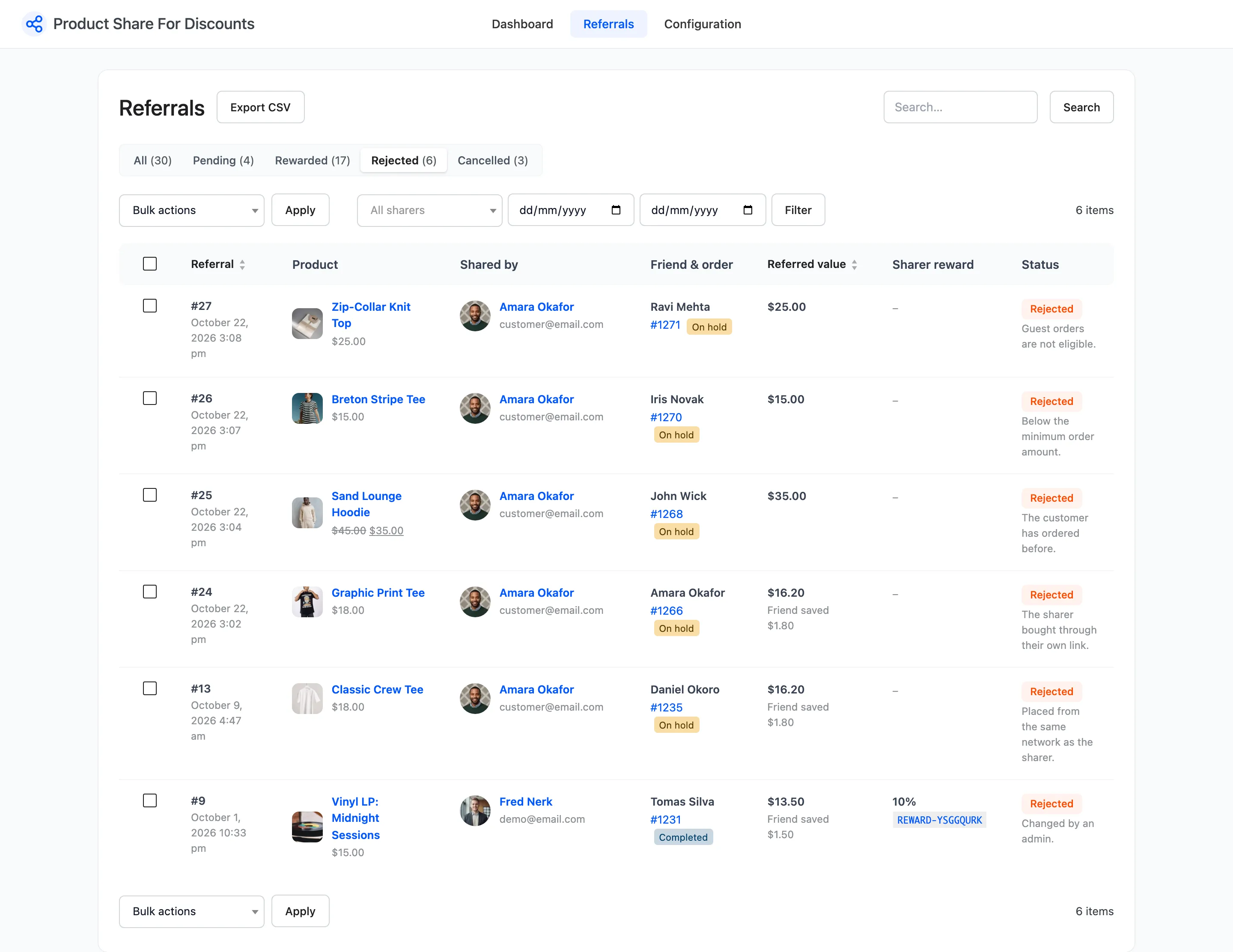
A genuine order the rules caught can be approved: hover it and click Approve and reward. See How to Approve or Reject a Referral.