

How to Offer a Discount for Sharing a Product
The referral reward pays out only when a friend buys, which can take days. Share to Unlock rewards the share itself: the shopper shares a product and gets a small discount on it straight away. It is on by default at 5%.
Step 1: Open the Share to Unlock tab
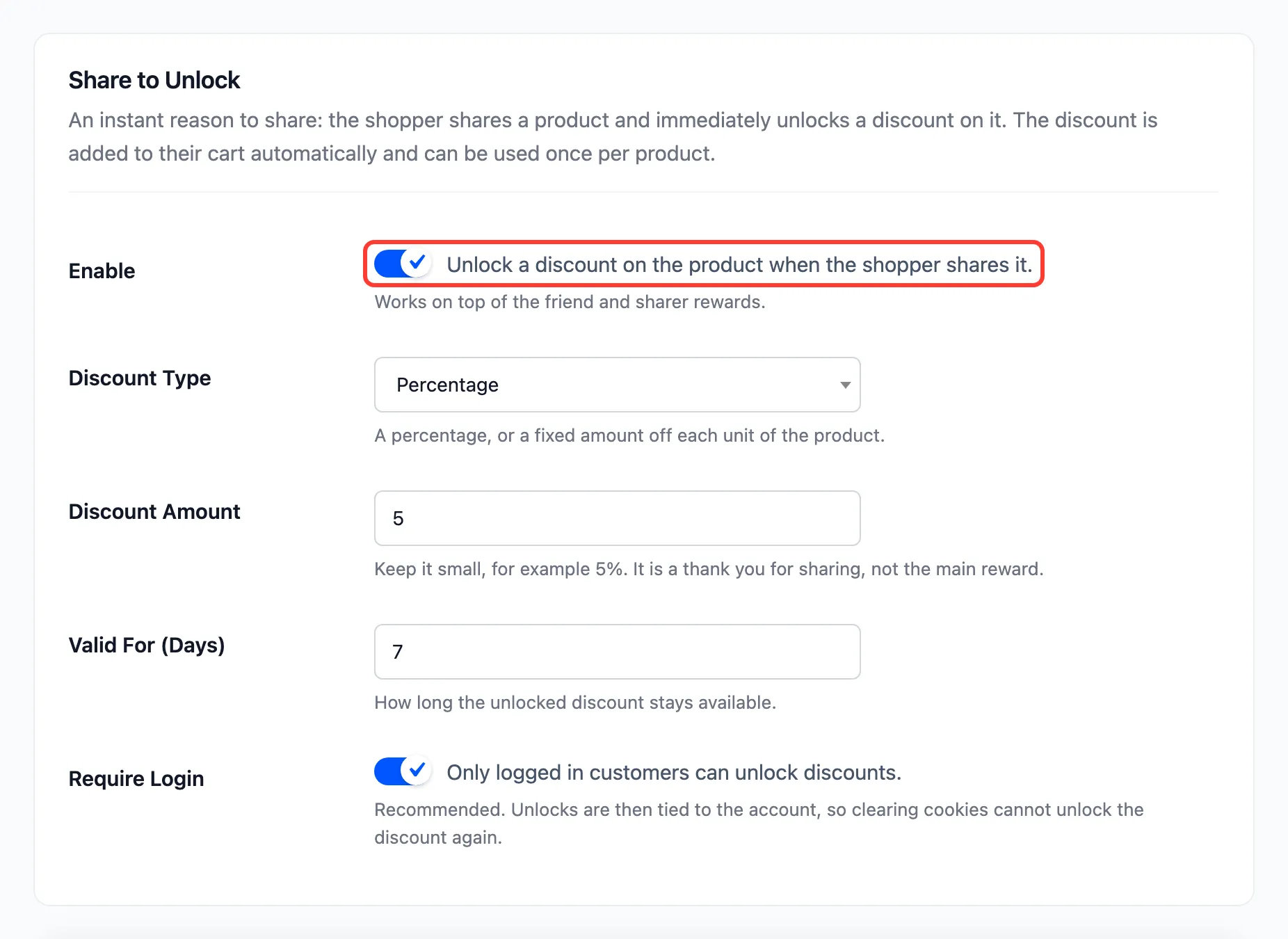
Section titled “Step 1: Open the Share to Unlock tab”Go to Product Share For Discounts → Configuration → Share to Unlock.
Step 2: Set the discount
Section titled “Step 2: Set the discount”Tick Enable, then set:
- Discount Type: Percentage or Fixed amount (off each unit).
- Discount Amount: 5 by default. Keep it smaller than the friend discount and the sharer reward.
- Valid For (Days): 7 by default.
- Require Login: On by default, so only signed-in customers can unlock.
Press Save Changes.
Step 3: Share a product
Section titled “Step 3: Share a product”The share box now shows Share this product to unlock 5% off instantly.
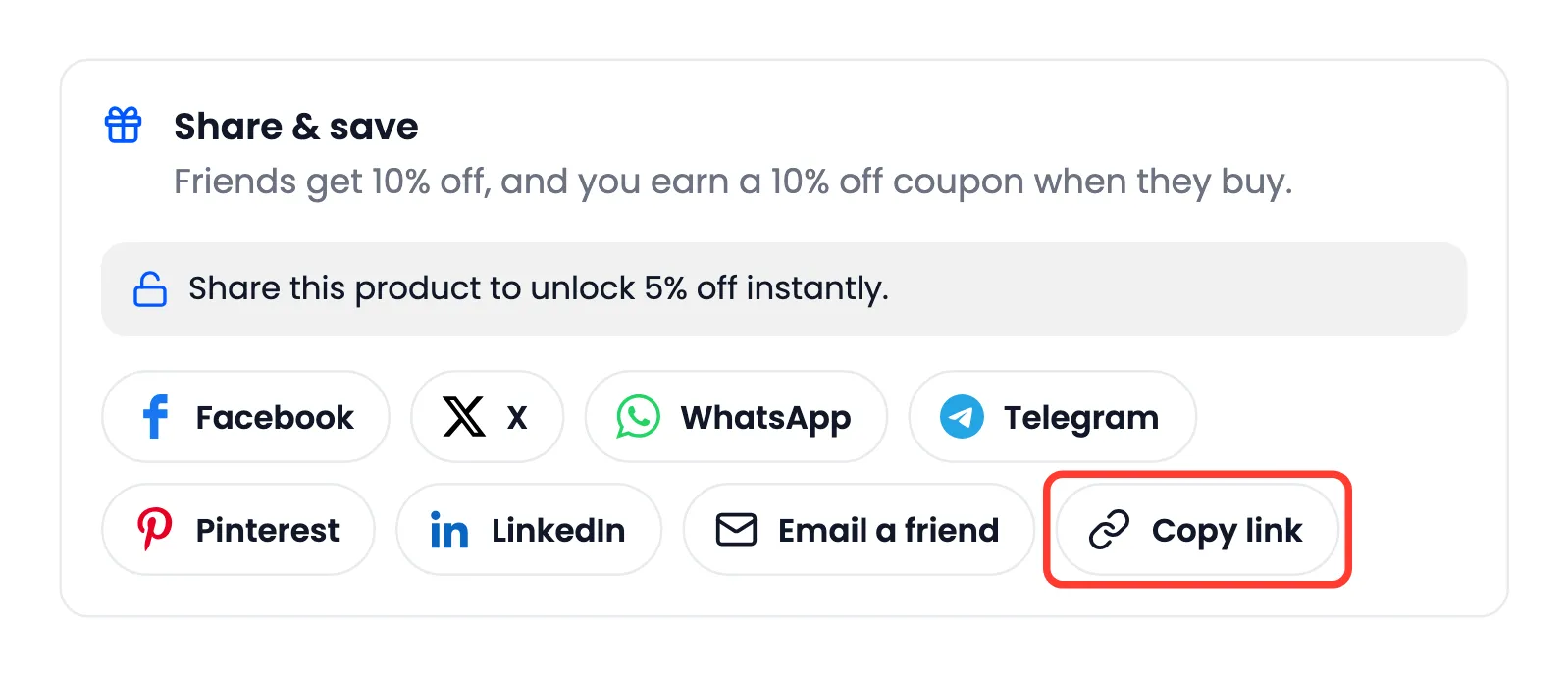
On the demo, Amara pressed Copy link on the Canvas Tote Bag. The line turned green: “Thanks for sharing! 5% off is unlocked and applied automatically when this product is in your cart.”
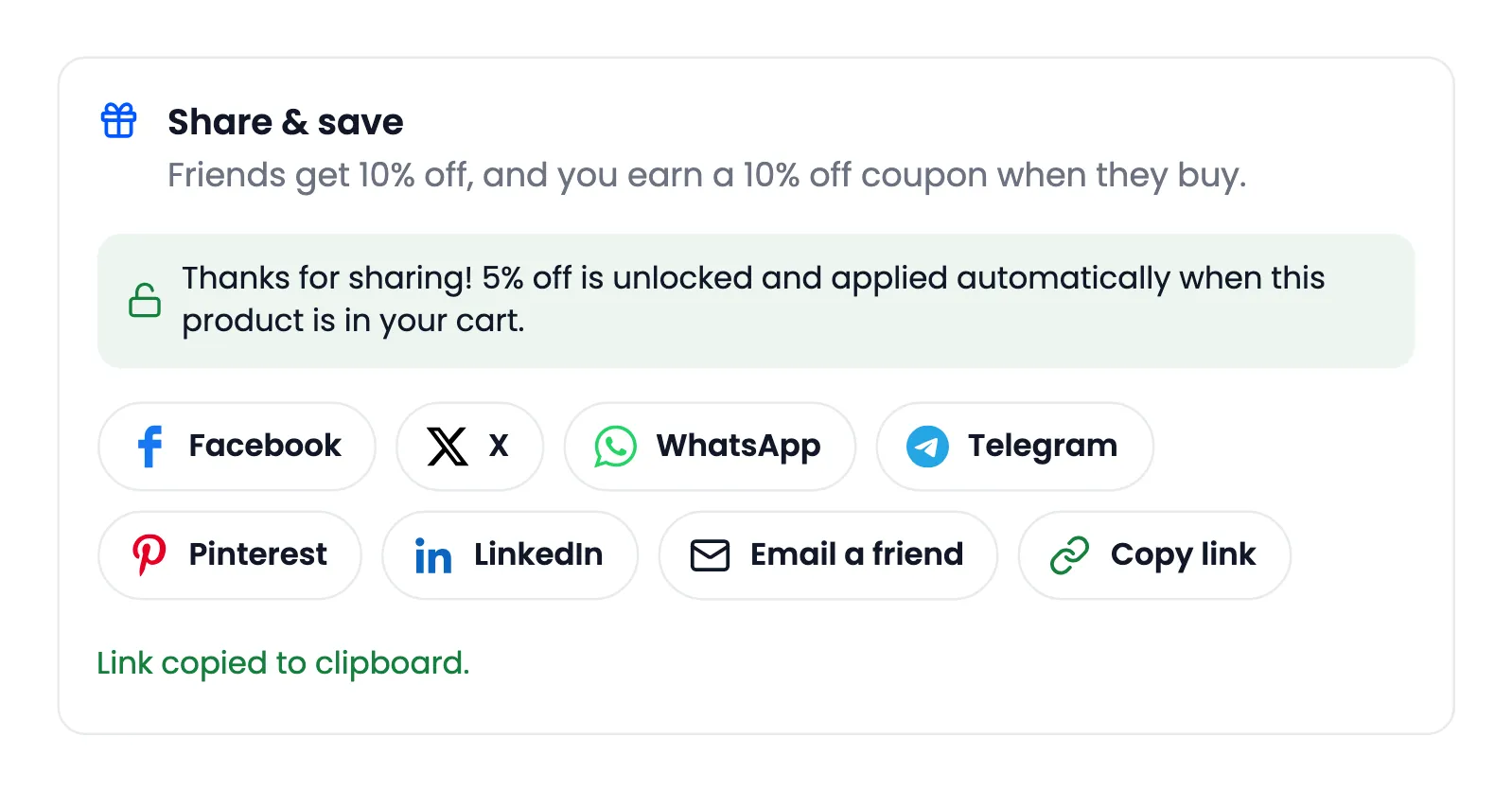
Any share counts: a network button, Copy link, More on a phone, or an Email a friend invitation.
Step 4: Add it to the cart
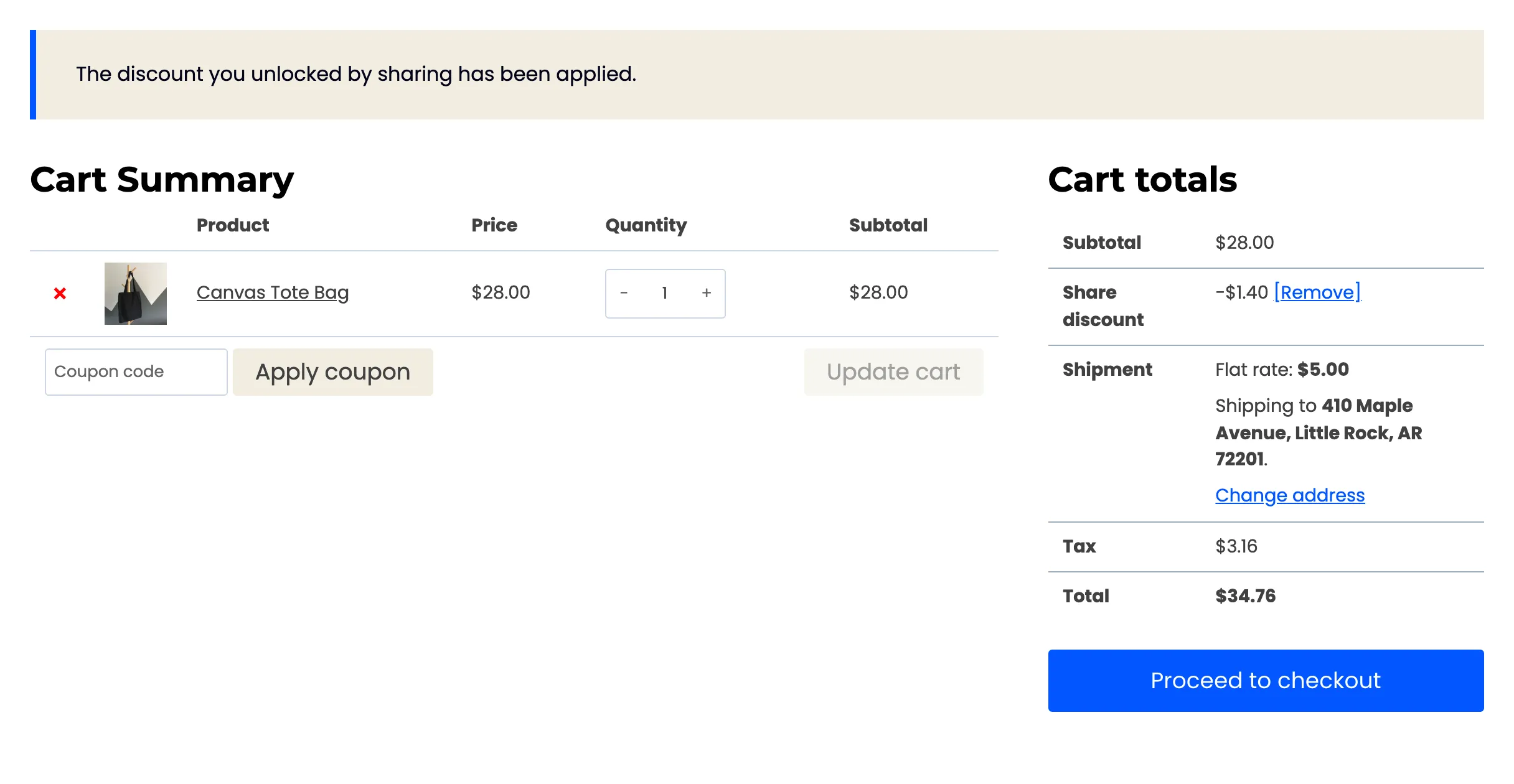
Section titled “Step 4: Add it to the cart”Amara added the bag. Her cart showed Share discount −$1.40, 5% of $28.00, with the message “The discount you unlocked by sharing has been applied.”
She placed the order. The tote bag’s share box then had no unlock line at all, because each product can be unlocked once.
Good to know
Section titled “Good to know”-
Once per product: Used or expired, a product cannot be unlocked again by the same customer.
-
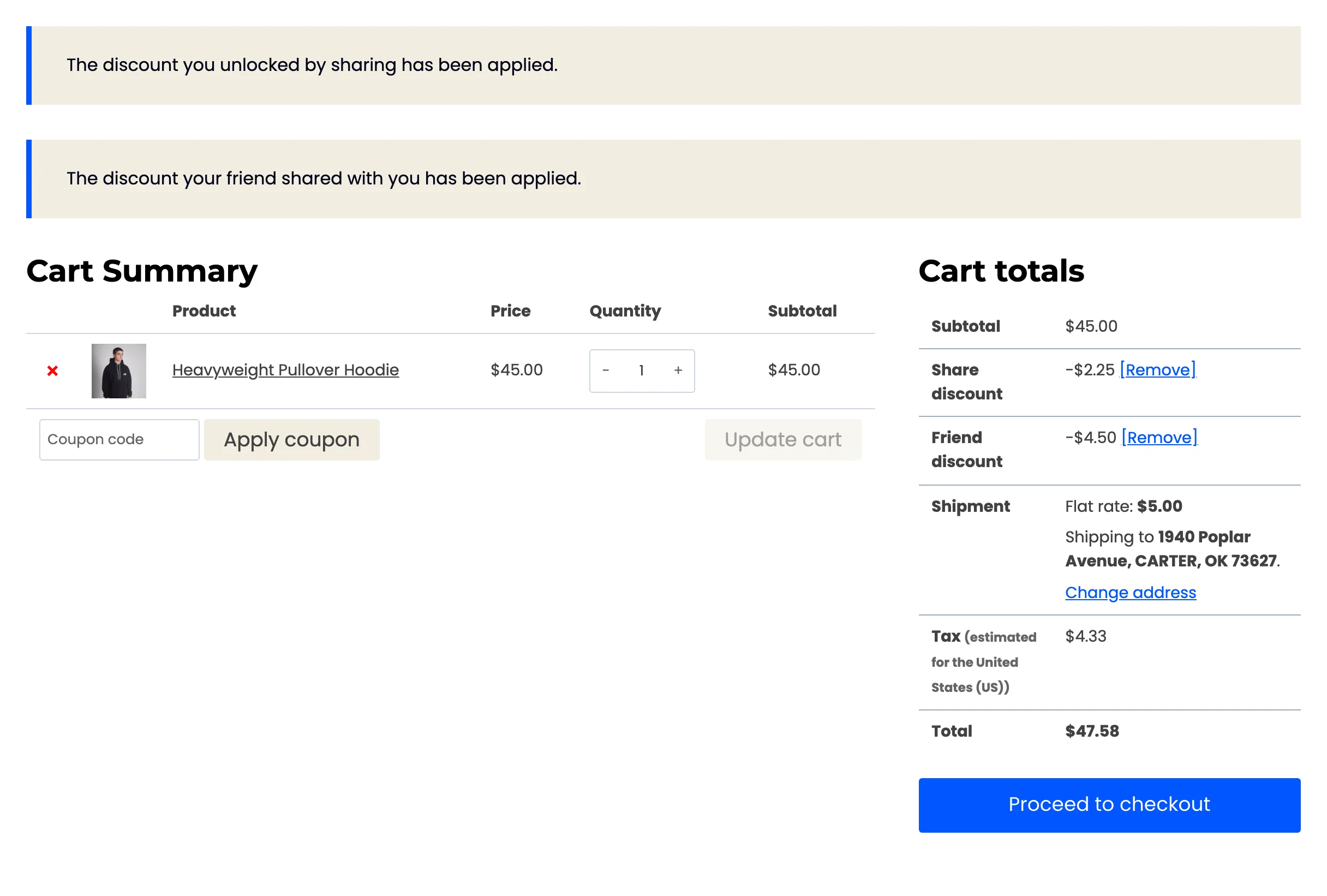
On top of a friend discount: A friend who came through a link and then shares the product gets both. On the demo, John opened Amara’s link to a hoodie, copied his own link, and his cart took both:
-
Guests: With Require Login on, guests see Log in and share this product to unlock 5% off. With it off, a guest’s unlock lasts as long as their browser session.
-
Minimum Order Amount: The amount on the Fraud & Limits tab also applies to this discount.
-
The dashboard counts it: Each unlock is a Discounts Unlocked on the dashboard.