

How to Set Reward Coupon Expiry and Minimum Spend
A reward that never expires is easy to forget. A deadline brings the sharer back to shop, and a minimum spend keeps a small reward from paying for a whole order.
Step 1: Open Reward Coupon Rules
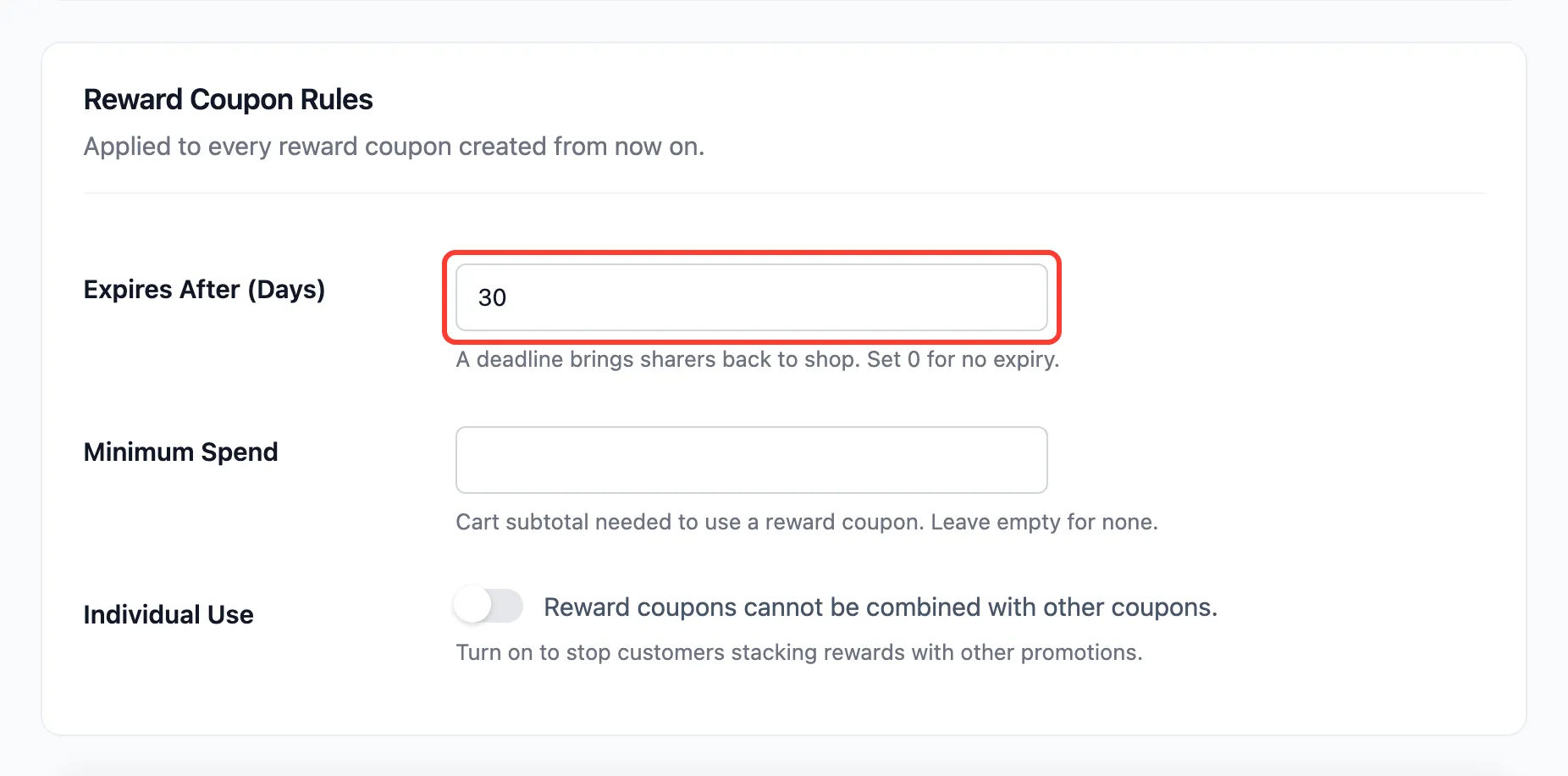
Section titled “Step 1: Open Reward Coupon Rules”Go to Product Share For Discounts → Configuration → Referral Rewards and scroll to Reward Coupon Rules.
Step 2: Set the expiry
Section titled “Step 2: Set the expiry”Expires After (Days) is 30 by default. 0 means no expiry. The date is counted from the moment the reward is created.
Step 3: Set a minimum spend
Section titled “Step 3: Set a minimum spend”Minimum Spend is empty by default. A number here is the cart subtotal the reward coupon needs.
Step 4: Decide on individual use
Section titled “Step 4: Decide on individual use”Tick Individual Use to stop a reward being combined with other coupons, sale codes included. Press Save Changes.
Where the rules end up
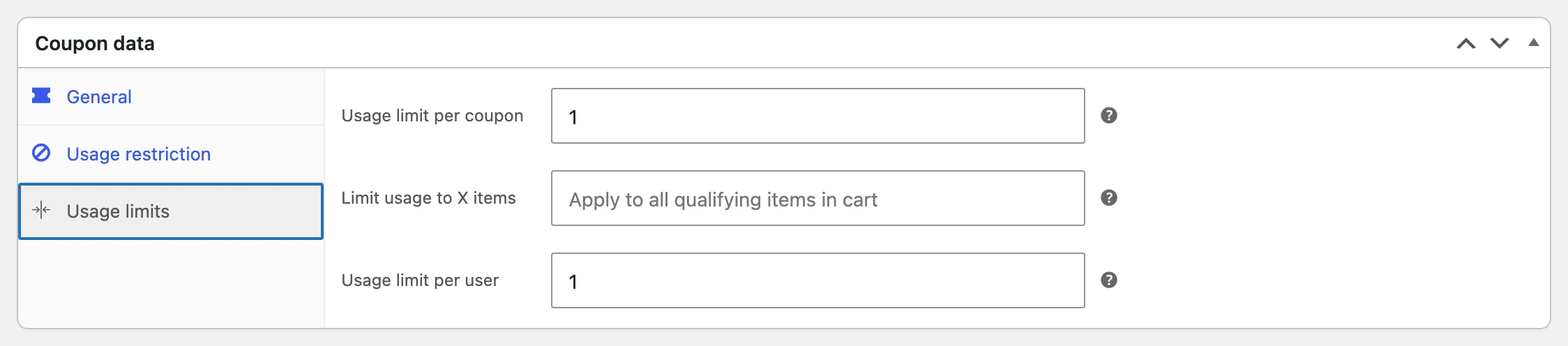
Section titled “Where the rules end up”Each reward is a WooCommerce coupon, and the rules are written into it. Open one under Marketing → Coupons to see them:
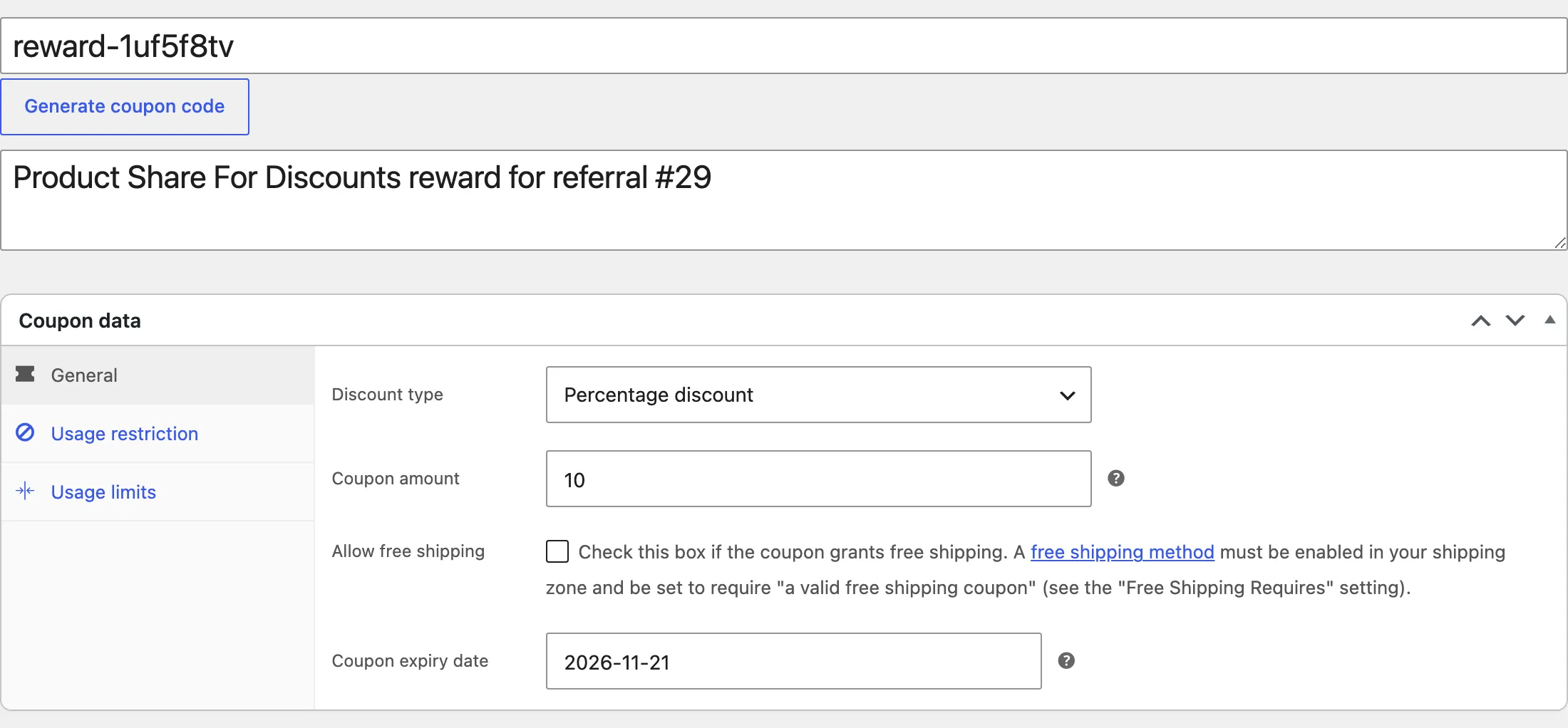
The customer sees the date on their Share & Earn page, as Valid until, and in the reward email. After it, the coupon shows as Expired.
Good to know
Section titled “Good to know”- New coupons only: Changing the rules does not touch coupons already issued. Edit one by hand under Marketing → Coupons if you need to.
- Locked to the sharer: Every reward is restricted to the sharer’s email and works once, whatever you set here.