

How to Issue Rewards When an Order Is Paid
By default a sharer waits until the friend’s order is Completed, which for a shipped product can be a week. A store that ships fast, or sells downloads, can reward on payment instead.
Step 1: Open the Sharer Reward section
Section titled “Step 1: Open the Sharer Reward section”Go to Product Share For Discounts → Configuration → Referral Rewards.
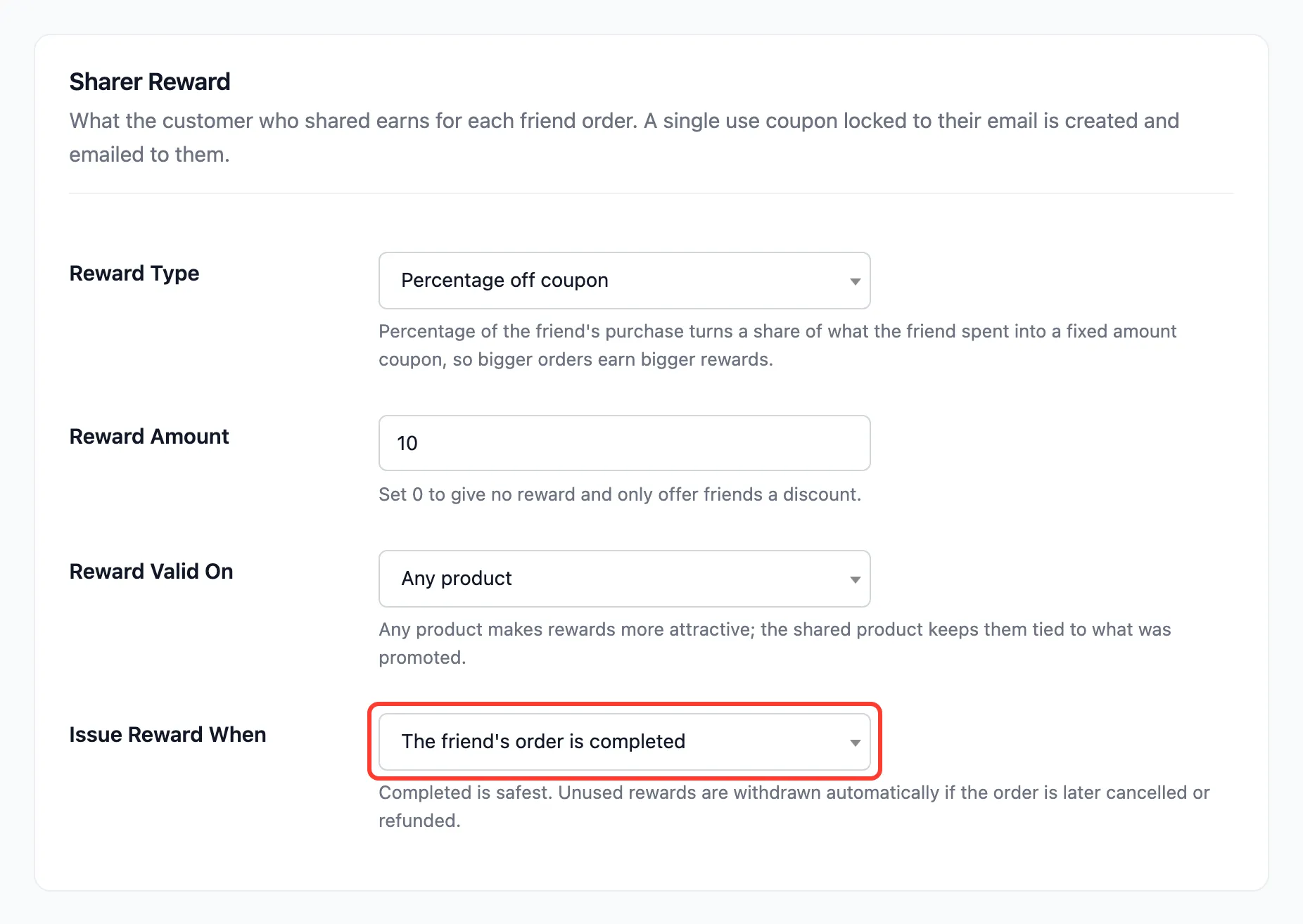
Step 2: Change Issue Reward When
Section titled “Step 2: Change Issue Reward When”Set Issue Reward When to The friend’s order is paid (processing) and press Save Changes.
Step 3: Watch the next referred order
Section titled “Step 3: Watch the next referred order”A referred order that reaches Processing now creates the reward coupon and sends the Reward Earned email at once. Completed also issues it, for orders that skip Processing.
A referral recorded under the old setting is not affected until its order changes status again.
What stays the same
Section titled “What stays the same”- Cancelled, refunded and failed orders still take back a reward that has not been used. Paying early makes that window longer, which is why Completed is the safer default.
- Bank transfer and cheque orders wait On hold until you mark them paid, so they earn nothing until then. On the demo, Ivy’s bank transfer order showed On hold next to a Pending referral.
