

Dashboard
The dashboard shows how sharing is growing your store over a date range: how often customers share, how many friends open the links, and what those friends buy. Open DevDiggers Plugins → Product Share For Discounts.
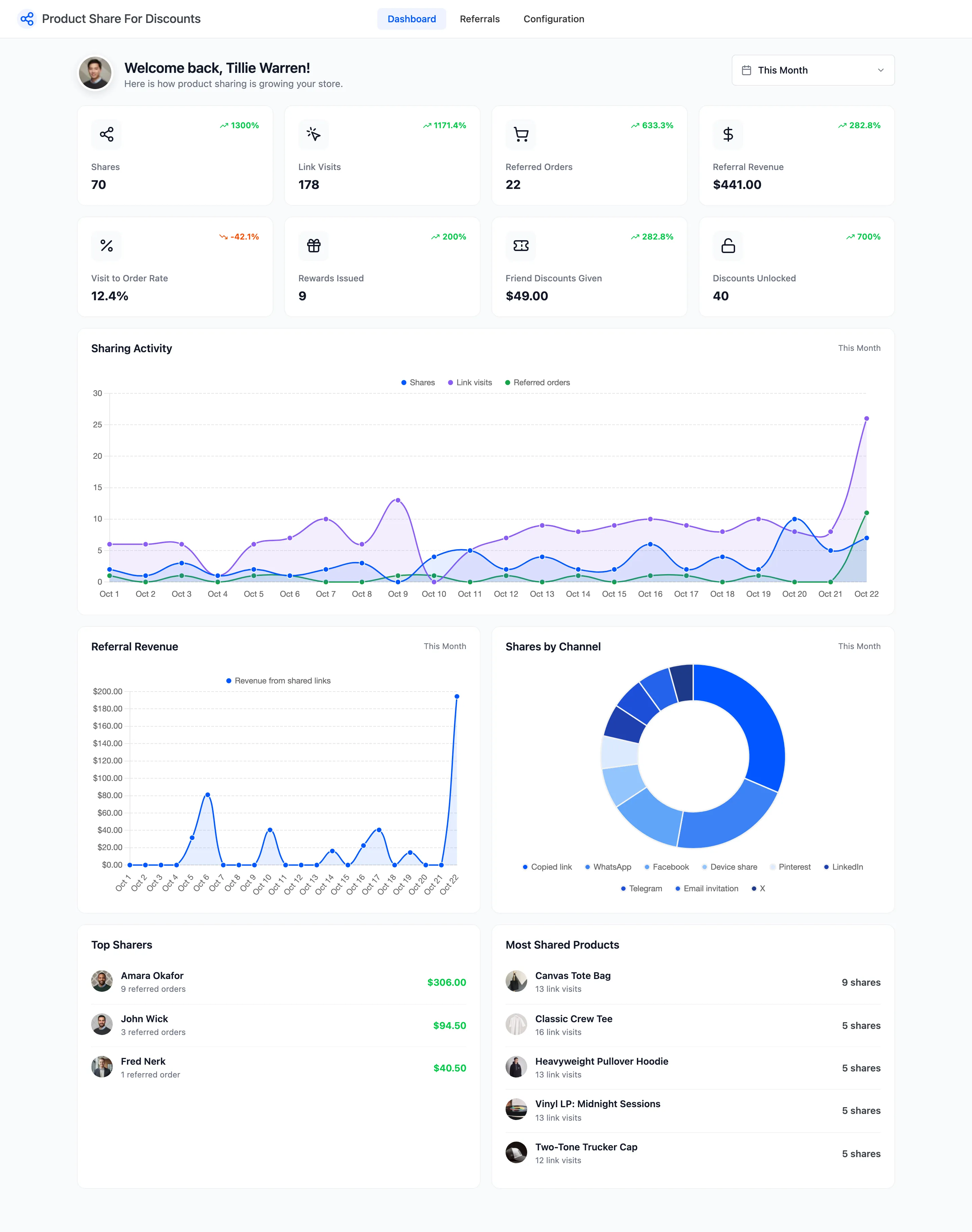
On the demo, the screens below show a month of activity by Amara, John and Fred, from 23 September to 22 October. The jump on the last day is the docs run itself, which placed a dozen referred orders that day.
The date range
Section titled “The date range”The range picker at the top sets every card and chart. This Month is the default; the screens here use Last 30 days. Each card compares its number with the period of the same length just before, as a percentage, so early in a month the comparisons swing widely.
The cards
Section titled “The cards”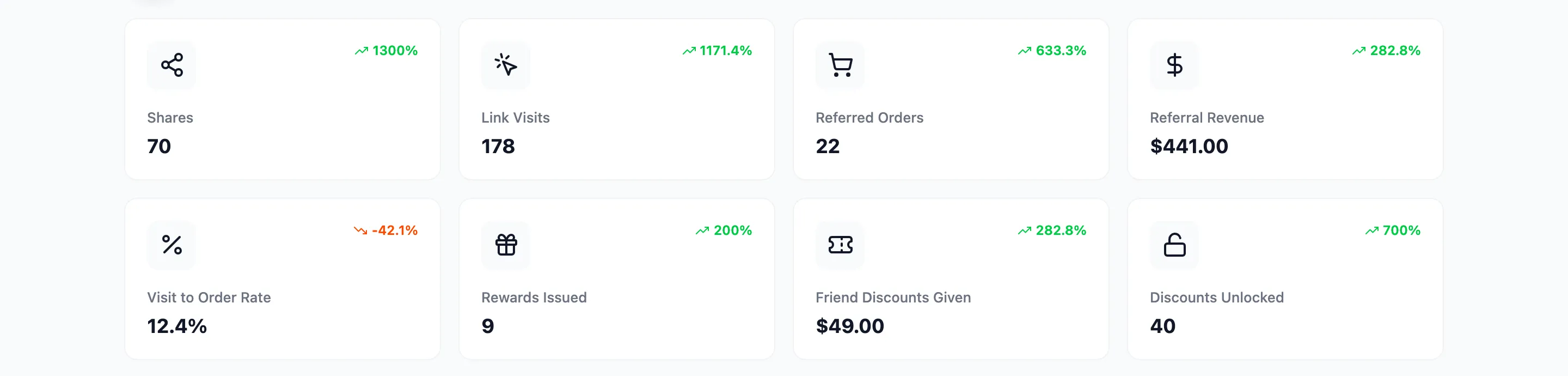
- Shares: Every share: a network button, Copy link, More or an email invitation. Guests’ shares count too, though their links earn nobody a reward.
- Link Visits: Friends who opened a share link. One per link per visitor, not one per page view.
- Referred Orders: Orders placed through a link, whatever their status, rejected and cancelled ones too.
- Referral Revenue: What friends spent on eligible products in pending and rewarded referrals, after their discount.
- Visit to Order Rate: Referred Orders divided by Link Visits.
- Rewards Issued: Referrals that earned the sharer a coupon.
- Friend Discounts Given: What friends saved, in pending and rewarded referrals.
- Discounts Unlocked: Share to Unlock discounts earned by sharing.
A share or visit is counted when it happens; a referral on the day its order was placed.
The charts
Section titled “The charts”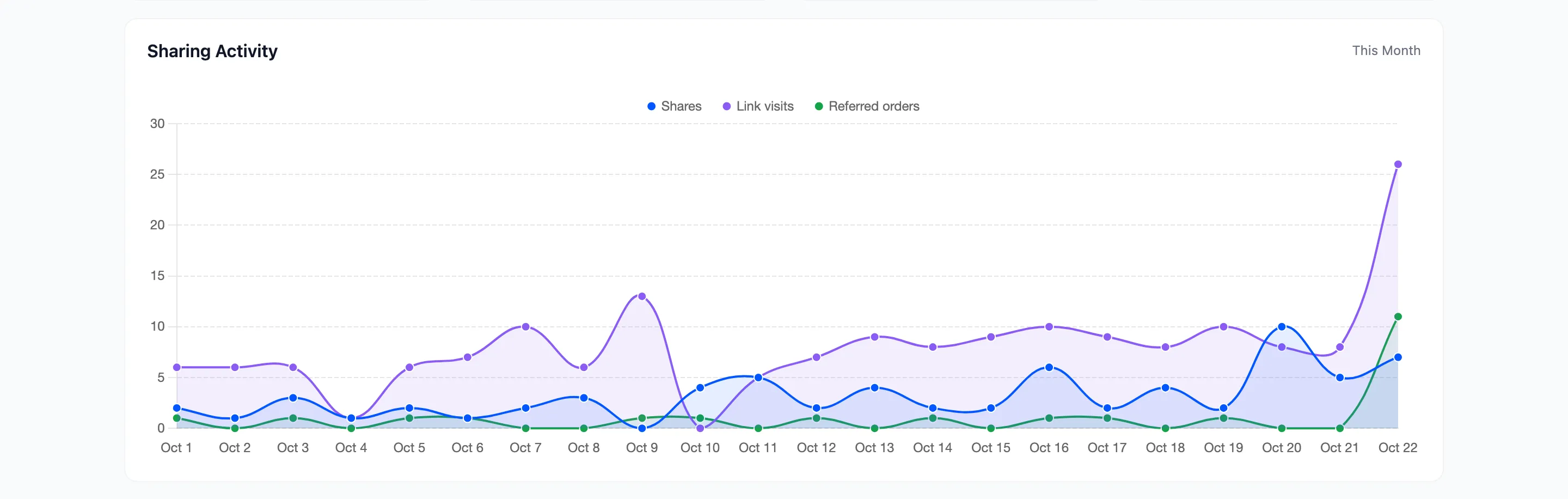
- Sharing Activity: Shares, link visits and referred orders per day.
- Referral Revenue: Revenue from shared links per day.
- Shares by Channel: Which buttons customers press. Copied link, Device share and Email invitation sit beside the networks.
Top sharers and most shared products
Section titled “Top sharers and most shared products”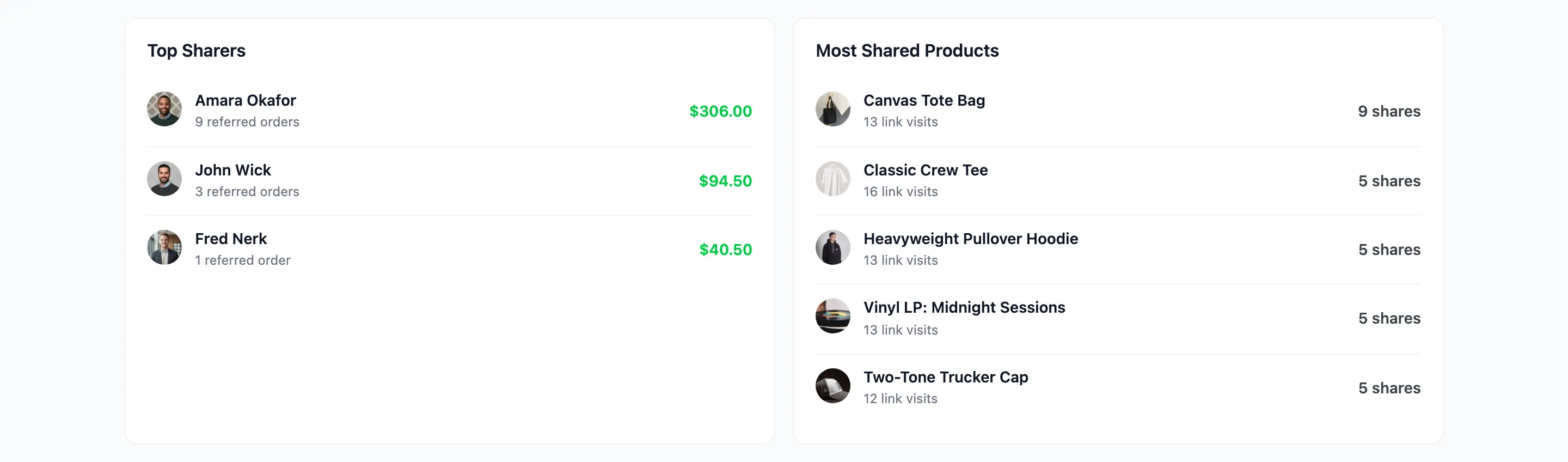
- Top Sharers: Customers ranked by the referral revenue they brought, with their number of referred orders.
- Most Shared Products: Products ranked by shares, with their link visits.
What the numbers do not include
Section titled “What the numbers do not include”- Visits to a guest’s link: A guest’s link carries no code, so it is not counted.
- Orders that never used a link: A friend who found the product on their own is an ordinary order.