

Share to Unlock Settings
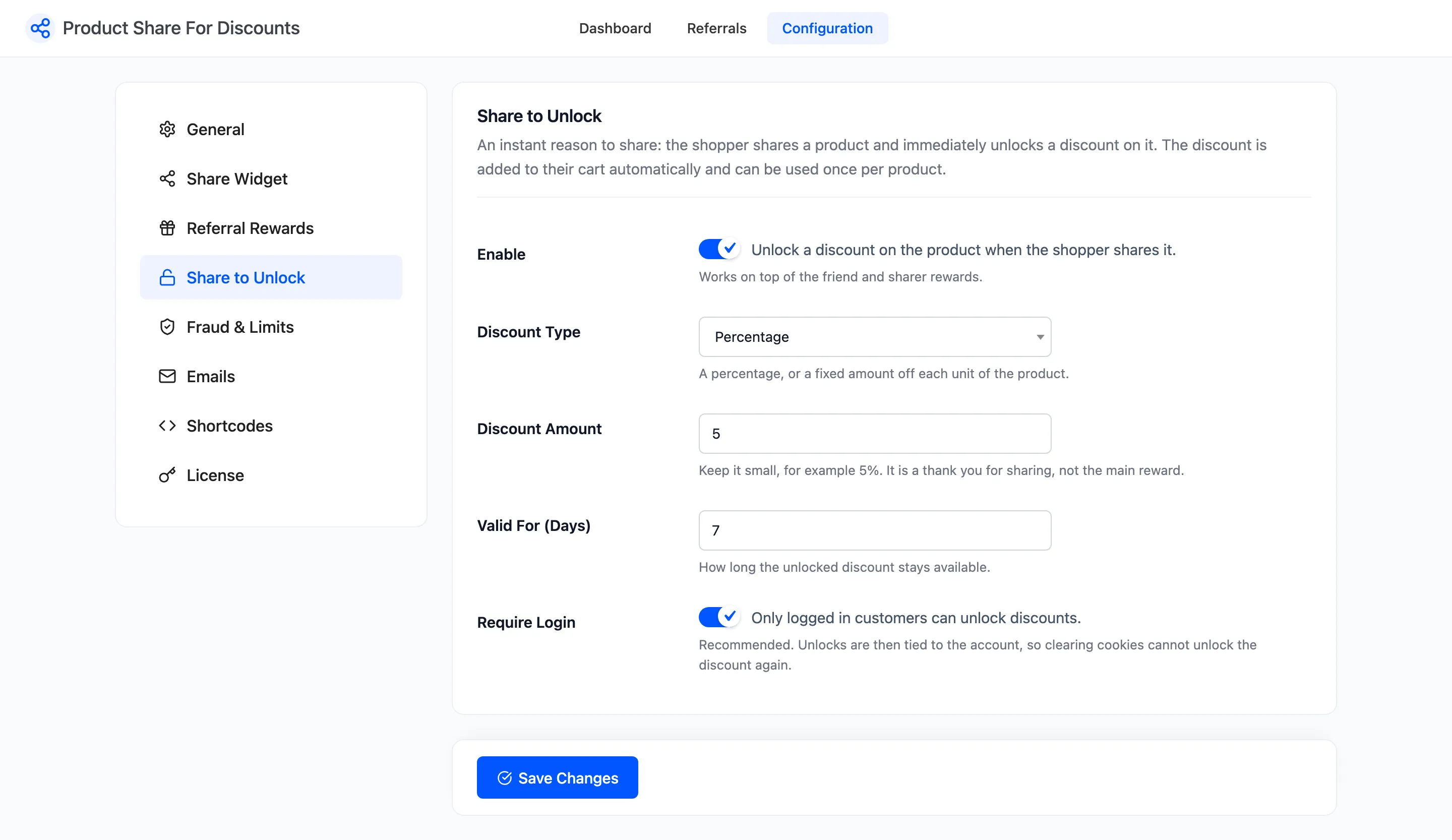
Share to Unlock is an instant reason to share. The shopper shares a product and at once gets a small discount on it, on top of the friend and sharer rewards. Open Product Share For Discounts → Configuration → Share to Unlock.
The fields
Section titled “The fields”- Enable: Ticked by default. Unlocks a discount on a product when the shopper shares it.
- Discount Type: Percentage (default) or Fixed amount. A fixed amount comes off each unit.
- Discount Amount: Default 5. Keep it small: it thanks the shopper, the referral reward is the main prize.
- Valid For (Days): Default 7, minimum 1. How long the unlocked discount stays available.
- Require Login: Ticked by default. Only signed-in customers can unlock a discount.
What the shopper sees
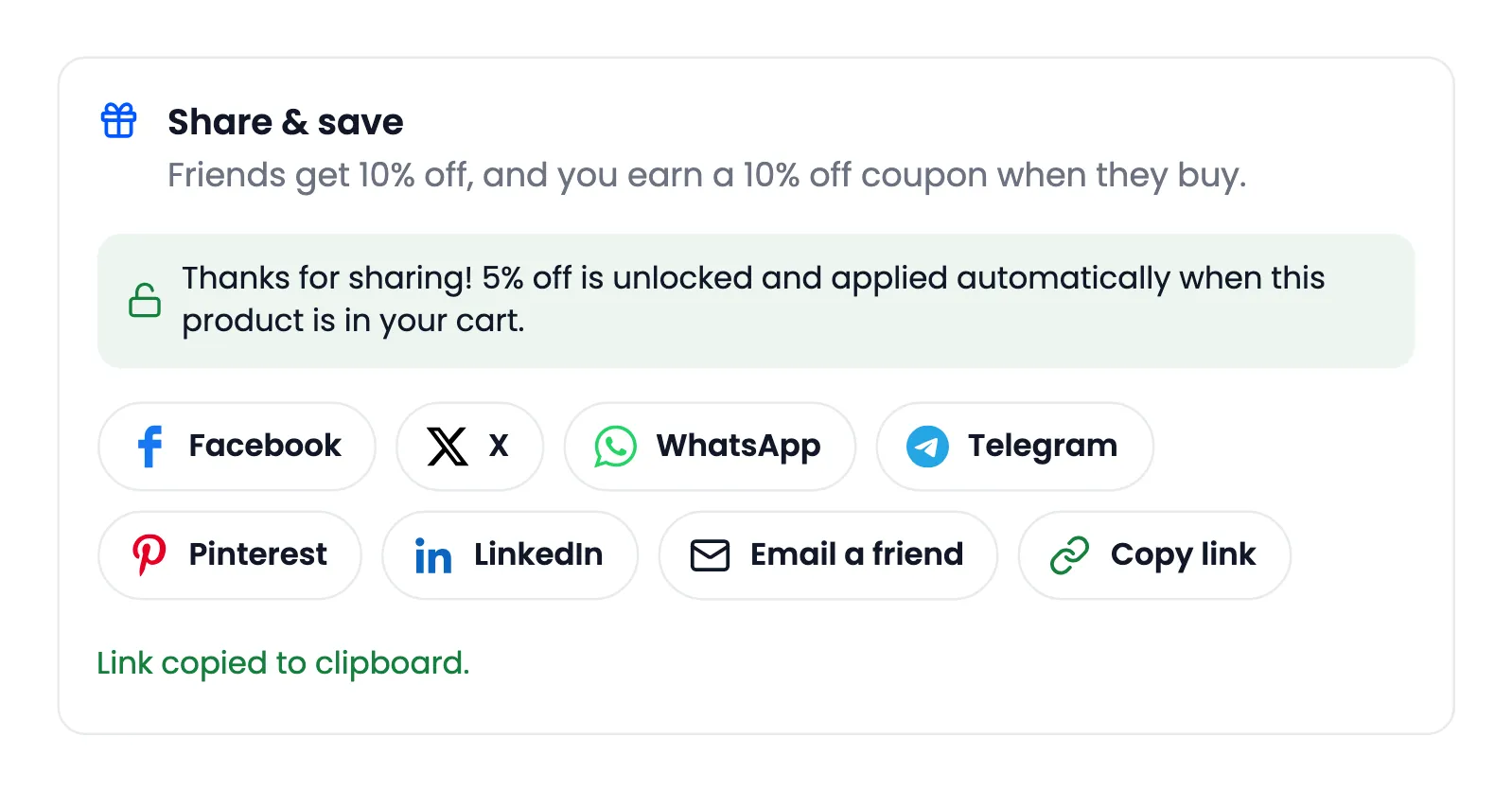
Section titled “What the shopper sees”The share box shows a line: Share this product to unlock 5% off instantly. Any share counts: a network button, Copy link, More or Email a friend. The line then turns green.
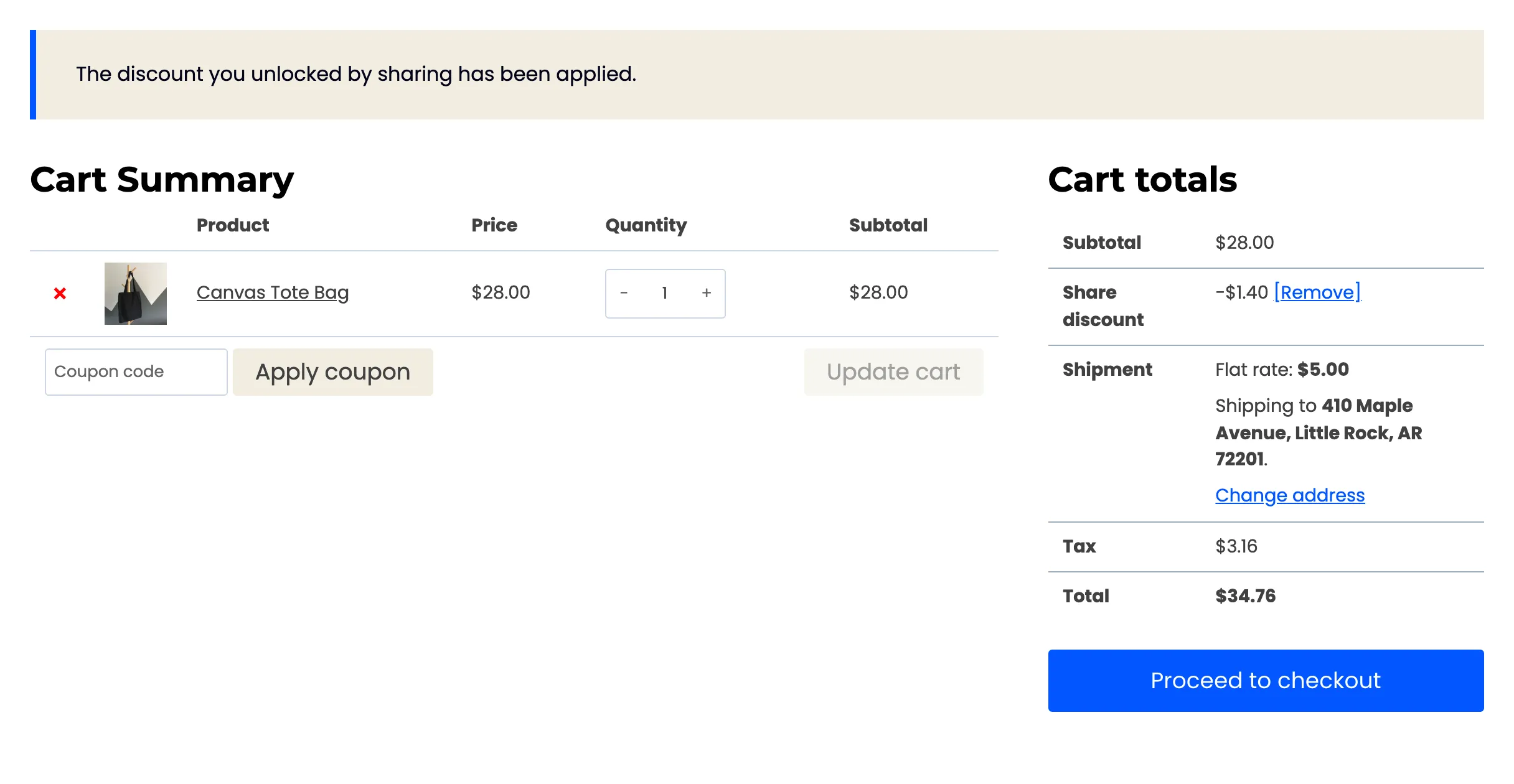
When the product is in the cart, the discount is added as a line called Share discount.
The rules behind it
Section titled “The rules behind it”- Once per product: After an order uses it, or after it expires, that product cannot be unlocked again by the same shopper. The line disappears from its share box.
- Tied to the account: With Require Login on, unlocks are saved to the customer’s account, so clearing cookies does not unlock a product twice. A guest’s unlock lives in their browser session.
- Minimum Order Amount applies: The amount set under Fraud & Limits is also the cart subtotal the share discount needs.
- Excluded products: Products excluded on the Share Widget tab cannot be unlocked.
Guests see Log in and share this product to unlock 5% off while Require Login is on.