

How to Limit Rewards per Customer
A customer with a big following can earn a lot of coupons. That is often the point. A cap keeps the program inside a budget you chose rather than one a single customer chose for you.
Step 1: Open Fraud & Limits
Section titled “Step 1: Open Fraud & Limits”Go to Configuration → Fraud & Limits and find Limits.
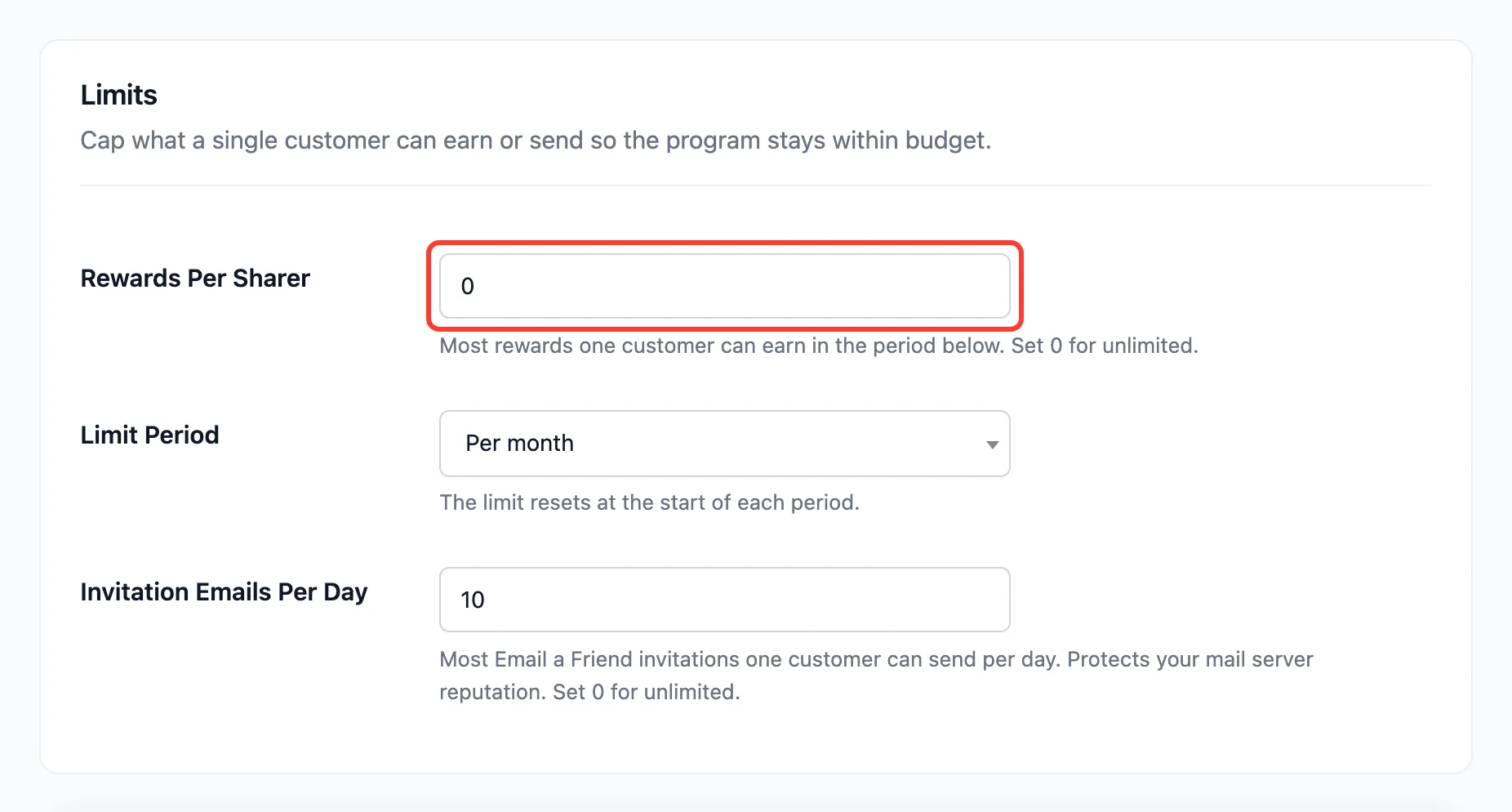
Step 2: Set the cap and the period
Section titled “Step 2: Set the cap and the period”- Rewards Per Sharer: 0 by default, which is unlimited.
- Limit Period: Per day, per week (from Monday), per month (default) or per year.
Press Save Changes.
Step 3: Handle referrals over the cap
Section titled “Step 3: Handle referrals over the cap”The cap counts the sharer’s rewarded referrals in the current period. On the demo it was set to one per month. Amara already had a reward that month, so Chloe’s order through her link was rejected when it completed:

Chloe still got her friend discount. The cap limits the sharer’s reward, not the friend’s saving.
To reward it anyway, hover it and click Approve and reward. An approval by hand is never refused by the cap, but counts toward it for the rest of the period. See How to Approve or Reject a Referral.
A cap on invitations too
Section titled “A cap on invitations too”Invitation Emails Per Day, in the same section, caps how many Email a friend invitations one customer sends, 10 by default. It protects your mail server’s reputation more than your budget.