

How to Reward Only New Customers
A referral program pays for new customers. Rewarding an existing customer who happened to open a friend’s link pays for a sale you would have made anyway.
Step 1: Open Fraud & Limits
Section titled “Step 1: Open Fraud & Limits”Go to Configuration → Fraud & Limits.
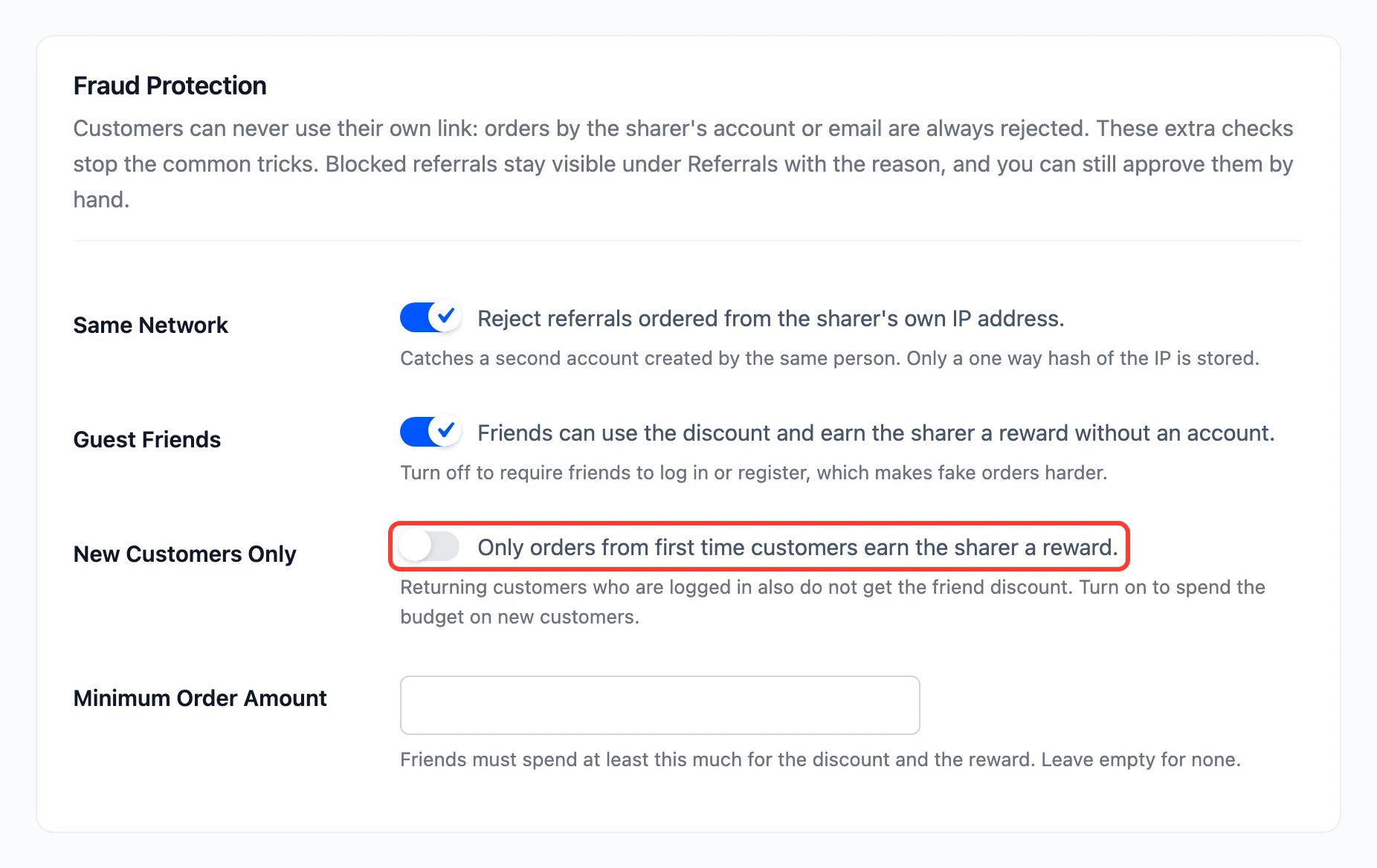
Step 2: Tick New Customers Only
Section titled “Step 2: Tick New Customers Only”Tick New Customers Only and press Save Changes.
Step 3: Watch a returning customer
Section titled “Step 3: Watch a returning customer”“New” means no paid order before: none that is Processing or Completed. On the demo, John had one completed order. With the setting on, he opened Amara’s link to the Sand Lounge Hoodie:
- No promise: The product page showed no friend notice.
- No discount: His cart had no Friend discount line.
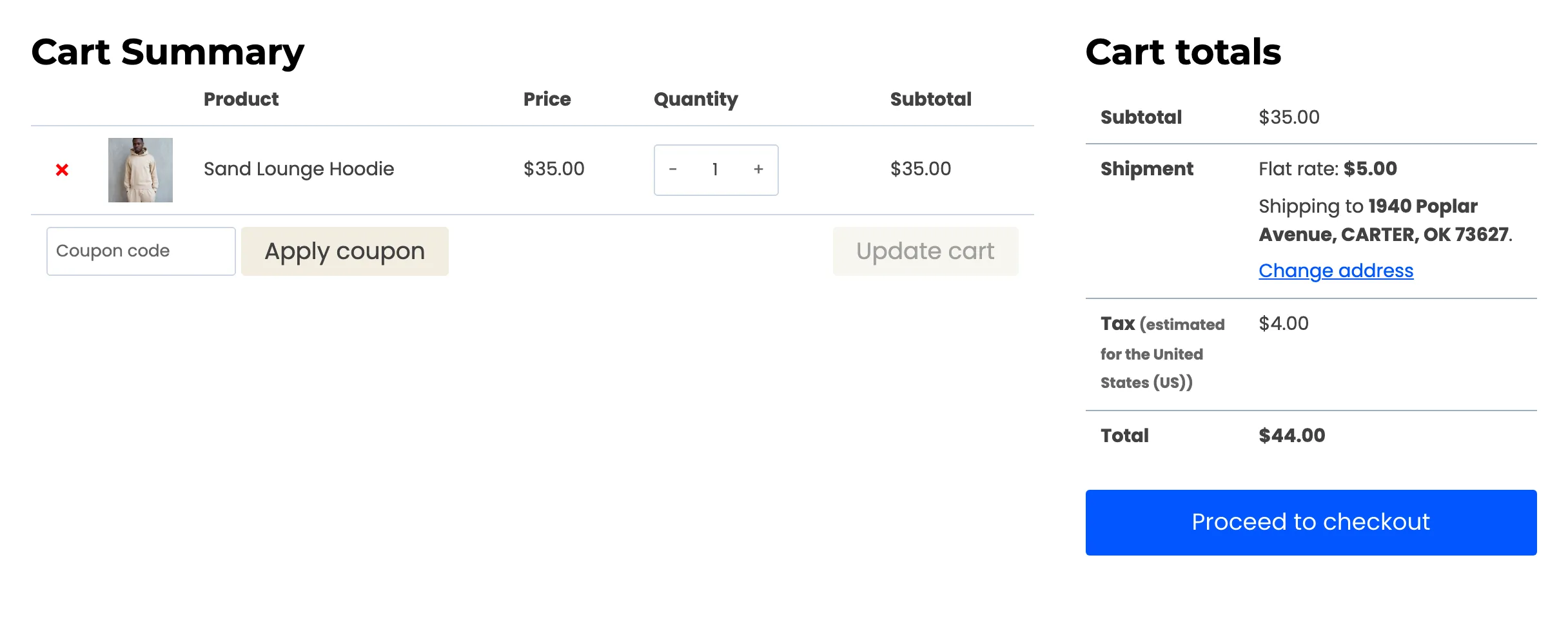
- No reward: He ordered anyway, and the referral was Rejected: “The customer has ordered before.”

Guests
Section titled “Guests”A guest has no account to check, so a guest gets the friend discount. At checkout the billing email is checked against past orders, and a returning email is rejected the same way. To be strict, untick Guest Friends as well, so every friend must sign in.