

Referrals
A referral is one friend order that came through a customer’s share link. The Referrals screen lists them all, newest first. Open Product Share For Discounts → Referrals.
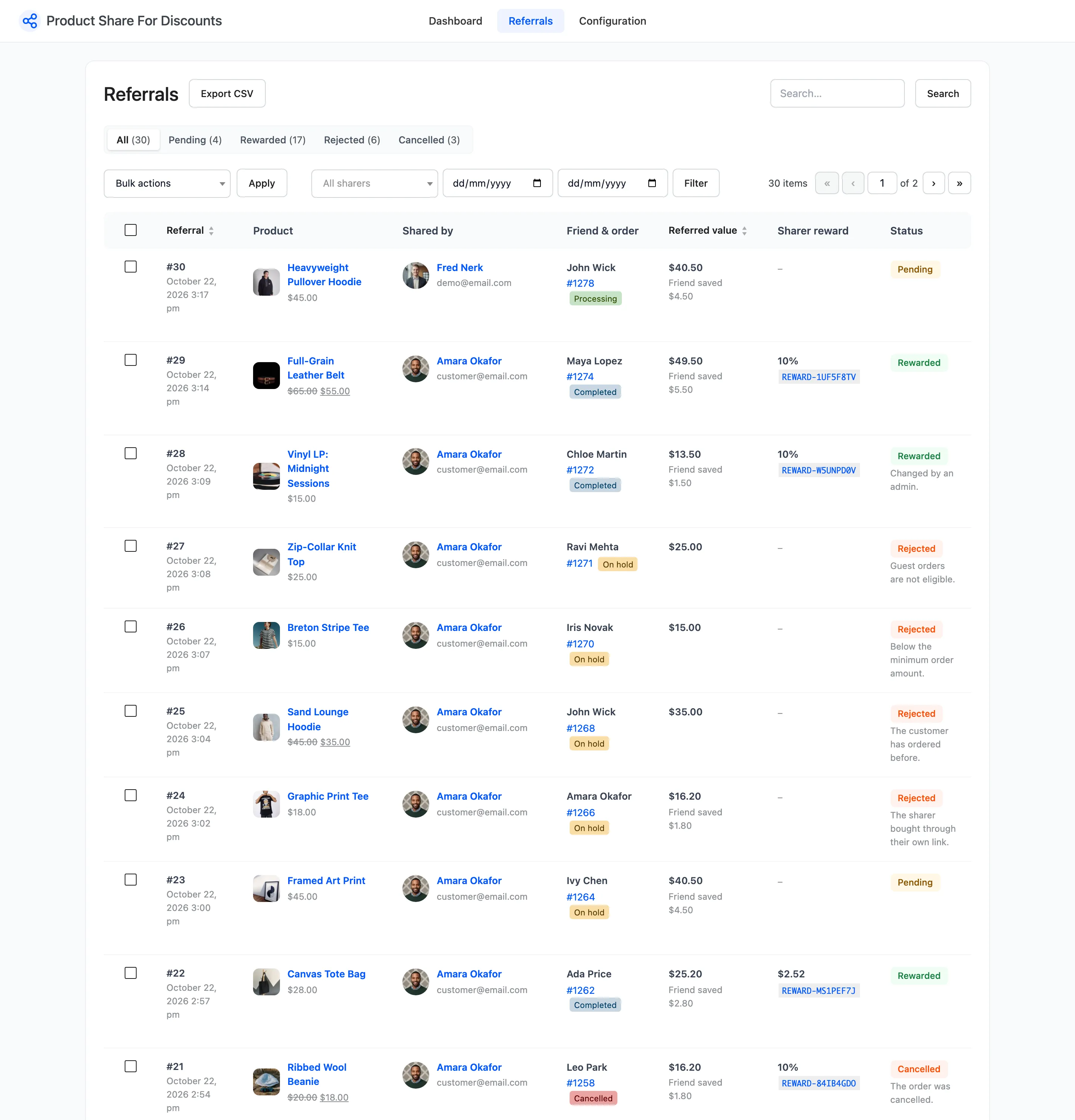
A referral is recorded when the order is placed, not when the link is opened. Link visits and shares are counted on the Dashboard.
The columns
Section titled “The columns”- Referral: The number, and the date and time the order was placed.
- Product: The product that was shared, with its picture and price. For a shop link, the first eligible product in the order.
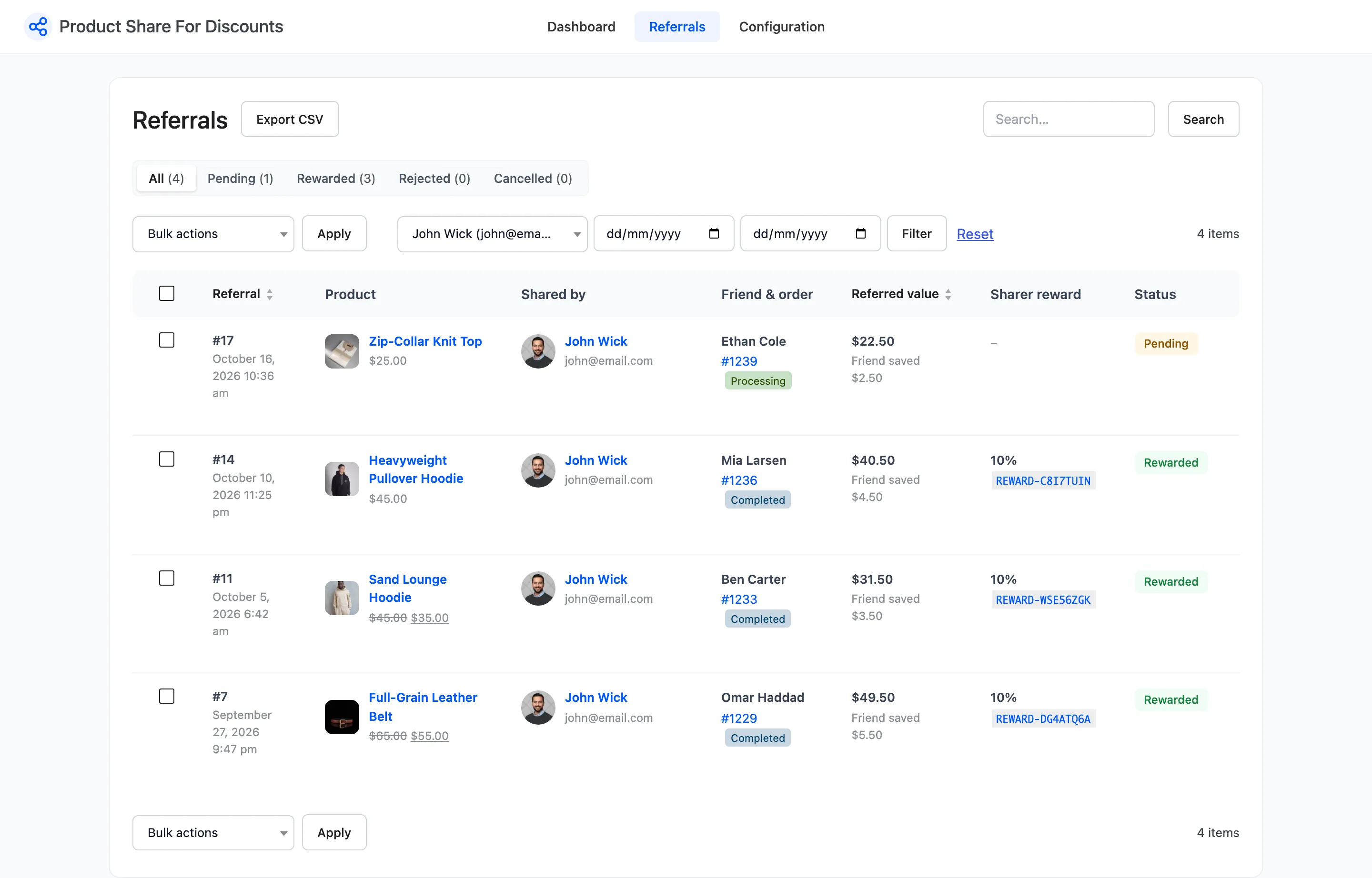
- Shared by: The sharer’s name and email. Click the name to list only their referrals.
- Friend & order: The friend’s billing name, the order number with its status, linked to the order.
- Referred value: What the friend spent on eligible products, after the friend discount, before tax and shipping. Under it, Friend saved and the discount amount.
- Sharer reward: The reward coupon’s value and code, linked to the coupon, with Used once spent.
- Status: One of four, with the reason under it when there is one.
The four statuses
Section titled “The four statuses”| Status | Meaning |
|---|---|
| Pending | The friend’s order is placed but not yet completed (or paid, if rewards are issued on payment). |
| Rewarded | The reward coupon was created and emailed to the sharer. |
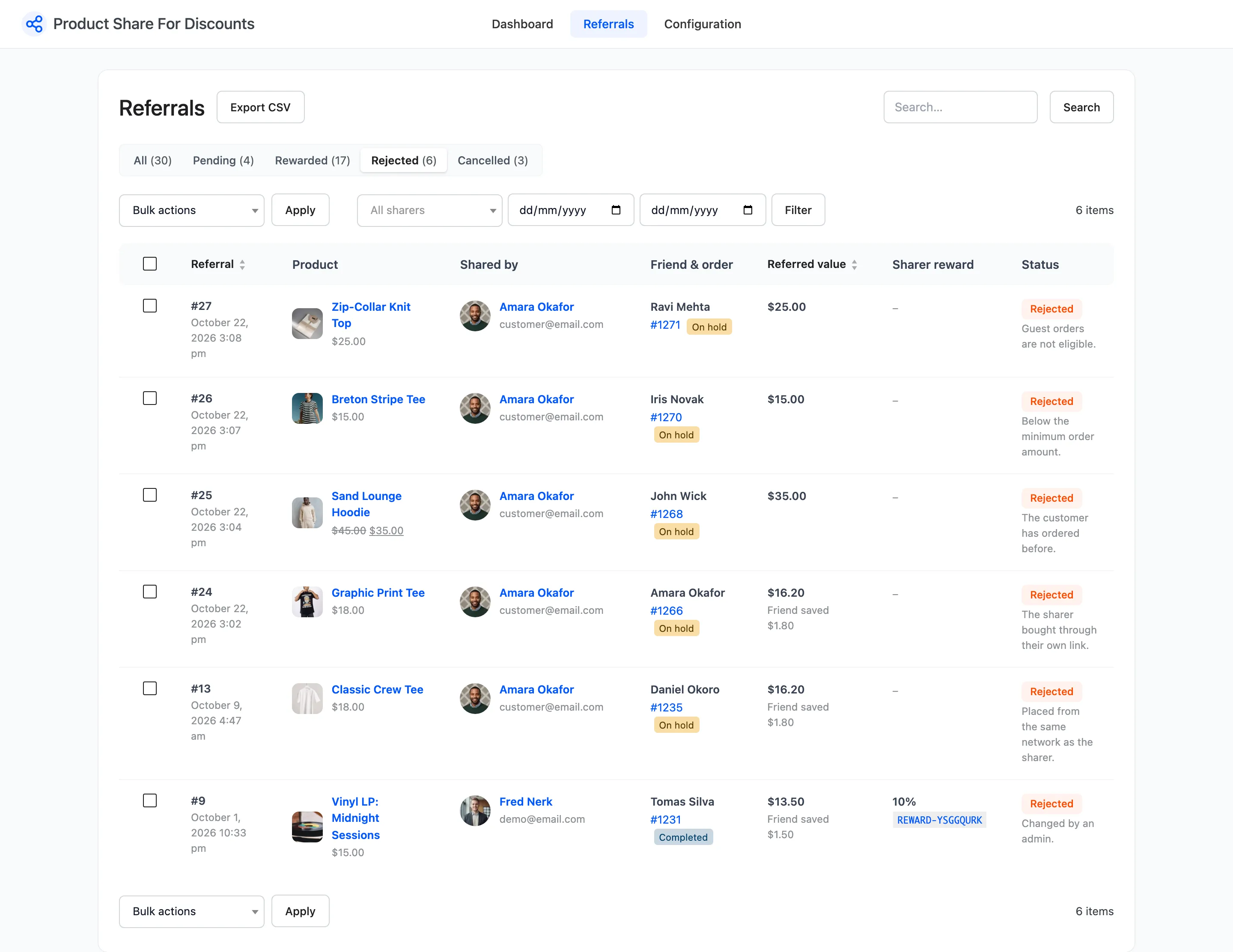
| Rejected | A fraud rule or the reward limit blocked it, or an admin rejected it. The reason shows under it. |
| Cancelled | The friend’s order was cancelled, refunded or failed. An unused reward was withdrawn. |
The views along the top filter by status and count each one:

The Rejected view, with each reason:
Filters and search
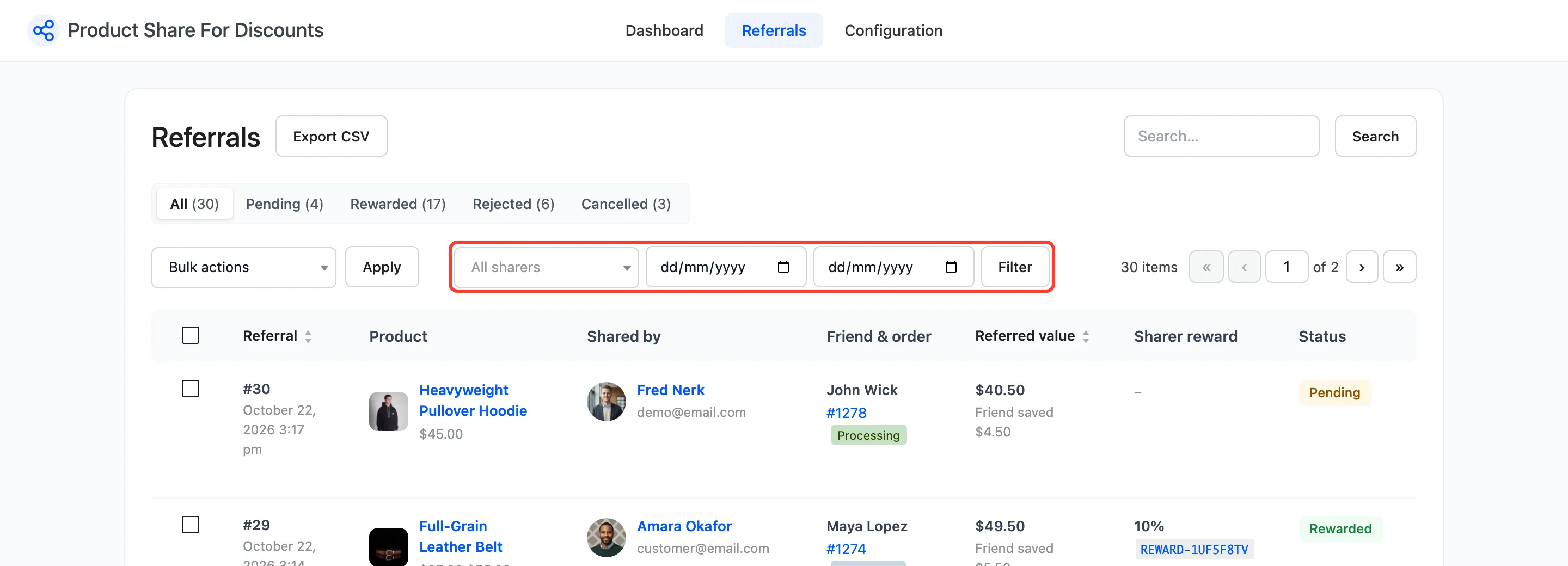
Section titled “Filters and search”- All sharers: Pick a customer to see only their referrals.
- From and To: A date range on the order date.
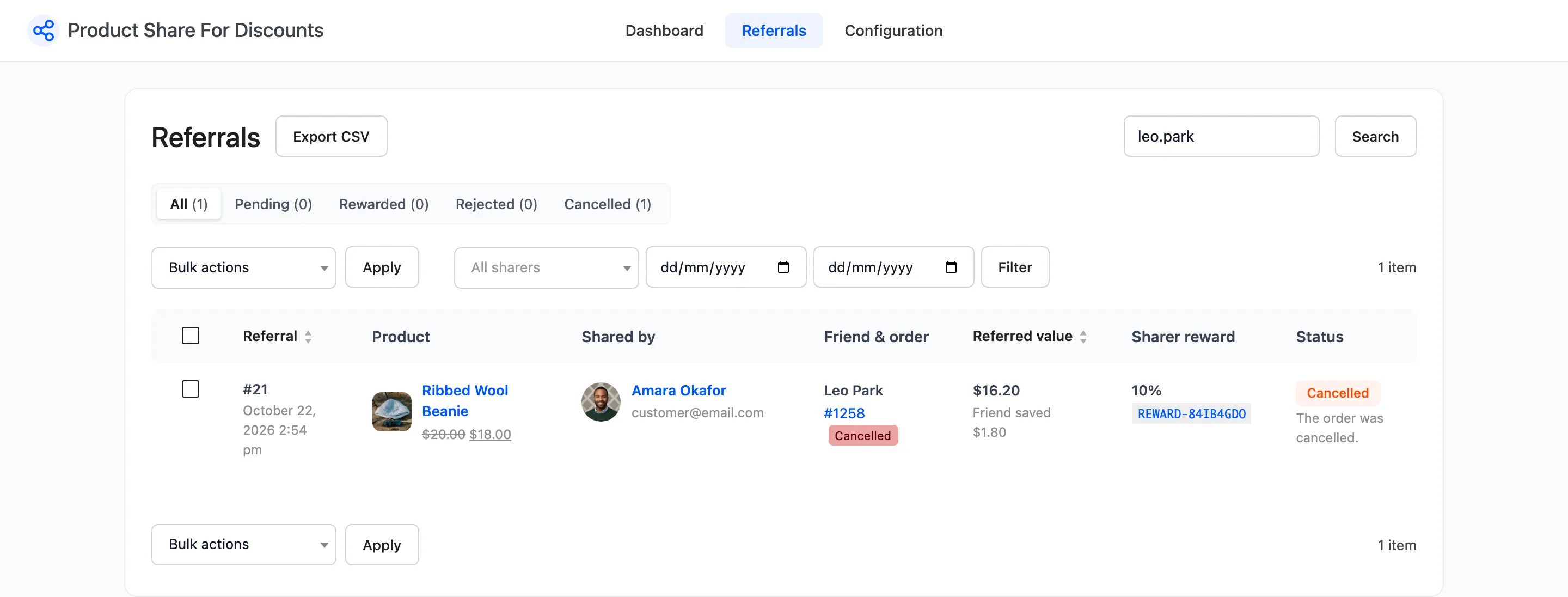
- Search: A referral number, an order number or part of a friend’s email.
Press Filter. Reset clears the filters.
A search for a friend’s email:
John’s referrals only:
Row actions
Section titled “Row actions”Hover a referral to see its actions:
- Approve and reward: On Pending, Rejected and Cancelled referrals. Creates the reward coupon now and emails it, whatever the order status and the reward limit. The reason reads Changed by an admin.
- Reject: On all but Rejected ones. A reward coupon not yet used is withdrawn. No email is sent.

Bulk actions
Section titled “Bulk actions”Tick referrals, pick Approve and reward, Reject or Delete in Bulk actions, and press Apply.
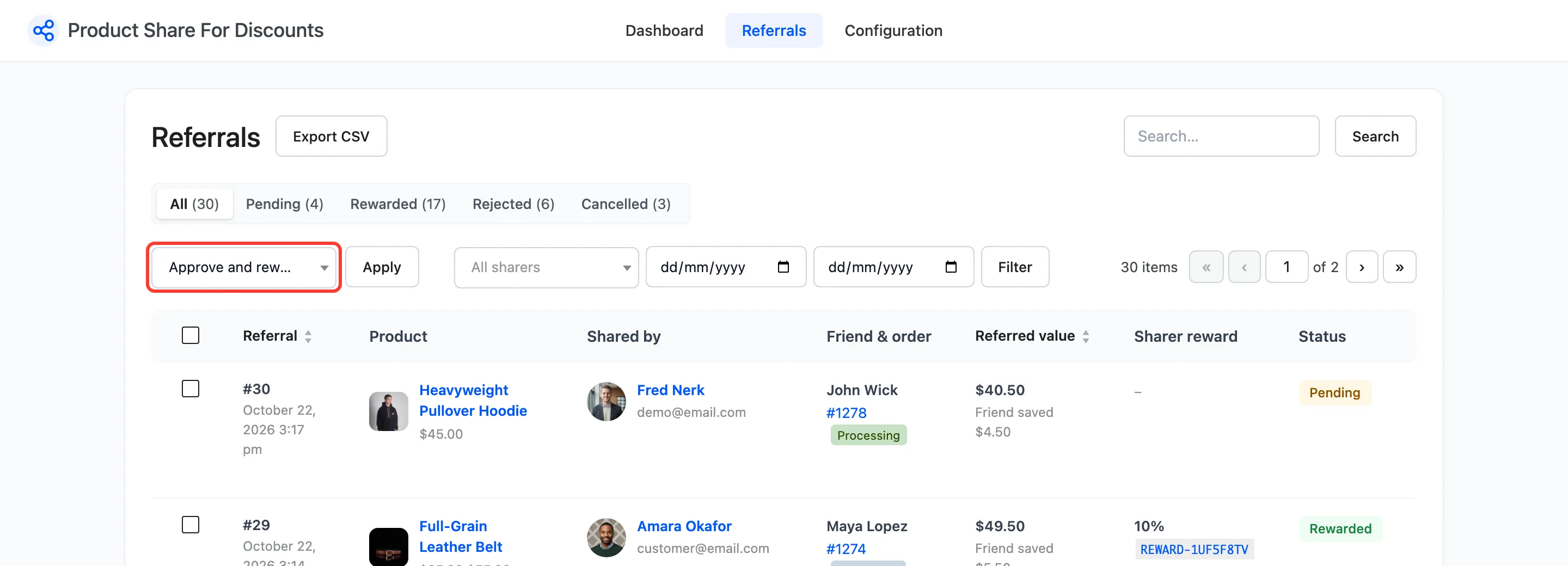
Delete removes the referral row only. The order and any reward coupon stay. A deleted referral cannot be recorded again for the same order.
Export
Section titled “Export”Export CSV beside the heading downloads every row that matches the current view, filters and search. See How to Export Referrals to CSV.
Screen Options at the top right sets how many referrals show per page, 20 by default.