

How to Move the Share Box on the Product Page
The share box sits under the add to cart button by default, where a shopper who likes the product looks next. Seven places are built in, and a shortcode covers the rest.
Step 1: Open the Position setting
Section titled “Step 1: Open the Position setting”Go to Configuration → Share Widget and find Position under Appearance.
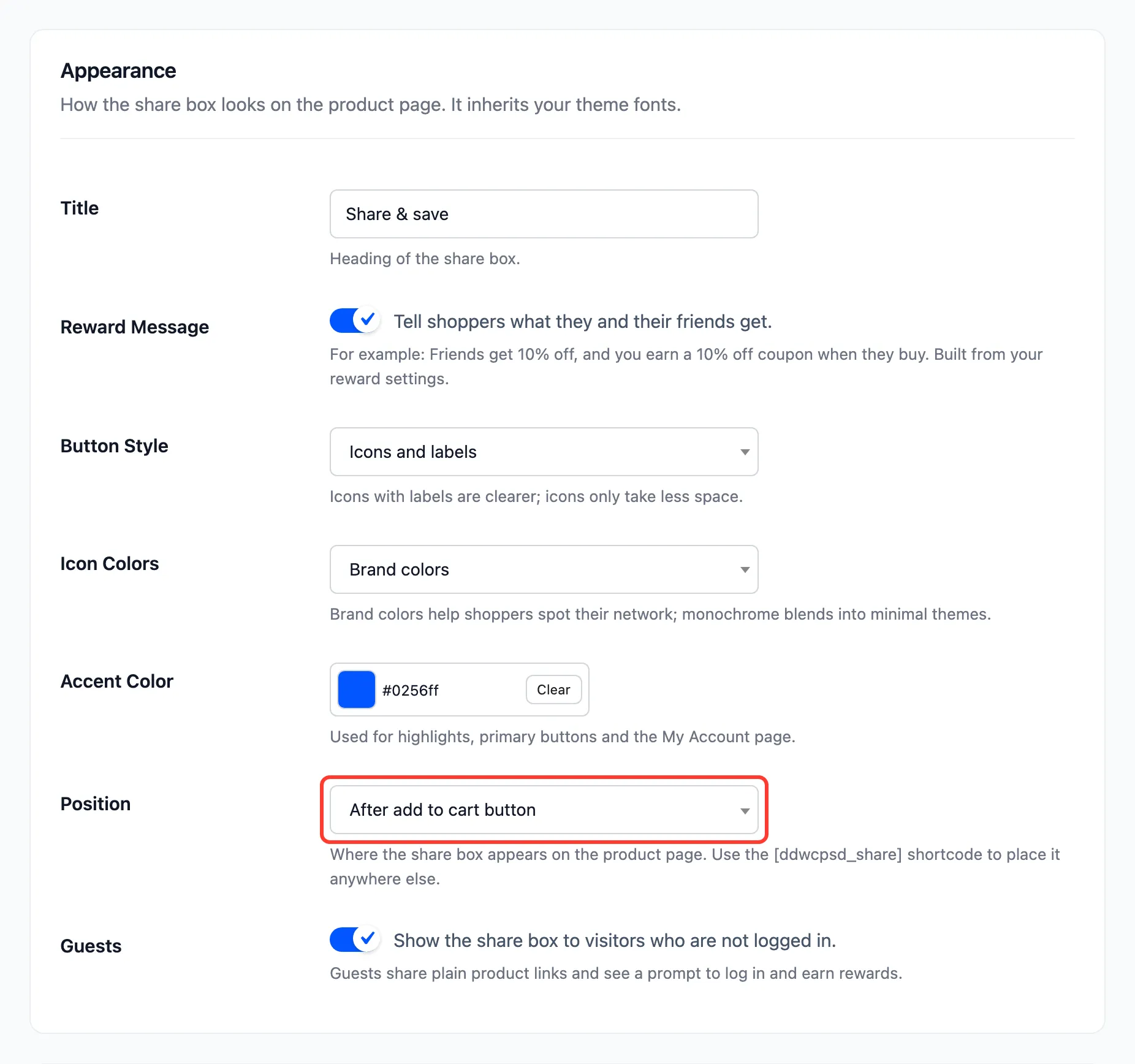
Step 2: Pick a position
Section titled “Step 2: Pick a position”| Position | Where it lands |
|---|---|
| Before product title | Above the product name |
| After product title | Between the name and the price |
| After short description | Above the add to cart form |
| After add to cart button | Default |
| After product meta | Below the SKU and categories |
| Below product images | Under the gallery, on the left |
| Before product tabs | Full width, above Description and Reviews |
Press Save Changes.
Step 3: Check a product page
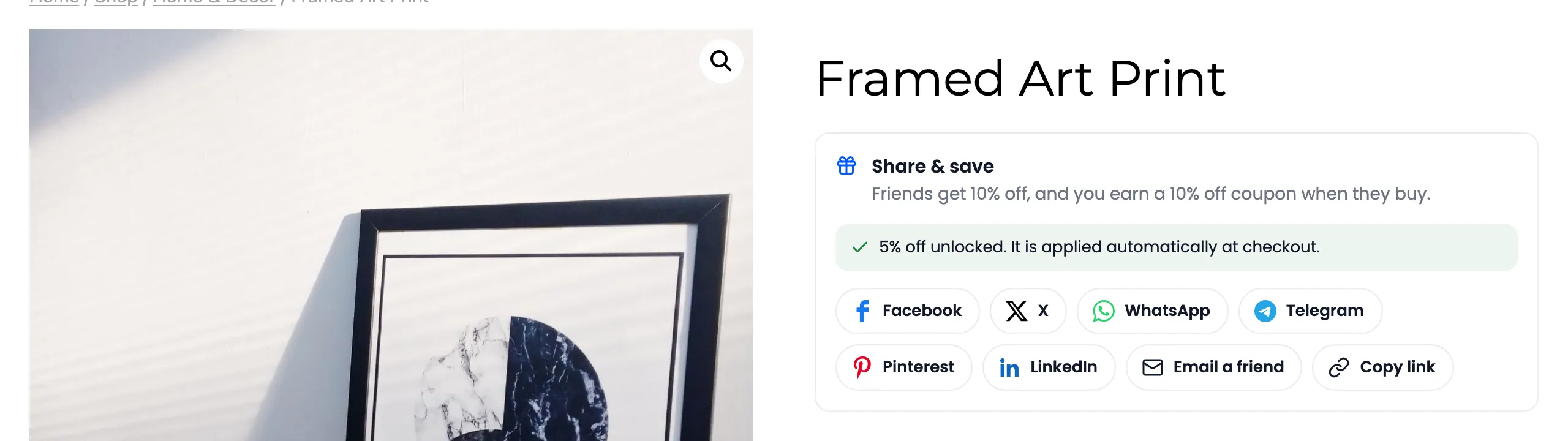
Section titled “Step 3: Check a product page”With After product title, the box moved up next to the name on the demo:
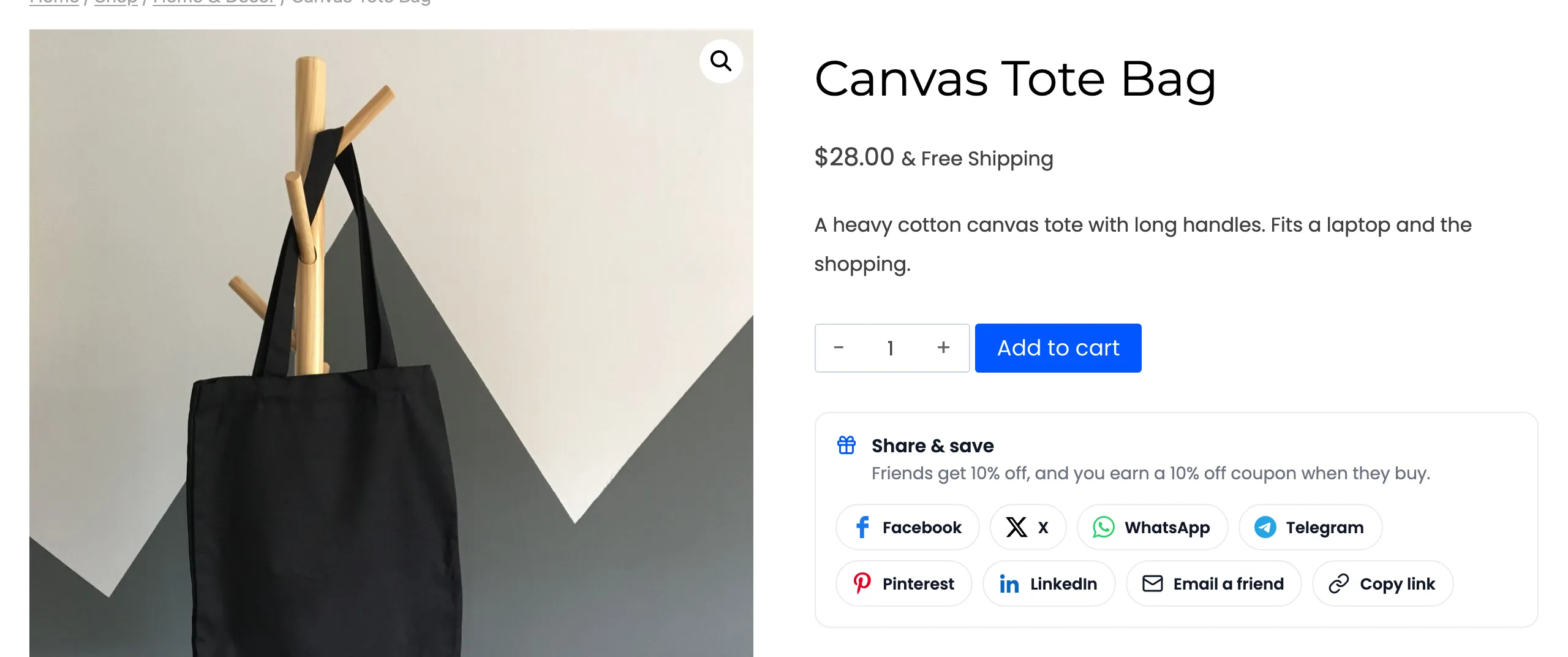
The default, after the add to cart button:
Anywhere else
Section titled “Anywhere else”A theme or page builder that builds its own product template may not print these spots. Place the
[ddwcpsd_share] shortcode in the template instead: on a product page it shares that product. See
Shortcodes.