

Introduction to Product Share For Discounts
WooCommerce Product Share For Discounts turns customers into a referral channel. A customer shares a product with a personal link. The friend who opens it gets a discount, and when the friend’s order is completed, the customer earns a reward coupon.
It is a paid plugin with one edition, so every feature on these pages is included.
What customers see
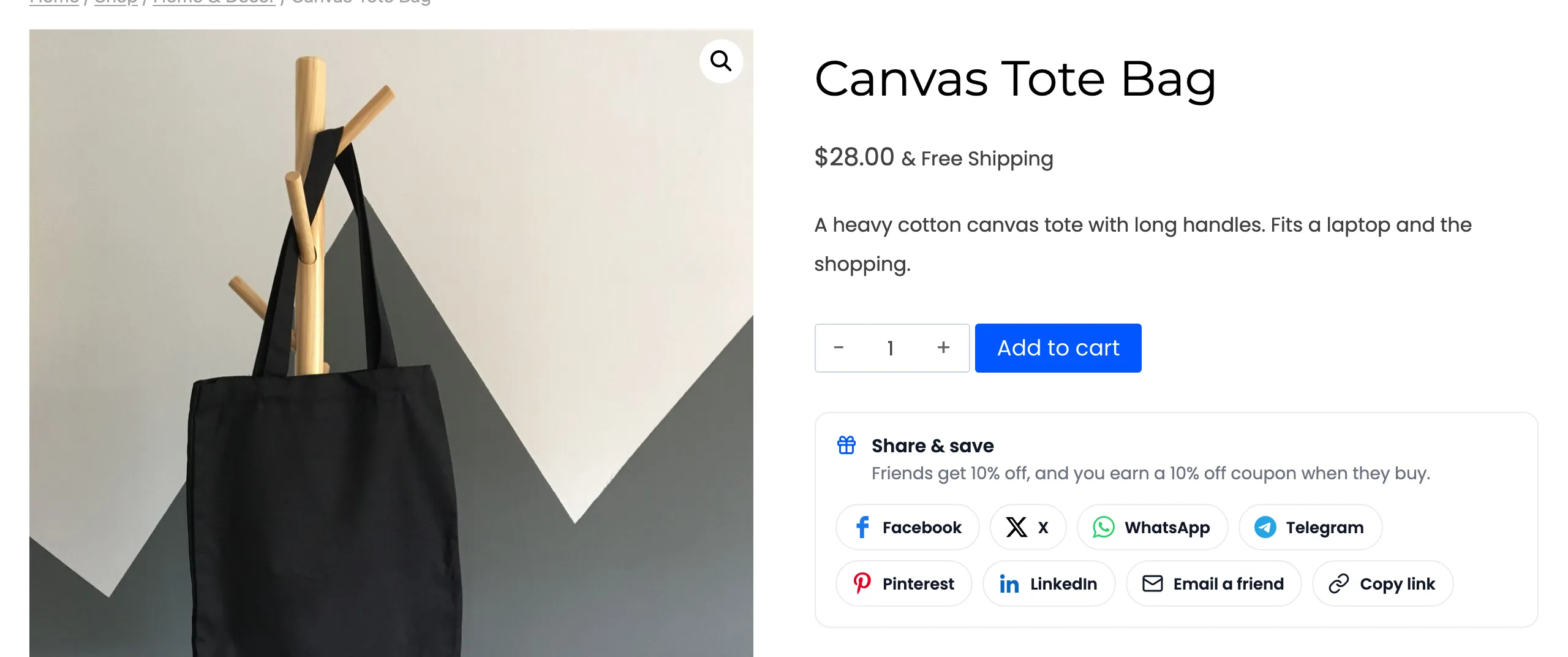
Section titled “What customers see”- A share box on every product page: Buttons for the networks you choose, Copy link, More for a
phone’s share menu, and Email a friend. Each link carries the customer’s own code, such as
?sref=sv16qdbd. - A discount for sharing: Share a product and get 5% off it at once. This is Share to Unlock.
- A friend discount: A friend who opens the link sees a notice, and 10% off is added to their cart. No code to type.
- A reward coupon: When the friend’s order completes, the sharer gets a coupon by email.
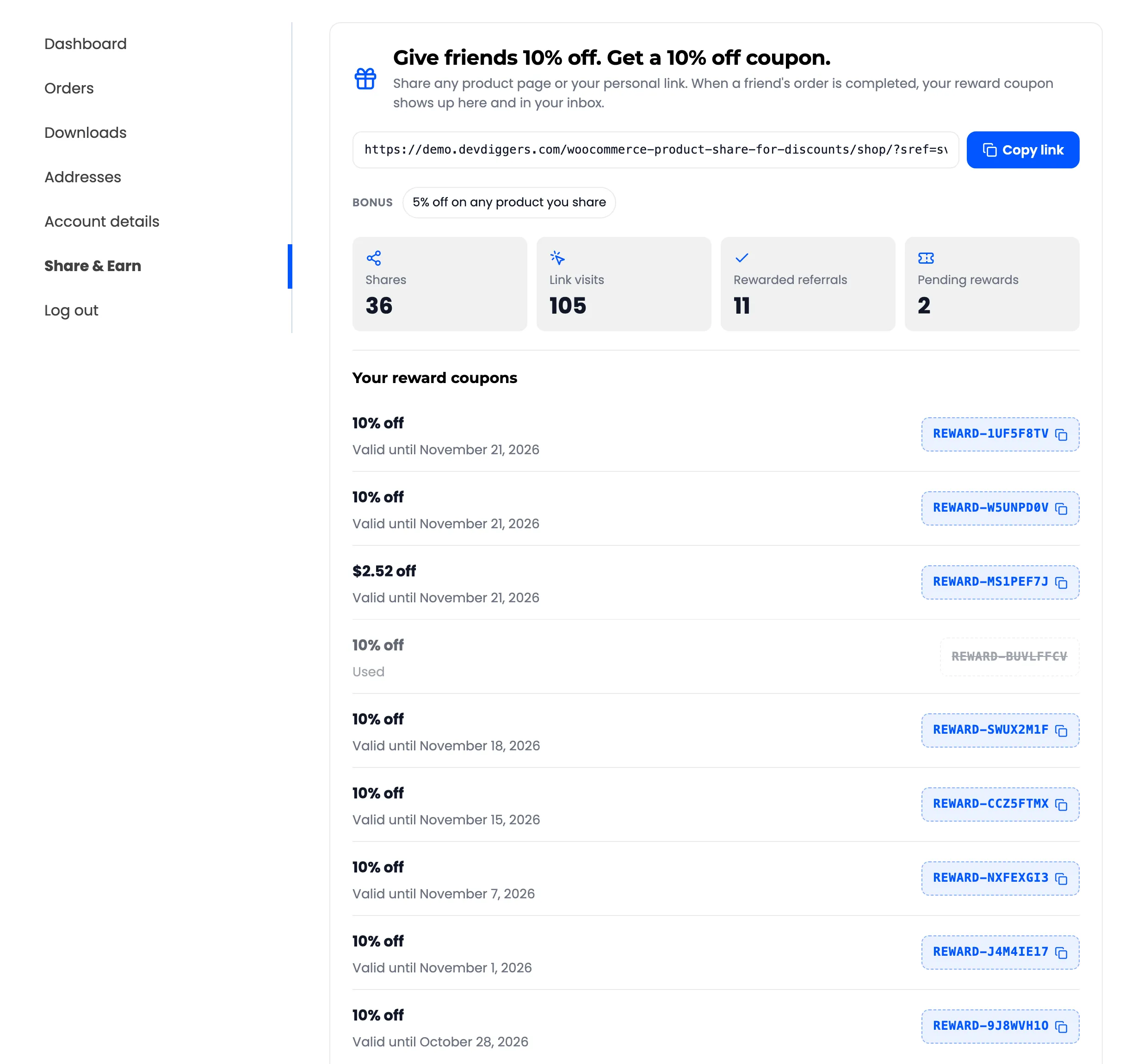
- A Share & Earn page in My Account: The customer’s link, their shares, link visits, rewards and referral history.
What you control
Section titled “What you control”- Both rewards: The friend’s discount and the sharer’s coupon, as a percentage, a fixed amount, or a share of what the friend spent.
- When rewards go out: On a completed order by default, or as soon as it is paid. A cancelled or refunded order takes an unused reward back.
- Fraud rules: Own links never earn. Same network, guest, new customer and minimum order rules, plus a cap on rewards per customer.
- Referrals: Every referred order with its status, to approve, reject or export.
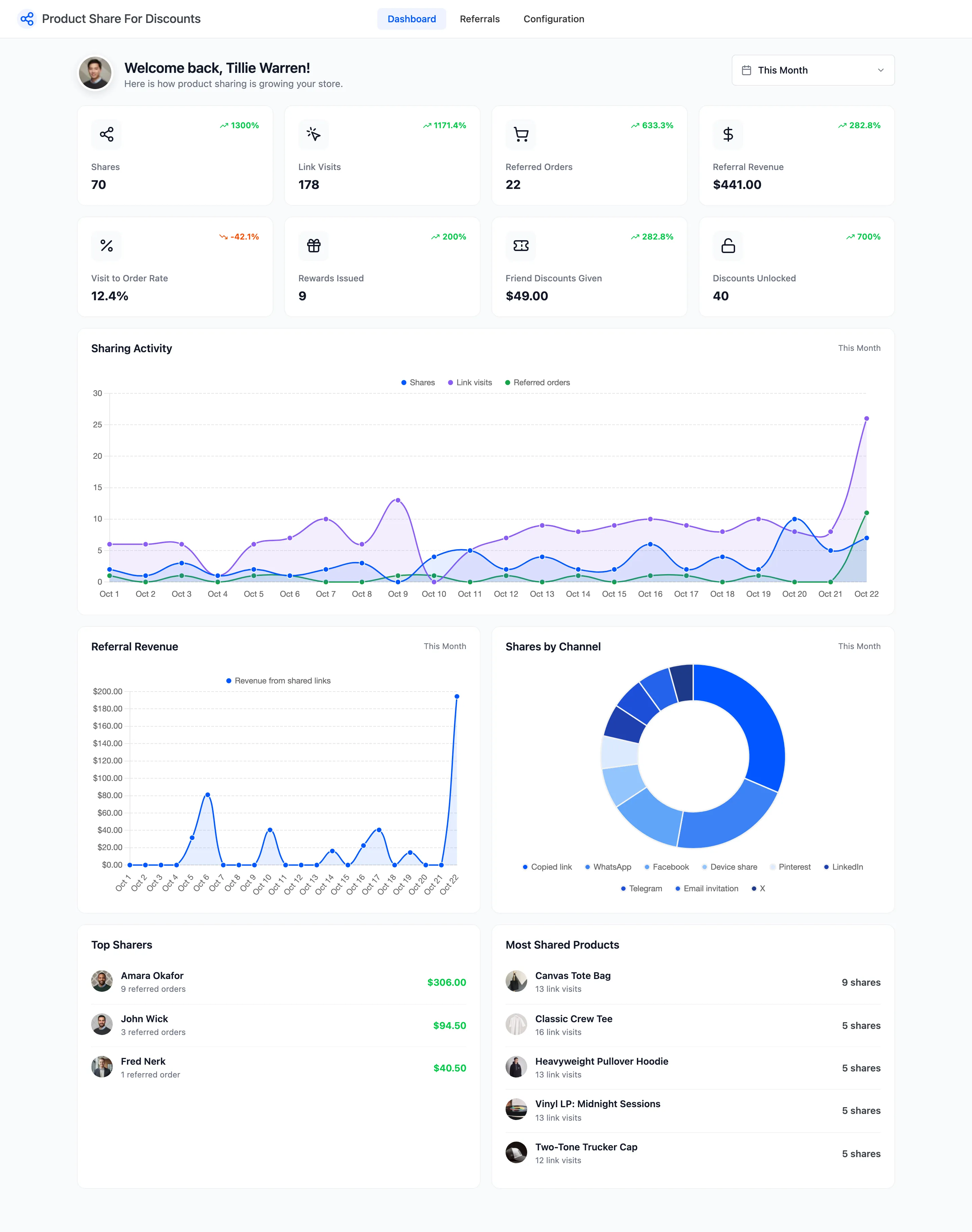
- A dashboard: Shares, link visits, referred orders, referral revenue and your top sharers.
Where things live
Section titled “Where things live”Everything is under DevDiggers Plugins → Product Share For Discounts, in three menus: Dashboard, Referrals and Configuration. Configuration has eight tabs: General, Share Widget, Referral Rewards, Share to Unlock, Fraud & Limits, Emails, Shortcodes and License.
Reward coupons are ordinary WooCommerce coupons under Marketing → Coupons, and the emails also appear under WooCommerce → Settings → Emails.
Requirements
Section titled “Requirements”- WordPress 6.2 or newer, WooCommerce 8.0 or newer and PHP 7.4 or newer.
- WooCommerce coupons switched on. The friend discount, the share discount and the rewards are all coupons.
- An active license. Until it is active, customers see no share box.
It works with the WooCommerce order tables (HPOS), the classic cart and checkout, and the Cart and Checkout blocks.