

How to Pause the Share Program
A sale that already discounts everything, a stock problem, a budget that ran out: there are good reasons to stop the program for a while. Pausing keeps every referral, coupon and setting.
Step 1: Open the General tab
Section titled “Step 1: Open the General tab”Go to Configuration → General.
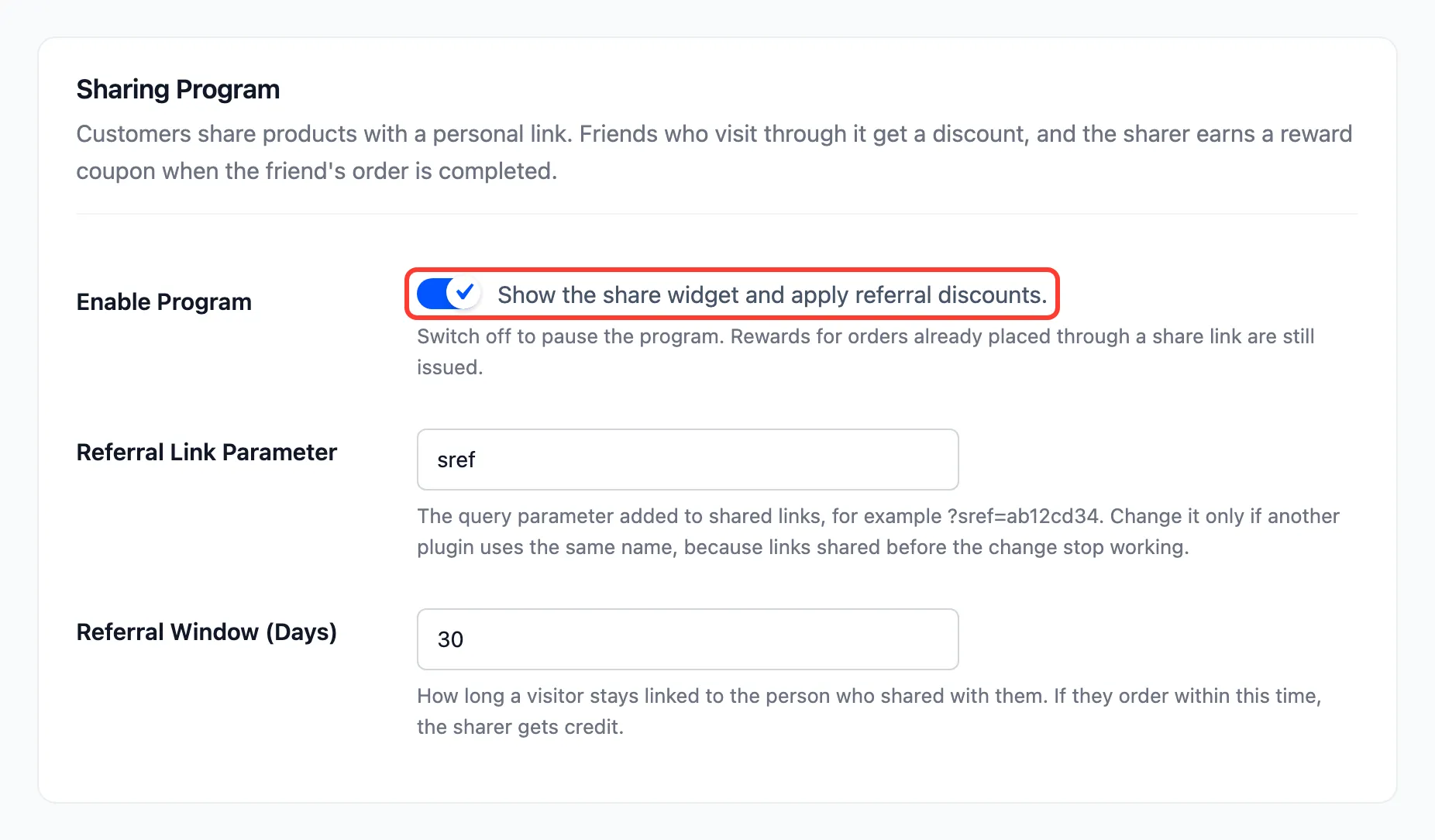
Step 2: Untick Enable Program
Section titled “Step 2: Untick Enable Program”Untick Enable Program and press Save Changes.
What stops
Section titled “What stops”Performed on the demo with the program off:
- The share box is gone from every product page.
- Share & Earn is gone from the My Account menu.
- The shortcodes print nothing.
- No new friend or share discounts are added to carts.
What carries on
Section titled “What carries on”- Rewards already on their way: A friend’s order placed through a link before the pause still earns the sharer a reward when it completes. On the demo, Maya’s order was placed while the program was on, the program was paused, and completing her order still issued Amara’s coupon and email.
- Cancellations: A cancelled or refunded order still takes back an unused reward.
- Reward coupons already issued keep working at checkout. They are ordinary WooCommerce coupons.
- The admin: Dashboard, Referrals and every setting stay available.
Step 3: Switch it back on
Section titled “Step 3: Switch it back on”Tick Enable Program and save. Customers’ links, codes and history are as they were. A link opened during the pause did not link its visitor to anyone, so that visitor needs to open a link again.