

How to Create New Recovery Codes
A fresh set of codes is the answer when a customer has used most of theirs, or thinks someone saw them.
Step 1: Open the Passkeys page
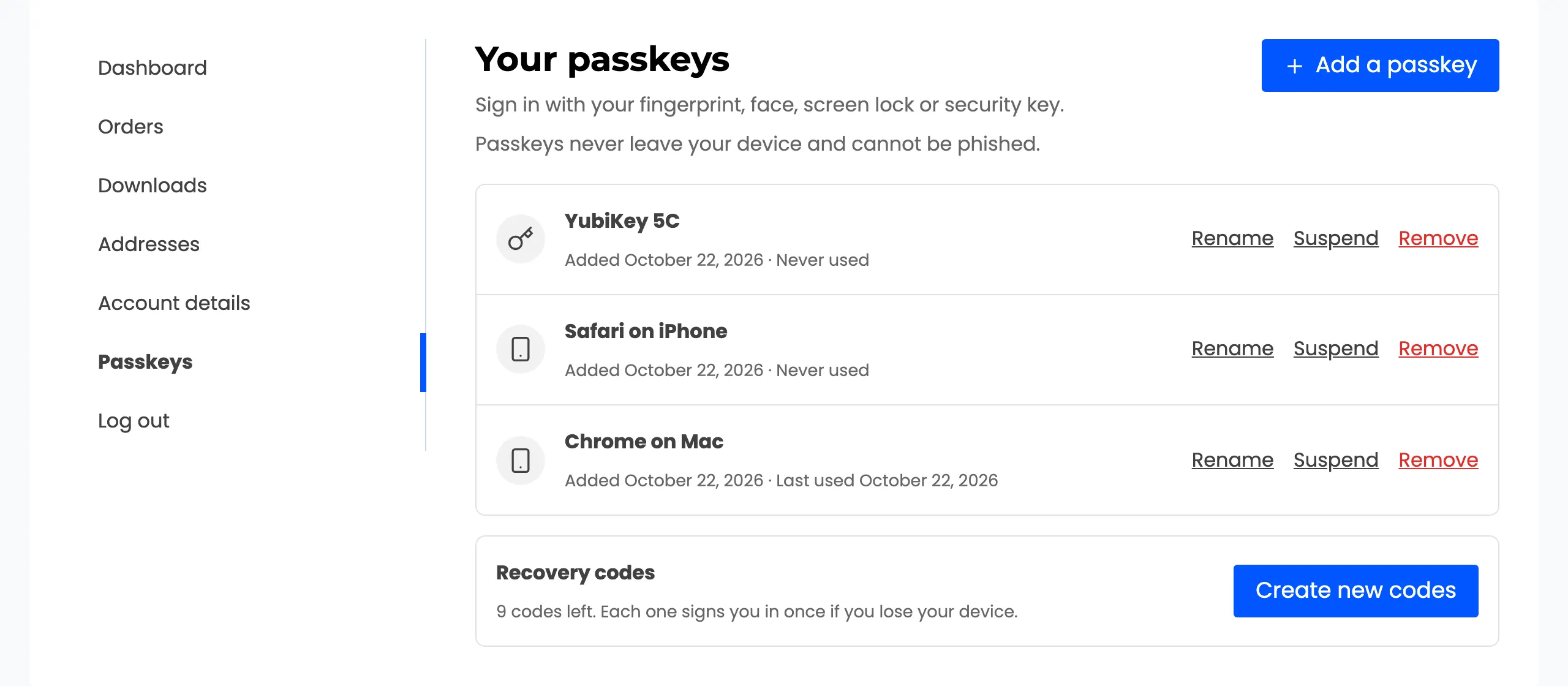
Section titled “Step 1: Open the Passkeys page”Signed in, open My Account → Passkeys. Recovery codes under the list says how many are left.
Step 2: Press Create new codes
Section titled “Step 2: Press Create new codes”Press Create new codes. The browser asks: “Create new recovery codes? Your current codes will stop working.” Confirm.
Step 3: Save the new set
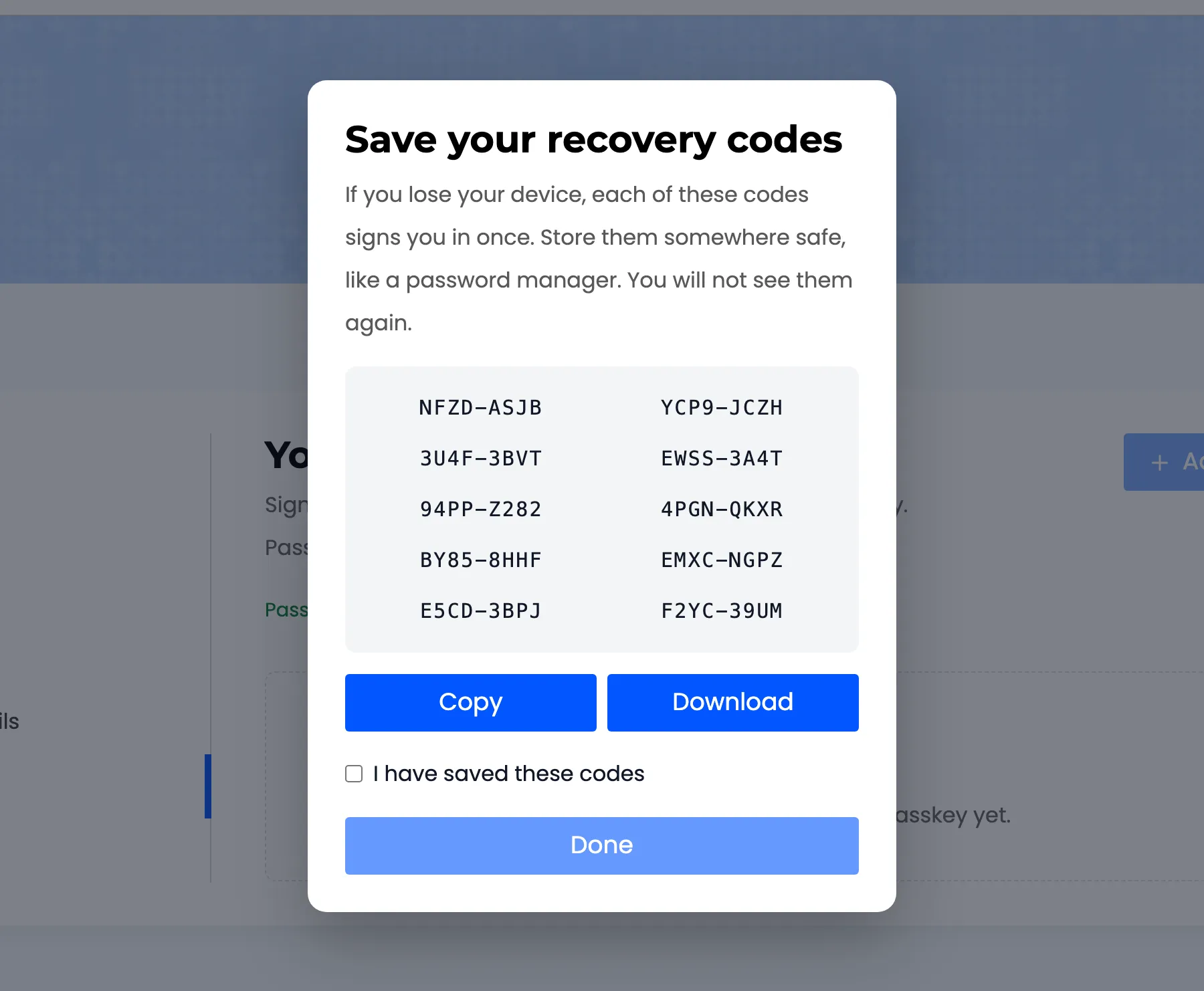
Section titled “Step 3: Save the new set”The same popup as the first time shows the new codes, once. Save them, tick I have saved these codes and press Done. Every old code stops working at once.
Activity records Recovery codes created.
As an administrator
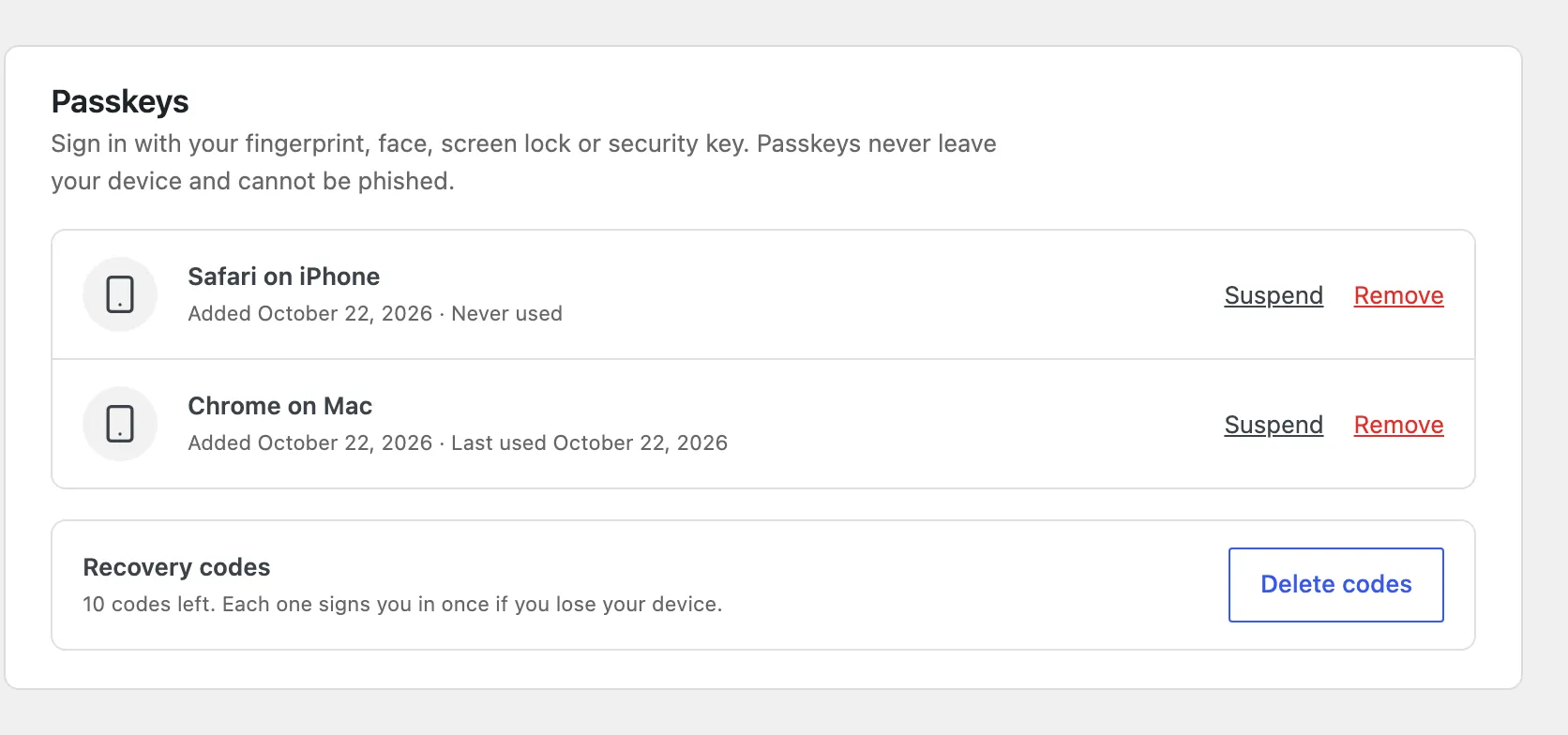
Section titled “As an administrator”Open the user under Users and scroll to Passkeys. Delete codes removes their recovery codes, for example when they say someone saw them. They create a new set themselves from their Passkeys page.
How many codes
Section titled “How many codes”Ten by default, from 1 to 20 under Security → Codes Per User. The change applies to the next set a user creates.