

Passkey Adoption Settings
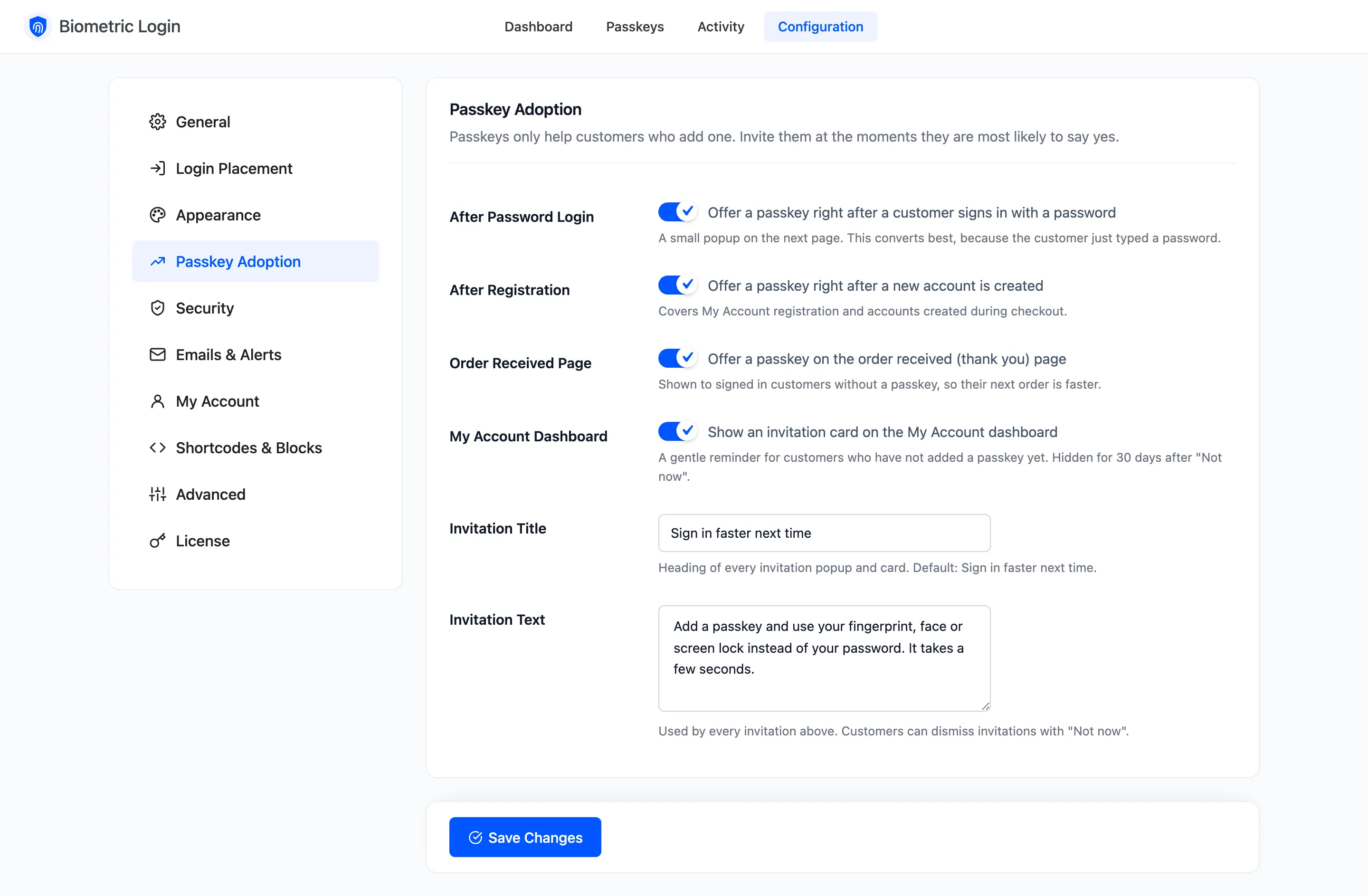
Passkeys only help the customers who add one. The Passkey Adoption tab invites them at four moments. Open Configuration → Passkey Adoption.
Fields
Section titled “Fields”All four invitations are ticked by default.
- After Password Login: A small popup on the next page after a customer signs in with a password. This converts best, because they have just typed one.
- After Registration: The same popup after a new account is created, in My Account or at checkout.
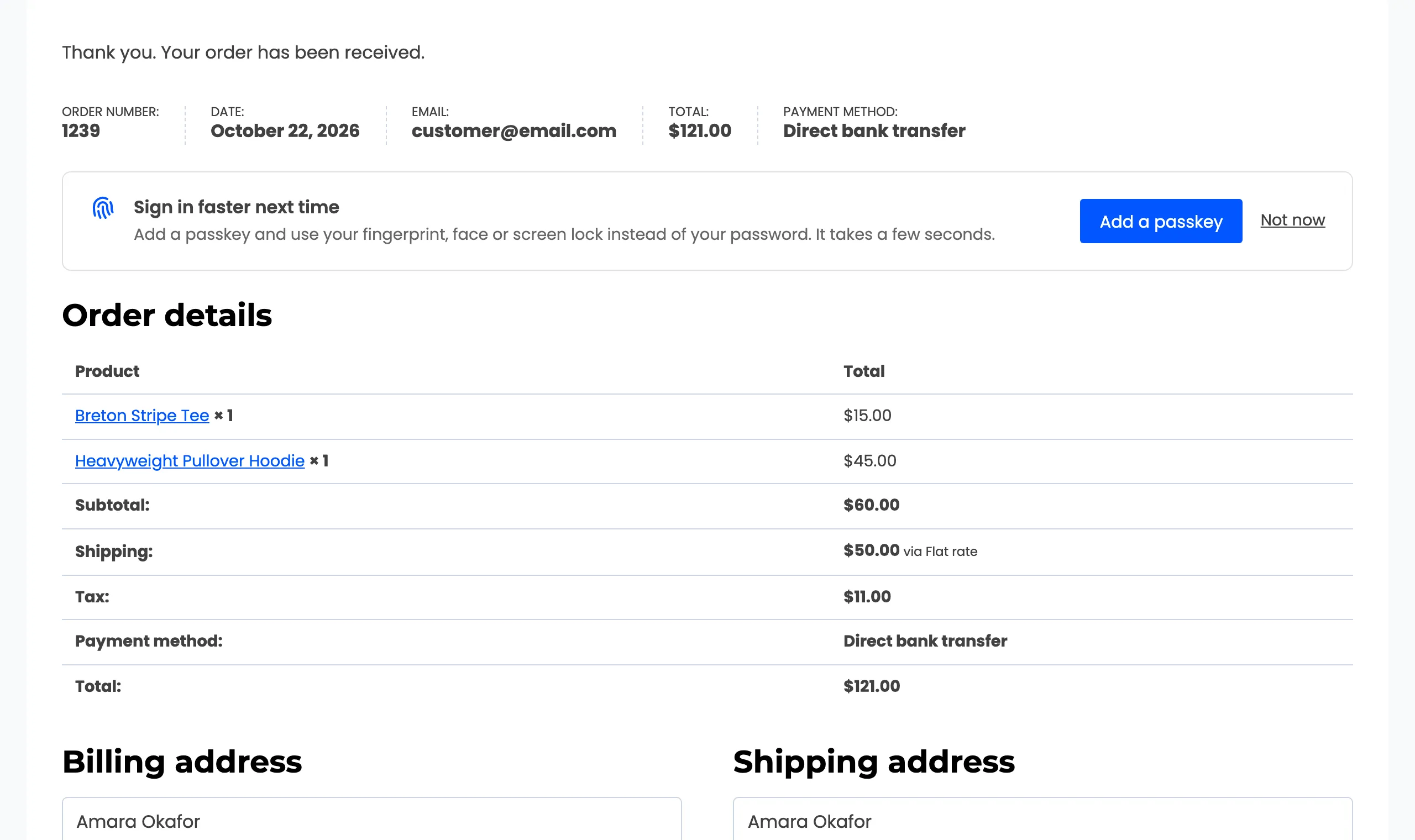
- Order Received Page: A card on the thank you page for signed in customers without a passkey.
- My Account Dashboard: A card on the My Account dashboard, until they add a passkey.
- Invitation Title: The heading of every popup and card. Default: Sign in faster next time.
- Invitation Text: The sentence under it. Default: “Add a passkey and use your fingerprint, face or screen lock instead of your password. It takes a few seconds.”
Who is invited
Section titled “Who is invited”Only signed in customers who have no passkey yet, and whose role may use passkeys under Security → Allowed Roles. A popup shows once; it does not come back on the next page.
Not now on any invitation hides all of them for that customer for 30 days.