

How to Add Passkey Sign In to the WordPress Login Screen
Staff often sign in on wp-login.php rather than My Account. The passkey button is off there by default.
Step 1: Add your own passkey
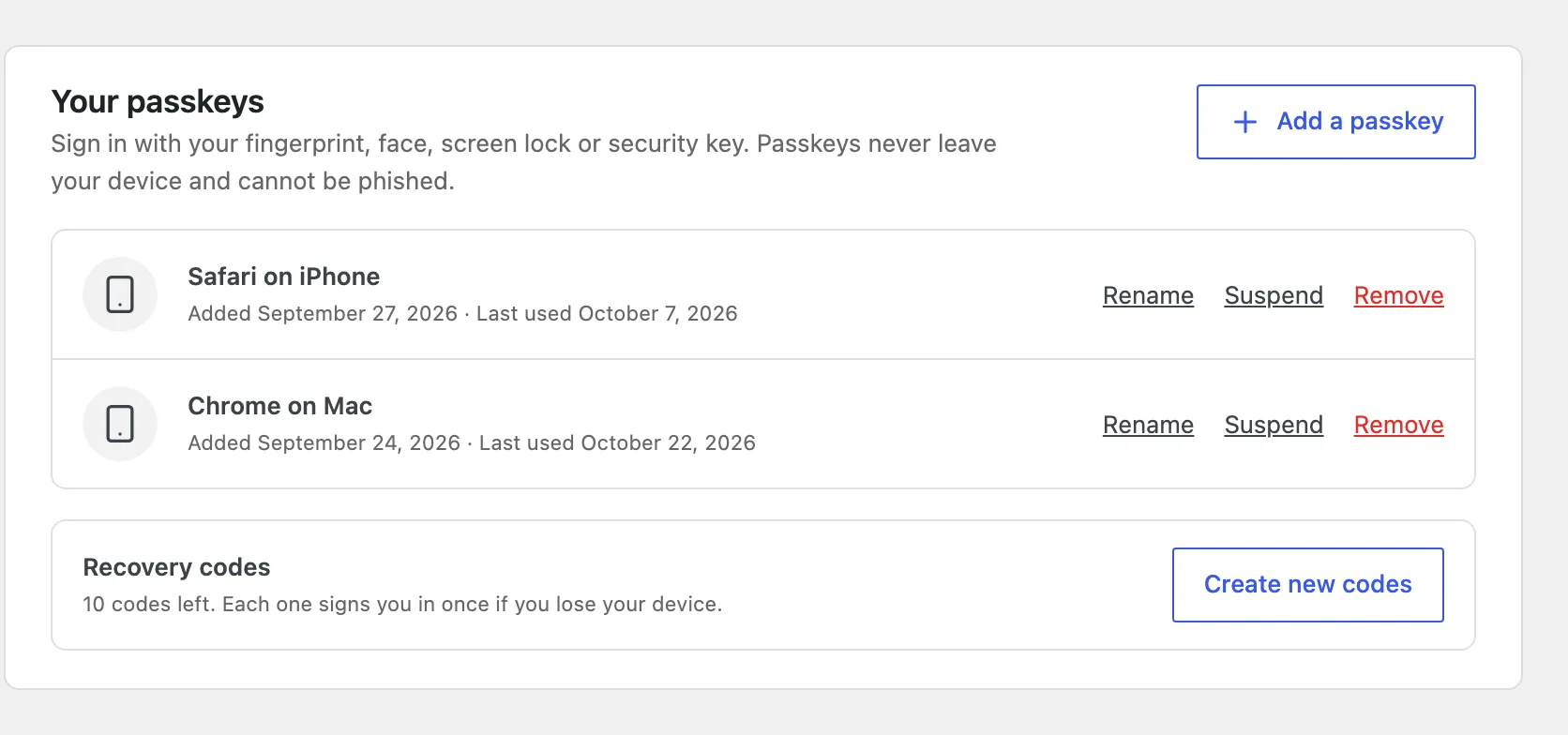
Section titled “Step 1: Add your own passkey”Open Users → Profile and scroll to Passkeys. Press Add a passkey and confirm on your device.
Step 2: Tick WordPress Login
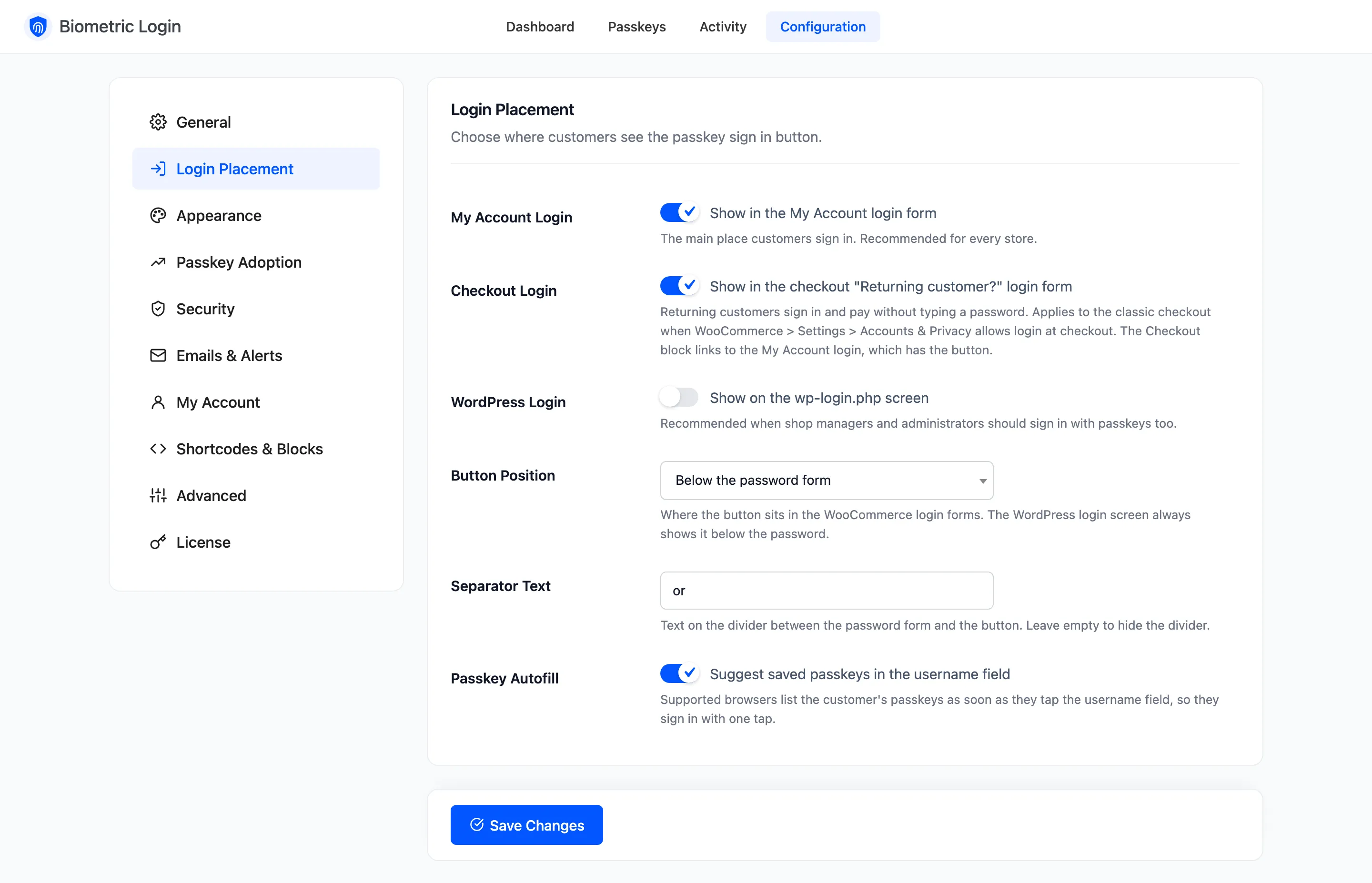
Section titled “Step 2: Tick WordPress Login”Open Configuration → Login Placement, tick WordPress Login and click Save Changes.
Step 3: Sign in from wp-login.php
Section titled “Step 3: Sign in from wp-login.php”Signed out, open wp-login.php. The passkey button sits under the password form, always below it on this
screen.
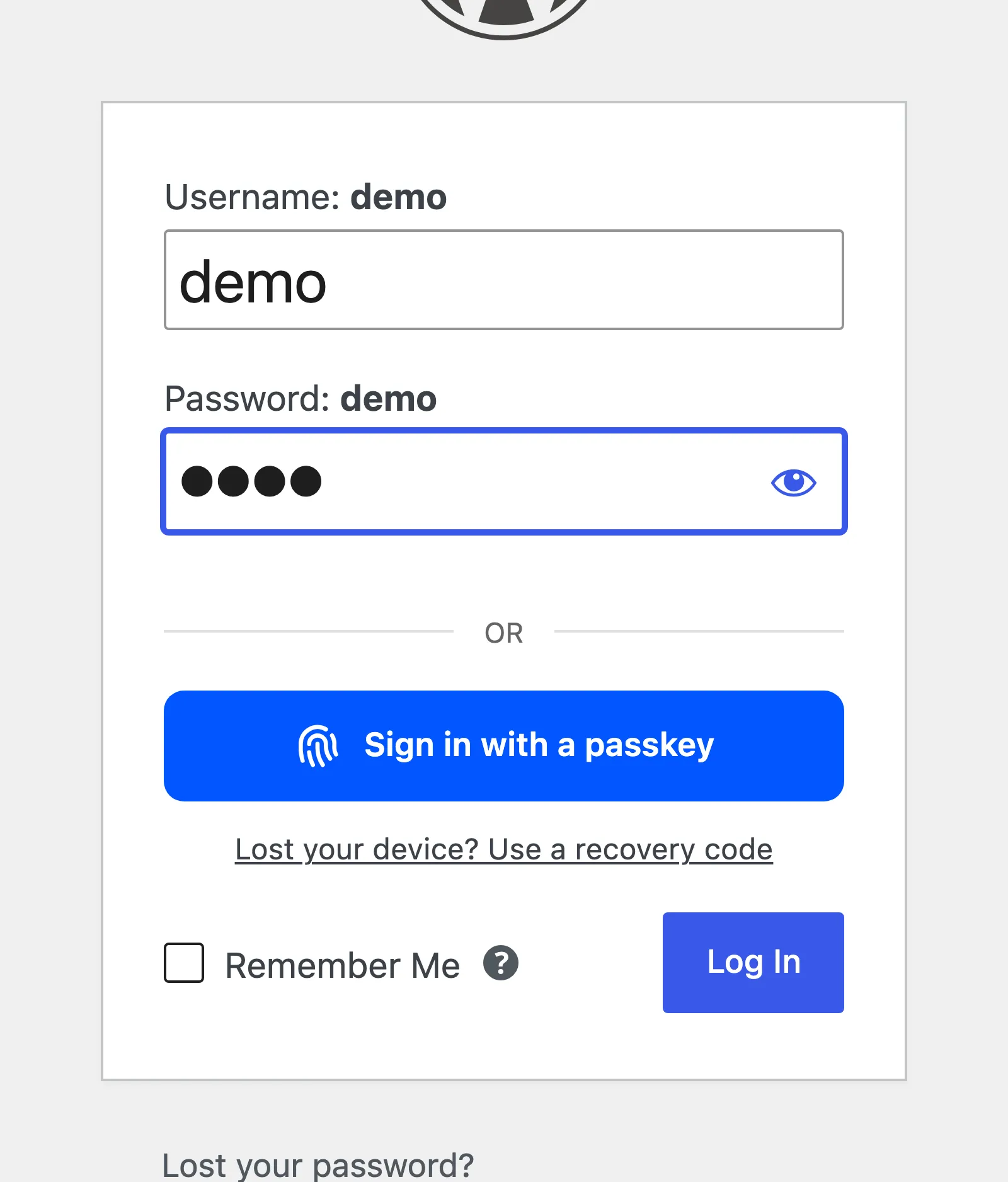
Press it and confirm on your device. You land in the dashboard, or wherever the screen’s redirect_to
points. The sign in is recorded in Activity with Where set to WordPress login.
Go further
Section titled “Go further”- Require a passkey for staff roles.
- Turn on passkey-only sign in, so a stolen password is useless.
- Get an alert when staff sign in.