

The Activity Screen
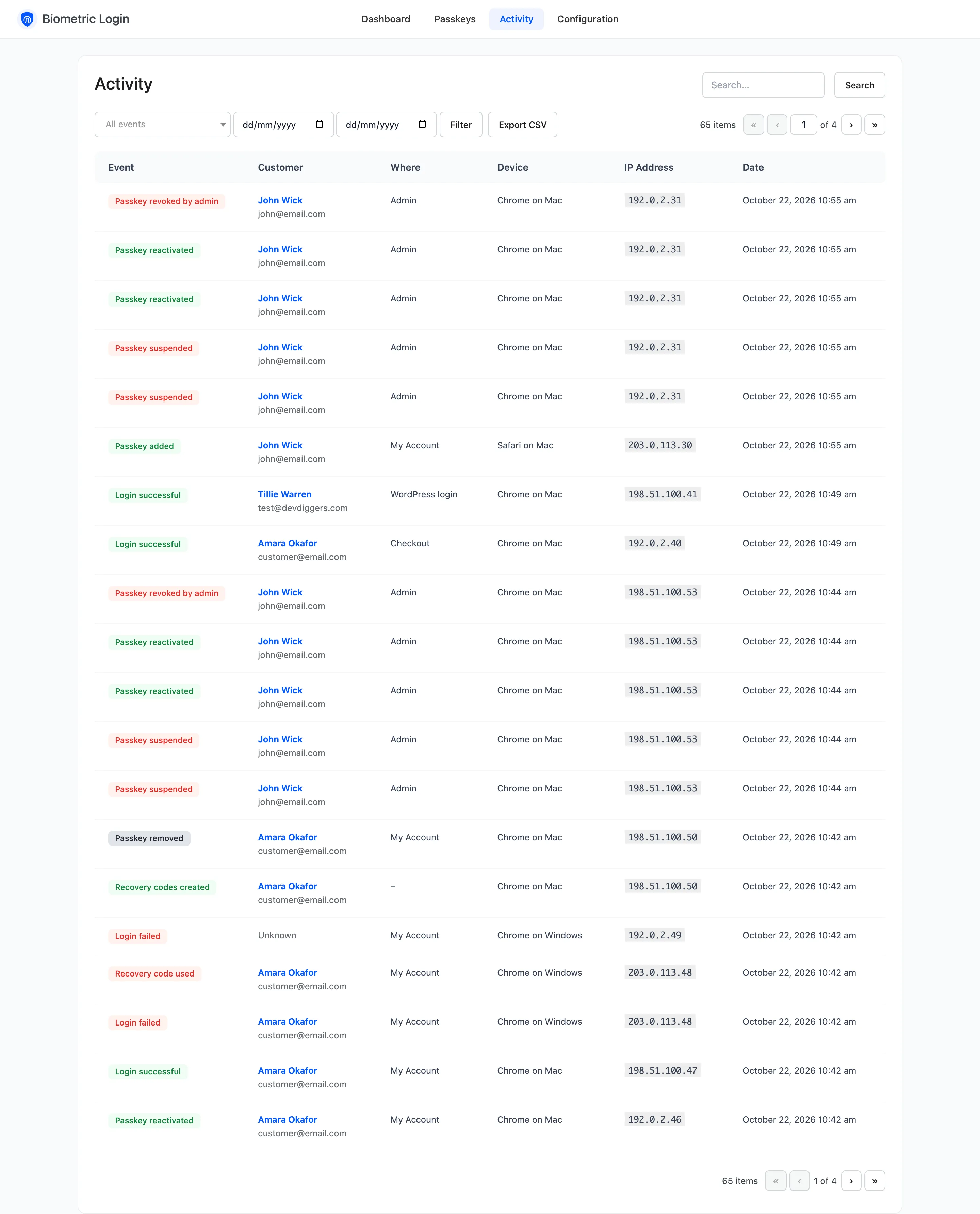
The Activity screen records everything that happens to passkeys on the store, newest first. Open DevDiggers Plugins → Biometric Login → Activity.
Columns
Section titled “Columns”- Event: What happened, with a coloured badge. Green for good news, red for anything worth a look.
- Customer: The account, linked to its own activity. Unknown when nobody could be matched, such as a passkey from another site.
- Where: My Account, Checkout, WordPress login, Passkey autofill, Shortcode, User profile or Admin.
- Device: The browser and device, such as Chrome on Android. Hover it for the full browser string.
- IP Address and Date.
Events
Section titled “Events”| Event | Recorded when |
|---|---|
| Login successful | A passkey signed someone in. |
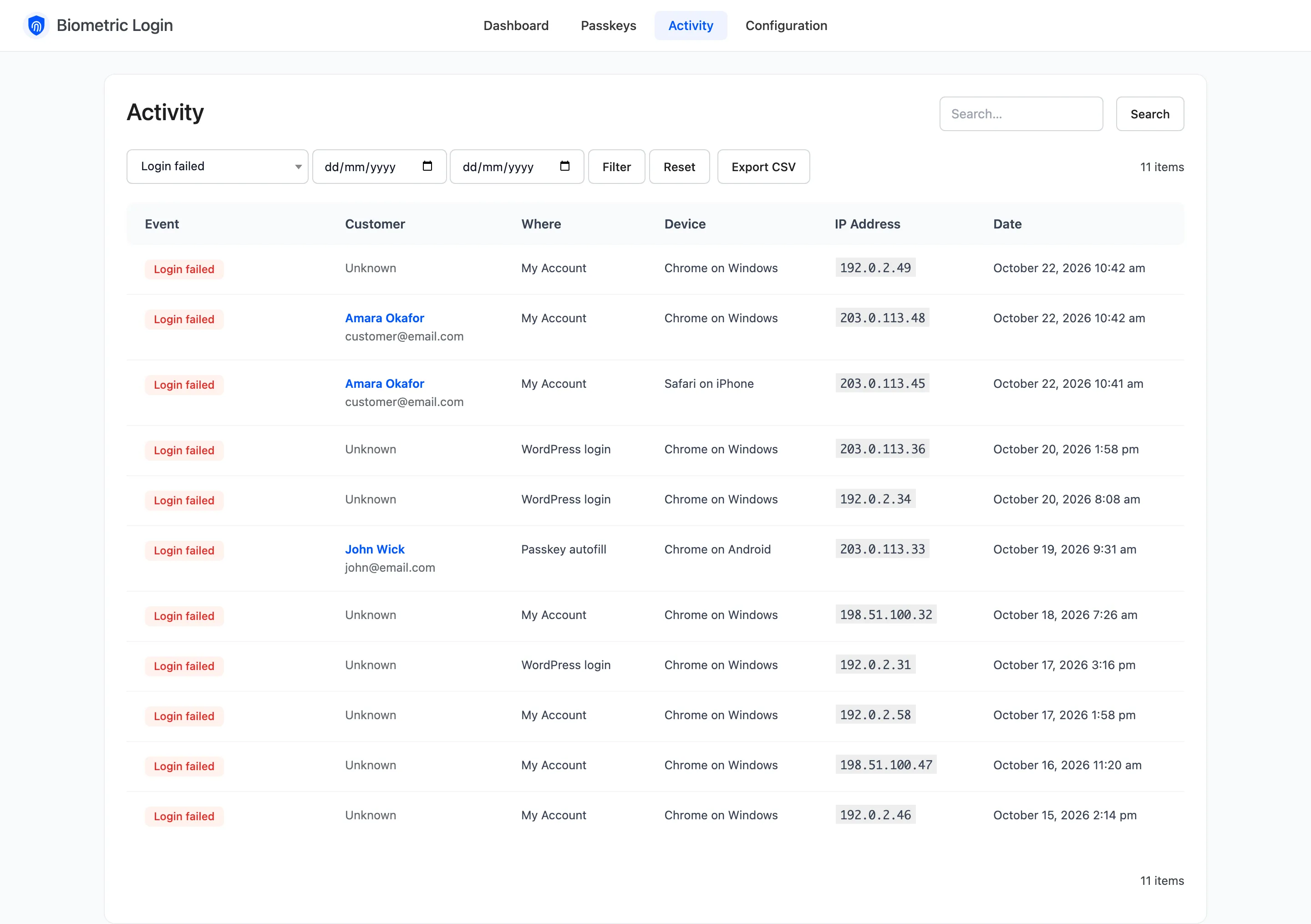
| Login failed | A passkey was refused: unknown, suspended, not allowed or a bad signature. |
| Login blocked | A sign in came from an address that is locked out. |
| Recovery code used | A recovery code signed someone in. |
| Recovery codes created | A user got a new set of codes. |
| Passkey added | A user saved a passkey. |
| Passkey removed | A user removed one of their passkeys. |
| Passkey revoked by admin | You revoked a passkey. |
| Passkey suspended / reactivated | A user or you changed its status. |
Filters
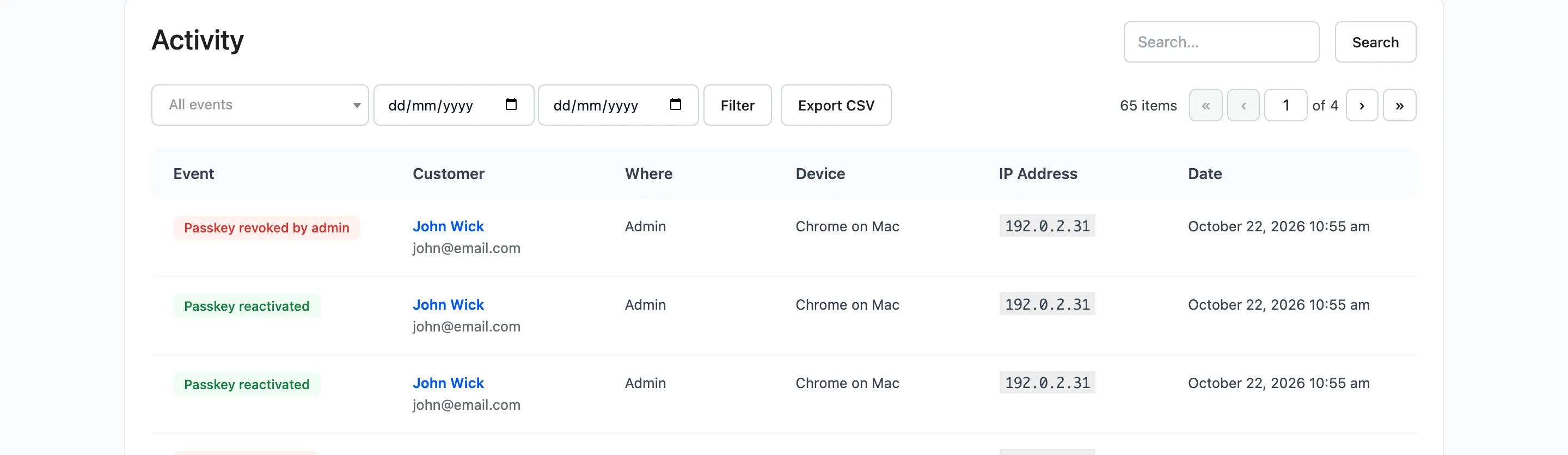
Section titled “Filters”All events picks one event; the two date boxes set a range. Filter applies them, Reset clears them. The search box finds customers by name, username or email, and rows by IP address.
Export CSV
Section titled “Export CSV”Export CSV downloads the rows the filters show, every page of them, as
passkey-activity-<date>.csv. Columns: Date, Event, Customer, Email, Where, IP Address, Browser.
How long rows are kept
Section titled “How long rows are kept”90 days by default, set under Configuration → Advanced → Keep Activity For (Days). A deleted user’s rows stay as anonymous history, without their name, IP address or browser.