

How to Upgrade from Version 1
Version 2.0 is a rebuild: a real code step after the password, recovery codes, trusted devices, required 2FA, the dashboard and the activity log. Update it like any plugin.
Users set up 2FA again
Section titled “Users set up 2FA again”In 1.x, a user’s secret could be worked out from the site address and their user ID. 2.0 gives every user a random secret, stored encrypted. The old secrets cannot be kept.
So users who had 2FA on 1.x see this on their setup page:
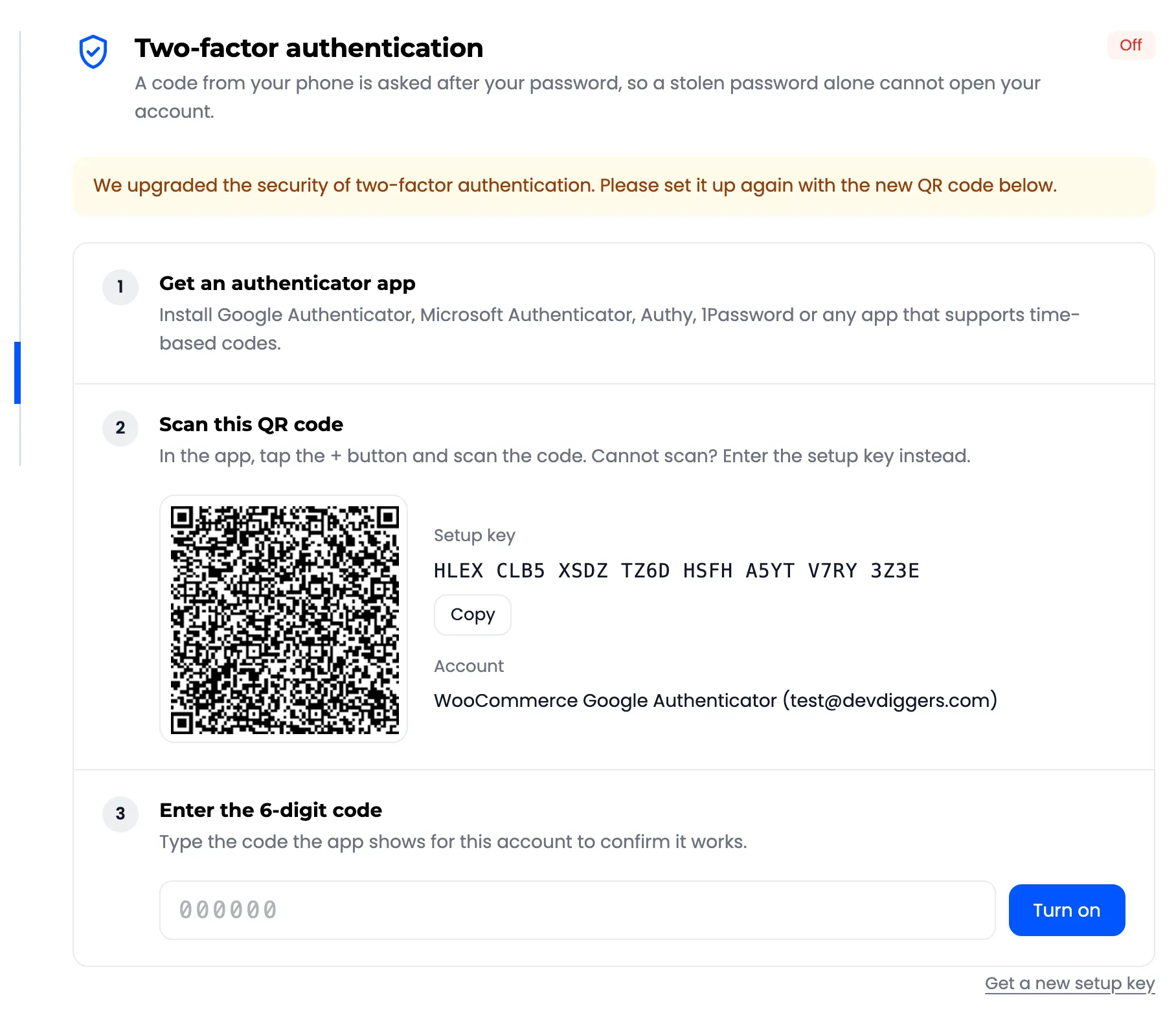
Until they scan the new QR code, they sign in with their password only. Tell them, for example in an email
with a link to /my-account/ddwc-google-authenticator/. To make it mandatory for staff, see
How to Require 2FA for Administrators and Shop Managers.
What else changes
Section titled “What else changes”- The code is asked on every password sign in: My Account, checkout, wp-login.php, custom forms and XML-RPC. In 1.x it was an optional field on the My Account login form only.
- Settings moved into seven tabs under Configuration. Your page slug and shortcode are kept.
- The old admin pages redirect to the new screens.
- The setup wizard does not open on its own for stores that ran 1.x.
The same applies when your salts change
Section titled “The same applies when your salts change”The secrets are encrypted with a key made from your site’s salts in wp-config.php. If those change, the
secrets cannot be read. Users then sign in with their password once, and see the same “set it up again”
message.