

Activity
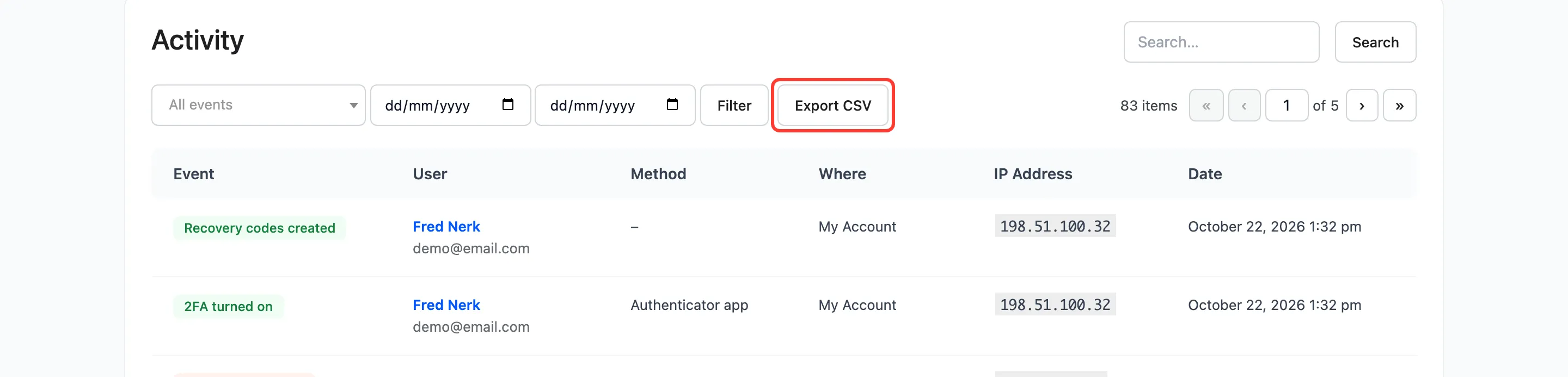
The Activity screen lists every two-factor event, newest first. Open DevDiggers Plugins → Google Authenticator → Activity.
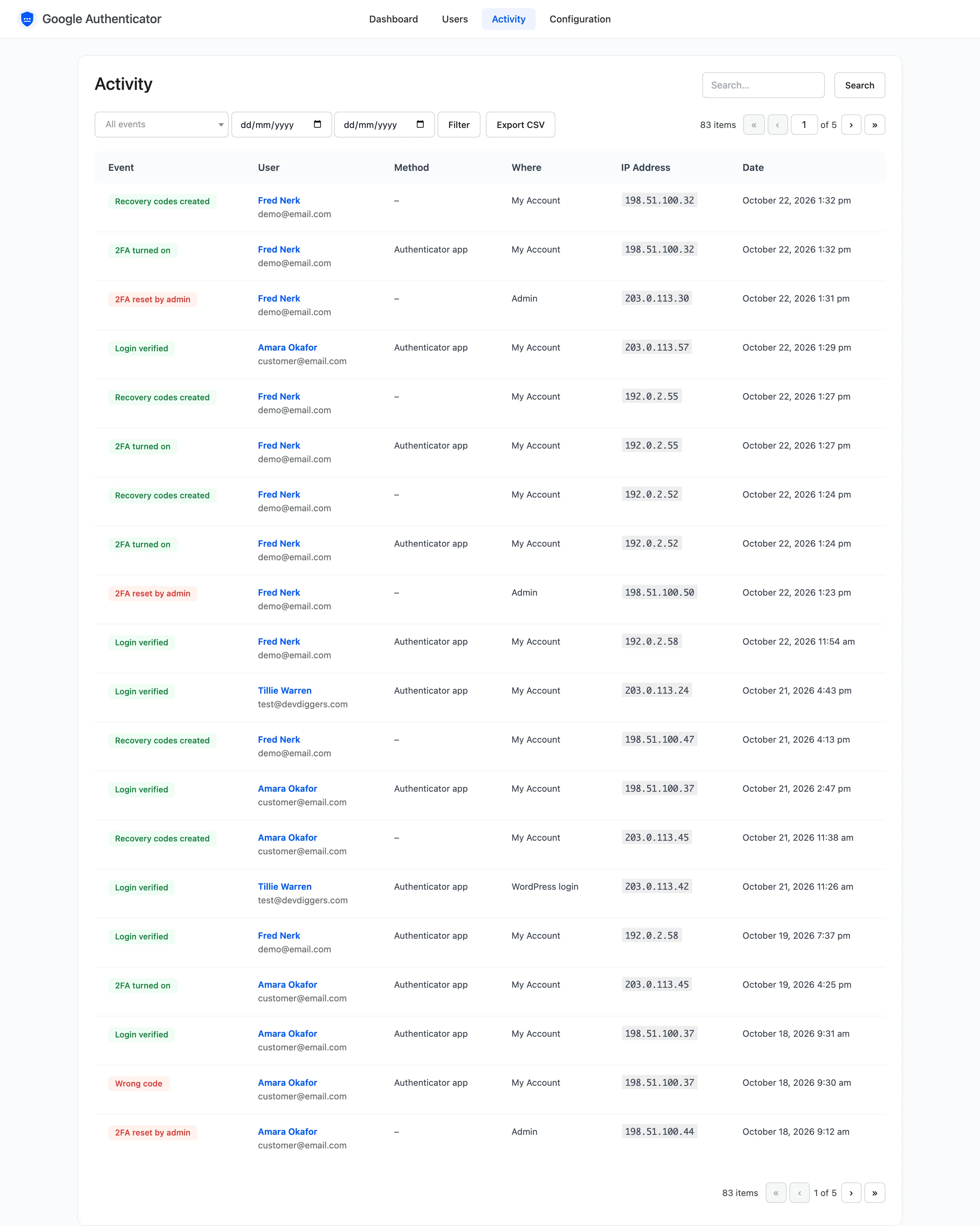
The columns
Section titled “The columns”- Event: What happened, in a coloured badge.
- User: Name and email, linked to that user’s activity.
- Method: Authenticator app, recovery code, email code or trusted device.
- Where: My Account (the WooCommerce login forms, checkout included), WordPress login or Admin (a reset).
- IP Address and Date.
The events
Section titled “The events”- Login verified and Trusted device login: A completed sign in.
- Wrong code and Locked out: A code that did not match, and the lockout it led to.
- Recovery code used and Email code sent.
- 2FA turned on, 2FA turned off and 2FA reset by admin.
- Recovery codes created and Trusted devices removed.
Filters
Section titled “Filters”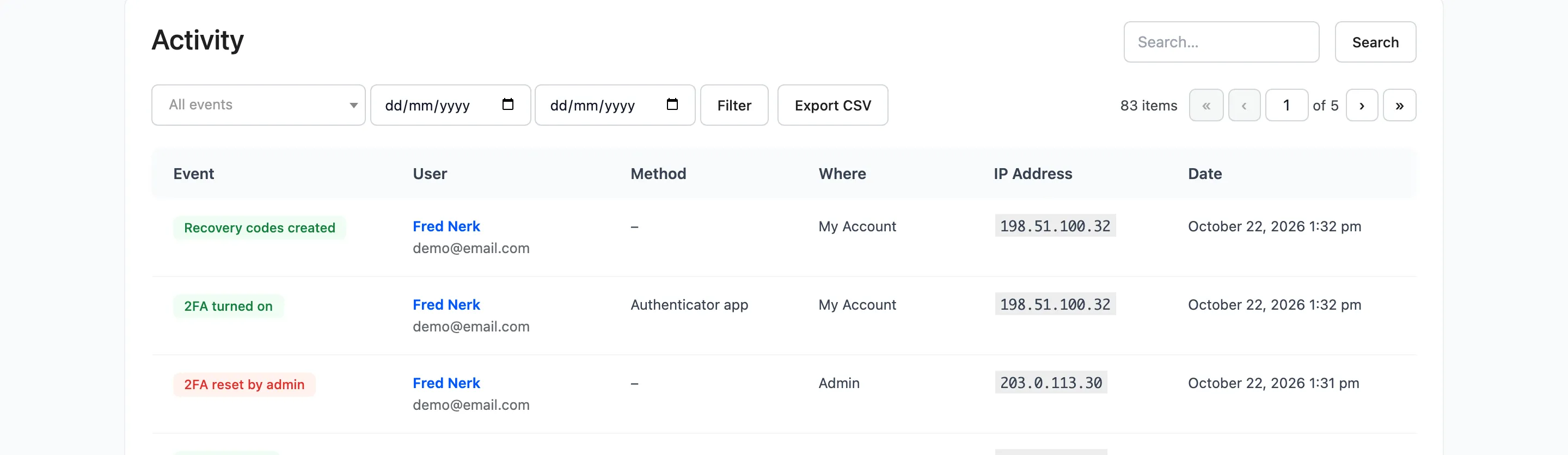
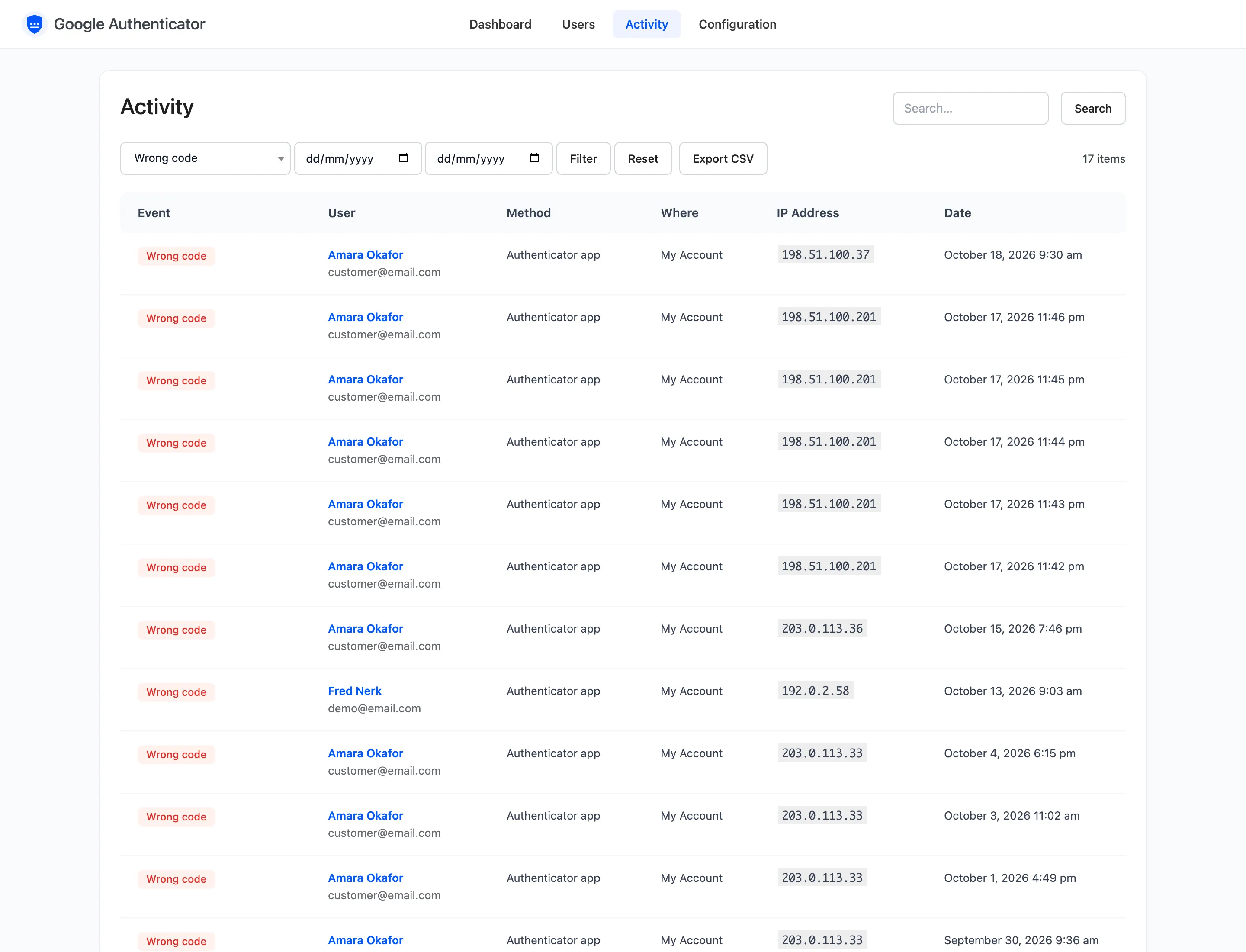
Pick an event, a date range or both, and press Filter. Search matches the IP address, username, email and name. Reset clears the filters.
On the demo, filtering by Wrong code lists every mismatch with its IP address.
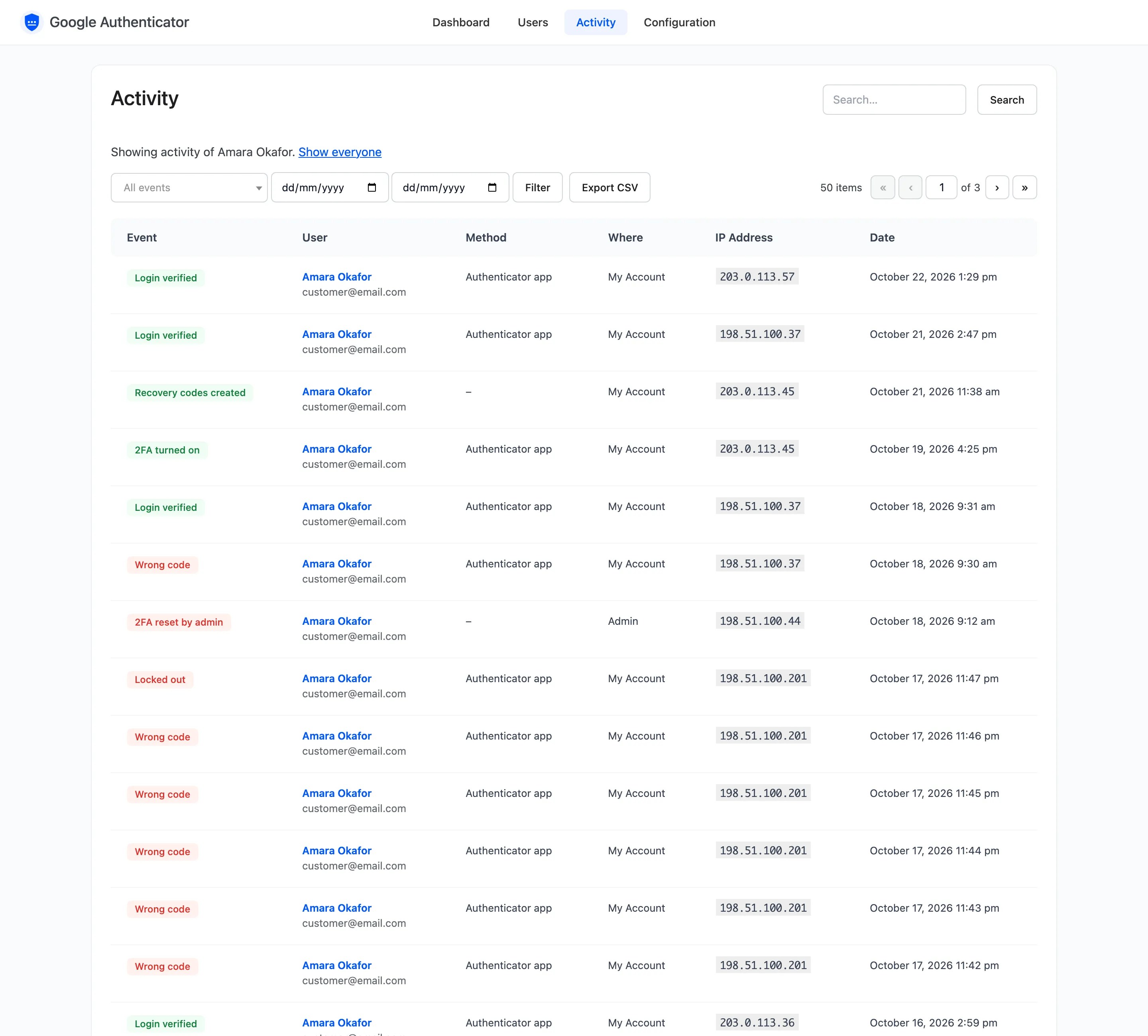
One user
Section titled “One user”Activity on the Users screen, or a name in this list, shows one user’s history. Show everyone goes back.
Export CSV
Section titled “Export CSV”Export CSV downloads the rows that match the current filters, all pages. The file has the date, event, user, email, method, where, IP address and the full browser string.
How long it is kept
Section titled “How long it is kept”Entries older than Keep Activity (Days), 90 by default, are deleted once a day. When a user is deleted, their entries stay but lose the name, IP address and browser. See Advanced Settings.