

WordPress Users and Profiles
Two-factor status also shows where you already manage users: the WordPress Users screen and each profile.
The 2FA column
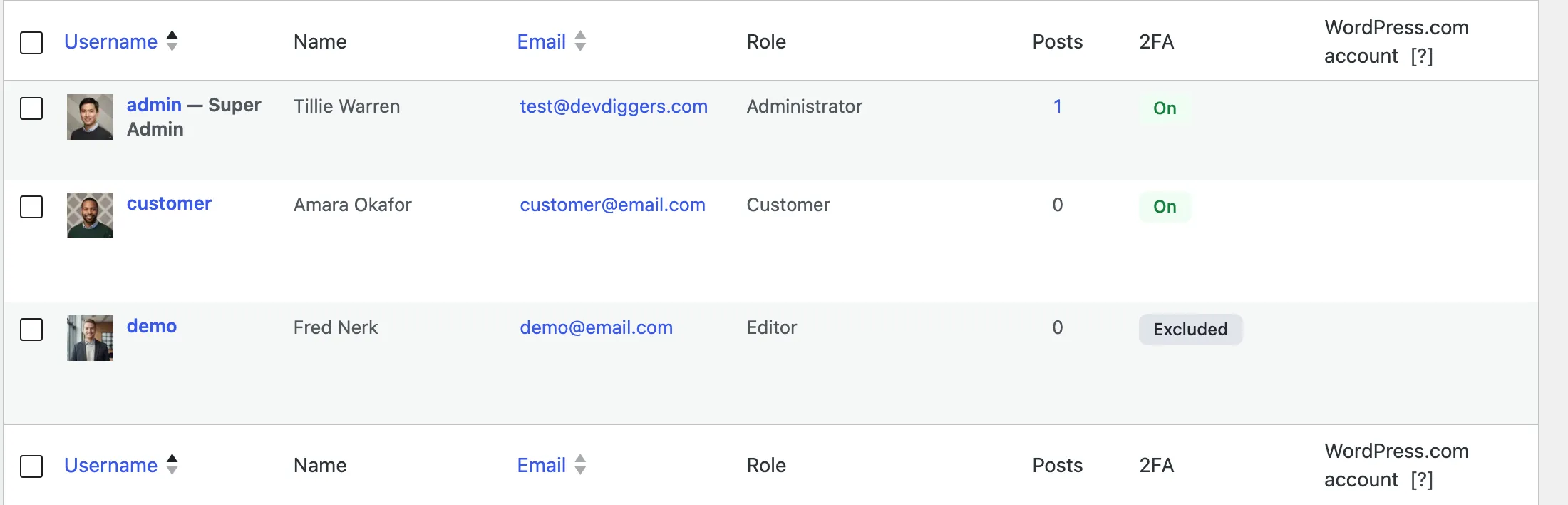
Section titled “The 2FA column”Users → All Users gets a 2FA column with the same badges as the plugin’s own Users screen: On, Off, Setup required and Excluded.
Your own profile
Section titled “Your own profile”On Profile, a Two-Factor Authentication section shows your status and a button to the My Account page, where the QR code and recovery codes live.

Someone else’s profile
Section titled “Someone else’s profile”On another user’s profile, the section shows their status and, when 2FA is on, Reset 2FA.

After the confirmation, a notice says it is done and the status reads Off. The user gets the Reset by Admin email.

