

Required 2FA Settings
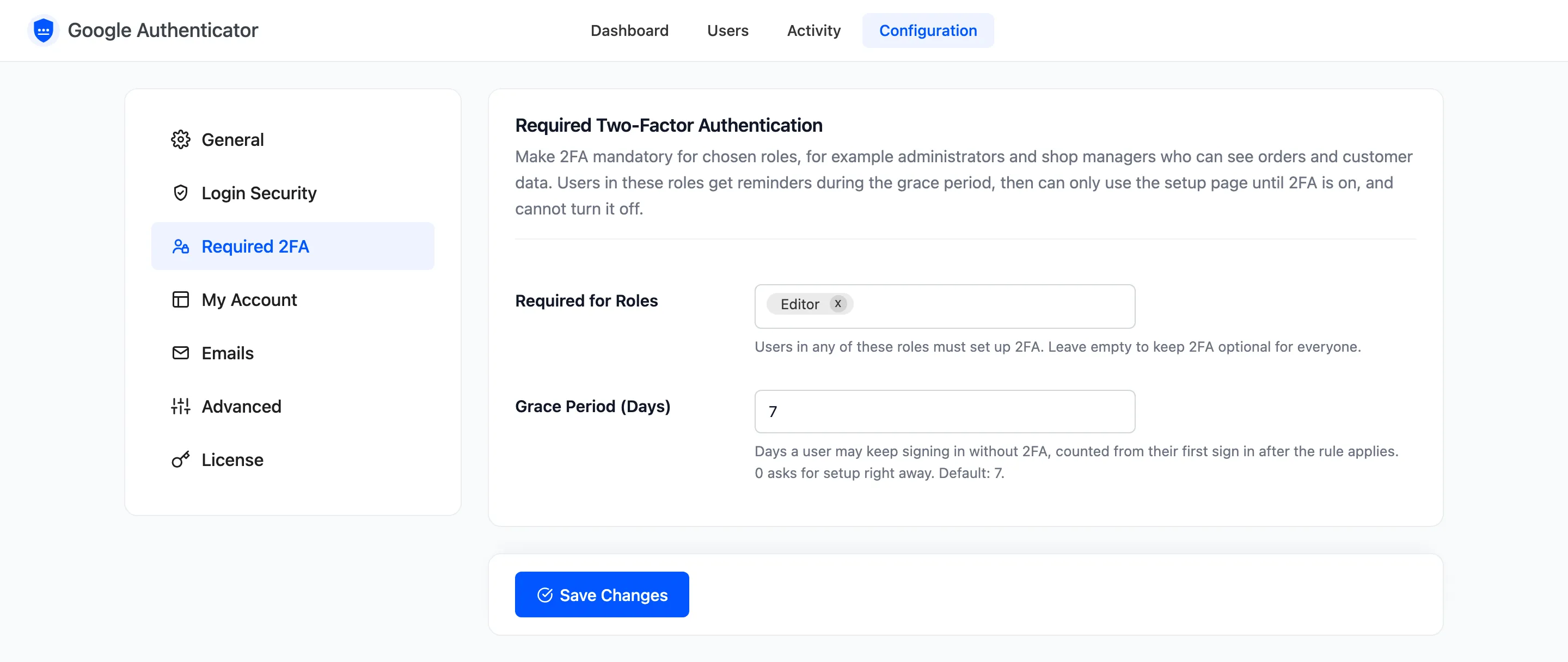
By default 2FA is optional: each user decides. The Required 2FA tab makes it mandatory for the roles you choose. Open Configuration → Required 2FA.
The fields
Section titled “The fields”- Required for Roles: Users in any of these roles must set up 2FA. Empty by default, which keeps it optional for everyone.
- Grace Period (Days): Default 7, from 0 to 90. How long a required user may keep signing in without 2FA, counted from their first sign in after the rule applies. 0 asks for setup at once.
What a required user sees
Section titled “What a required user sees”During the grace period, a reminder in wp-admin and on their setup page gives the deadline.
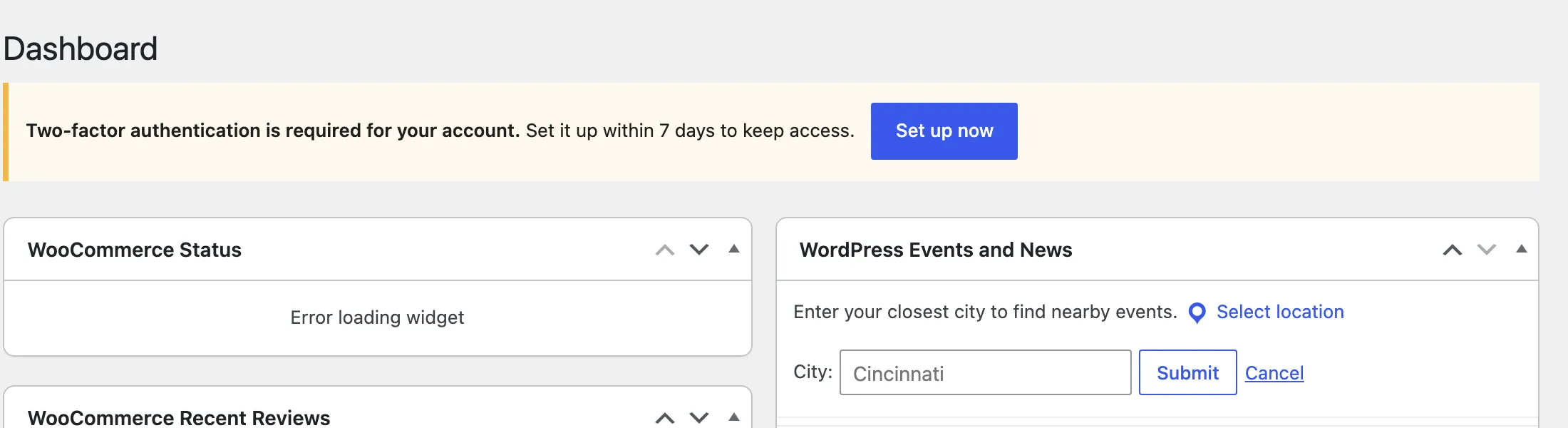
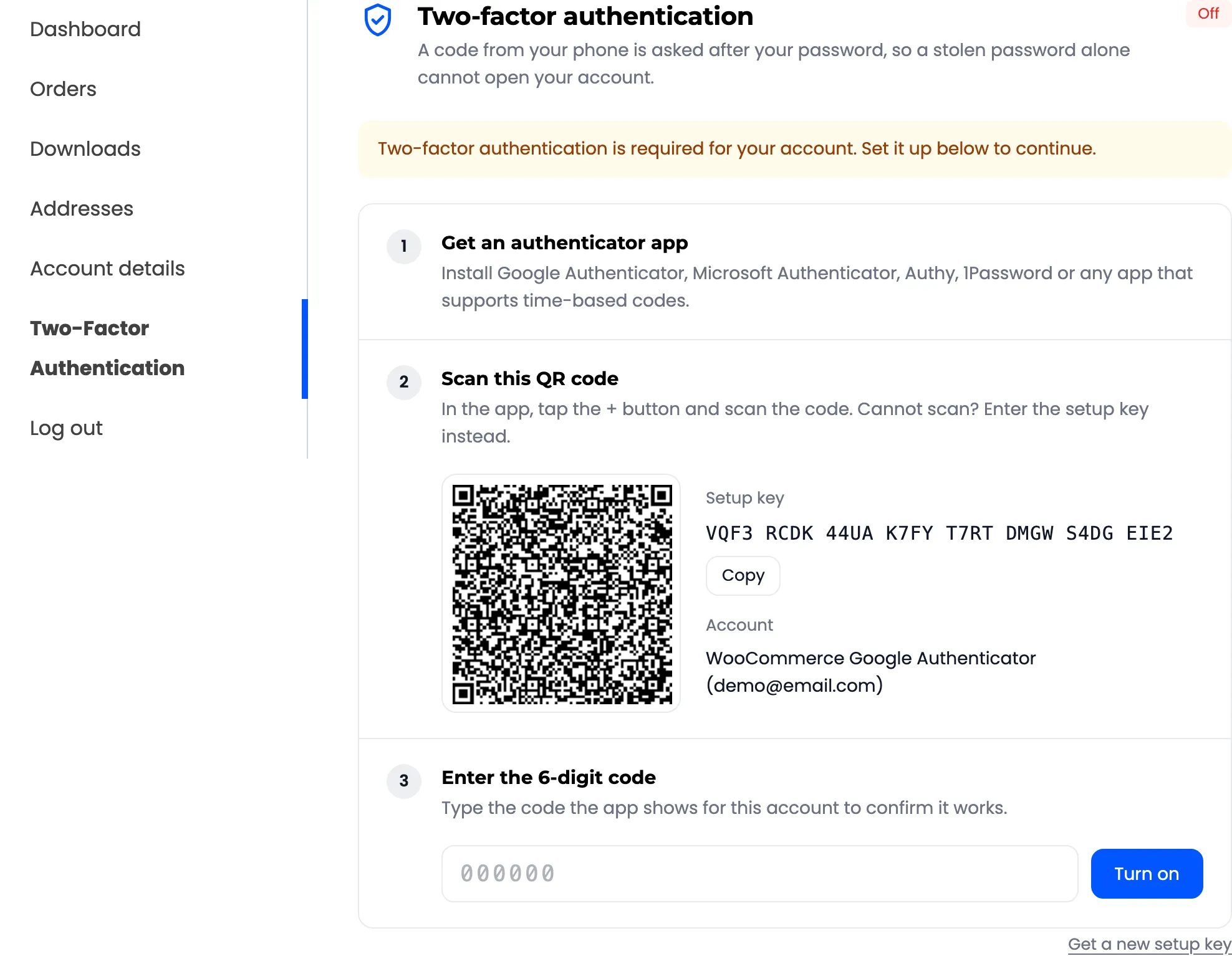
After it, every page of the shop and of wp-admin sends them to the setup page. They can still log out.
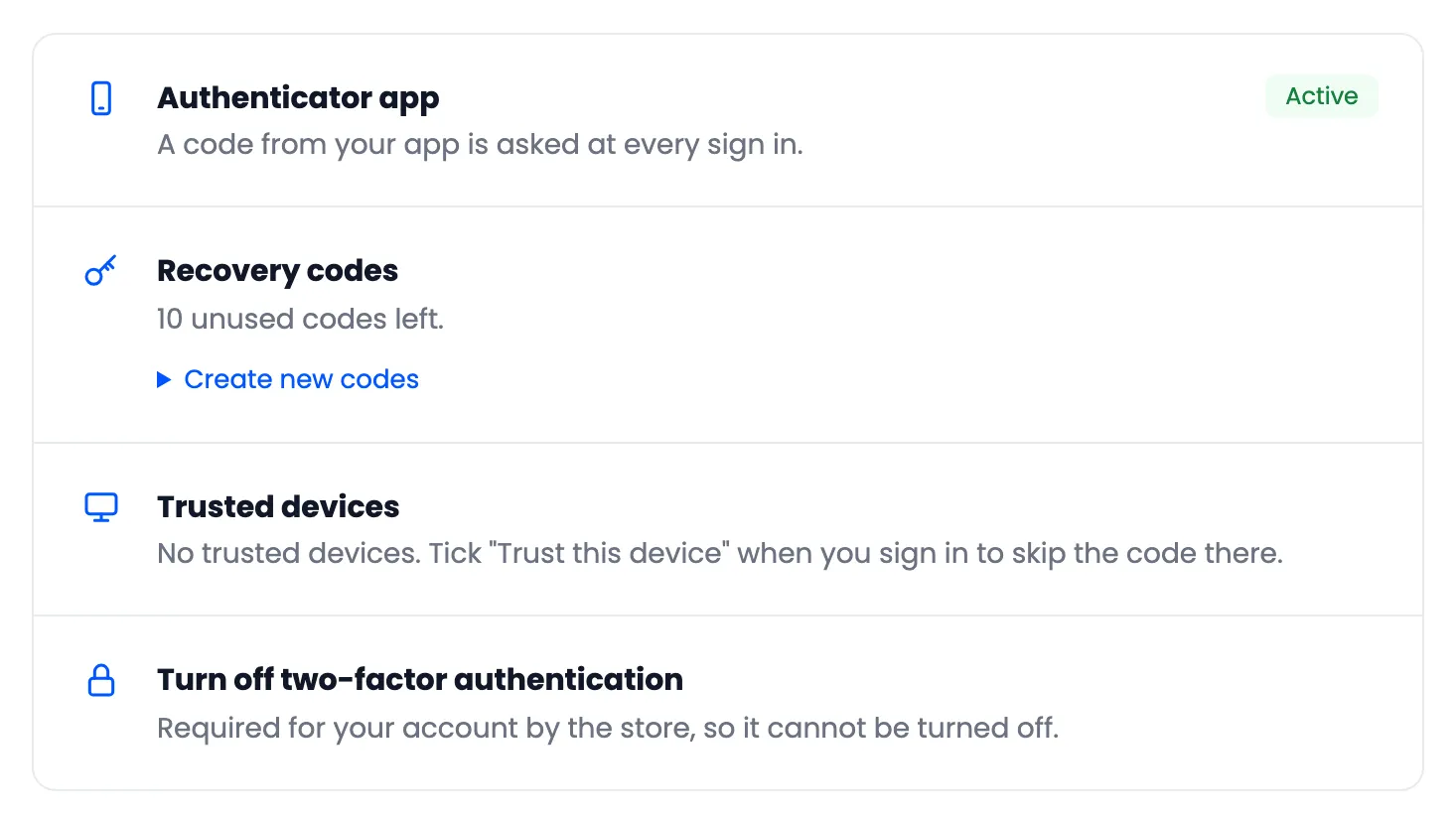
Once 2FA is on, it cannot be turned off from their account.
Good to know
Section titled “Good to know”- Excluded users are never required, whatever their role.
- Background requests (Ajax, scheduled tasks, admin-post) keep working past the grace period, so nothing on the site breaks while someone is redirected.
- After an admin resets a required user’s 2FA, a new grace period starts at their next visit.
- Required, Not Set Up on the dashboard and the Setup Required view on the Users screen list who still needs to act.