Emails and Alerts
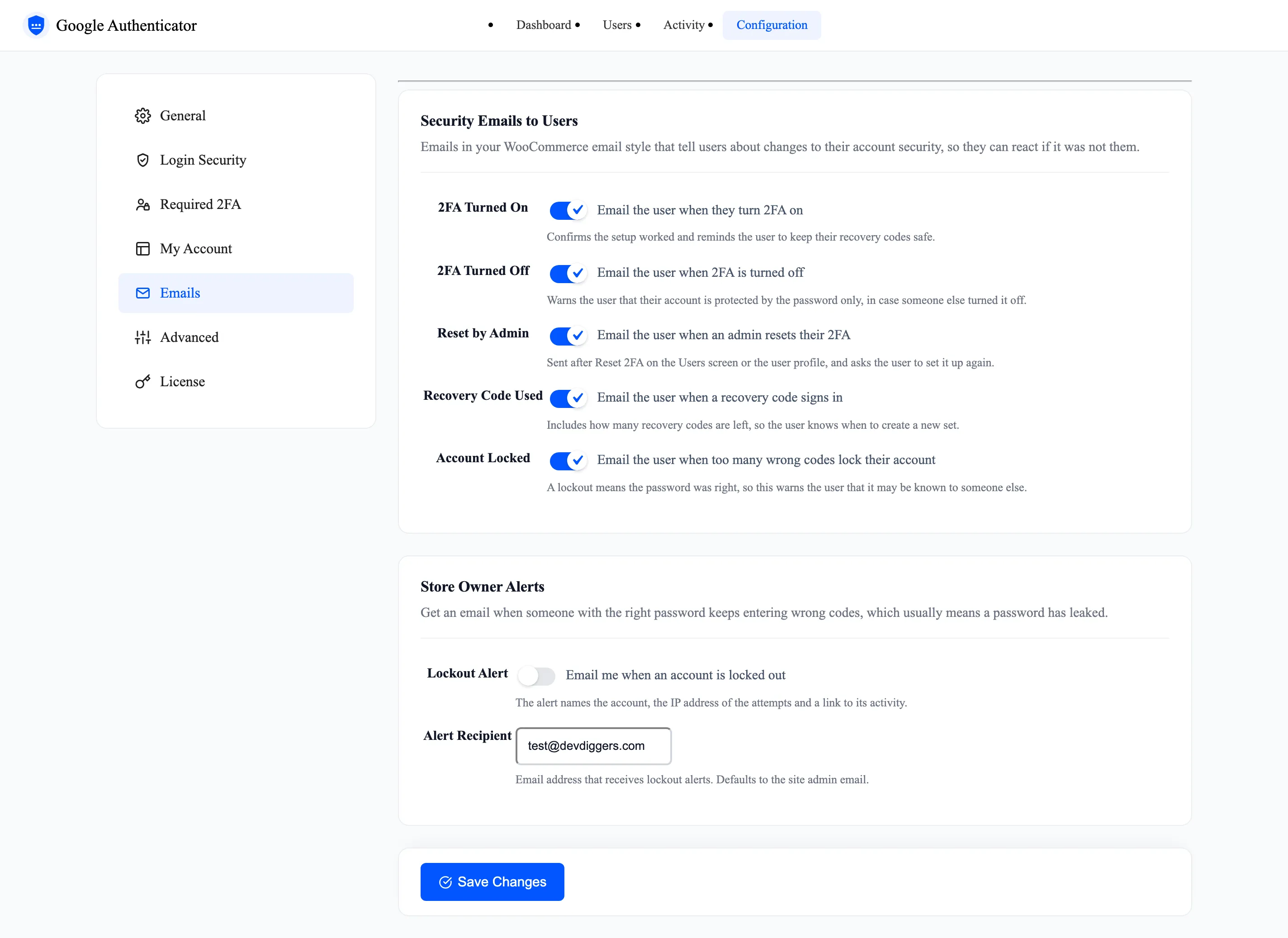
The Emails tab decides which security emails go out. They use your WooCommerce email style. Open Configuration → Emails.
Security Emails to Users
Section titled “Security Emails to Users”All five are ticked by default.
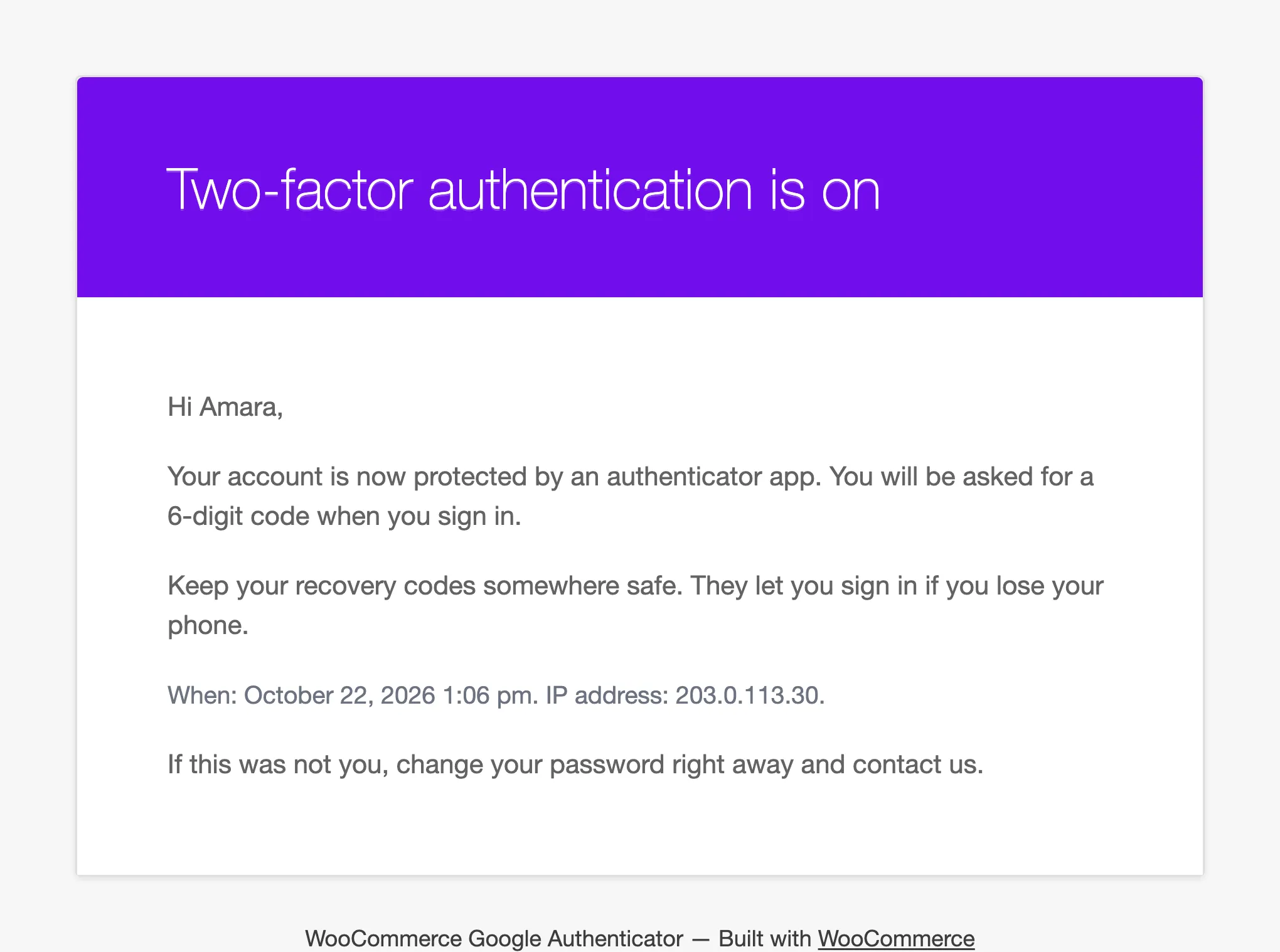
- 2FA Turned On: Confirms the setup and reminds the user to keep their recovery codes safe.
- 2FA Turned Off: Warns that the password alone now protects the account.
- Reset by Admin: Sent after Reset 2FA, and asks the user to set it up again.
- Recovery Code Used: Says how many codes are left.
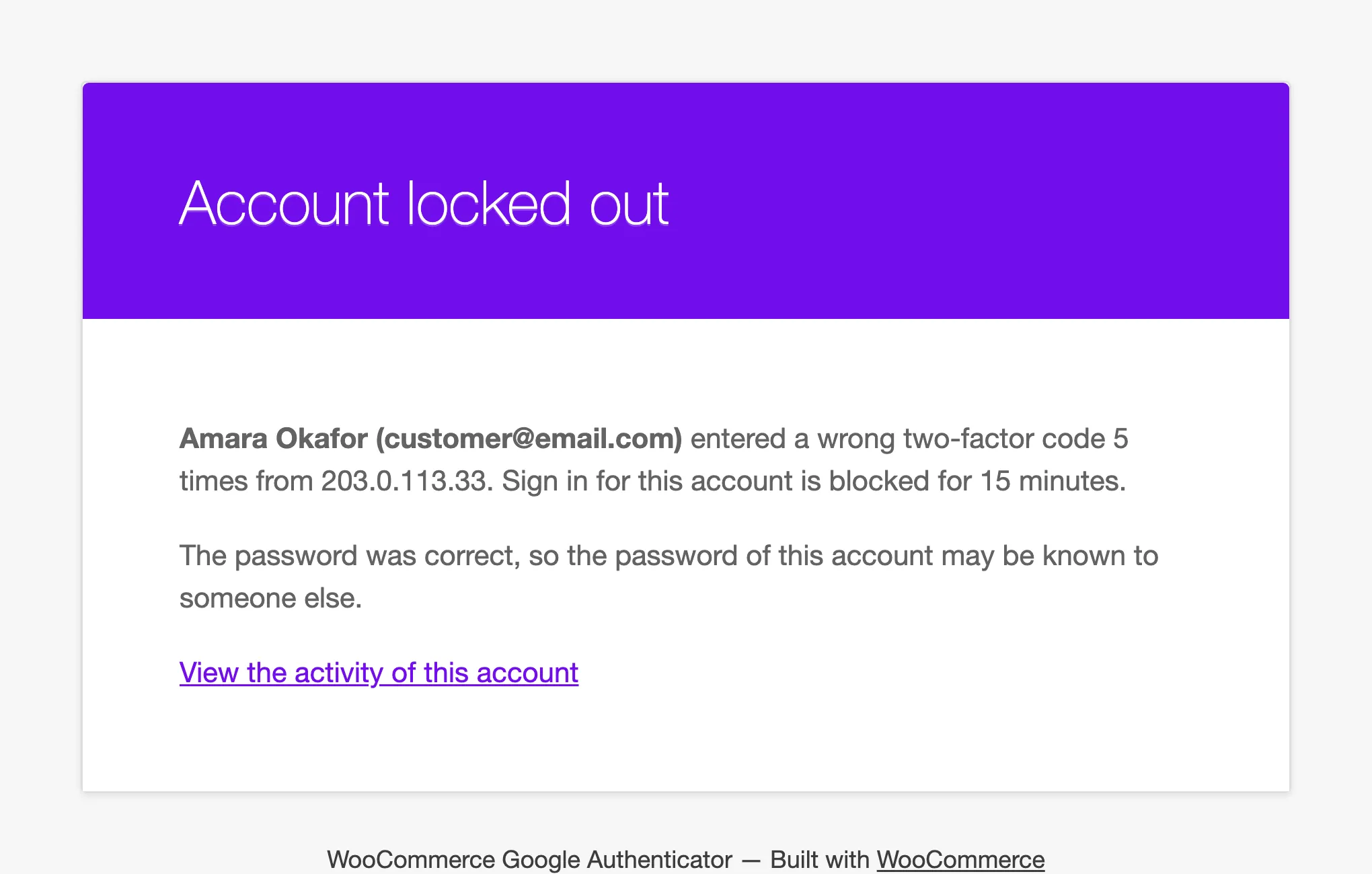
- Account Locked: Sent when wrong codes lock the account. The password was right, so it may be known to someone else.
Each email carries the date, time and IP address, and tells the user to change their password if it was not them.
The email code itself, when you allow email codes, always goes out. It has no switch here.
Store Owner Alerts
Section titled “Store Owner Alerts”- Lockout Alert: Off by default. Emails you when an account is locked.
- Alert Recipient: Defaults to the site admin email.
The alert names the account, the number of wrong codes, the IP address they came from, and links to that account’s activity.