

Google Authenticator Dashboard
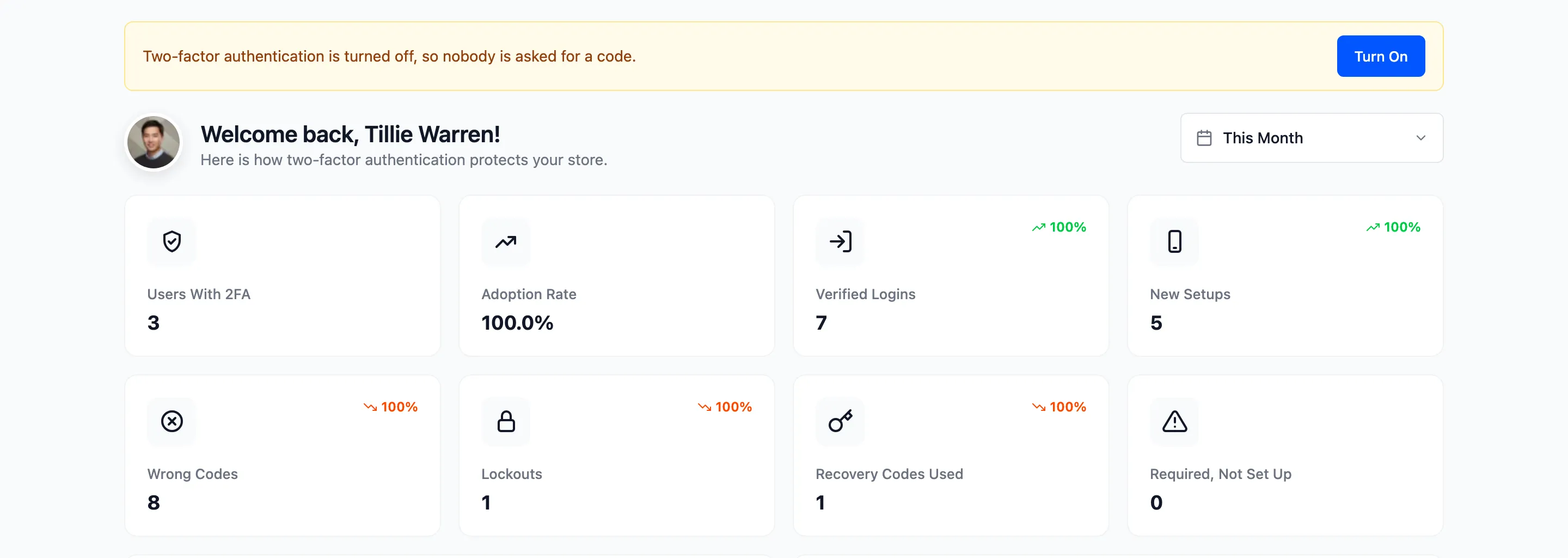
The dashboard shows how far 2FA has spread on your store and how it is being used. Open DevDiggers Plugins → Google Authenticator → Dashboard.
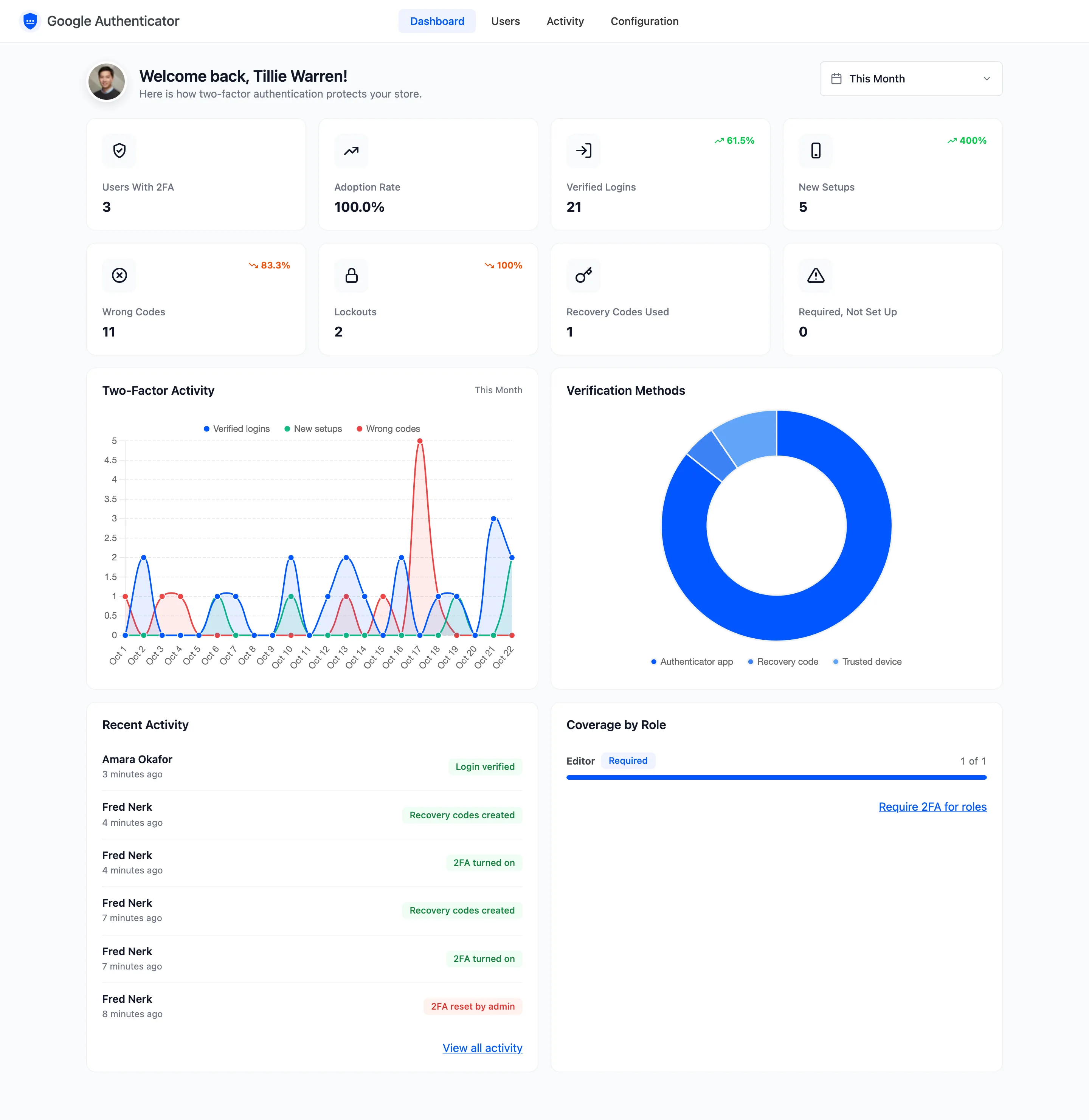
The date picker at the top sets the period, the last 30 days by default. Cards with a percentage compare the period with the one just before it.
Summary cards
Section titled “Summary cards”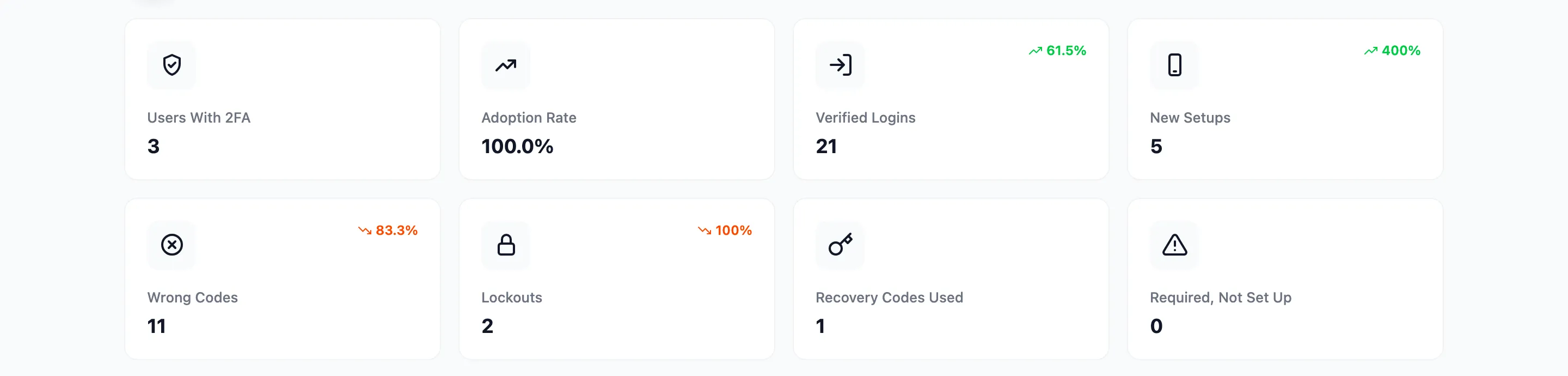
- Users With 2FA: Users who have it on now.
- Adoption Rate: Users with 2FA out of all users on this site.
- Verified Logins: Sign ins completed with a code, or skipped on a trusted device.
- New Setups: Times 2FA was turned on in the period.
- Wrong Codes: Codes that did not match.
- Lockouts: Accounts blocked after too many wrong codes.
- Recovery Codes Used: Sign ins with a recovery code.
- Required, Not Set Up: Users in a required role who have not turned 2FA on. Zero when no role is required.
Fewer Wrong Codes, Lockouts and Recovery Codes Used is better, so a fall shows in green.
Charts
Section titled “Charts”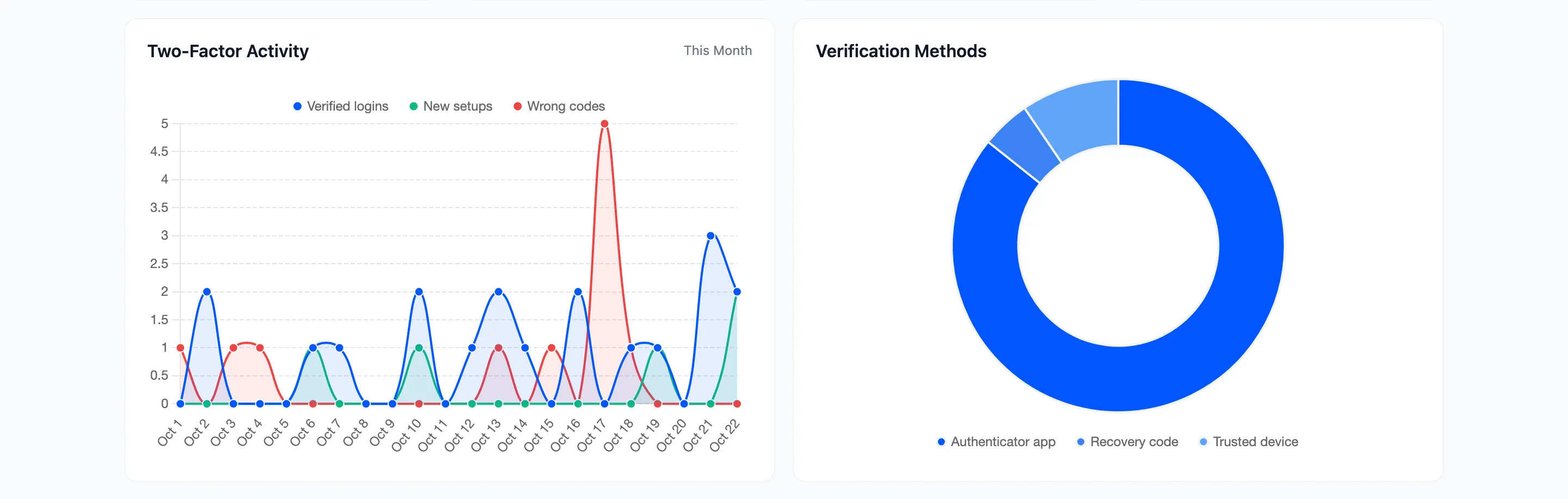
- Two-Factor Activity: Verified logins, new setups and wrong codes, day by day.
- Verification Methods: How verified logins were confirmed: app, recovery code, email code or trusted device.
Recent Activity and Coverage by Role
Section titled “Recent Activity and Coverage by Role”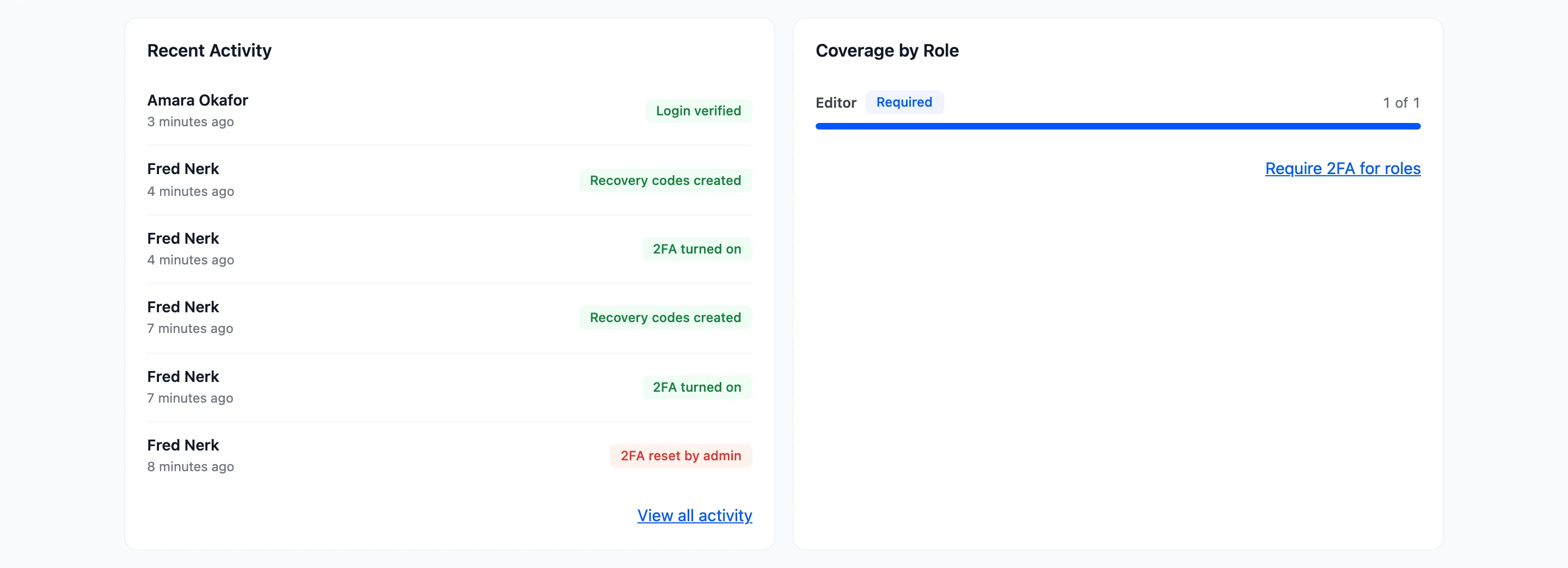
- Recent Activity: The six latest events. View all activity opens the Activity screen.
- Coverage by Role: For each required role, how many of its users have 2FA, marked Required. With no role required, it shows administrators, shop managers and customers. Require 2FA for roles opens the Required 2FA tab.
When something needs attention
Section titled “When something needs attention”A banner at the top says when nobody is protected: the license is not active, or Two-Factor Authentication is switched off. Its button opens the tab that fixes it.
Where the numbers come from
Section titled “Where the numbers come from”Every number comes from the activity log. With Record Activity off under Configuration → Advanced, nothing new is counted and the cards stop moving. Users With 2FA, Adoption Rate and Required, Not Set Up are counted from the users themselves, so they stay right.