

How to Export or Erase a Customer's Two-Factor Data
The plugin stores IP addresses and browsers with every sign in, so it joins WordPress’s privacy tools.
Export
Section titled “Export”Open Tools → Export Personal Data, add the customer’s email or username, and download their data.
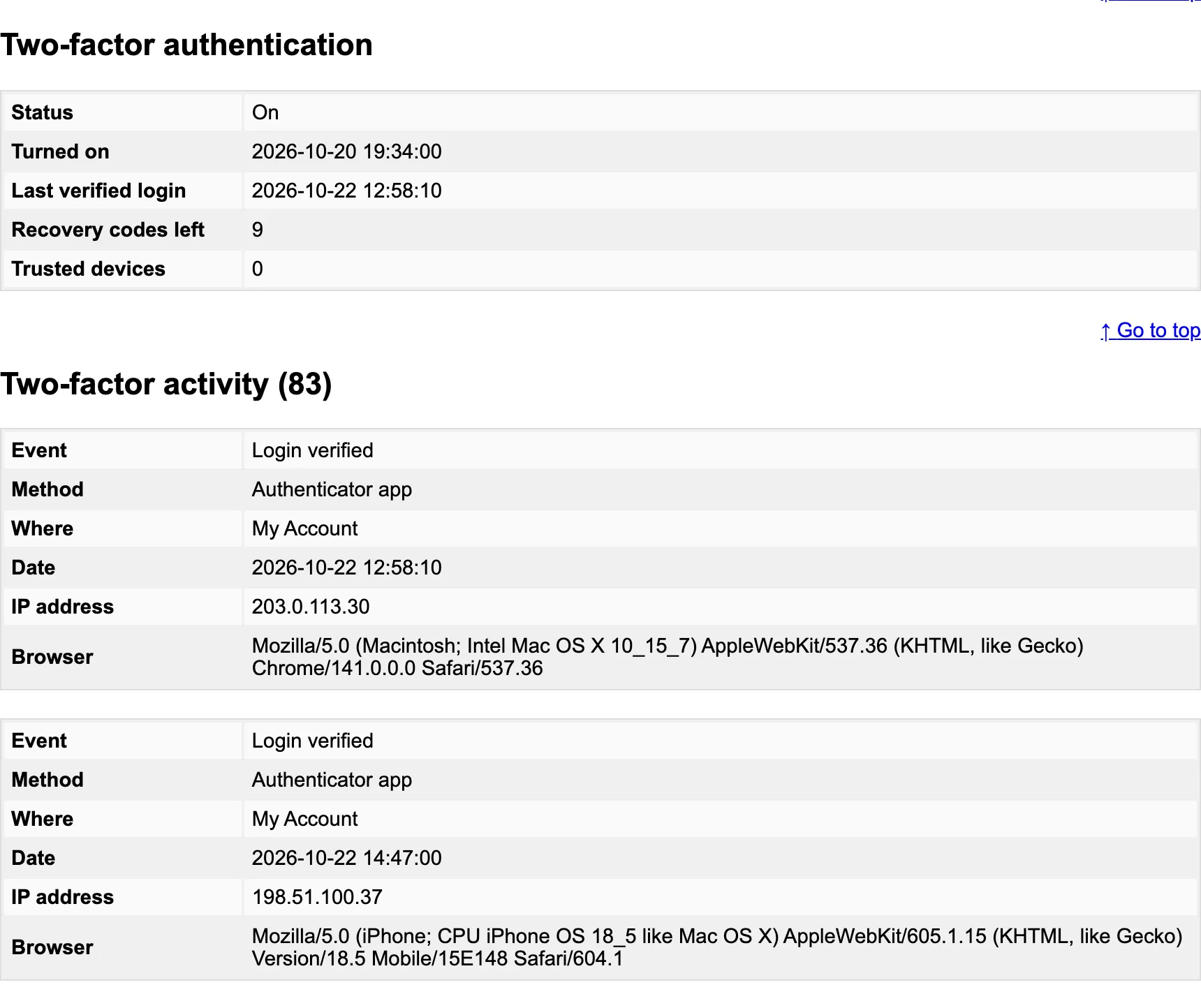
The file has a Two-factor authentication section with their status, setup date, last verified sign in, recovery codes left and trusted devices, and a Two-factor activity section with every event, method, place, date, IP address and browser.
Open Tools → Erase Personal Data, add the email, and run the erasure.

On the demo, erasing Amara’s data:
- removed her name, IP addresses and browsers from all 83 of her activity rows, which stay as anonymous counts;
- forgot her trusted devices;
- left 2FA on, with this message: “Two-factor authentication was left on so the account stays protected. Reset it from the Users screen if the account is being closed.”
Turning 2FA off would leave the account with its password only, so erasure does not do it. When the account is being closed, deleting the user removes everything.