

The Order Progress Bar Dashboard
The dashboard shows how orders move through your steps: how many are on their way, how long each step takes, and which orders have stopped. Open DevDiggers Plugins → Order Progress Bar → Dashboard.
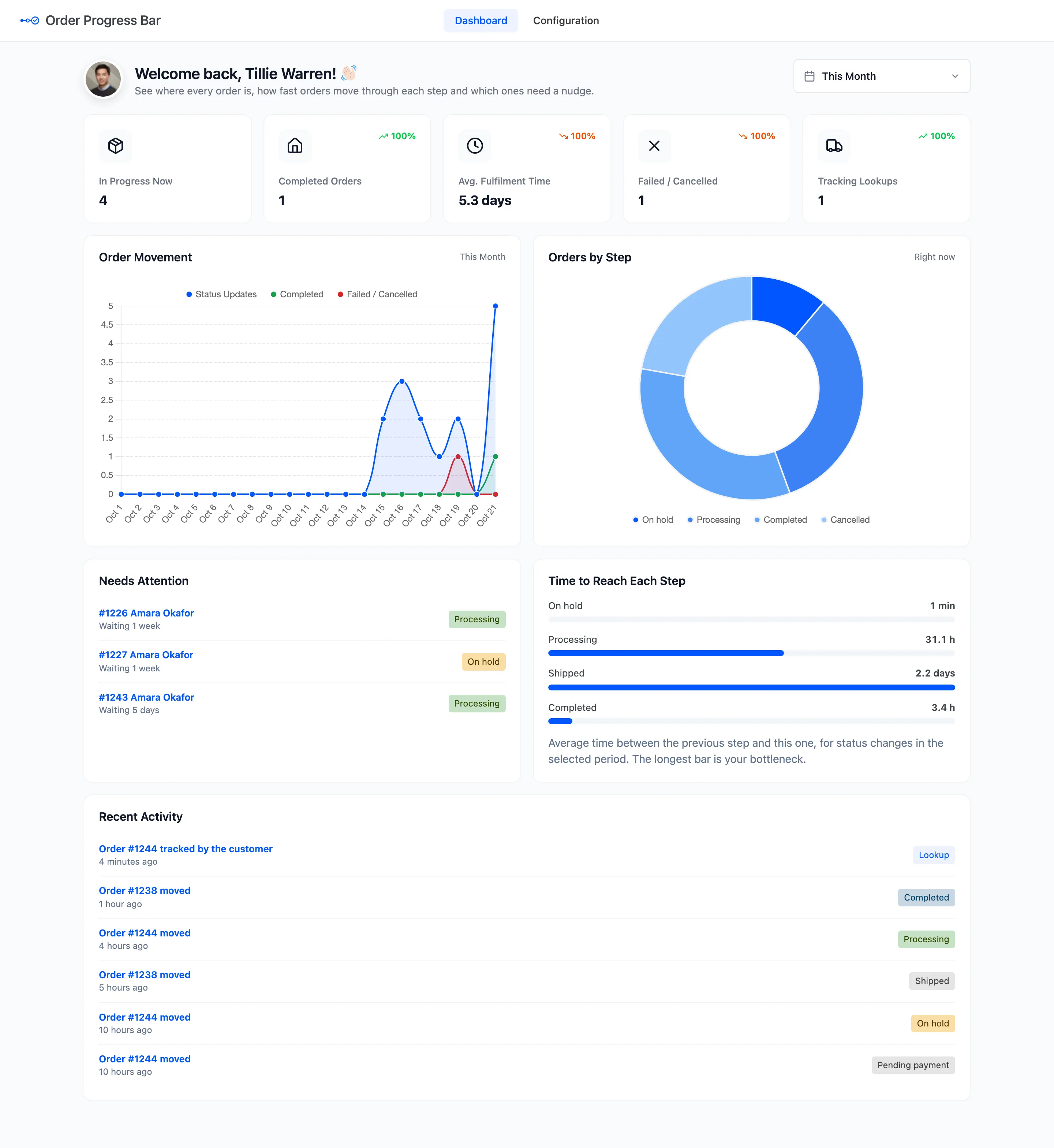
Everything here comes from the status changes the plugin records. Orders placed before it was installed count only from their next status change.
Pick the dates
Section titled “Pick the dates”The menu at the top right picks the period: This Month by default. The others run from Today to All Time, plus a custom range of your own. It drives the four period cards, Order Movement and Time to Reach Each Step. In Progress Now, Orders by Step and Needs Attention always show the current state.
The cards
Section titled “The cards”
- In Progress Now: Orders sitting in any step except the last one, right now.
- Completed Orders: Orders that reached your last step in the period.
- Avg. Fulfilment Time: The average time from the order being placed to the last step, for orders that finished in the period.
- Failed / Cancelled: Orders that moved to one of your failed statuses in the period.
- Tracking Lookups: Successful searches on the Track Order page in the period.
Each period card compares itself with the period of the same length just before. A slower fulfilment time and more failed orders show a red arrow, because rising is bad news there.
The charts
Section titled “The charts”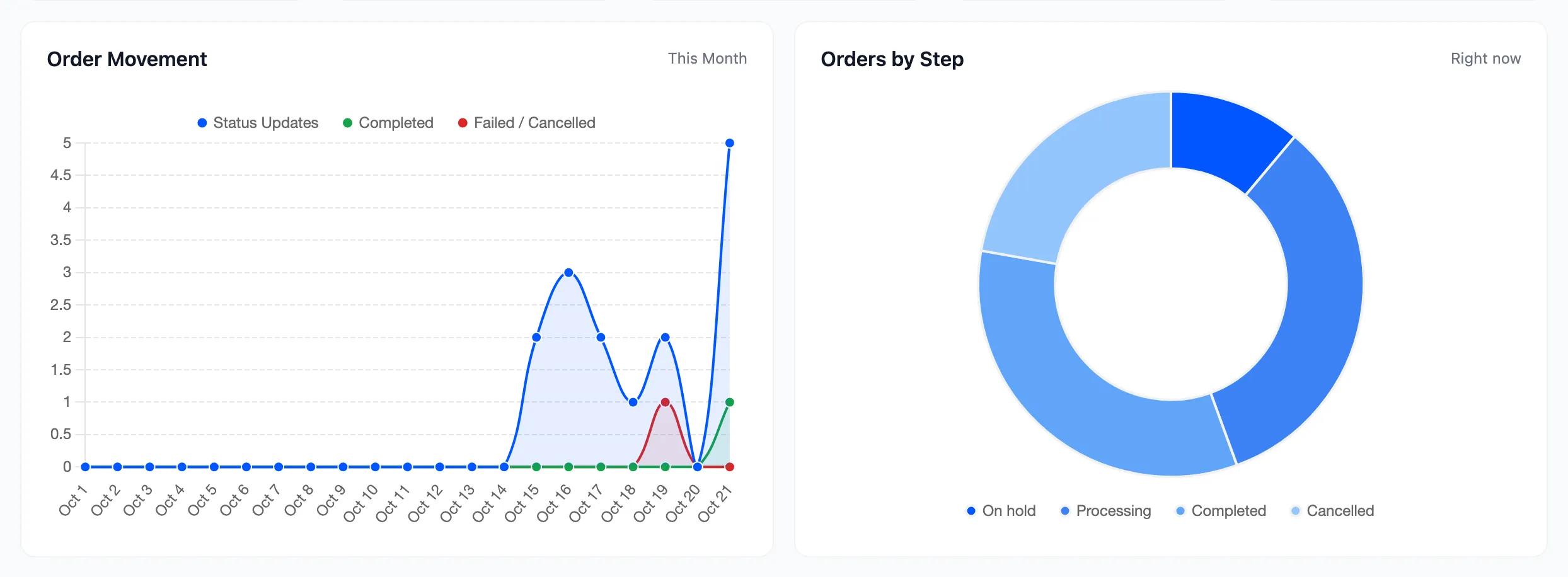
- Order Movement: Status changes per day, with completed and failed ones drawn as their own lines.
- Orders by Step: How many orders sit in each step of your flow right now, failed statuses included.
The lists
Section titled “The lists”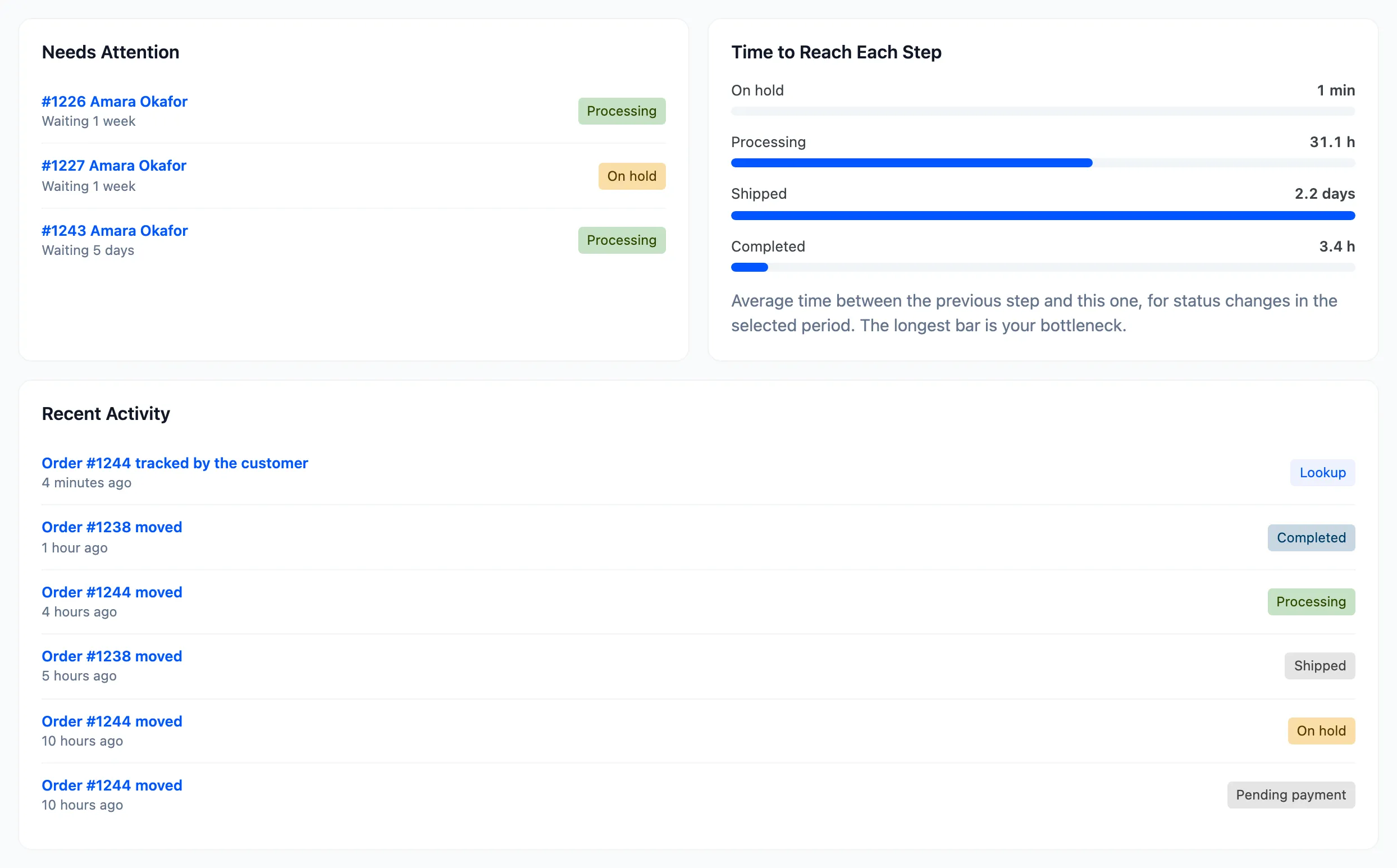
- Needs Attention: Up to six orders that have not changed status for longer than Stuck After (days), longest first. Each links to the order. See How to Get Alerts for Stuck Orders.
- Time to Reach Each Step: The average time between the previous step and this one. The longest bar is where orders wait. See How to Find Where Orders Slow Down.
- Recent Activity: The latest six status changes and lookups, newest first.
Needs Attention lists nothing until Watch Statuses on the Stuck Order Alerts tab has a status in it. It does not need the daily email to be on.