

Shortcodes and Blocks
Two shortcodes, each with a matching block, place the tracking form or an order’s bar anywhere. Open DevDiggers Plugins → Order Progress Bar → Configuration → Shortcodes for this list with copy buttons.
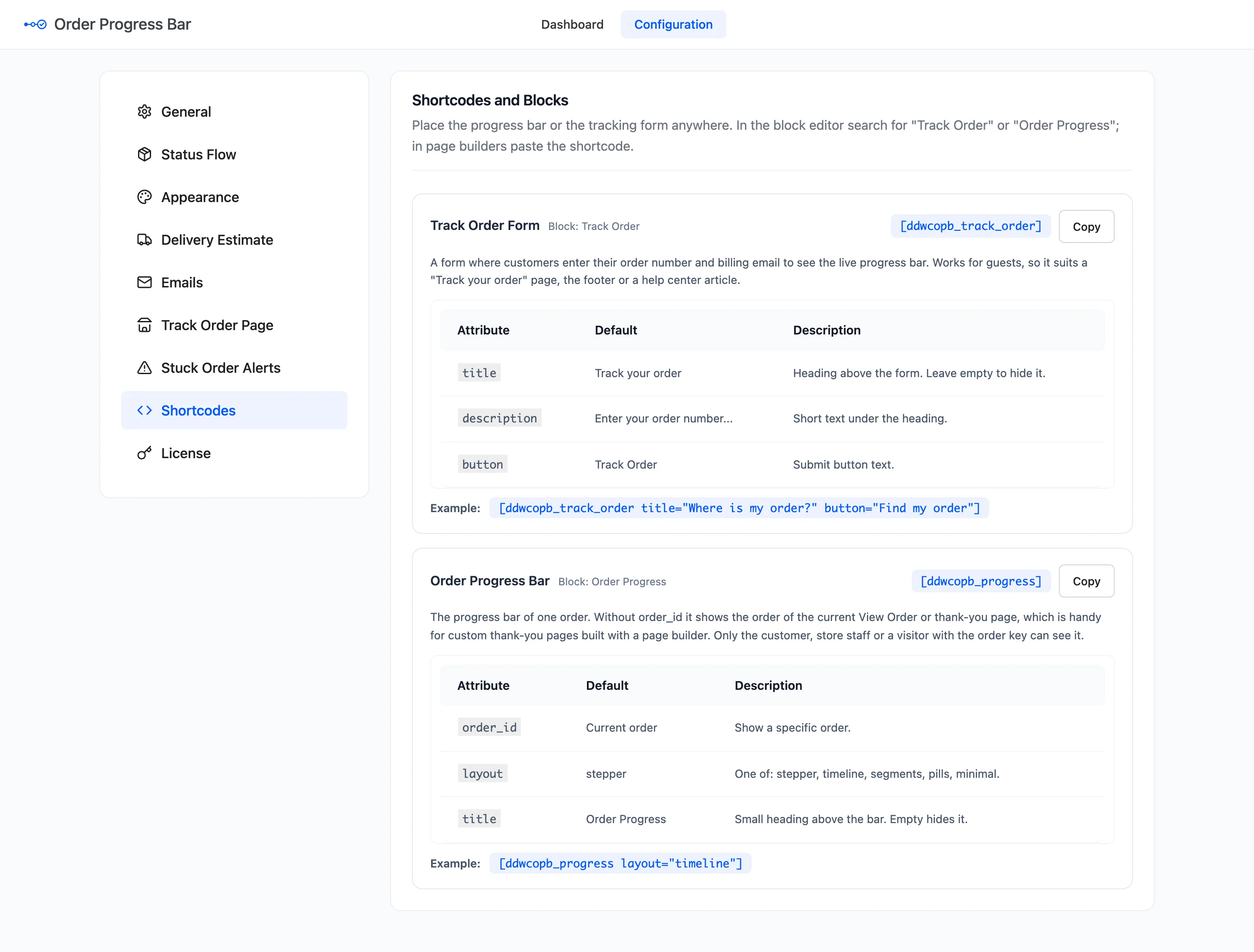
In the block editor, search for Track Order or Order Progress. In a page builder, paste the shortcode.
The blocks carry the most used attributes in their sidebar. Track Order has Title and
Description, and emptying either hides it. Order Progress has Layout and always shows the order
of the page it sits on. For button, order_id or title on the bar, use the shortcode.
Track Order Form
Section titled “Track Order Form”[ddwcopb_track_order], block Track Order. A form where anyone types an order number and billing email
to see the live bar. It suits a “Track your order” page, the footer or a help article.
| Attribute | Default | What it sets |
|---|---|---|
title |
Track your order | Heading above the form. Empty hides it. |
description |
Enter your order number and the email address you used at checkout to see where your order is. | Short text under the heading. |
button |
Track Order | The submit button text. |
[ddwcopb_track_order title="Where is my order?" button="Find my order"]The page the plugin creates uses title="", so it shows no heading of its own under the page title.
Order Progress Bar
Section titled “Order Progress Bar”[ddwcopb_progress], block Order Progress. The bar of one order.
| Attribute | Default | What it sets |
|---|---|---|
order_id |
The current order | Show a specific order. |
layout |
Your Appearance layout | stepper, timeline, segments, pills or minimal. |
title |
Your Appearance title | Small heading above the bar. Empty hides it. |
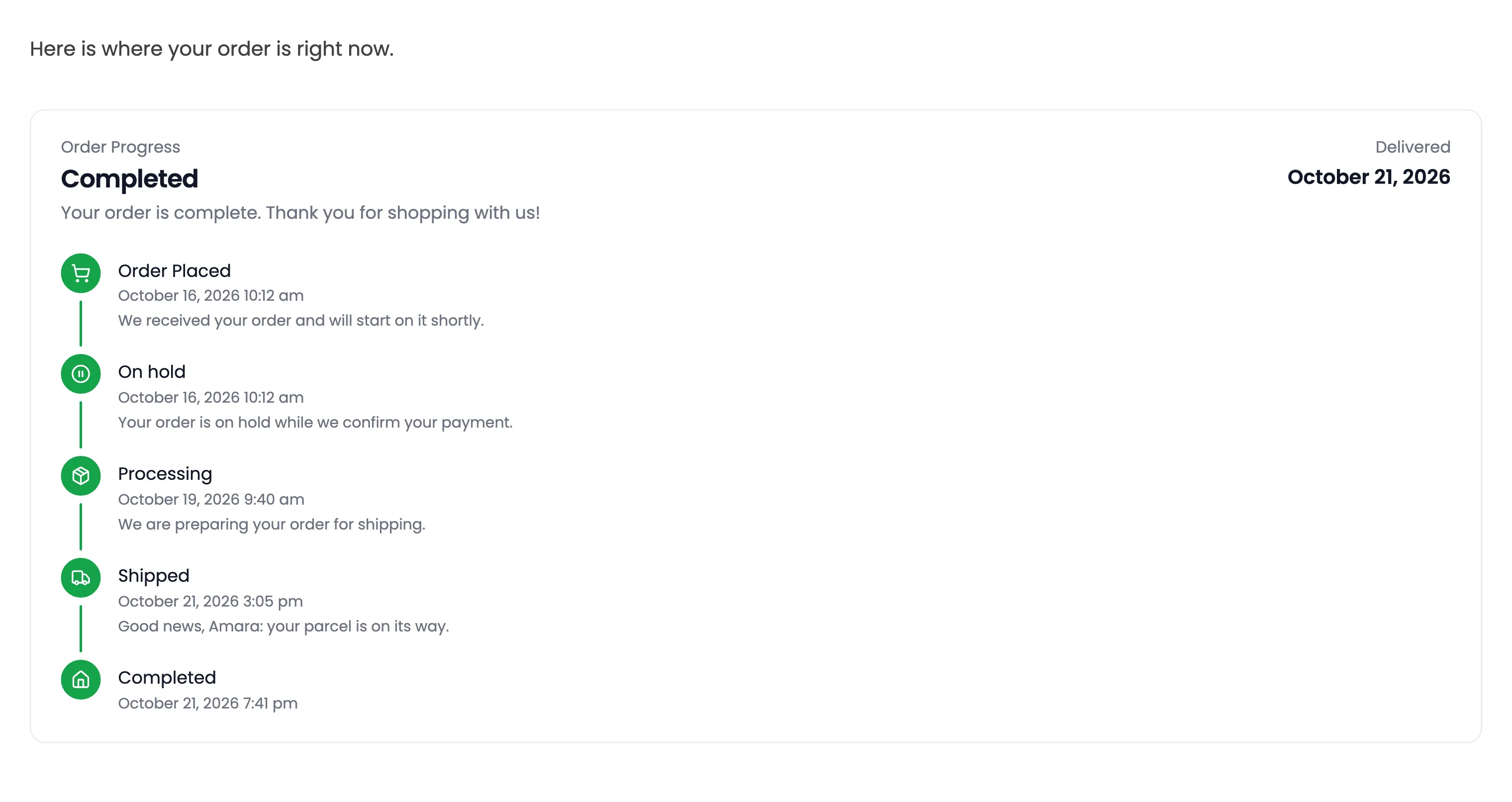
[ddwcopb_progress layout="timeline"]Without order_id, it shows the order of the View Order or thank-you page it sits on. That suits a custom
thank-you page built with a page builder.
Who can see the bar
Section titled “Who can see the bar”The bar prints only for:
- The customer who placed the order.
- Store staff who can edit orders.
- A visitor whose link carries the order key, as a thank-you page link does.
Anyone else gets nothing, not an error. On the demo, a page holding Amara’s order showed the bar to her and nothing to a logged-out visitor.
While the plugin is switched off or unlicensed, both shortcodes print nothing, rather than their raw tags.